

Guard Dog Security & Site Lock
Audit your site to keep WordPress clean and secure. Enable our one-of-a-kind SITE LOCK to give your site the ultimate security.
Plugin info
Maintenance & Compatibility
Maintenance score
Maintained • Last updated 121 days ago • 3 reviews
Is Guard Dog Security & Site Lock abandoned?
Likely maintained (last update 121 days ago).
Compatibility
Similar & Alternatives
Explore plugins with similar tags, and compare key metrics like downloads, ratings, updates, support, and WP/PHP compatibility.
Description
Guard Dog Security & Site Lock helps WordPress administrators keep their installations clean and secure.
Over time, it’s common for orphaned plugin or theme folders to build up in your wp-content directory. These stray folders may be the result of incomplete uninstallations, leftover files from updates, or abandoned code that was never fully removed. While they might seem harmless at first glance, they can create confusion, waste storage space, and in some cases pose a serious security risk.
Hackers often exploit these forgotten folders by hiding backdoors or malicious scripts inside them, knowing that site owners rarely check for or even notice such files. An orphaned folder can act as an open invitation for unauthorized access, giving attackers a quiet place to operate undetected.
By identifying and removing these unused folders, you not only keep your WordPress installation clean and organized but also close off potential entry points that could otherwise be used to compromise your site. The Guard Dog Security plugin makes this process simple, scanning your directories to uncover anything that doesn’t belong and highlighting it for review before it becomes a problem.
SITE LOCK – Only found here!
One of the easiest ways for a hacked user to damage your site is by adding or changing the physical files that WordPress relies on. If attackers can place hidden scripts, modify plugin or theme files, or inject malicious code, they gain the power to compromise your entire site.
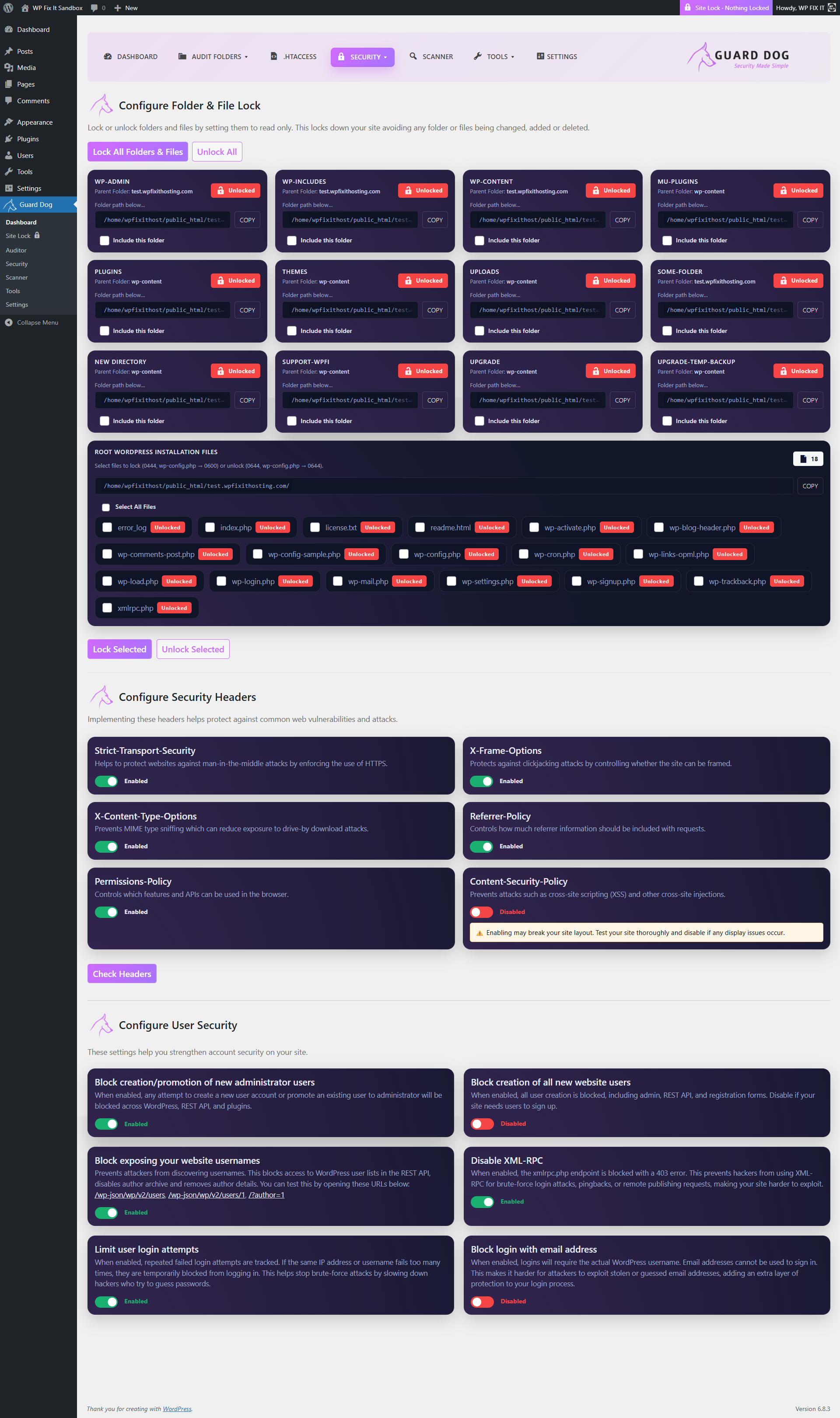
The Site Lock feature in Guard Dog Security protects against this by allowing you to lock all folders and files in your installation and make them read-only. Once locked, no new files can be added, no existing files can be changed, and nothing can be removed. This ensures that the foundation of your WordPress site remains untouched, even if someone attempts to exploit vulnerabilities or gain access.
When updates or changes are needed, you can unlock the system with a single action, perform your updates, and then reapply the lock. This simple but powerful safeguard gives you complete control over your site’s file structure and adds a layer of security that goes beyond what most WordPress plugins offer.
This plugin scans the following directories:
– WordPress Root (main installation folder)
– wp-content Folder (wp-content/)
– Plugins Folder (wp-content/plugins/)
– Themes Folder (wp-content/themes/)
– Uploads Folder (wp-content/uploads/)
– htaccess files
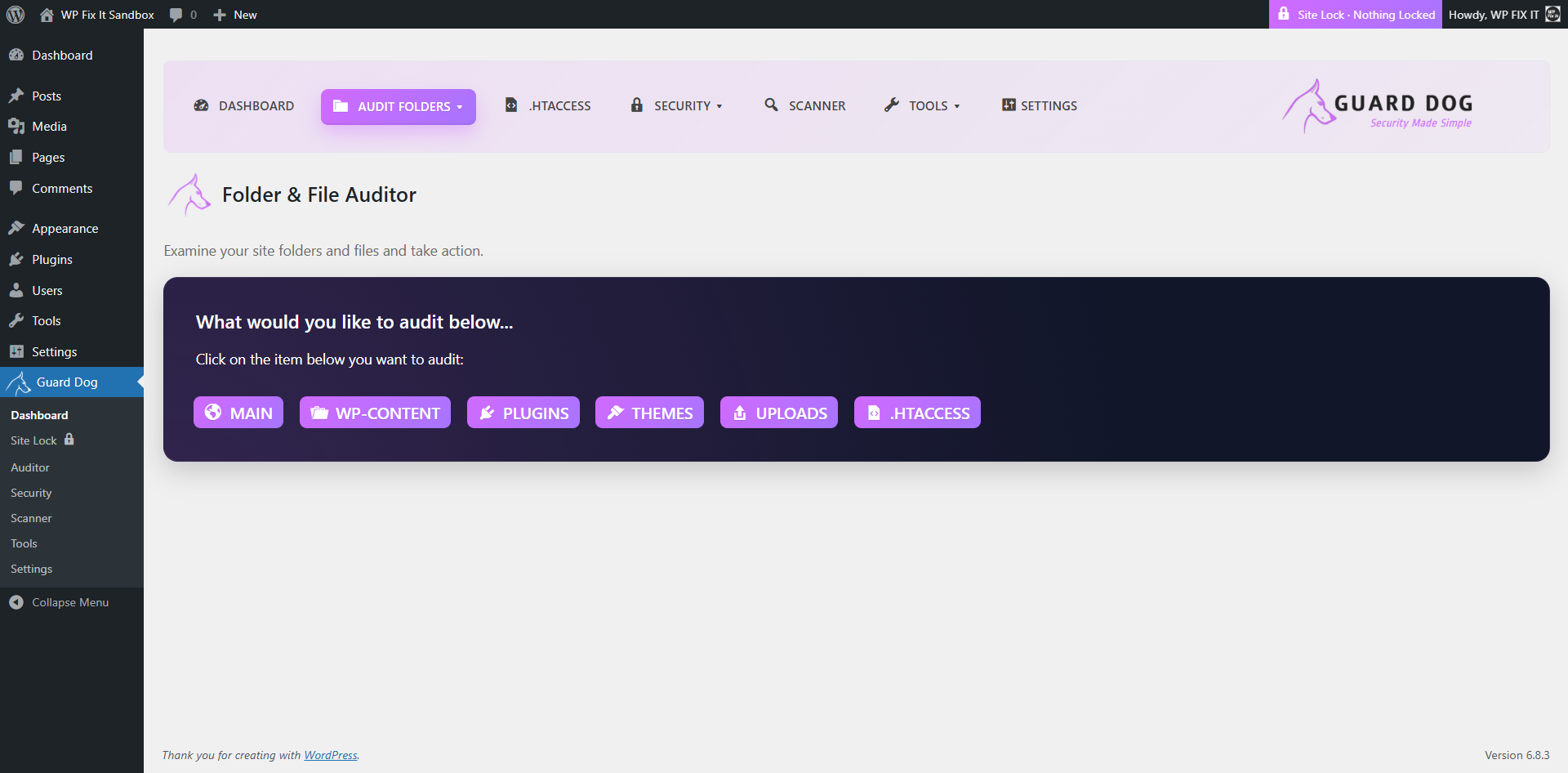
Guard Dog Security takes a disk-first approach. It crawls your entire WordPress installation and inventories every single file and folder, not just plugins and themes. Everything is presented in a clear interface where you can open items to view their contents, mark them to ignore, delete them if they are not needed, or download a copy for backup or investigation.
Because it works directly from what is actually on disk, you are never limited by what WordPress shows in the admin. You can quickly spot unfamiliar files, tidy up leftovers from old plugins or themes, and pull down suspicious items for review, all without leaving the dashboard. It provides a fast and transparent way to see exactly what is on your server and take action immediately.
Key Features
– Finds plugin folders not listed on the Plugins screen (hidden or orphaned)
Scans for plugin folders that exist in your WordPress installation but aren’t showing on the Plugins screen.
– Detects missing plugin folders referenced by active or installed plugins
Identifies when active or installed plugins are missing their associated folders.
– Lists top-level folders and files in key WordPress directories
Displays top-level files and folders within critical WordPress directories for easy auditing.
– Fully lock all folders and files to make them read only
Lets you make all folders and files read-only for maximum protection.
– Configure security headers
Adds and manages HTTP security headers to harden your site against common threats.
– Configure user security
Provides settings to strengthen account and login security for WordPress users.
– Infection scanner
Scan all site files to find any suspicious files
– Zero configuration setup
Works right after install and activation—no complex setup required.
Installation
- Upload the plugin files to the /wp-content/plugins/ directory, or install via the WordPress Plugins screen directly.
- Activate the plugin through the Plugins screen in WordPress.
- Navigate to Guard Dog to begin auditing your site.
Frequently Asked Questions
Hidden or leftover folders can sometimes indicate incomplete uninstalls or even malicious code. This plugin helps you identify them.
No. Guard Dog Security is strictly an auditing tool. It shows you what exists so you can make informed decisions.
No. All operations run only when you open the Guard Dog Security screen. Nothing runs on the frontend.
Currently designed for single-site installs. Multisite support may be added in the future.
Review feed
Screenshots
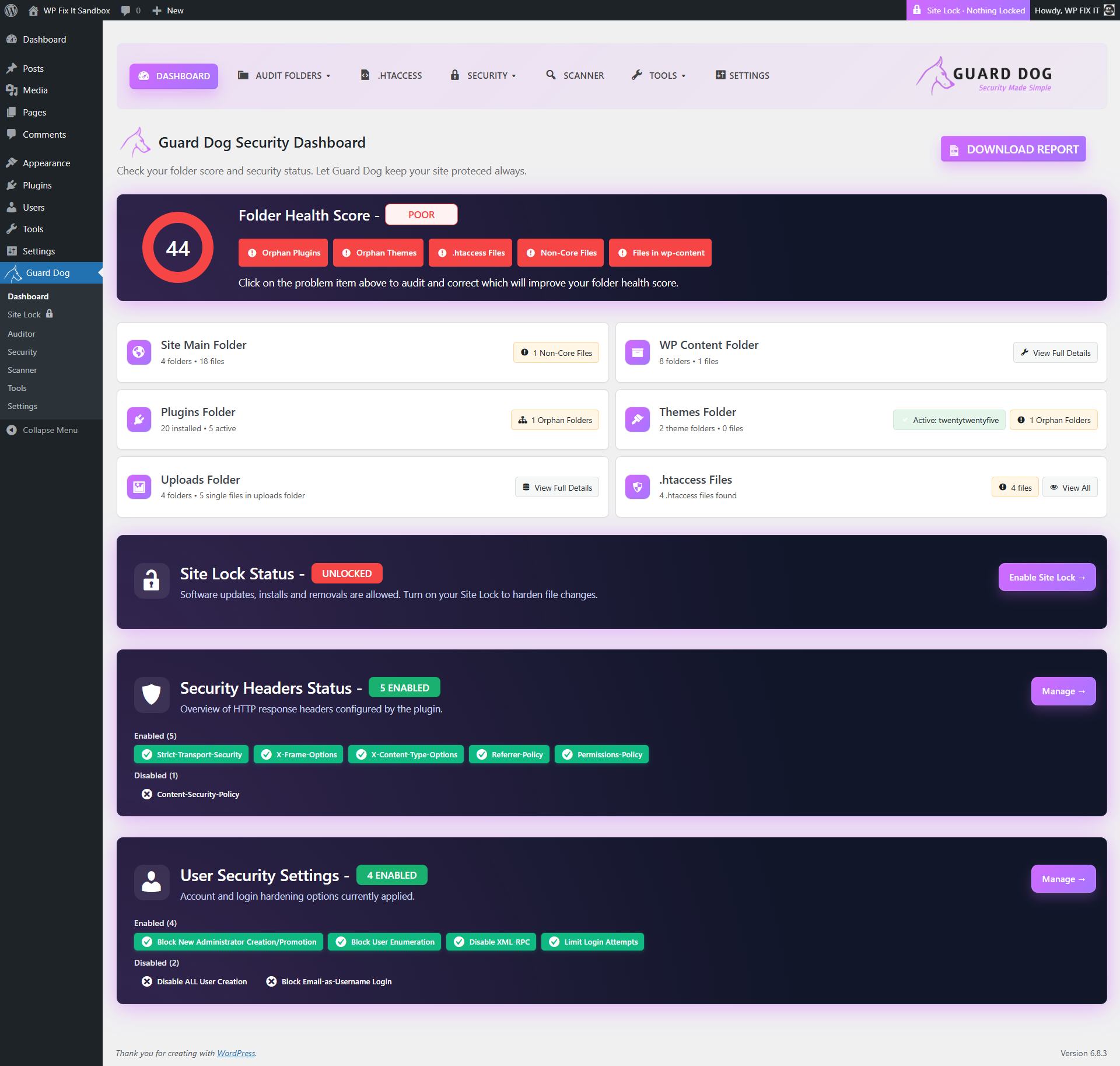
Dashboard tab showing score and all folder issues present on your site.
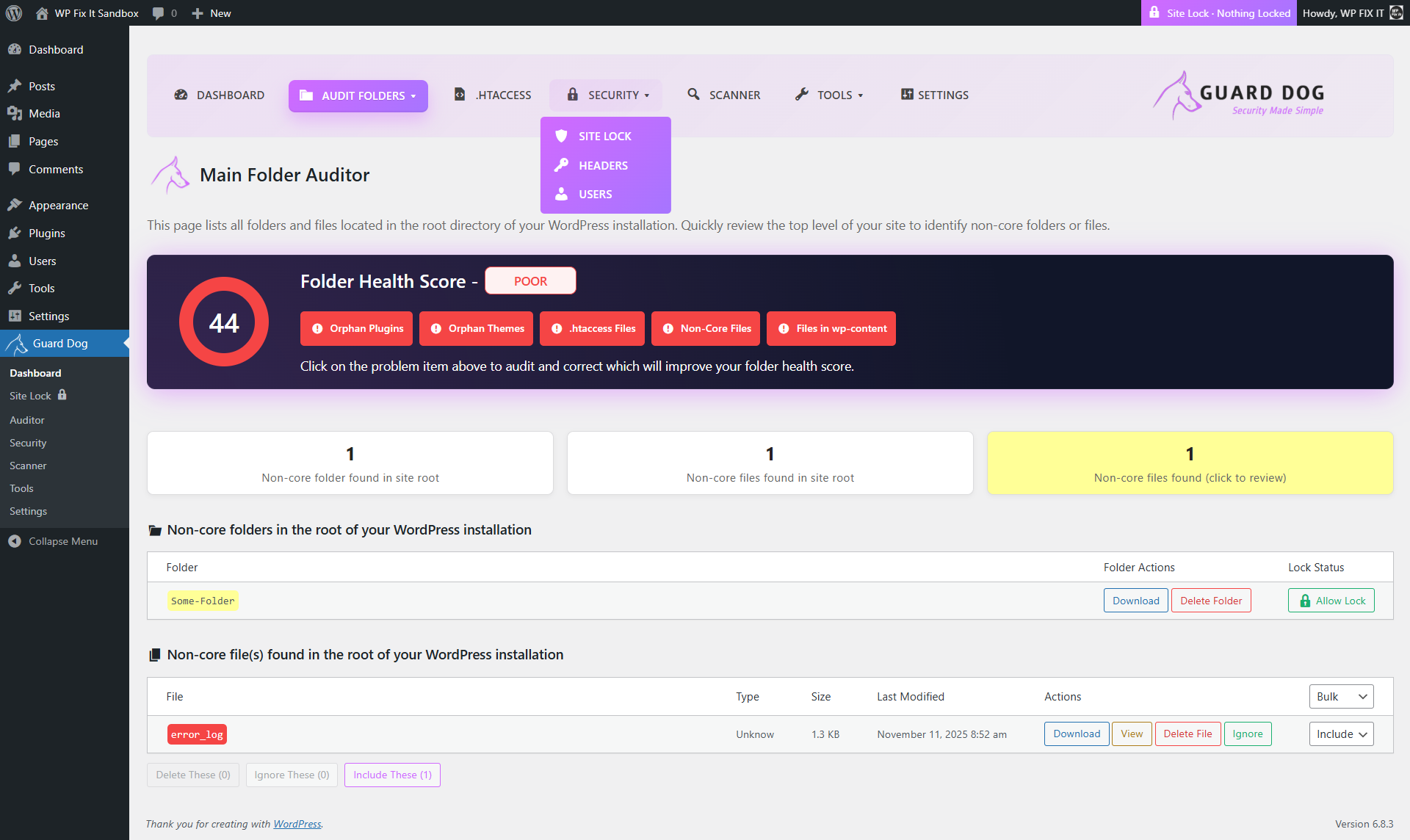
Main Folder Auditor displaying all folders and files in the root of your WordPress installation.
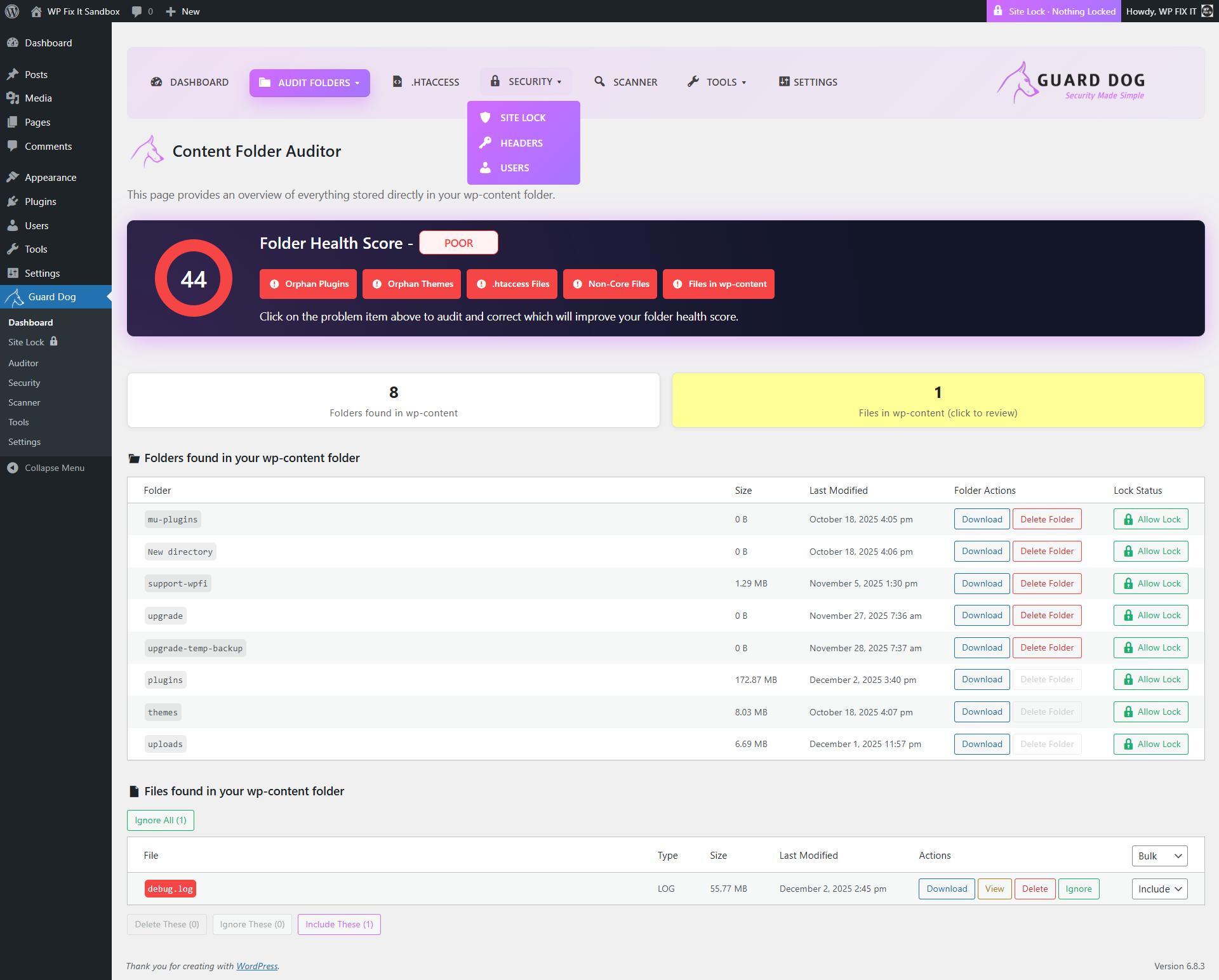
Content Folder Auditor listing all folders and files found inside the wp-content directory.
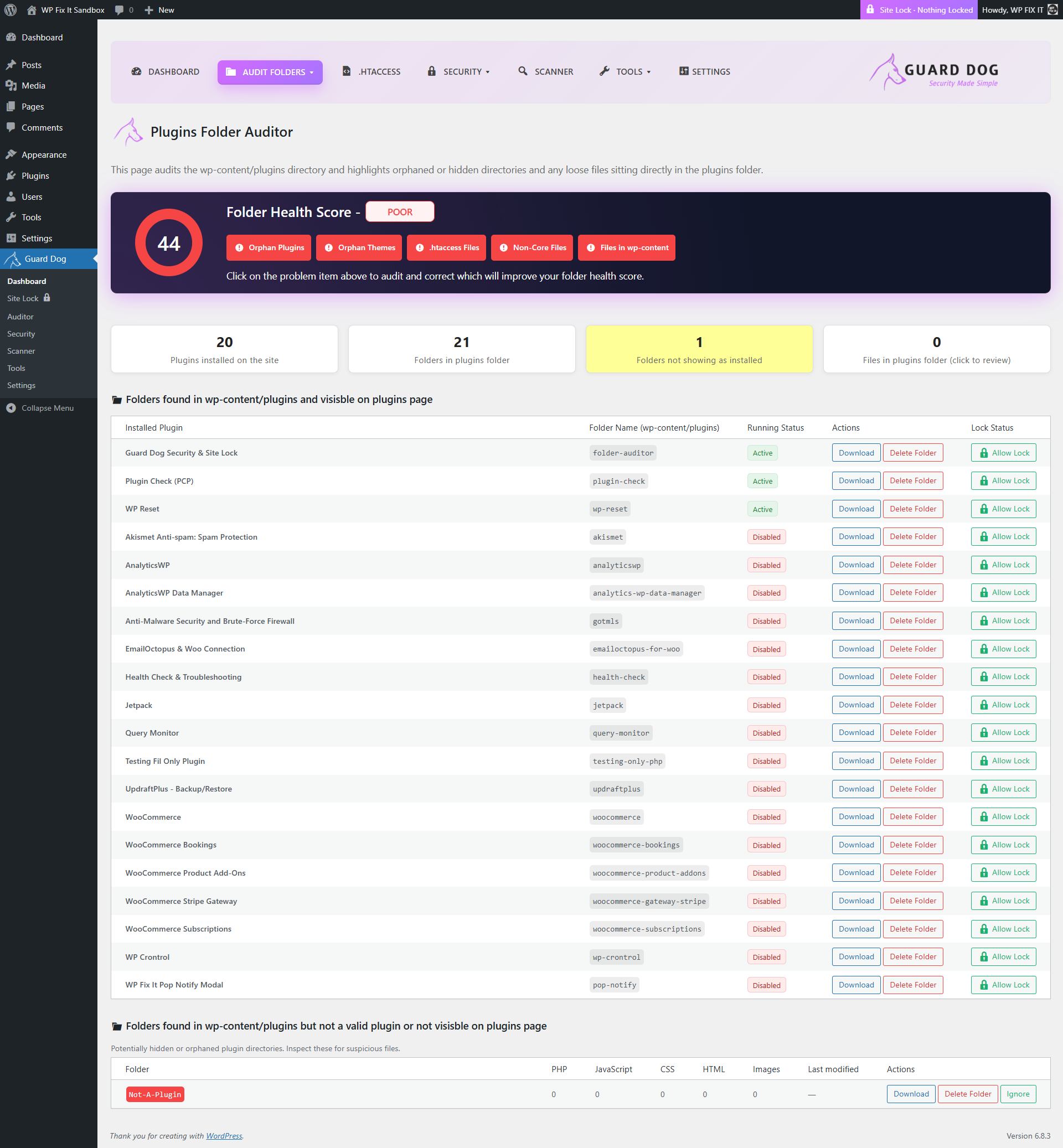
Plugins Folder Auditor showing installed plugin folders and any hidden or orphaned plugin directories.
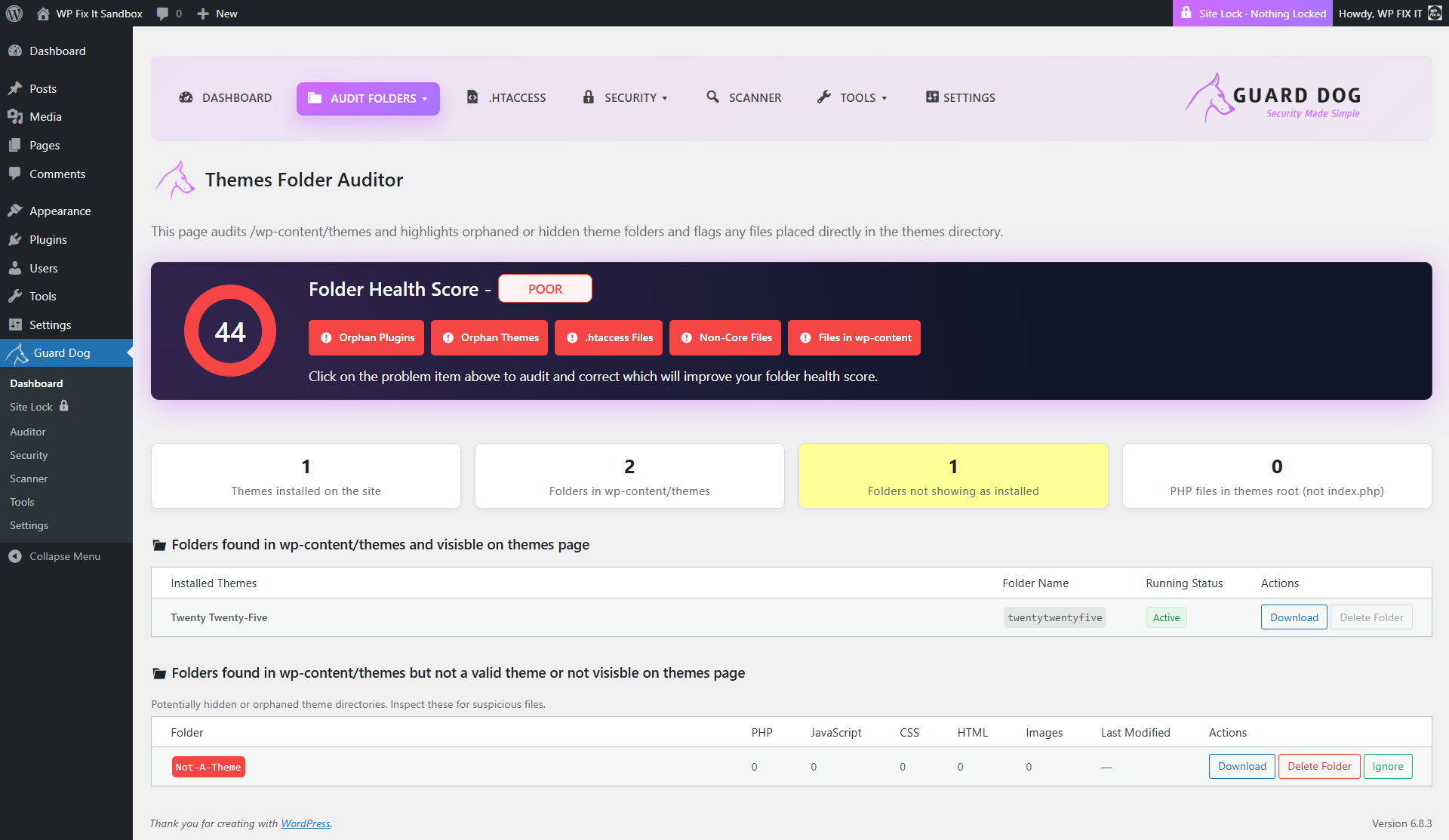
Themes Folder Auditor displaying theme folders on disk and alerting you to invalid or unrecognized themes.
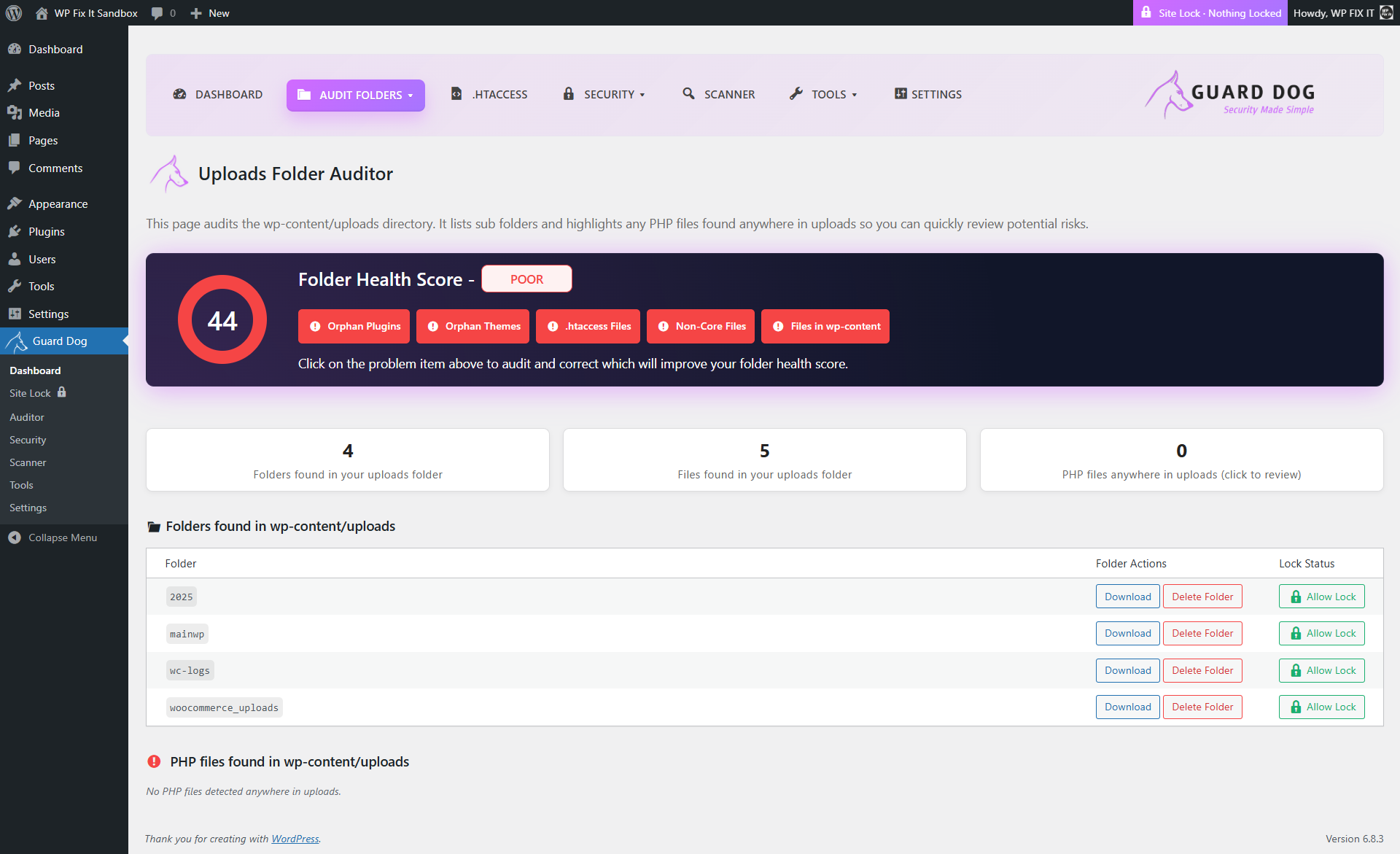
Uploads Folder Auditor showing all folders in the uploads directory and identifying any PHP files present.
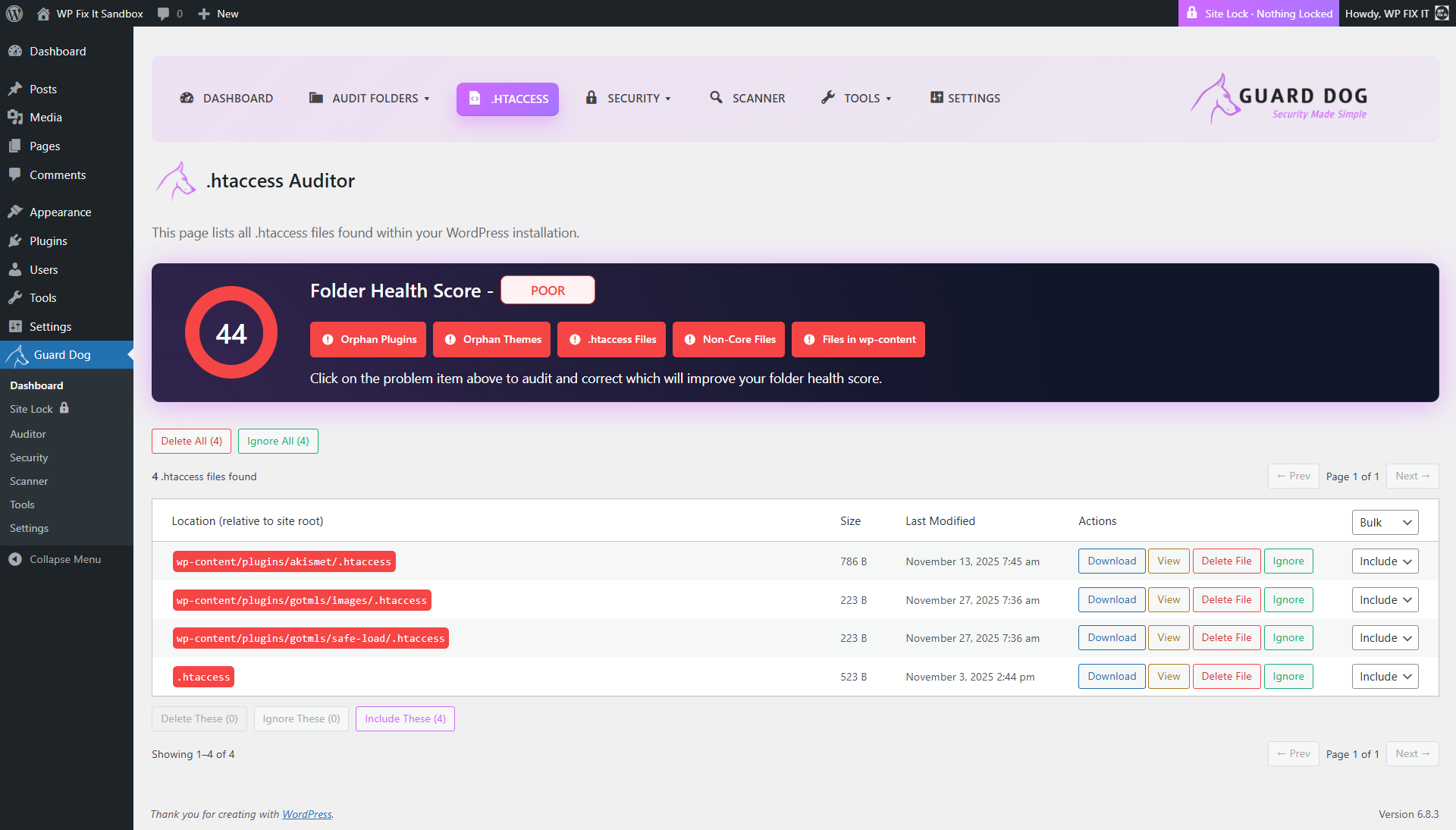
.htaccess Auditor listing every .htaccess file detected across your site for review and management.
Security Settings page where you can configure Site Lock, security headers, and user hardening features.
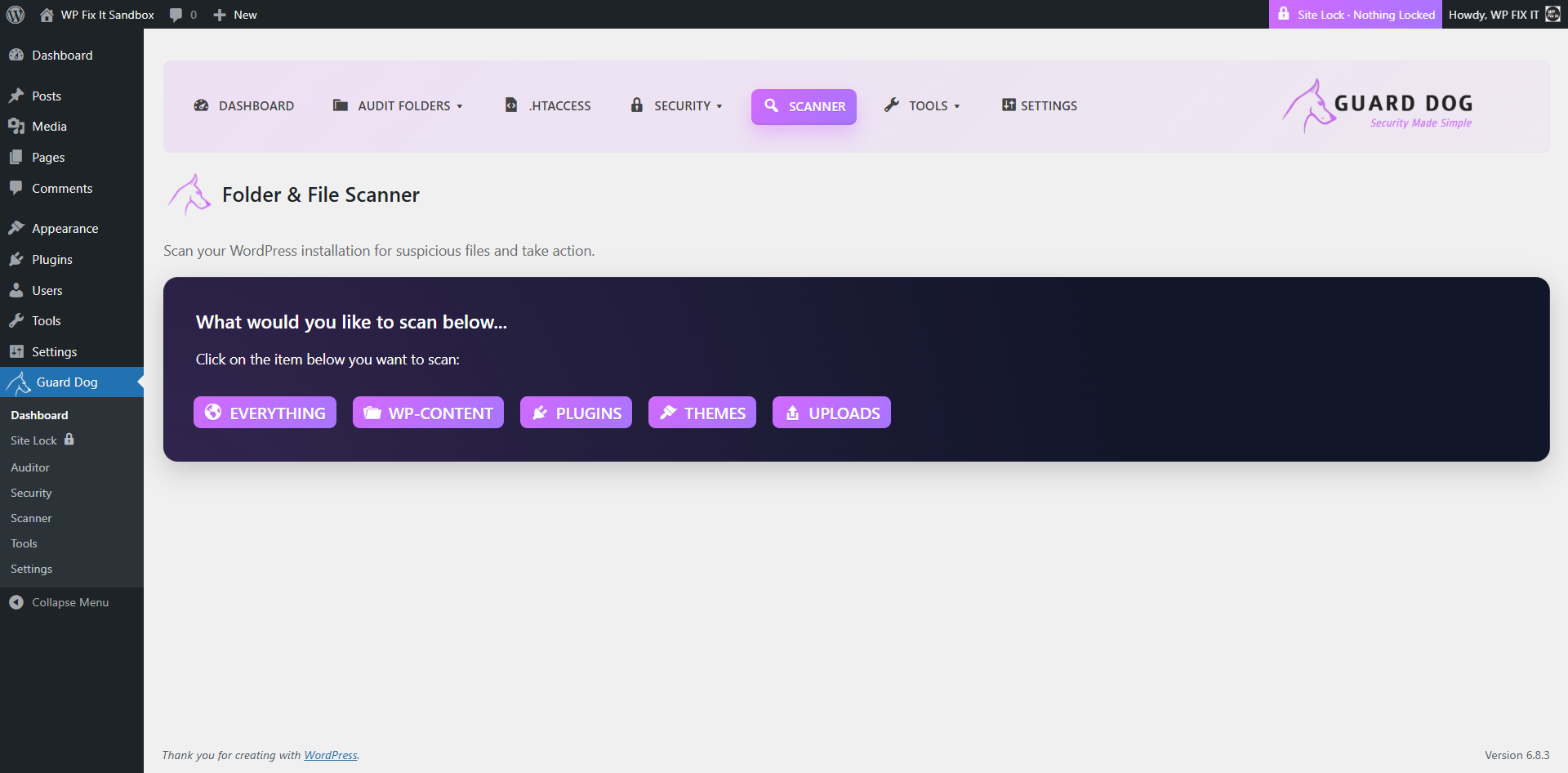
Infection Scanner selection screen allowing you to choose which areas of your site to scan.
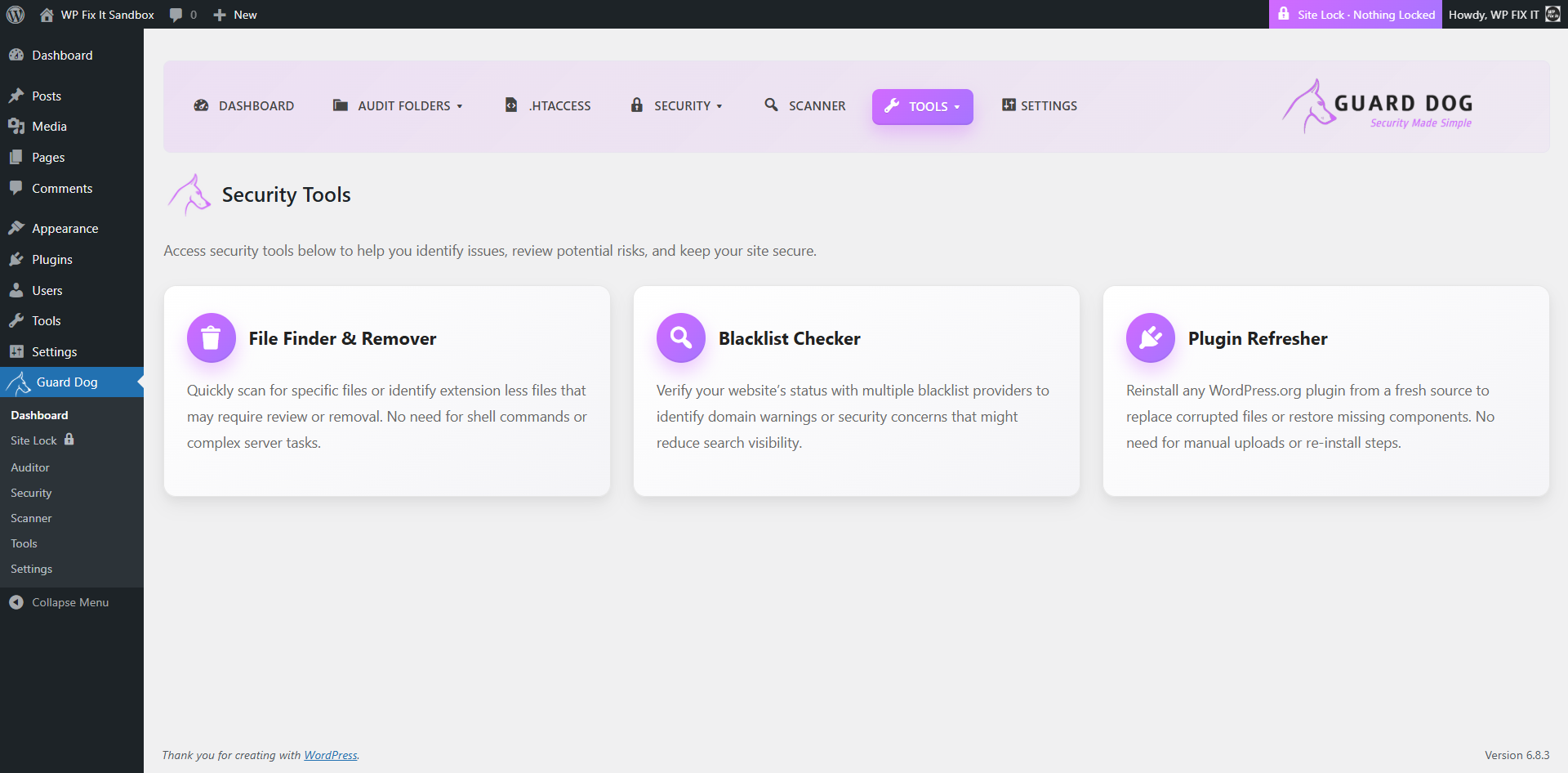
Security Tools section providing access to File Finder & Remover, Blacklist Checker, and Plugin Refresher.
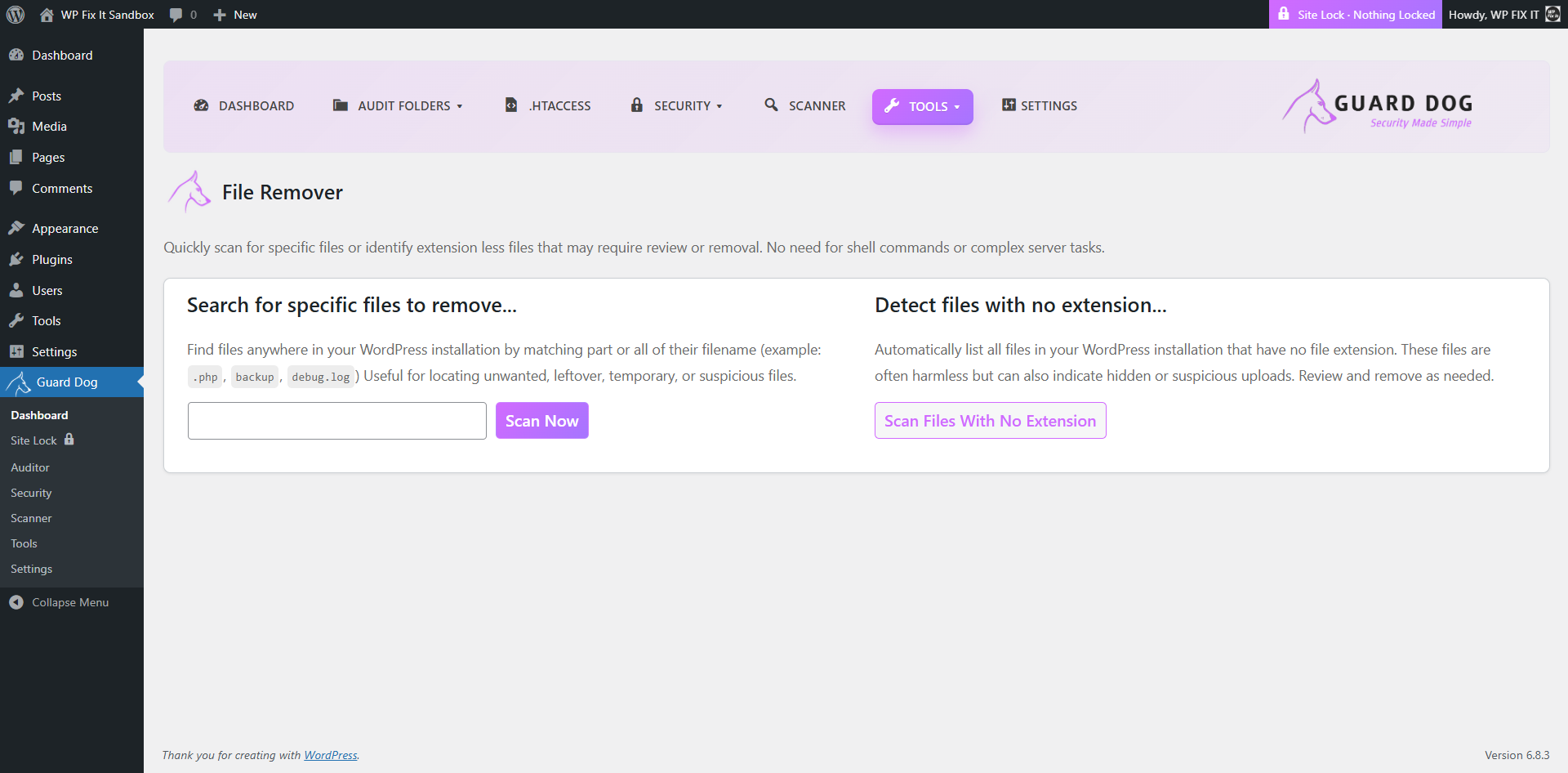
File Finder & Remover tool for searching specific filenames or detecting files with no extension.
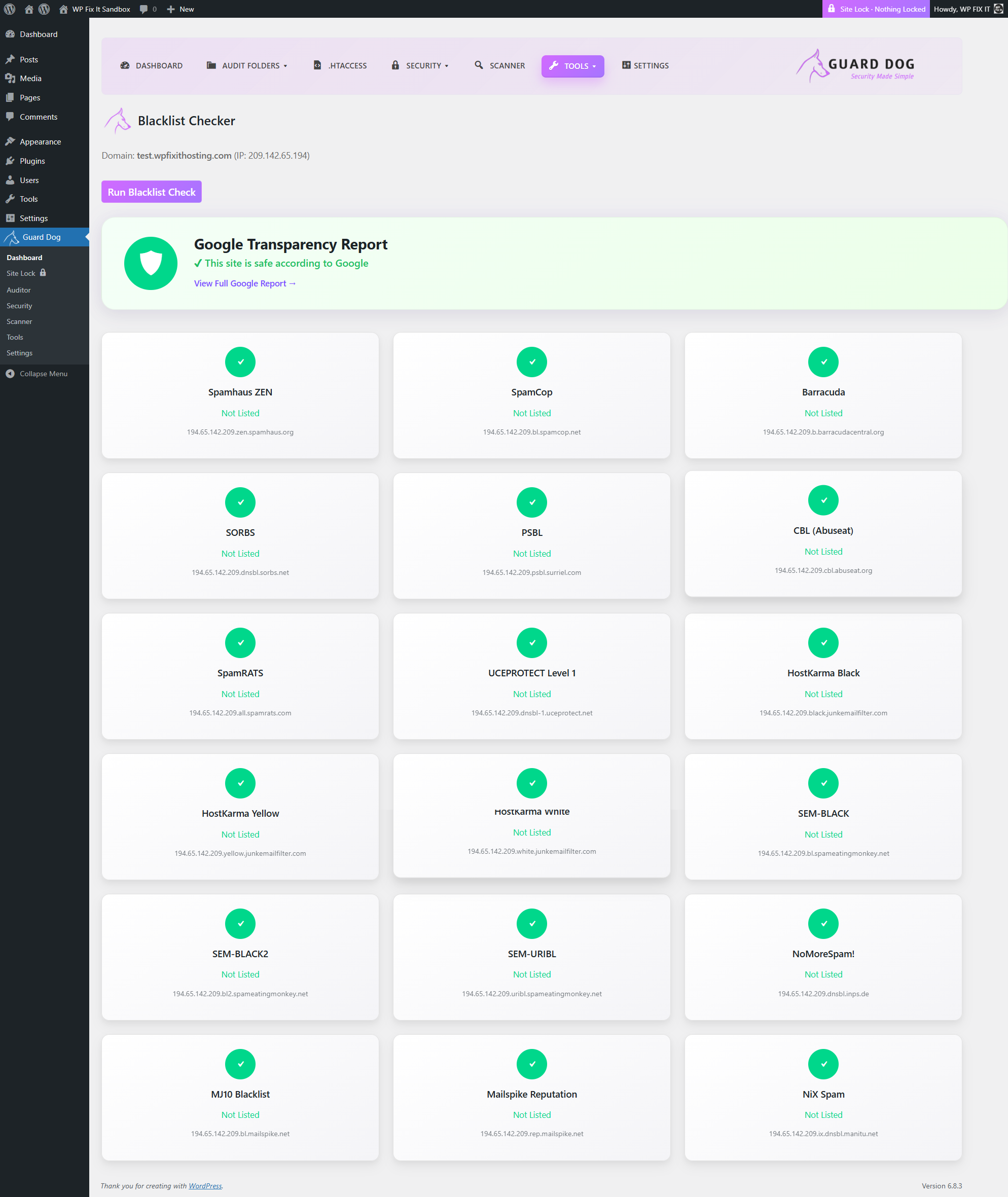
Blacklist Checker results showing your domain/IP status across multiple blacklist and reputation services.
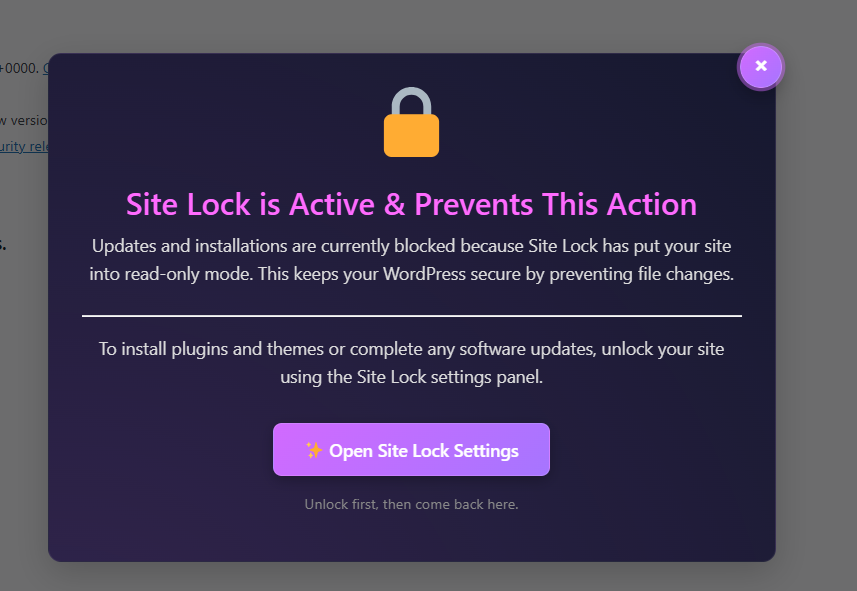
Site Lock prevention notice informing you that Site Lock is enabled and blocking file changes.
Folder & File Scanner interface allowing full-site, wp-content, plugin, theme, or uploads scanning.
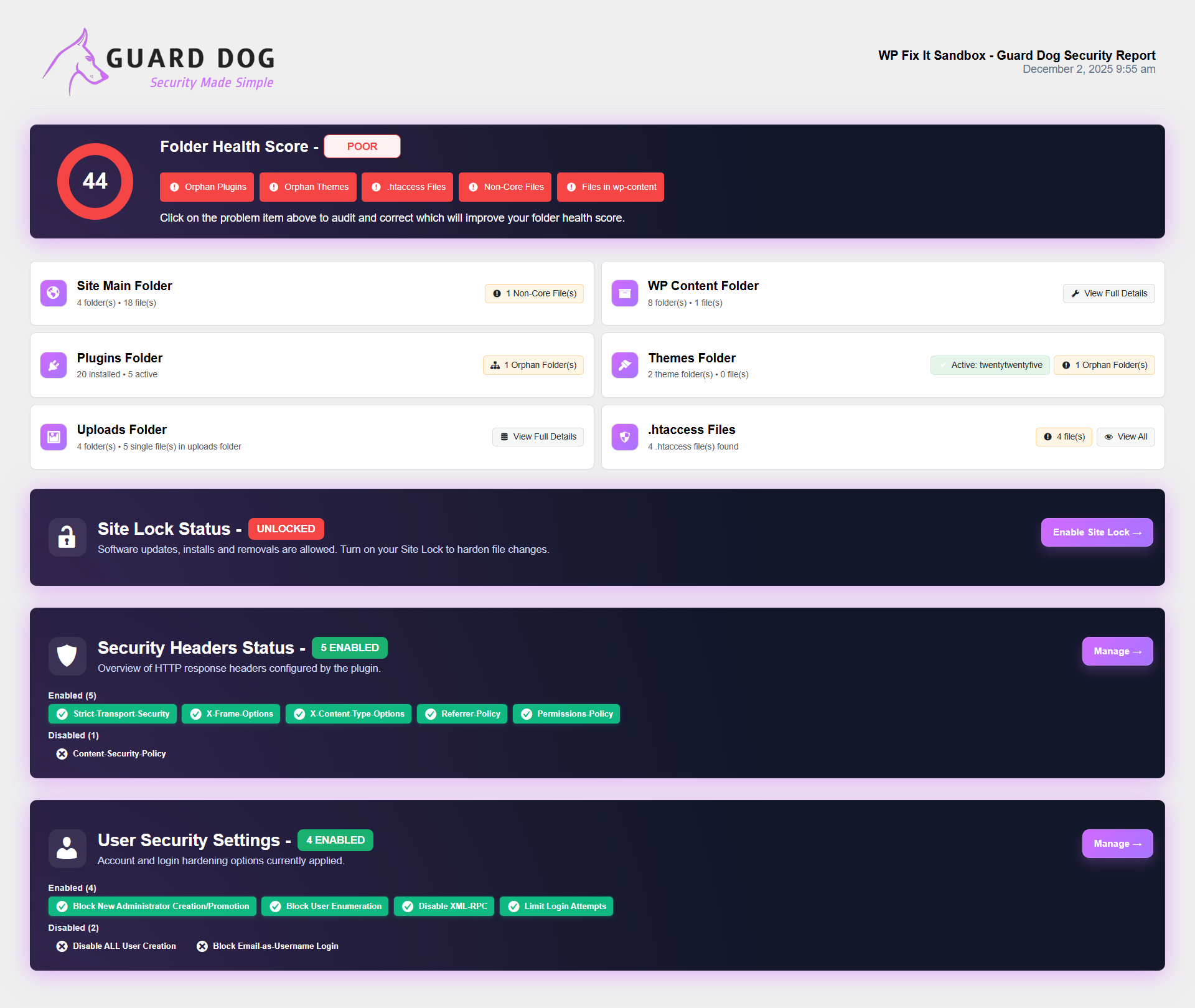
Export Report screen displaying the generated audit and security report that can be downloaded.
Changelog
5.0
-
Added an all-new Tools section to expand WordPress site auditing capabilities.
-
Introduced the Find & Remove Files tool, allowing administrators to quickly locate, filter, and delete unwanted or suspicious files anywhere in the WordPress installation.
-
Added a built-in Blacklist Checker to scan URLs, domains, and site status against major security and reputation blacklists.
-
General housekeeping and internal optimizations preparing for future feature expansion.
4.9.2
- Can now exclude single plugins from Site Lock
4.9.1
- Added new infection patterns to stop false positives
4.9
- Added new infection patterns to find bad files
4.8
- Added new infection patterns to find bad files
4.7
- Improved scanner performance
4.6
- Added new infection patterns to find bad files
4.5
- Removed MainWP integration for to correct time out updates and will repair
4.4
- Added new infection patterns to find bad files
4.3
- Setup MainWP bridge for unlock relock when running updates
4.2
- Minor style changes
4.1
- Added Site Lock Auto Enable
- Automated Security Reports
4.0
- Rebranded plugin as a full security suite
3.7
- Updated infection scanner patterns
3.6
- Added infection scanner for site files
3.5
- Fixed bulk delete action
- Updated some button styling
3.4.4
- Fixed report fatal error
3.4.3
- Fixed report hyperlinks
3.4.2
- Fixed font styling on report download
3.4.1
- Fixed typo
3.4
- Added ability to download folder audit and security report
3.3
- Added per folder lock exclusion
- New UI on main menu
3.2
- Added items locked to dashboard display
3.1
- Fixed Site Health issue when Site Lock is on
3.0
- Added user security settings to lock down account attacks
2.9.4
- Added Site Lock under Tools menu
- Added area for new settings tab
- Added drop down to security tab
- Style changes
2.9.3
- Corrected bulk delete actions
2.9.2
- Enhanced Site Lock conditioning
2.9.1
- Fixed conflict with WP Rollback
2.9
- Added view file action buttons
2.8
- UI improvements
2.7
- Fixed security header defaults
2.6
- Fixed bulk ignore and delete functions
2.5
- Added security area to lock folders and files and set security headers
2.0
- New UI
1.3.1
- Improved plugin header and descriptions.
- Added Author URI and GPL license URI.
- Enhanced escaping for better security compliance.
1.3.0
- Added auditing of wp-content and WordPress root folder.
- Improved error handling for unreadable directories.
1.2.0
- Added uploads and themes auditing.
- Improved plugin rows to match Plugins screen exactly.
1.0.0
- Initial release. Added plugin folder auditing.