

Fonts Typo | Fonts Typography
By using this plugin you can change your website font family style with the google fonts.
Plugin info
Maintenance & Compatibility
Maintenance score
Possibly abandoned • Last updated 953 days ago • 3 reviews
Is Fonts Typo | Fonts Typography abandoned?
Possibly abandoned (last update 953 days ago).
Compatibility
Similar & Alternatives
Explore plugins with similar tags, and compare key metrics like downloads, ratings, updates, support, and WP/PHP compatibility.
Description
This plugin allows users to easily add custom Google fonts to their WordPress website, and customize the typography settings for various elements such as headings, paragraphs, and more.
“Introducing the ‘Fonts Typo | Fonts Typography’ Plugin – Your Gateway to Transformative Typography!”
Unlock a new realm of creative expression with the “Fonts Typo | Fonts Typography” plugin. This innovative tool revolutionizes the way you wield the power of typography within your design projects. Seamlessly integrating into your favorite design software, this plugin empowers you to effortlessly access a curated treasury of exceptional typefaces, redefining the aesthetics of your creations.
With the ‘Fonts Typo | Fonts Typography’ plugin, you’re not just choosing fonts – you’re curating experiences. Dive into a diverse collection encompassing classic serifs, modern sans-serifs, expressive scripts, eye-catching display fonts, and more. Each typeface is a masterpiece, carefully crafted to embody unique personalities, evoke emotions, and convey messages with unparalleled impact.
Gone are the days of tedious font searches across various platforms. The plugin’s intuitive interface grants you instant access to a rich spectrum of fonts, streamlining your creative workflow. Whether you’re designing for web, print, branding, or social media, finding the perfect font is a breeze, ensuring your projects are imbued with the right tone and character.
Say goodbye to limitations and hello to versatility. The ‘Fonts Typo | Fonts Typography’ plugin is built to adapt. Its smart resizing technology ensures impeccable legibility across different sizes and mediums, guaranteeing your typography remains captivating and readable on every canvas.
Don’t just settle for ordinary – elevate your designs to extraordinary. The ‘Fonts Typo | Fonts Typography’ plugin is an essential companion for designers, marketers, and content creators alike. From corporate sophistication to whimsical charm, you’re equipped to captivate audiences and make a lasting impression.
Upgrade your design journey with the ‘Fonts Typo | Fonts Typography’ plugin. Elevate your projects, redefine your typography, and embark on a voyage of boundless creativity. Download now and discover the endless possibilities that await your artistic vision.
Click Here for plugin documentation
Fonts Typo | Fonts Typography Pro
UPLOAD YOUR CUSTOM FONTS OR CHOOSE FROM GOOGLE FONTS 🎨
With Fonts Typo Pro Version, you have the freedom to customize your website typography to match your unique brand identity.
You can easily upload your own custom font files, such as .ttf or .otf, and use them throughout your website. Or, you can choose from a rich library of Google Fonts and host them locally on your server, ensuring full control over their use.
Installation
This section describes how to install the plugin and get it working.
- Upload zip file from the wordpress plugin intallation or put the ‘fonts-typo’ directory in your wordpress plugin directory.
- Activate the plugin through the ‘Plugins’ menu in WordPress.
- The Fonts Typo will be available on WordPress Dashboard.
- Click on the Fonts Typo tab on Dashboard.
Frequently Asked Questions
Review feed
Screenshots
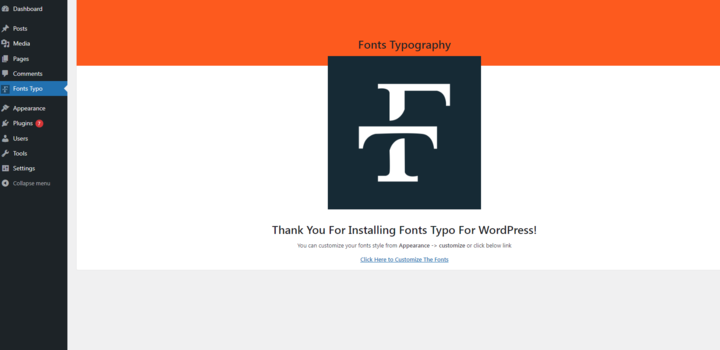
Fonts typo tab in wp dashboard

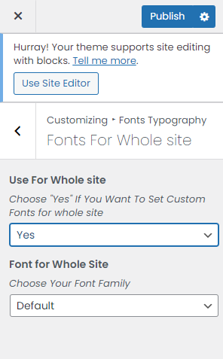
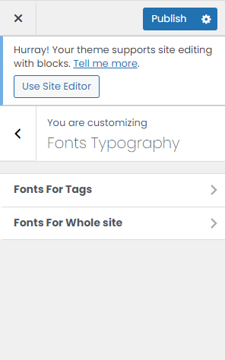
Fonts typo settings in customizer
Changelog
1.0.0
- improve code quality.
- improve Performance.