

Maintenance 50/100172d since update
Active installs
0
Downloads
126
Reviews
0
Age
0.5y
Plugin info
Total downloads: 126
Active installs: 0
Total reviews: 0
Average rating: 0
Support threads opened: 0
Support threads resolved: 0 (0%)
Available in: 1 language(s)
Contributors: 1
Last updated: 8/28/2025 (172 days ago)
Added to WordPress: 8/28/2025 (0 years old)
Minimum WordPress version: 4.5
Tested up to WordPress version: 6.8.3
Minimum PHP version: 7.1
Maintenance & Compatibility
Maintenance score
Maintained • Last updated 172 days ago
50/100
Is Food Menu Addon For Elementor abandoned?
Likely maintained (last update 172 days ago).
Compatibility
Requires WordPress: 4.5
Tested up to: 6.8.3
Requires PHP: 7.1
Similar & Alternatives
Explore plugins with similar tags, and compare key metrics like downloads, ratings, updates, support, and WP/PHP compatibility.
Restaurant Menu – Food Ordering System – Table Reservation
Rating 4.4/5 (54 reviews) • Active installs 9,000
Restaurant Menu, Online Food Ordering and Reservation Booking Plugin – WPCafe
Rating 4.4/5 (78 reviews) • Active installs 6,000
Orderable – WordPress Restaurant Online Ordering System and Food Ordering Plugin
Rating 4.6/5 (40 reviews) • Active installs 6,000
Five Star Restaurant Menu and Food Ordering
Rating 4.6/5 (105 reviews) • Active installs 5,000
Food Menu – Restaurant Menu & Online Ordering for WooCommerce
Rating 5.0/5 (23 reviews) • Active installs 3,000
Restaurant Menu and Food Ordering
Rating 4.5/5 (15 reviews) • Active installs 3,000
Description
With the help of the Elementor Cafe & Restaurant WhatsApp Menu addon, you can add an attractive food menu with WhatsApp ordering capability to your website.
Visit Demo
🗝️ Pro Version Features:
- Unlock Customizing Styles Of Menu PRO
- Unlock Multiple Whatsapp Account [PRO]
- Unlock Managing “Open/Closed” Store Status [PRO]
- RTL Support [PRO]
Installation
- Upload the plugin folder to the /wp-content/plugins/ directory, or install the plugin through the WordPress plugins screen directly.
- Activate the plugin through the ‘Plugins’ screen in WordPress
- You can type “WhatsApp Food Menu” on your Element tabs within the Elementor editor, and the element will appear.
- Also, you can see the element under the category “WhatsApp Food Menu” on your element/widget list.
Frequently Asked Questions
No FAQ available
Review feed
No reviews available
Screenshots

Menu On Frontend
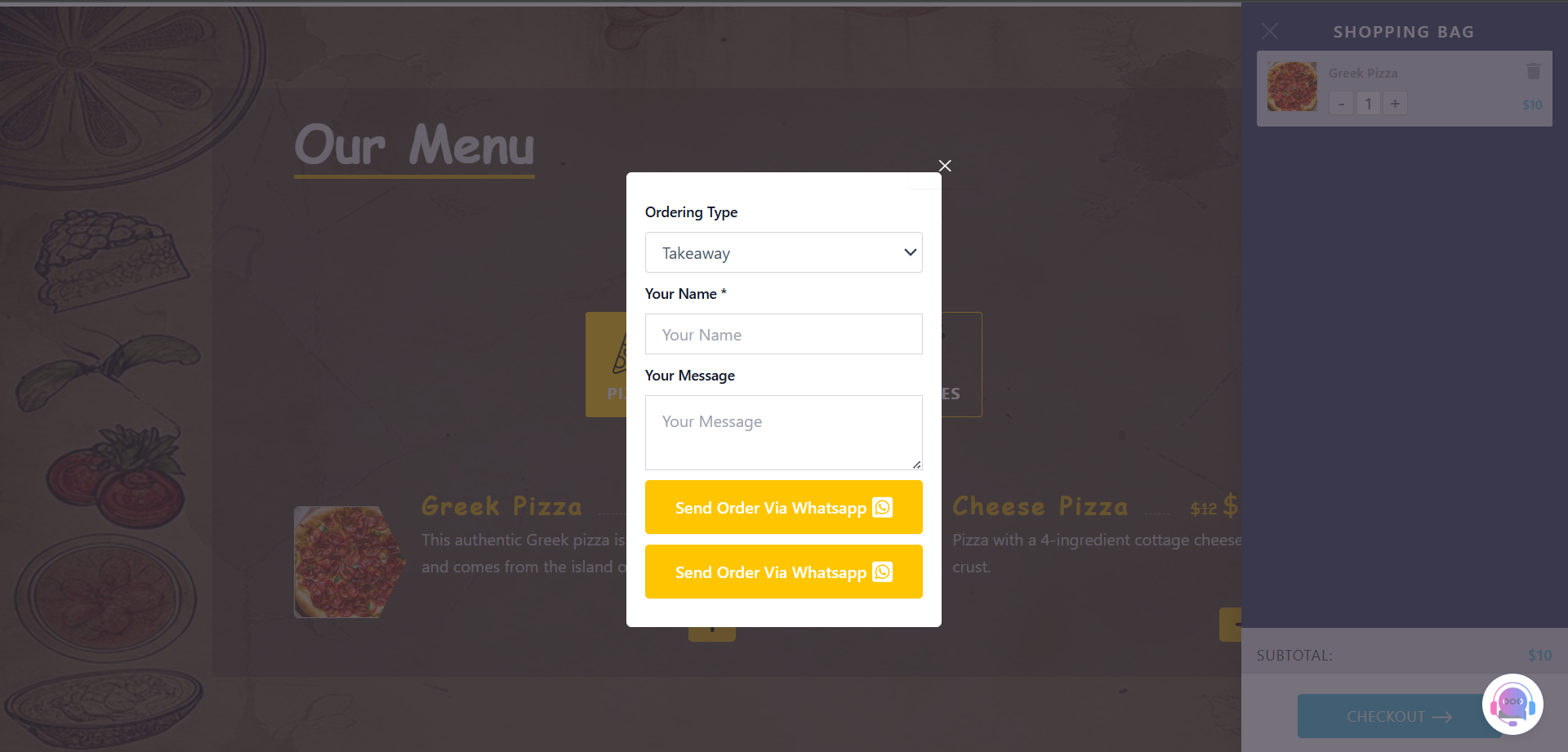
WhatsApp Order Form

Widget Content Tab
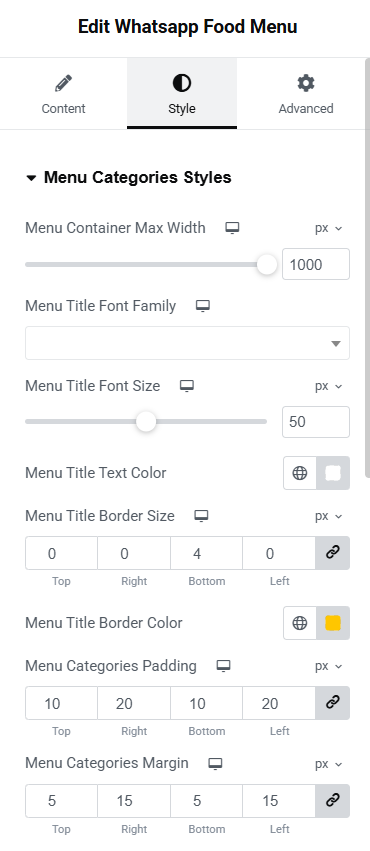
Widget Style Tab "Pro"

Closed Shop Signboard "Pro"
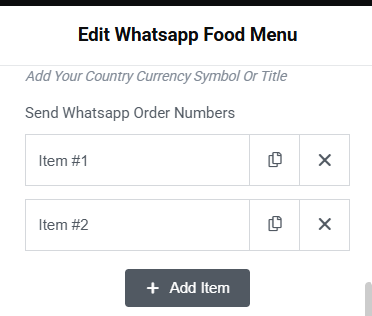
Multiple Whatsapp Accounts "Pro"
Changelog
v1.0.0
- Initial release
v1.0.1
- Fix readme file