

Food Truck Locator
Add a map of your food truck locations by date and time to keep your customers informed!
Plugin info
Maintenance & Compatibility
Maintenance score
Stale • Last updated 196 days ago • 1 reviews
Is Food Truck Locator abandoned?
Likely maintained (last update 196 days ago).
Compatibility
Similar & Alternatives
Explore plugins with similar tags, and compare key metrics like downloads, ratings, updates, support, and WP/PHP compatibility.
Description
This plugin allows you to add your food truck locations in a simple way.
Just create some locations with the admin interface by positioning a marker on a map, add a location name and description and timetables (one-off date or regular day of week, start time and end time).
Your customers will see a map with your week locations, and depending when they visit your website, the current location (pulsing marker) or next location will pop up on the map, showing immediately where you are now or next time.
They will be able to select a day they want to directly move the map to the right location of the chosen day.
Features
– Create locations of your food truck and add one-off dates or regular days of the week and hours you are in
– Map marker color customization
– Vacation mode: activate and set a message to inform your customers that you are on vacation (the map will be darkened and the message will be overlayed on the map)
– Map directly informs visitors where you are now, depending on the browser local time, or your next location
– Hide quickly a location or a day/time with a visible property
Maps are rendered with the Leaflet library.
Source code is available at https://github.com/Leaflet/Leaflet.
Translations
Currently English and French are supported.
Translators are welcome.
Installation
In your wp-admin page, just click on \”add new\” and search for \”Food Truck Locator\”.
Or manually,
– Upload the plugin to the \”/wp-content/plugins\” directory
– Activate the plugin through the \”Plugins\” menu in WordPress
In the wp-admin, a new menu will be visible \”Food Truck Locator\” where you can change settings and add locations.
To add your locations map in a page or a post, add the shortcode [foodtrucklocator].
Frequently Asked Questions
Insert the following shortcode [foodtrucklocator]. More details are on the edit location page of locations in the admin plugin page.
Do not hesitate to contribute to the translations by opening a issue here: https://github.com/Skuair/food-truck-locator-wp-plugin
You can change the color of the marker in the plugin settings.
The content popup is automatically generated with the location name, description and timetables.
Bugs and feature requests can be reported to the GitHub repository: https://github.com/Skuair/food-truck-locator-wp-plugin
For support for using the plugin, use the WordPress plugin forum.
Review feed
Screenshots
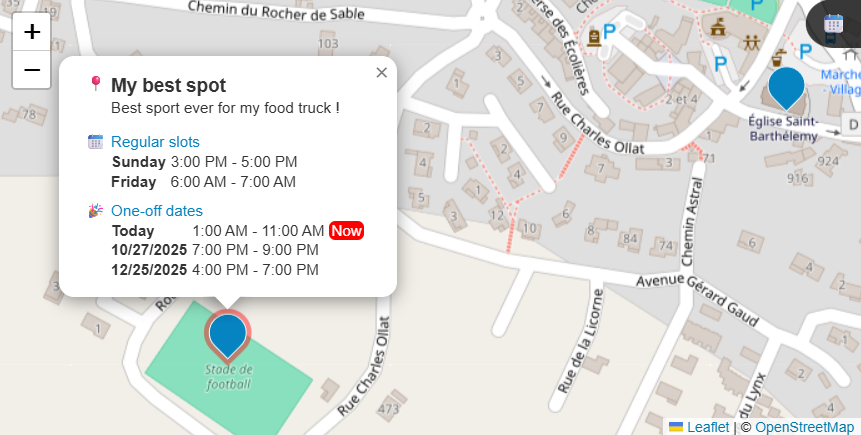
Generated map with current location with a pulsing marker
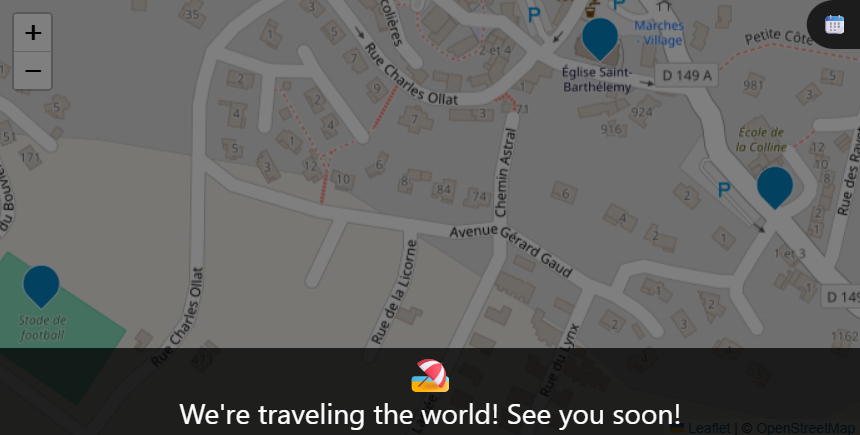
Vacation mode
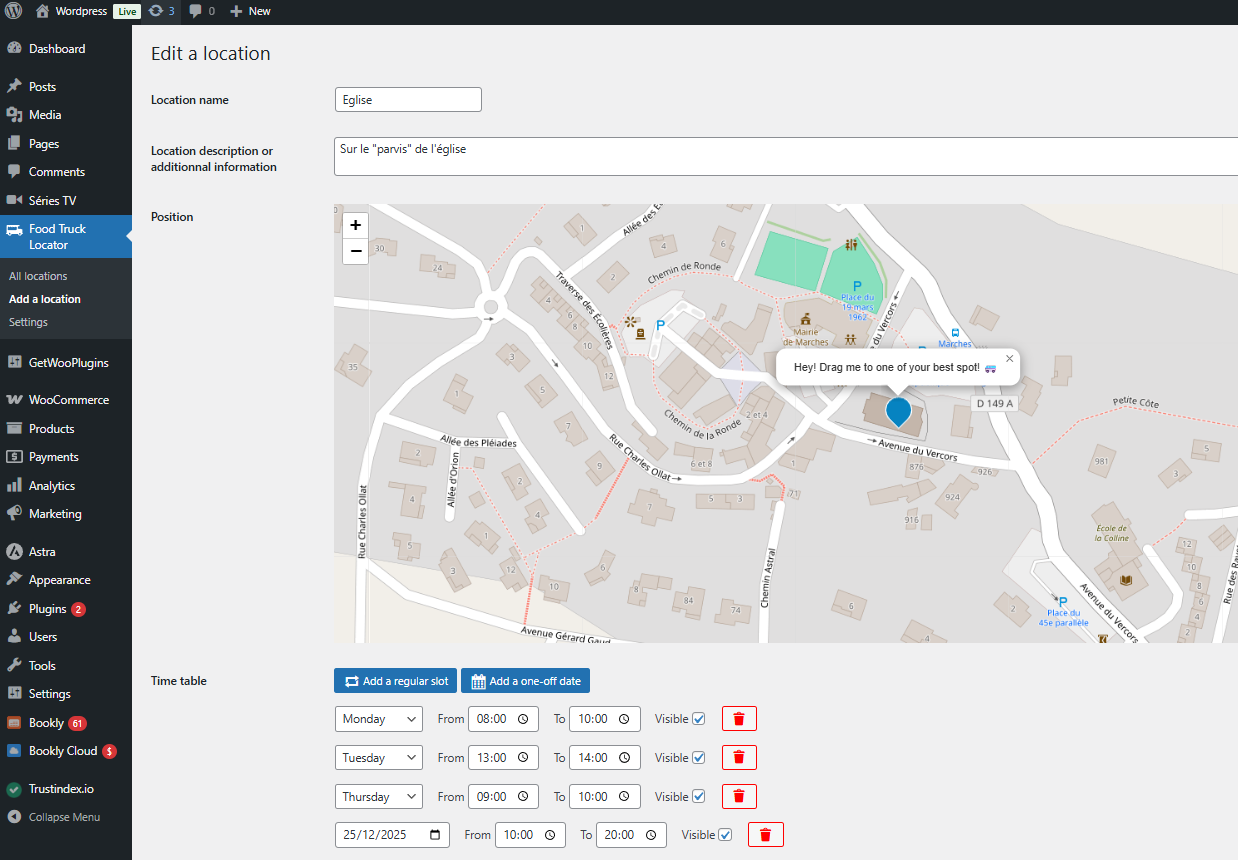
Admin creation of location
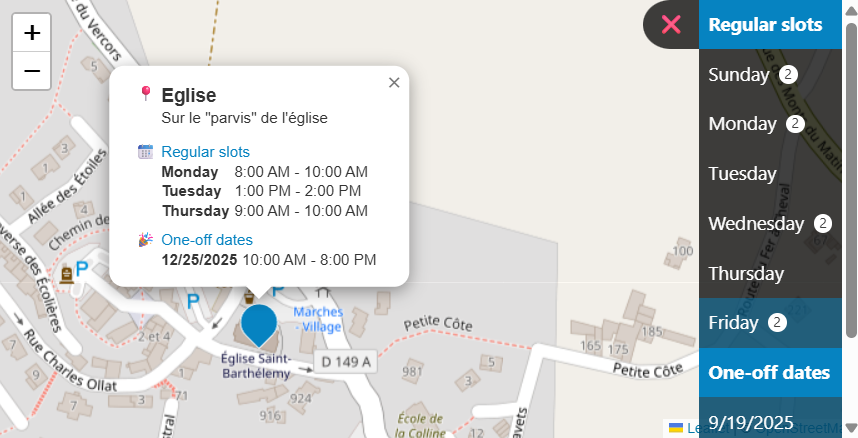
Day list mode
Changelog
1.2.0
Now supports one-off dates! You can now mix regular days and unique dates for your spots.
Fixes for far timezones.
1.1.1
Fixes for PHP warnings and translations.
1.1.0
Added an option to show days in a menu on the map when there is a spot, these move the map to the location on click.
Fix for vacation mode rendering.
1.0.1
Fix for JS loading.
1.0
Initial version.