

Plugin info
Maintenance & Compatibility
Maintenance score
Possibly abandoned • Last updated 3046 days ago • 17 reviews
Is FooTable abandoned?
Possibly abandoned (last update 3046 days ago).
Compatibility
Similar & Alternatives
Explore plugins with similar tags, and compare key metrics like downloads, ratings, updates, support, and WP/PHP compatibility.
Description
Have you ever wanted to show a lot of data in a table, but hate how badly it scales on smaller mobile devices? FooTable solves this problem by hiding certain columns on smaller devices, but still allowing the user to expand each row to see the columns that were hidden
FooTable WordPress Homepage |
FooTable WordPress Documentation |
FooTable jQuery Homepage |
FooTable jQuery GitHub Repo |
FooTable jQuery Demos & Docs
features
- Make your existing HTML tables responsive
- Target only the tables you want using a CSS selector
- Add sorting, filtering and paging to your tables
- Automatically hide certain number of columns on tablets and phones
- Set custom breakpoint sizes
- Choose from 3 table themes or use your own CSS
- Ability to include custom CSS
- Works with TablePress
Installation
- Upload or unzip the plugin to your
/wp-content/plugins/folder - Activate the plugin through the ‘Plugins’ menu in WordPress
- Configure FooTable from the settings page
Frequently Asked Questions
Installation Instructions
- Upload or unzip the plugin to your
/wp-content/plugins/folder - Activate the plugin through the ‘Plugins’ menu in WordPress
- Configure FooTable from the settings page
How do I override the CSS that FooTable applies to my tables?
Goto the settings page and disable the FooTable CSS, or add your own custom styling using the “Custom CSS” setting
Review feed
Screenshots
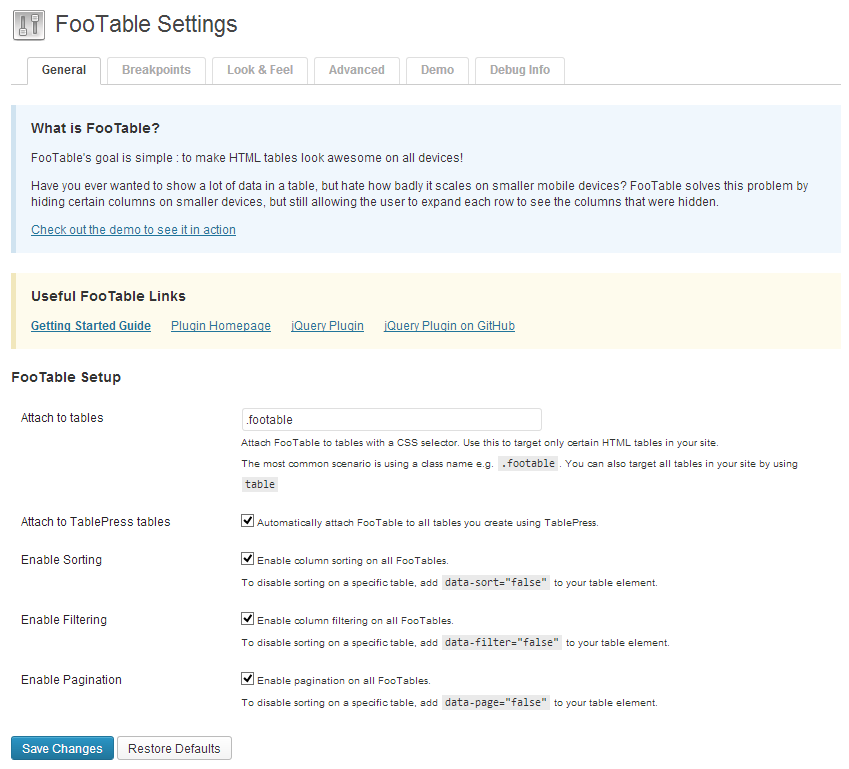
Settings - General
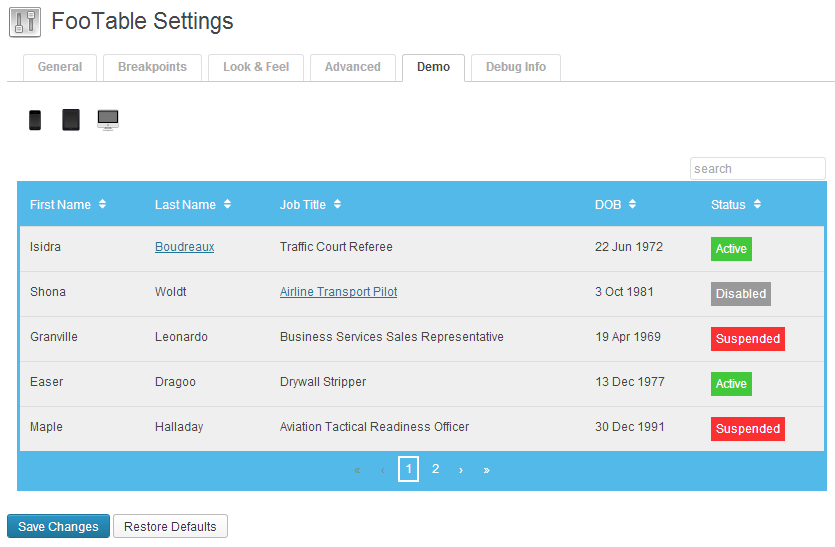
Settings - Demo
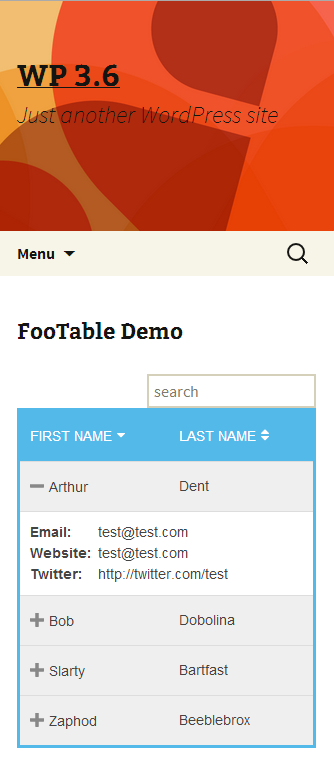
Frontend Result
Changelog
0.3.1
- Fixed T_PAAMAYIM_NEKUDOTAYIM syntax error bug
- Disabling filtering and pagination settings now works
0.3
- Major update! Using FooBox V2 jQuery
- Reworked the settings
0.2.1
- Updated JS to fix minor bug
0.2
- Initial Relase. First version.