

Footnotes Made Easy
Allows post authors to easily add and manage footnotes in posts.
Plugin info
Maintenance & Compatibility
Maintenance score
Maintained • Last updated 124 days ago • Support resolved 67% • 38 reviews
Is Footnotes Made Easy abandoned?
Likely maintained (last update 124 days ago).
Compatibility
Languages
Similar & Alternatives
Explore plugins with similar tags, and compare key metrics like downloads, ratings, updates, support, and WP/PHP compatibility.
Description
Footnotes Made Easy is a simple, but powerful, method of adding footnotes to your posts and pages.
Key features include…
- Simple footnote insertion via double parentheses
- Combine identical notes
- Solution for paginated posts
- Suppress Footnotes on specific page types
- Option to display ‘pretty’ tooltips using jQuery
- Lots of configuration options
- And much, much more!
Footnotes Made Easy is a fork of WP Footnotes, a plugin by Simon Elvery which was abandoned some years ago.
Please visit the Github page for the latest code development, planned enhancements and known issues.
Getting Started
Creating a footnote is incredibly simple – you just need to include your footnote in double parentheses, such as this…
This is a sentence ((and this is your footnote)).
The footnote will then appear at the bottom of your post/page.
Important note: Make sure you include a space before your opening double parentheses or the footnote won’t work!
Options
You have a fair few options on how the identifier links, footnotes and back-links look which can be found in the WordPress admin area under ‘Settings -> Footnotes’.
Paginated Posts
Some of you seem to like the paginating post, which is kind of problematic. By default, each page of your post will have its own set of footnotes at the bottom and the numbering will start again from 1 for each page.
The only way to get around this is to know how many posts are on each page and tell Footnotes Made Easy what number you want the list to start at for each of the pages. So at some point on each page (that is, between each tag) you need to add a tag to let the plugin know what number the footnotes on this page should start at. The tag should look like this where “5” is the number you want the footnotes for this page to start at.
Referencing
Sometimes it’s useful to be able to refer to a previous footnote a second (or third, or fourth…) time. To do this, you can either simply insert the exact same text as you did the first time and the identifier should simply reference the previous note. Alternatively, if you don’t want to do all that typing again, you can construct a footnote like this: ((ref:1)) and the identifier will reference the footnote with the given number.
Even though it’s a little more typing, using the exact text method is much more robust. The number referencing will not work across multiple pages in a paged post (but will work within the page). Also, if you use the number referencing system you risk them identifying the incorrect footnote if you go back and insert a new footnote and forget to change the referenced number.
Available in 8 Languages
Footnotes Made Easy is fully internationalized, and ready for translations.
Many thanks to the following translators for their contributions:
- David Artiss, English (UK)
- Mark Robson, English (UK)
- Annabelle W, English (UK)
- maboroshin, Japanese
- Laurent MILLET, French (France)
- B. Cansmile Cha, Korean
- danbilabs, Korean
- denelan, Dutch
- Peter Smits, Dutch
- Pieterjan Deneys, Dutch (Belgium)
- Alex Grey, Russian
If you would like to add a translation to this plugin then please head to our Translating WordPress page
Installation
Footnotes Made Easy can be found and installed via the Plugin menu within WordPress administration (Plugins -> Add New). Alternatively, it can be downloaded from WordPress.org and installed manually…
- Upload the entire
footnotes-made-easyfolder to yourwp-content/plugins/directory. - Activate the plugin through the ‘Plugins’ menu in WordPress administration.
Voila! It’s ready to go.
Frequently Asked Questions
To add a footnote, surround the footnote text with the opening and closing footnote markers specified in the plugin settings. By default, these are (( and )).
Yes, it can. The easiest way is to use the CSS editor in your theme customizer. For example, ‘ol.footnotes’ refers to the footnotes list in general and ‘ol.footnotes li’ the individual footnotes.
Yes, the plugin provides options to disable footnotes on the home page, archives, search results, feeds, and previews.
Review feed
Makes it really easy to create footnotes
Works great
Plugin not updated anymore
Screenshots
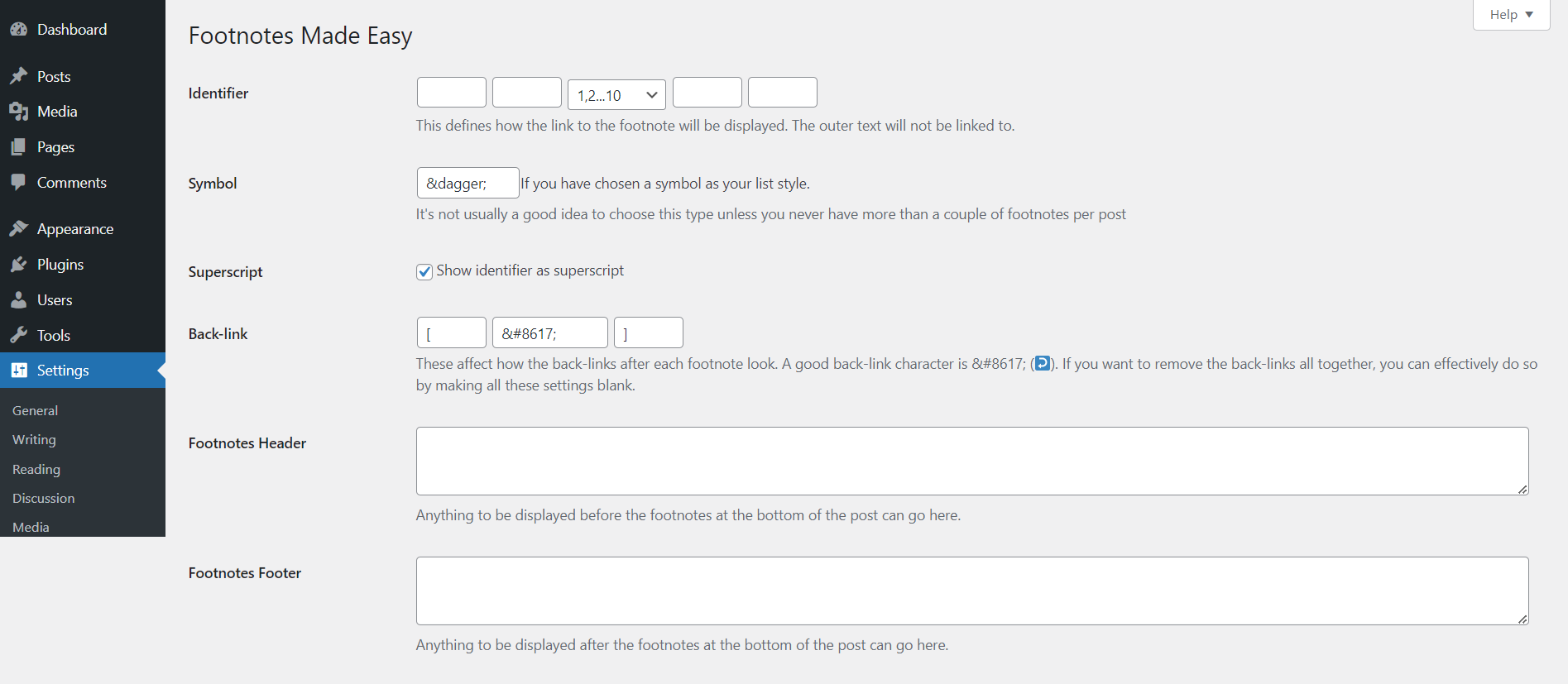
The Settings screen with advanced settings shown
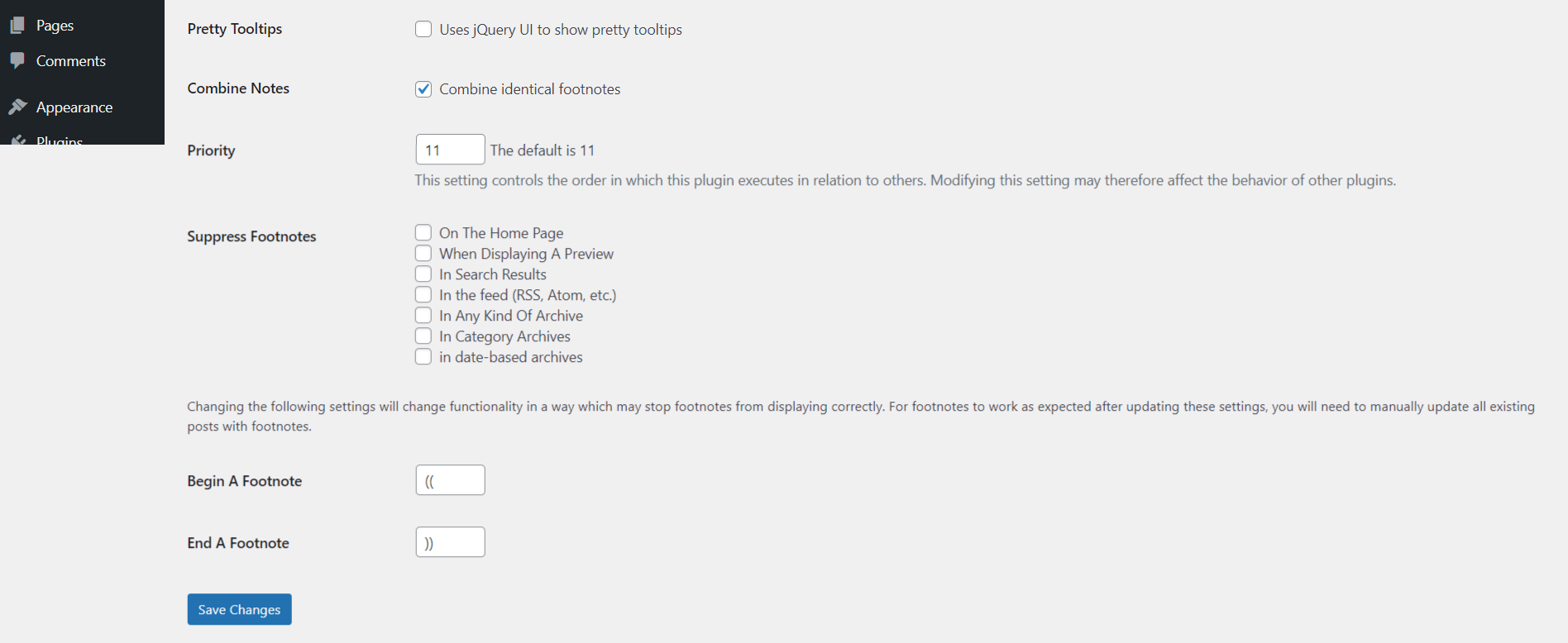
Continuation of the settings screen with advanced settings shown

The post editor page showing how to insert footnotes
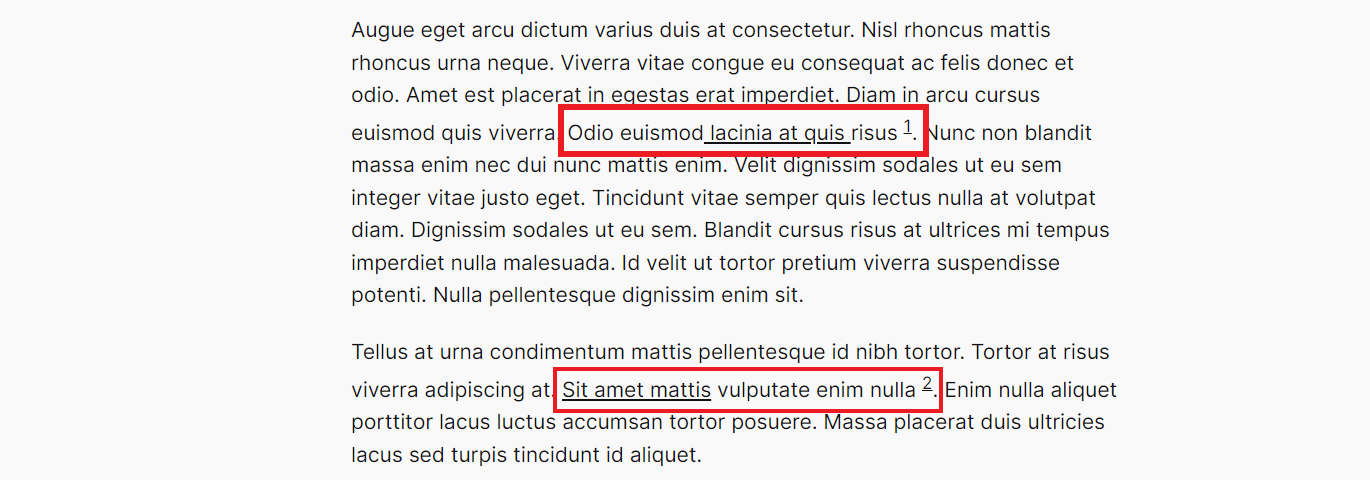
Live preview of a post page showing footnotes within the page
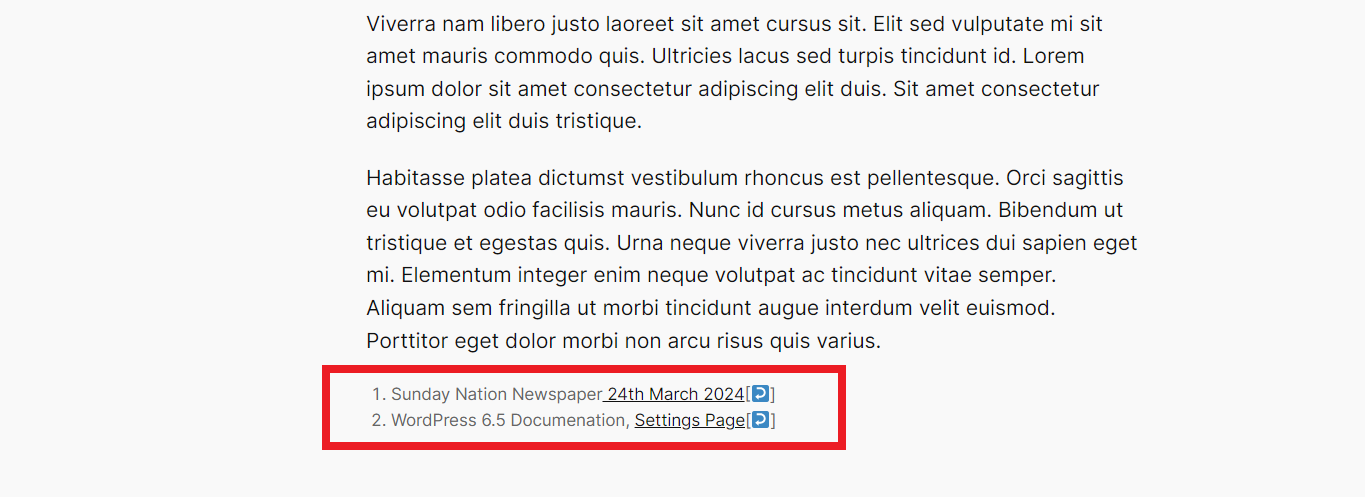
Live preview of a post page showing the list of footnotes at the bottom of the post
Changelog
I use semantic versioning, with the first release being 1.0.
3.1.0 [November 29, 2025]
- Compatibility: WordPress 6.9 compatibility test passed
3.0.9 [November 8, 2025]
- Fix: Footnotes header now correctly appears before the list (not inside it).
- Fix: Restored ‘footnote-link’ CSS class for backward compatibility with custom CSS.
3.0.8 [November 2, 2025]
- CRITICAL SECURITY FIX: CVE-2025-11733 – Fixed unauthenticated stored XSS vulnerability (CVSS 7.2)
- Security: Complete security overhaul with 5-layer protection
- Security: Proper authentication, CSRF protection, input sanitization, and output escaping
- Fix: 32 output escaping issues resolved
- Fix: 18 translation strings corrected
- Fix: All code now complies with WordPress standards
- Performance: 20-30% faster page loads with optimized resource loading
- Enhancement: Professional settings page footer
- Compatibility: WordPress 6.8 and PHP 8.4
- Quality: Zero Plugin Check errors or warnings
3.0.7 [August 9, 2025]
- Fix: PHP 8.4 Compatibility issue.
- WordPress 6.8 Compatibility Test
3.0.6 [February 2, 2025]
- Fix: PHP 8.2 Compatibility issue.