

Form Refresher for Gravity Forms
Reload the Gravity form on the AJAX submission. Useful in situations where you would like to allow multiple form submissions by refreshing the page.
Plugin info
Maintenance & Compatibility
Maintenance score
Maintained • Last updated 120 days ago
Is Form Refresher for Gravity Forms abandoned?
Likely maintained (last update 120 days ago).
Compatibility
Similar & Alternatives
Explore plugins with similar tags, and compare key metrics like downloads, ratings, updates, support, and WP/PHP compatibility.
Description
You can reload Gravity Forms on AJAX submission. Useful in situations where you can allow multiple form submissions without refreshing the page.
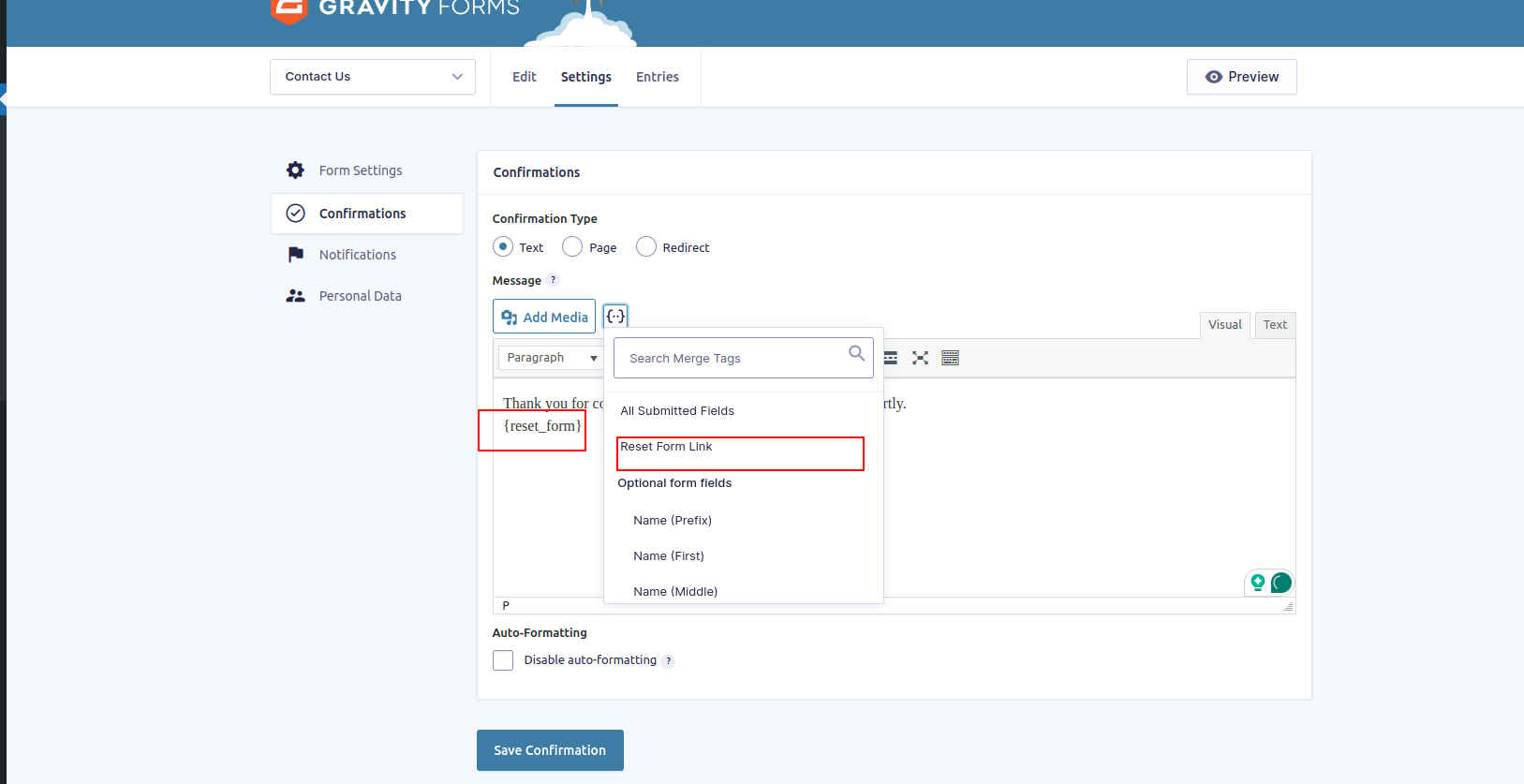
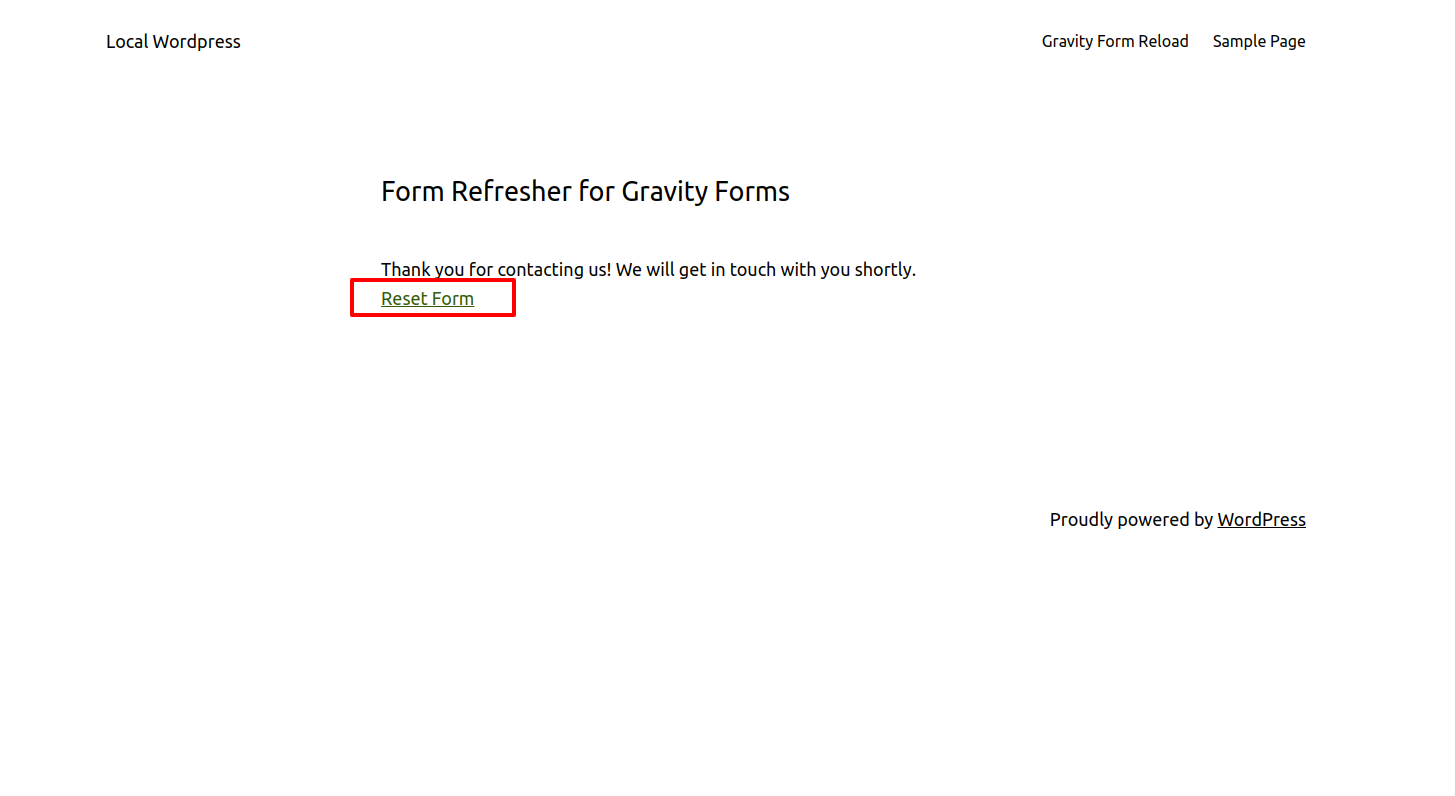
Also, you can add a link to refresh the form at the bottom of the thank-you message by using the ‘{reset_form}’ parameter in the Gravity Form’s confirmation settings, clicking on which will reset the form.
Features of Form Refresher for Gravity Forms:
* Reloading the form without refreshing the page.
* Can set auto to reload time.
Pro Features:
– Unlock advanced multi-step form capabilities with our premium add-on! Designed for Gravity Forms multi-page forms, This paid add-on adds full compatibility with Gravity Forms multi-page forms, ensuring smooth functionality across all form steps.
Get Form Refresher for Gravity Forms Pro
Here’s a link to the documentation for the plugin. This will help you learn more about its features and how to use it.
Documentation
For any feedback or queries regarding this plugin, please contact our Support team.
Installation
Installation steps
- Upload the folder to
/wp-content/plugins/directory - Activate the plugin via the ‘Plugins’ menu in WordPress
- To enable the plugin options go in the admin Form Refresher for Gravity Forms menu
Frequently Asked Questions
In Gravity Forms settings, you can set the time by activating Automatically Reset Form, and you can save the settings by adding the parameter ‘{reset_form}’ from the confirmation setting to add the reset link.
Example: wp-admin > Forms > Settings
Review feed
Screenshots
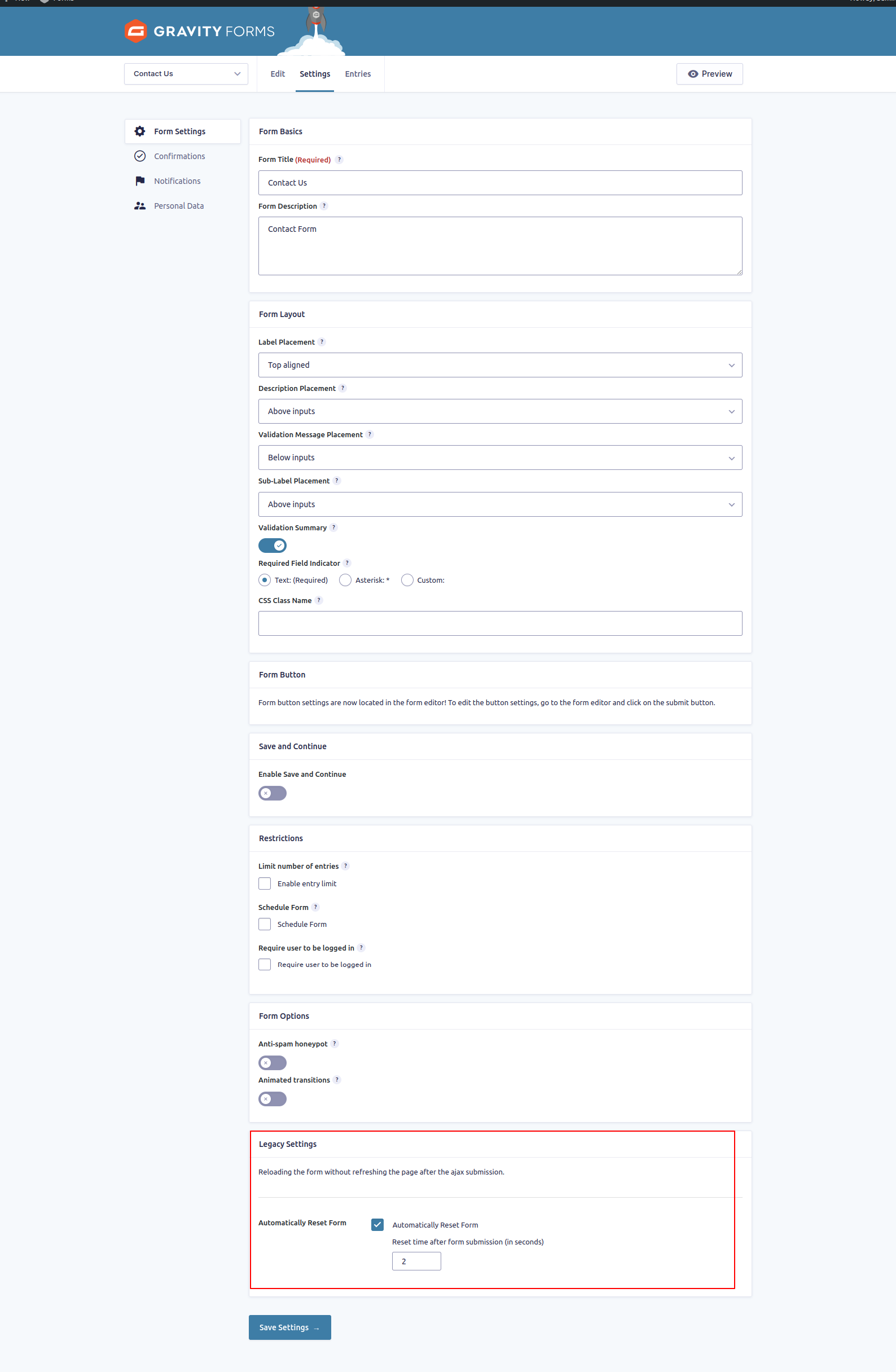
Backend Settings
Changelog
1.4.3
Introducing a new Pro Add-on is now available with extended features to enhance your plugin’s functionality. https://wp-plugins.galaxyweblinks.com/product/form-refresher-for-gravity-forms-pro/.
1.4.2
Introducing a new Pro Add-on is now available with extended features to enhance your plugin’s functionality. https://wp-plugins.galaxyweblinks.com/product/form-refresher-for-gravity-forms-pro/.
1.4.1
Introducing a new Pro Add-on is now available with extended features to enhance your plugin’s functionality. https://wp-plugins.galaxyweblinks.com/product/form-refresher-for-gravity-forms-pro/.
1.4
Ability to change button text
1.3
Stable Release
1.2
Stable Release
1.1
Stable Release
1.0
First Stable Release