
Formatting Extender
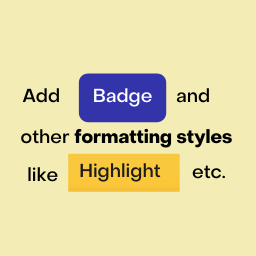
This plugin extends the Block Editor formatting toolbar by adding new inline formatting controls like badge, highlights etc. and more.
Maintenance 22/100778d since update
Active installs
0
Downloads
1,961
Reviews
2
Age
4.8y
Plugin info
Total downloads: 1,961
Active installs: 0
Total reviews: 2
Average rating: 5
Support threads opened: 0
Support threads resolved: 0 (0%)
Available in: 1 language(s)
Contributors: 1
Last updated: 2/15/2024 (778 days ago)
Added to WordPress: 6/25/2021 (4 years old)
Minimum WordPress version: 5.0.0
Tested up to WordPress version: 6.4.7
Minimum PHP version: f
Maintenance & Compatibility
Maintenance score
Possibly abandoned • Last updated 778 days ago • 2 reviews
22/100
Is Formatting Extender abandoned?
Possibly abandoned (last update 778 days ago).
Compatibility
Requires WordPress: 5.0.0
Tested up to: 6.4.7
Requires PHP: f
Similar & Alternatives
Explore plugins with similar tags, and compare key metrics like downloads, ratings, updates, support, and WP/PHP compatibility.
Classic Editor
Rating 4.9/5 (1,212 reviews) • Active installs 9,000,000
Starter Templates – AI-Powered Templates for Elementor & Gutenberg
Rating 4.9/5 (4,706 reviews) • Active installs 2,000,000
Advanced Editor Tools
Rating 4.5/5 (350 reviews) • Active installs 2,000,000
Disable Gutenberg
Rating 5.0/5 (726 reviews) • Active installs 600,000
Gutenberg Essential Blocks – Page Builder for Gutenberg Blocks & Patterns
Rating 4.8/5 (196 reviews) • Active installs 200,000
Blocks Animation: CSS Animations for Gutenberg Blocks
Rating 4.7/5 (53 reviews) • Active installs 80,000
Description
This plugin extends the Block Editor formatting toolbar by adding new inline formatting controls like badge, highlights etc. and more.
Installation
- Upload the plugin folder to the
/wp-content/plugins/directory, or install the plugin through the WordPress plugins screen directly. - Activate the plugin through the ‘Plugins’ screen in WordPress
- There is no additional configuration required. There will not be any menus or settings for this plugin.
Frequently Asked Questions
No FAQ available
Review feed
kolakube
A Block editor must-have
Gaurav delivers another useful block editor tweak again! This plugin installs easily and does what it says, adding two of the most useful typographical tweaks every writer should have in their toolbox.
Leo Gopal
Simple Formatting must have.
There are very few formatting additions or changes that I would recommend outside of the norm. But this is one super simple plugin that offers just the right amount of improvements to always be in my toolkit of favorite first install drop-ins. It feels weird working on a site without this installed.
Screenshots

Select text and click on the down arrow on the Toolbar

With Actions applied.
Changelog
1.0.3
- Improvements
1.0.2
- WordPress 5.8 Compatibility
1.0.1
- Better and unique css classes to prevent conflcit.
1.0.0
- First version