
Fortress Login Pro – Secure, Hide & Rename Login URL
Hide and rotate your WordPress login URL. Track access, export logs, and prevent brute-force attacks with real-time visibility.
Plugin info
Maintenance & Compatibility
Maintenance score
Stale • Last updated 329 days ago
Is Fortress Login Pro – Secure, Hide & Rename Login URL abandoned?
Likely maintained (last update 329 days ago).
Compatibility
Similar & Alternatives
Explore plugins with similar tags, and compare key metrics like downloads, ratings, updates, support, and WP/PHP compatibility.
Description
Fortress Login Pro is a battle-ready security plugin that replaces your WordPress login page (wp-login.php) with a private, rotating URL that only you control.
🛡️ It doesn’t just hide the login—it lets you track, rotate, and control it.
Perfect for freelancers, agencies, eCommerce owners, and anyone tired of blind brute-force attacks.
🔐 Key Features
- Custom Login URL: Hide
wp-login.phpand set your own private login path - Auto-Rotate Slugs: Automatically change your login URL on a custom schedule
- Dual-Slug Rotation Safety: Keep the old URL live until the new one is used (fail-safe)
- Slug Generator: Choose readable word combos or full-random slugs (with number support)
- Access Logs & Charts: See IPs, timestamps, referrers, and user-agents by login attempt
- Export Logs: Download access history or slug changes in CSV or JSON
- Slug History Panel: Restore, archive, or delete old slugs anytime
- SMTP Configuration: Set up outgoing email for login slug alerts and rotation notices
- Test Email & Rotation: Built-in checks before activating rotation so you don’t get locked out
- System File Protection: Optional toggle to block access to
install.phpandsetup-config.phpvia.htaccess - Clean UI: Fast, modern dashboard with zero bloat or upsell traps
✅ Works With
- WooCommerce, Easy Digital Downloads, and major eCommerce plugins
- Membership systems like MemberPress, Paid Memberships Pro
- Popular security plugins: Wordfence, iThemes, Sucuri
- Caching tools like WP Rocket, Cloudflare, W3 Total Cache
🚀 Why Fortress (vs limit login or captcha plugins)?
Most plugins try to respond to brute-force.
Fortress prevents it by removing the login form from public view.
No login page = no attack surface.
Final Word
Fortress Login Pro doesn’t just hide your login—it makes you smarter about who’s trying to reach it.
Real logs. Real control. No BS.
Ready to lock down WordPress the way it should’ve shipped.
Try our companion plugin: Notification Blocker — hide noisy dashboard alerts with one click.
Installation
- Upload the plugin to
/wp-content/plugins/ - Activate via Plugins Installed Plugins
- Go to Fortress Login Pro in your dashboard
- Choose a login slug (manual or generated), then click Save
- Bookmark or email yourself the new URL — your old login path is now hidden
Frequently Asked Questions
Check your email (if alerts were enabled), or find it in your database under wp_options fortress_active_slug.
As a last resort, disable the plugin via FTP/File Manager.
Nope. All native WP functions stay intact. Your login page is just hidden behind a new URL.
Yes. Choose between human-readable words or random character strings.
Control word count, slug length, and whether numbers are included.
The plugin keeps your last active slug live until the new one is used successfully (or a timeout occurs).
You’re never locked out blind.
Yes. The Slug History tab shows all past slugs, status, creation date, and usage. Restore or delete with one click.
Yes. You can configure SMTP under the Email Settings tab and send a test email before enabling slug rotation.
Fortress generates a new slug, emails it, and activates it once used.
The old slug stays live until the new one is accessed, then deactivates automatically.
Currently single-site only. Multisite support is in development.
Review feed
Screenshots
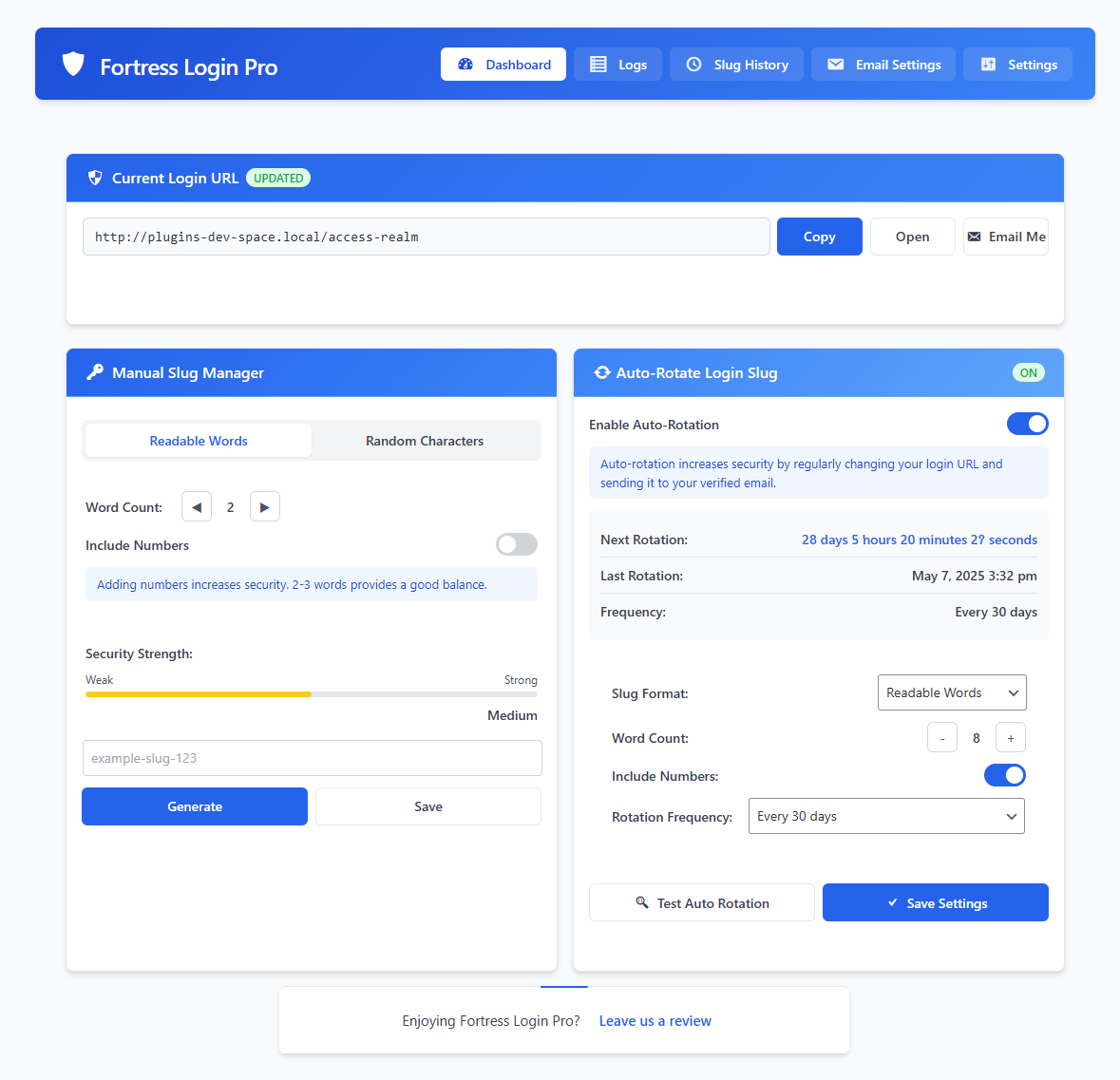
Dashboard with current slug, generator, and auto-rotation toggle
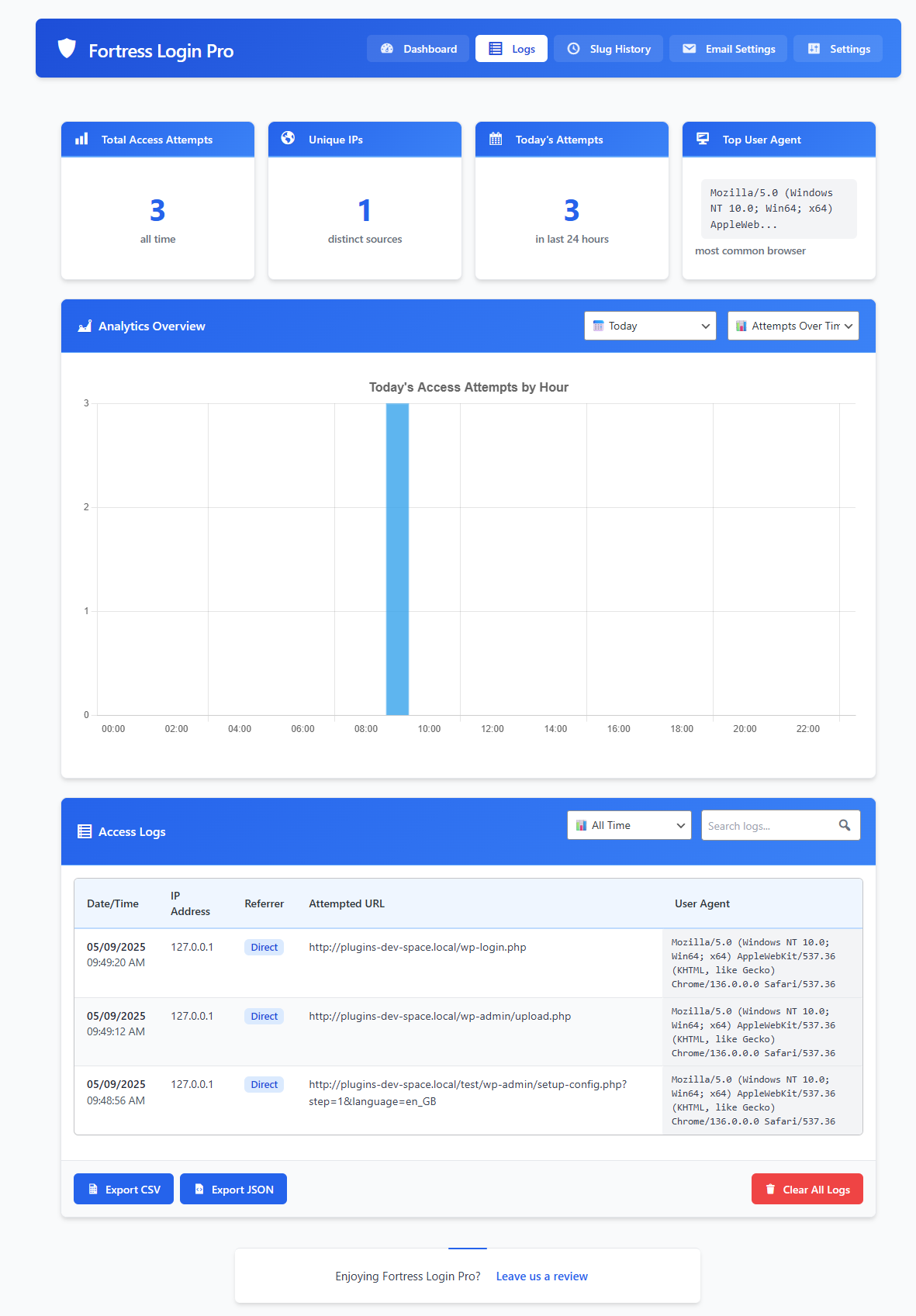
Access logs with filters and visual charts
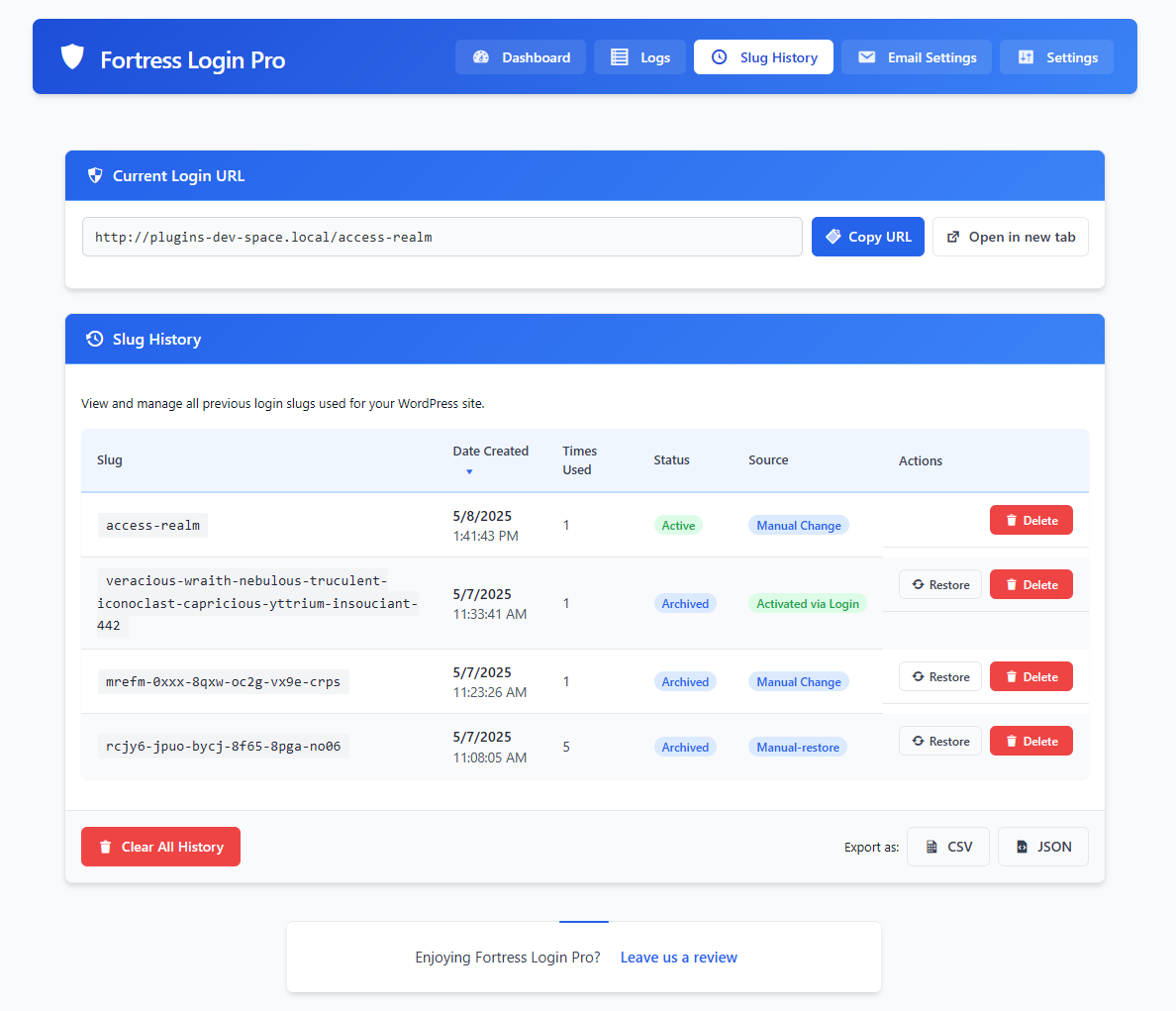
Slug history view with restore/delete options
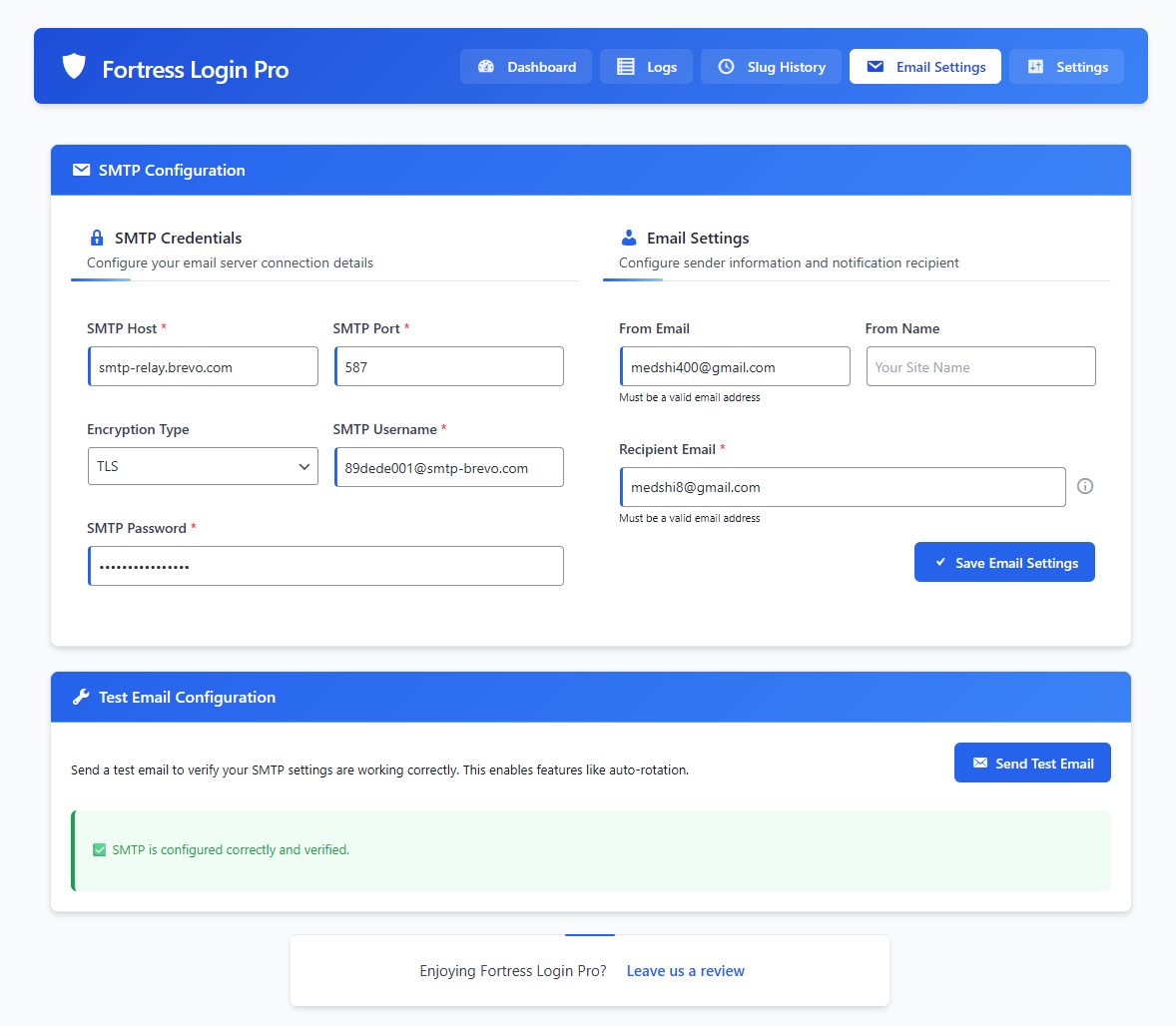
SMTP configuration and test email panel
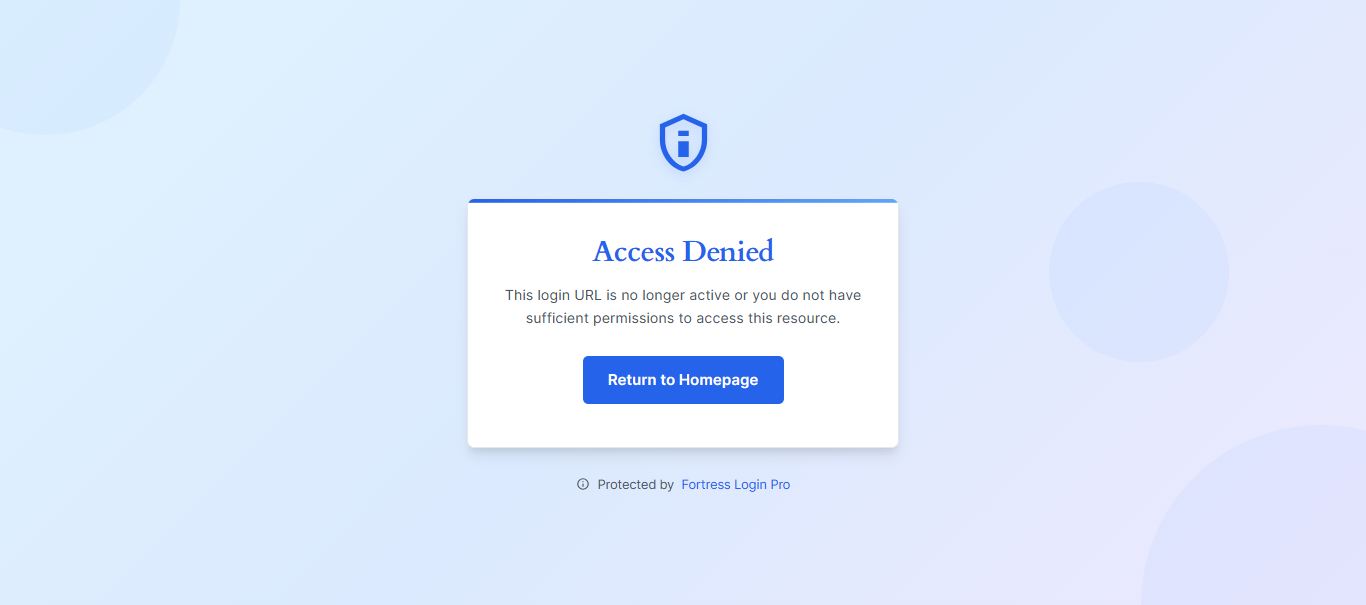
Access Denied page template
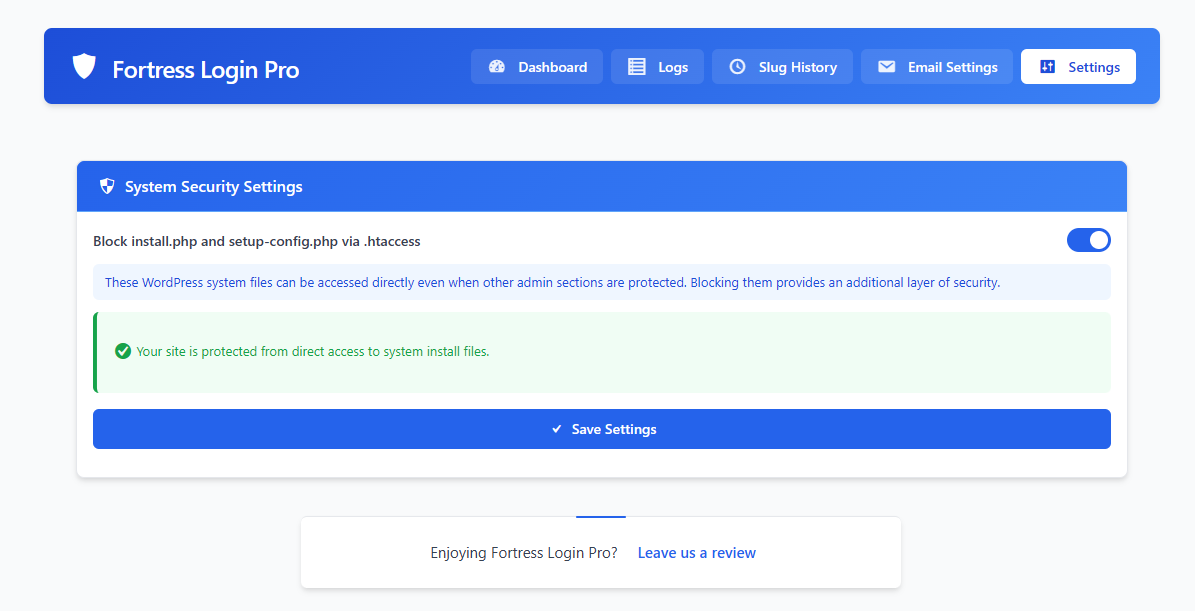
New system settings tab to block install/setup files
Changelog
1.1.3
- Added
.htaccesstoggle to block direct access toinstall.phpandsetup-config.php - Created “Settings” tab with toggle UI, status messages, and server detection logic
- Automatically disables
.htaccesstoggle if server is not Apache - Ensures all file operations use
WP_Filesysteminstead of raw PHP functions
1.1.2
- Security Fix: Blocked direct access to wp-login.php when custom slug is active
1.1.1
- Fixed bug where Copy and Generate buttons were incorrectly disabled by SMTP status
- Improved empty-state UI for Analytics Overview chart
1.1.0
- Added dual-slug auto-rotation (fail-safe)
- Added slug generator: readable vs random + number toggle
- Enhanced UI with slug strength meter, rotation timers, and status badges
- Improved SMTP configuration with test email verification
- Added slug history metadata (source, usage, status)
1.0.0
- Initial release