

Free PDF to Flipbook
Convert your PDF into a flipbook in WordPress for interactive online catalogs, brochures, and a built-in 3D PDF viewer
Plugin info
Maintenance & Compatibility
Maintenance score
Maintained • Last updated 176 days ago • Support resolved 0% • 4 reviews
Is Free PDF to Flipbook abandoned?
Likely maintained (last update 176 days ago).
Compatibility
Similar & Alternatives
Explore plugins with similar tags, and compare key metrics like downloads, ratings, updates, support, and WP/PHP compatibility.
Description
Free PDF to Flipbook is a lightweight and easy-to-use WordPress plugin that converts PDF documents into interactive, realistic flipbooks. Perfect for brochures, magazines, catalogs, eBooks, and more, this plugin enhances user experience by providing a smooth and engaging 3D flipbook effect, along with a PDF viewer and seamless PDF embed functionality.
Features:
– Convert PDFs into flipbooks easily
– Supports high-quality rendering
– Zoom, drag, and navigate through pages
– Fully responsive and mobile-friendly
– Compatible with any WordPress theme
– Uses shortcode to embed flipbooks anywhere
Plugin Sources
This plugin uses the following external libraries:
-
PDF.js (by Mozilla) – License: Apache 2.0
- Source: https://github.com/mozilla/pdf.js
- Included files:
js/pdf.js,js/pdf.worker.js
-
Turn.js – License: GPL
- Source: https://www.turnjs.com/
- Included file:
js/turn.min.js
All external libraries are used in accordance with their licenses.
Installation
- Upload the
fptf-flipbook-converter.zipfile via WordPress Plugins > Add New > Upload Plugin. - Activate the plugin via the “Plugins” menu in WordPress.
- Navigate to the PDF TO FLIPBOOK menu in your WordPress dashboard.
- Upload a PDF file and generate the flipbook.
- Copy the generated
[fptf-flipbook pdf="URL"]shortcode and paste it into your page or post.
Frequently Asked Questions
After uploading a PDF, the plugin generates a shortcode like [fptf-flipbook pdf="URL"]. Copy and paste this into your post or page.
Yes! The flipbooks are fully responsive and work across all screen sizes.
Yes, you can adjust the flipbook appearance with CSS and modify settings via the plugin.
Yes, PDFs are rendered with high-quality scaling for sharp text and images.
Review feed
Easy Wordpress Flipbook Maker
Screenshots
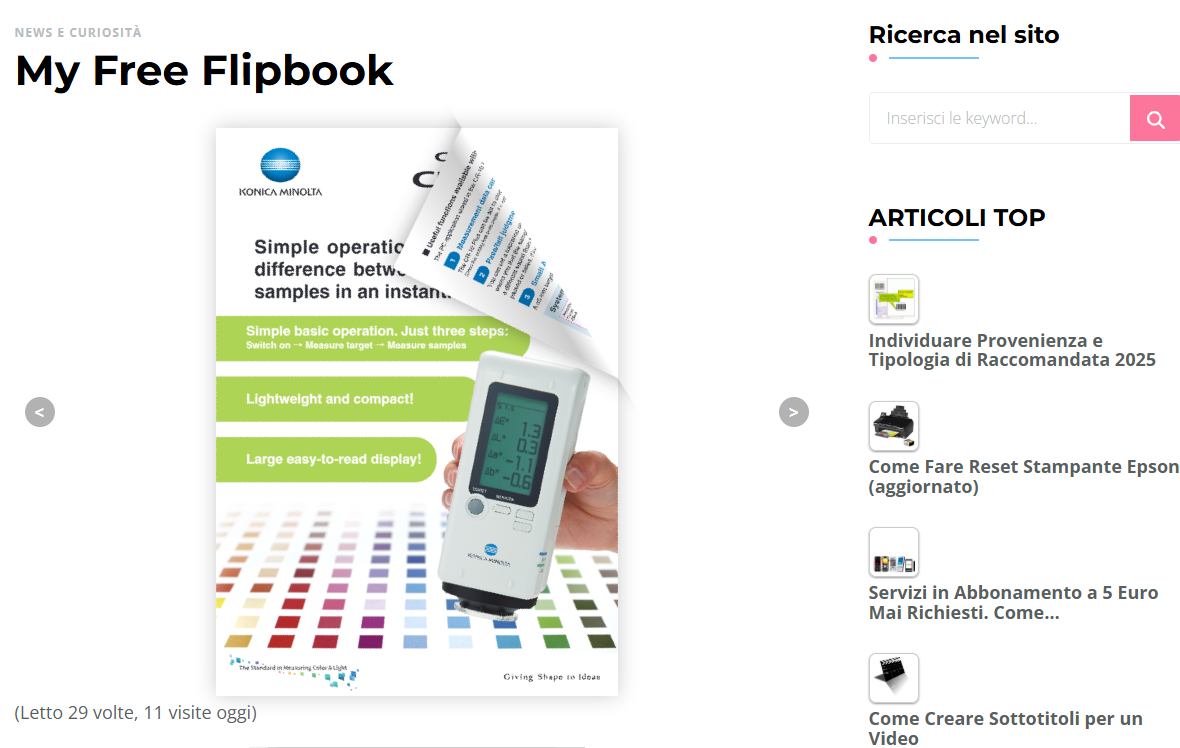
Example of a flipbook embedded in a WordPress page.
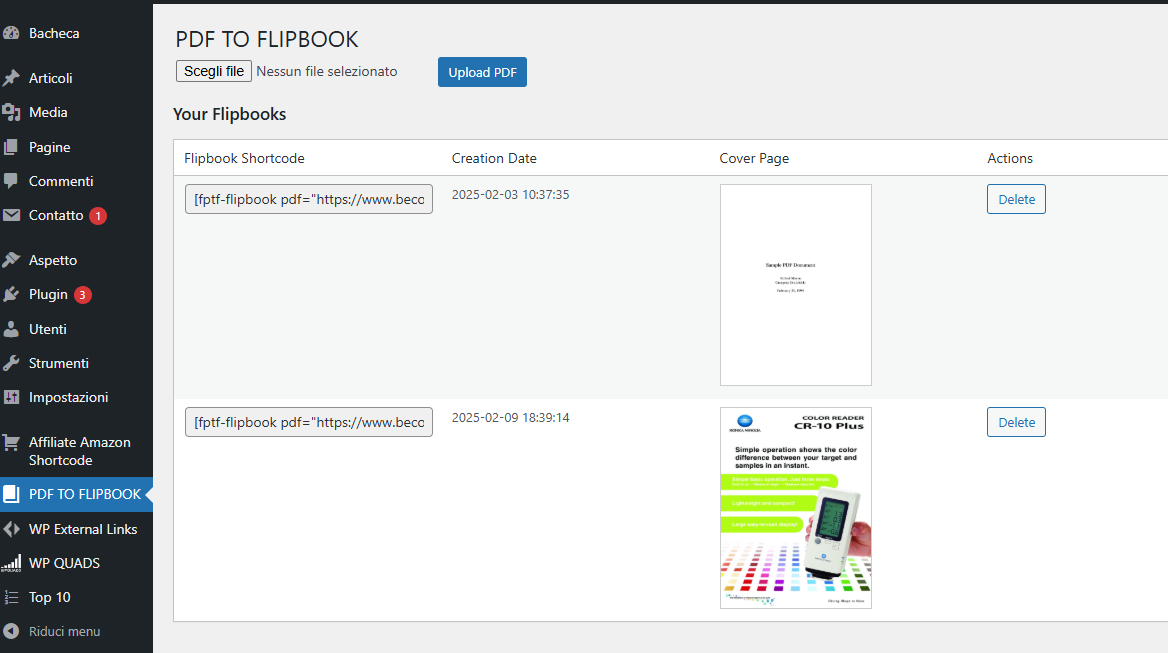
Screenshot of the admin dashboard with PDF upload option.
Changelog
1.4
- Added option to upload PDF from Media Library
1.3
- Optimizations
1.2
- Added support for custom post type
1.1
- Added Shadow Gradient
1.0
- Initial release
- Added PDF to flipbook conversion
- Implemented high-quality rendering and zoom support
- Fully responsive and mobile-friendly