

Frontend Post Builder
Create WordPress posts and custom post types directly from a frontend form. Ideal for user-generated content, guest posts, and custom workflows.
Plugin info
Maintenance & Compatibility
Maintenance score
Stale • Last updated 245 days ago
Is Frontend Post Builder abandoned?
Likely maintained (last update 245 days ago).
Compatibility
Similar & Alternatives
Explore plugins with similar tags, and compare key metrics like downloads, ratings, updates, support, and WP/PHP compatibility.
Description
Frontend Post Builder allows site administrators or users to submit WordPress posts (or any custom post type) from the frontend of your website. This plugin is ideal for user-generated content, blogs accepting guest posts, job boards, or any website requiring frontend content submission.
Features:
- Frontend form for post creation.
- Supports all public post types.
- Includes status selection (draft, publish, pending, etc).
- Admin settings to choose post type and status.
- User registration form builder.
- Simple and clean UI.
- Developer-friendly hooks and templates.
- Secure with proper nonce verification.
- Media upload support.
Usage
- Configure which post type should be allowed for frontend submission via plugin settings.
- Add the
[fronpobu_form]shortcode to any post or page. - Users can fill in the form to submit a post.
- Posts are created with the selected post type and saved with the chosen status (publish, draft, etc.).
Registration Form:
– Use the [fpb_register_form] shortcode to display a user registration form.
– Configure the registration form fields in the admin area.
License
This plugin is licensed under the GPL v2 or later.
Installation
- Upload the plugin folder to the
/wp-content/plugins/frontend-post-builderdirectory. - Activate the plugin through the ‘Plugins’ menu in WordPress.
- Go to Frontend Post > Settings to configure post type and status.
- Use the shortcode
[fronpobu_form]to display the post submission form on any page.
Frequently Asked Questions
Yes, all public post types (like job, event, portfolio) are supported.
Yes. The form template can be overridden via your theme or filters.
Yes. Use [fronpobu_form] for the post submission form and [fpb_register_form] for user registration.
Basic version supports title and content. For ACF or custom fields, you can extend it via hooks.
Yes, the plugin includes proper nonce verification and input sanitization.
Yes, users can select media from the WordPress media library.
Review feed
Screenshots
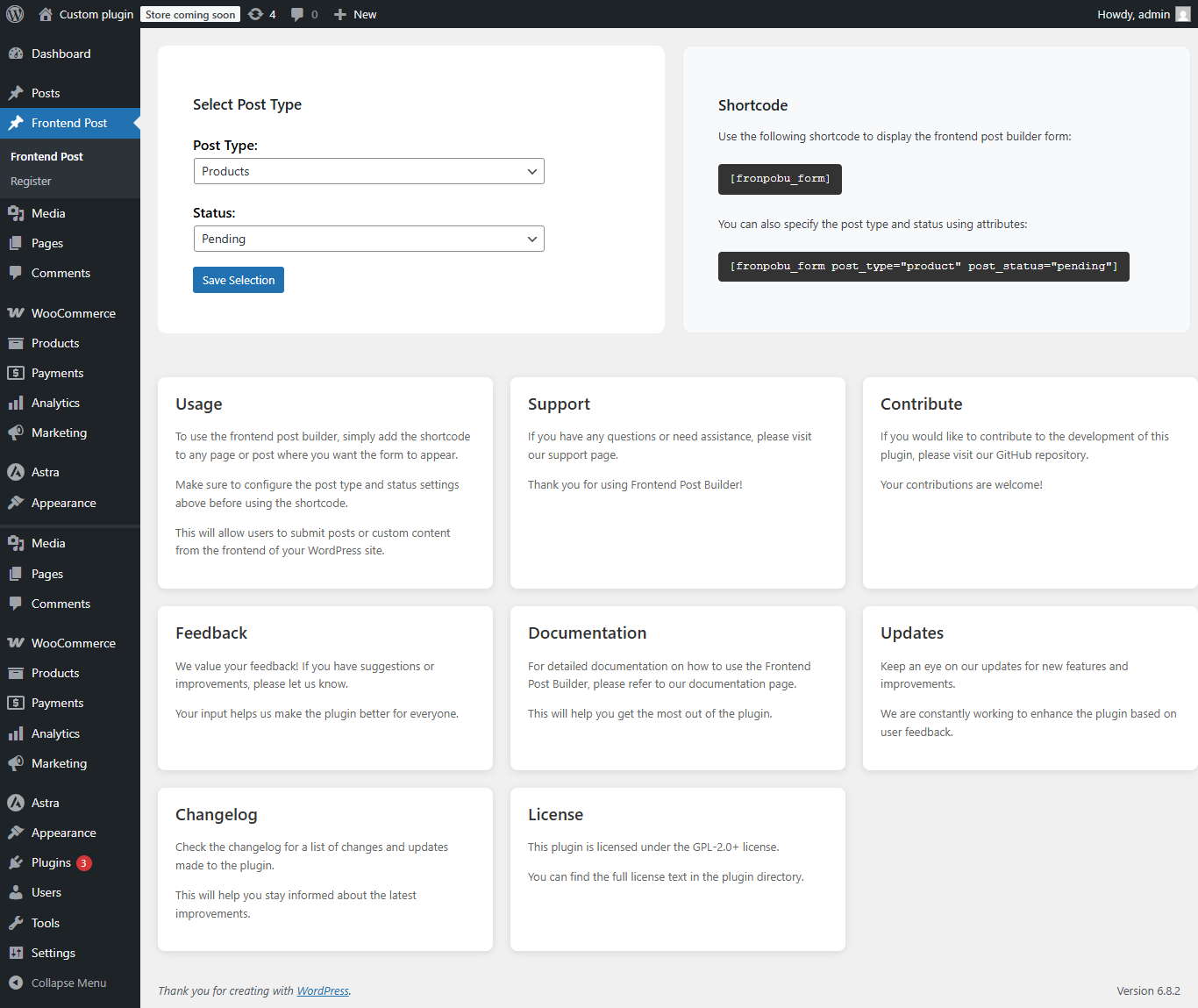
Settings panel to select post type and default status.
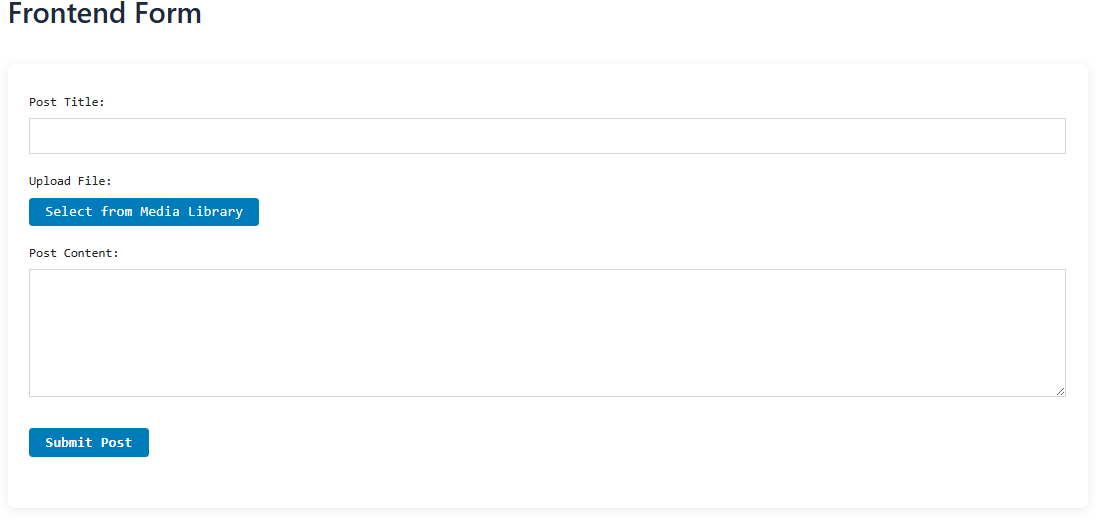
Frontend submission form UI.
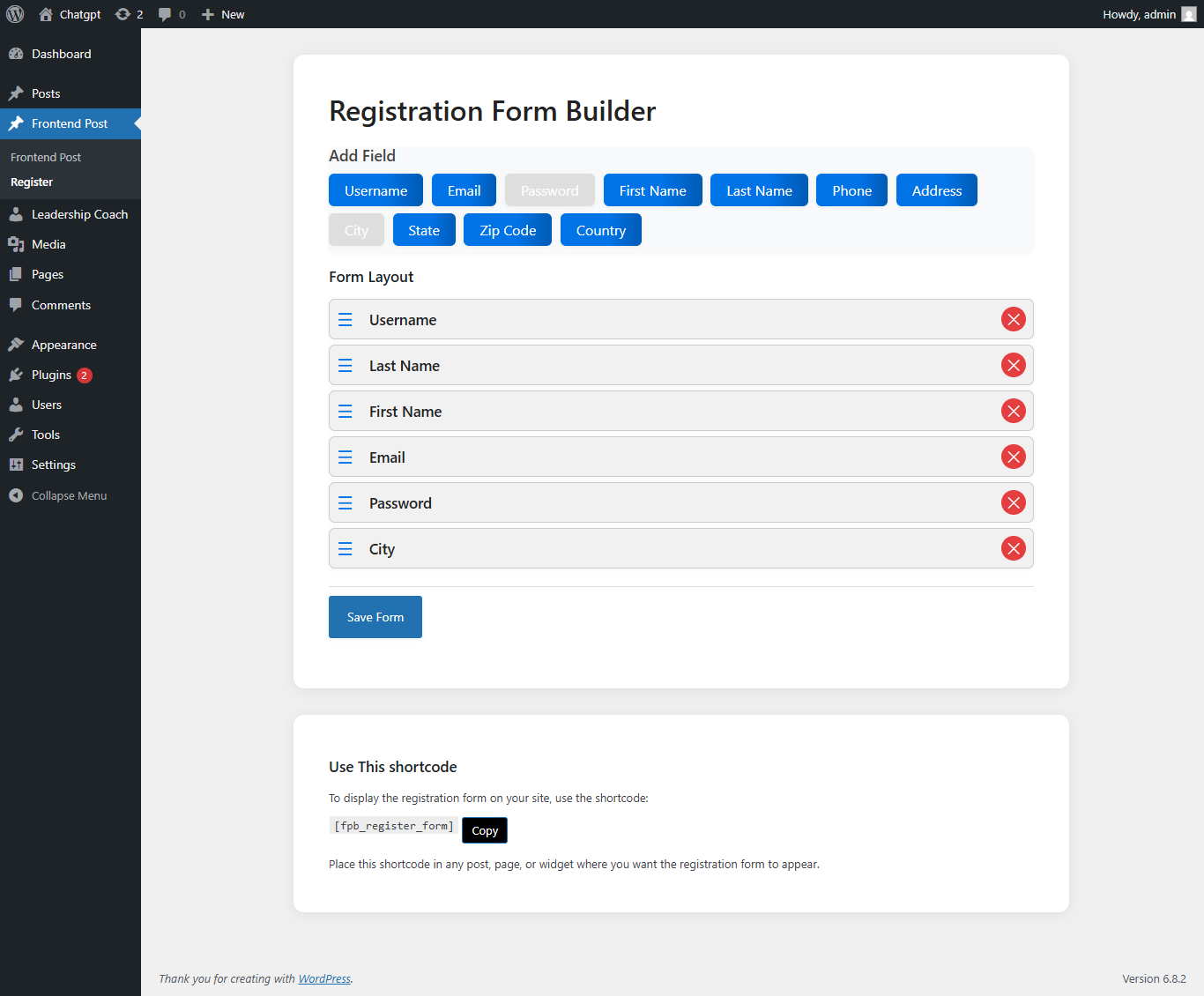
Registration form builder interface.
Changelog
1.0.3
- Fixed WordPress coding standards compliance.
- Improved security with proper nonce verification.
- Enhanced error handling and user feedback.
- Added proper sanitization and validation.
- Fixed version consistency issues.
- Improved documentation and code comments.
1.0.0
- Initial release of Frontend Post Builder.
- Admin settings page for selecting post type and status.
- Frontend form for creating new posts.
- Supports WordPress post statuses (publish, draft, private, etc).
- User registration form builder.