

ViewNexa – Bitcentral
ViewNexa plugin imports ViewNexa videos via MRSS feed and displays them on the front-end through short codes for its users.
Plugin info
Maintenance & Compatibility
Maintenance score
Maintained • Last updated 91 days ago
Is ViewNexa – Bitcentral abandoned?
Likely maintained (last update 91 days ago).
Compatibility
Similar & Alternatives
Explore plugins with similar tags, and compare key metrics like downloads, ratings, updates, support, and WP/PHP compatibility.
Description
The ViewNexa Plugin for WordPress was designed to make ingesting ViewNexa assets into WP relatively simple and reliable. It can be configured to automatically publish “posts” on your site in a ‘set it and forget’ model. ViewNexa videos assets that have titles [headlines] that translate to the web and whose selected thumbnails are relevant to the story can be published automatically to a web page using one of several ‘short codes’.
External Services
This plugin connects to the following external services:
ViewNexa Player Service
– Service: ViewNexa video player script
– URL: https://fuel-streaming-prod01.fuelmedia.io/player/v3/fuel.js
– Purpose: Provides video playback functionality for ViewNexa content
– Data sent: Video metadata, user interaction data, and analytics data
– When sent: Every time a ViewNexa video is loaded or played
– Terms of Service: https://viewnexa.com/terms-of-service/
– Privacy Policy: https://bitcentral.com/privacy-policy/
Google Tag Manager (Optional)
– Service: Google Tag Manager for analytics and tracking
– URLs: https://www.googletagmanager.com/gtm.js and https://www.googletagmanager.com/ns.html
– Purpose: Analytics tracking and ad management (only when GTM ID is configured)
– Data sent: Page views, video interactions, and user behavior data
– When sent: Only when GTM ID is provided in plugin settings
– Terms of Service: https://policies.google.com/terms
– Privacy Policy: https://policies.google.com/privacy
ViewNexa Website
– Service: ViewNexa content management
– URL: https://viewnexa.com/
– Purpose: Content delivery and management platform
– Data sent: Content requests and usage analytics
– When sent: When fetching ViewNexa content and metadata
– Terms of Service: https://viewnexa.com/terms-of-service/
– Privacy Policy: https://bitcentral.com/privacy-policy/
Installation
Install the ViewNexa-Bitcentral plugin to your WordPress website. Activate the plugin.
Frequently Asked Questions
Review feed
Screenshots

ViewNexa Importer Settings

ViewNexa Tags Settings

ViewNexa Sharing Script Settings
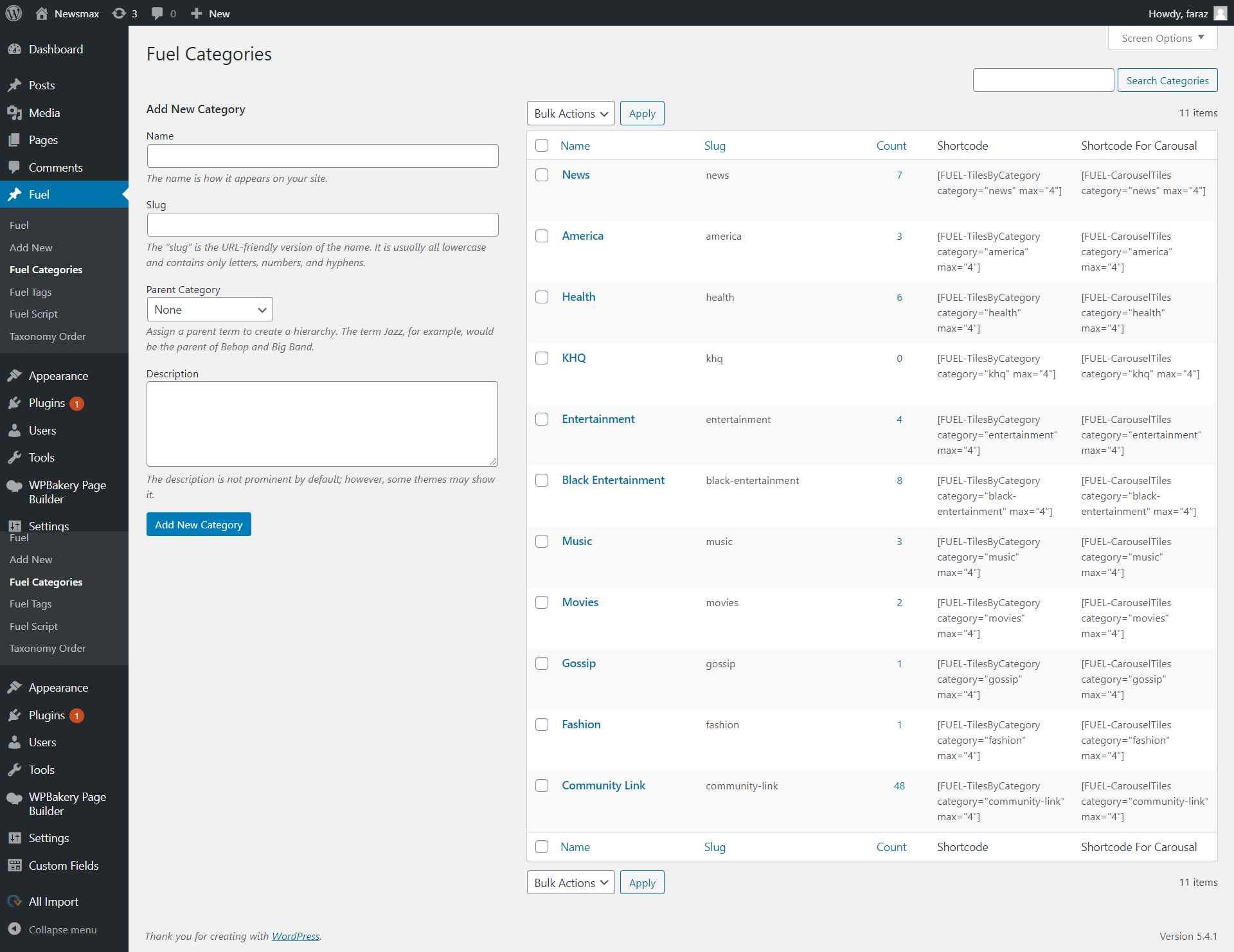
ViewNexa Categories

ViewNexa Stories Listing Page

ViewNexa Social Sharing Settings

ViewNexa Plugin Settings

MRSS Feed Configuration Page

Change order from quick edit section.
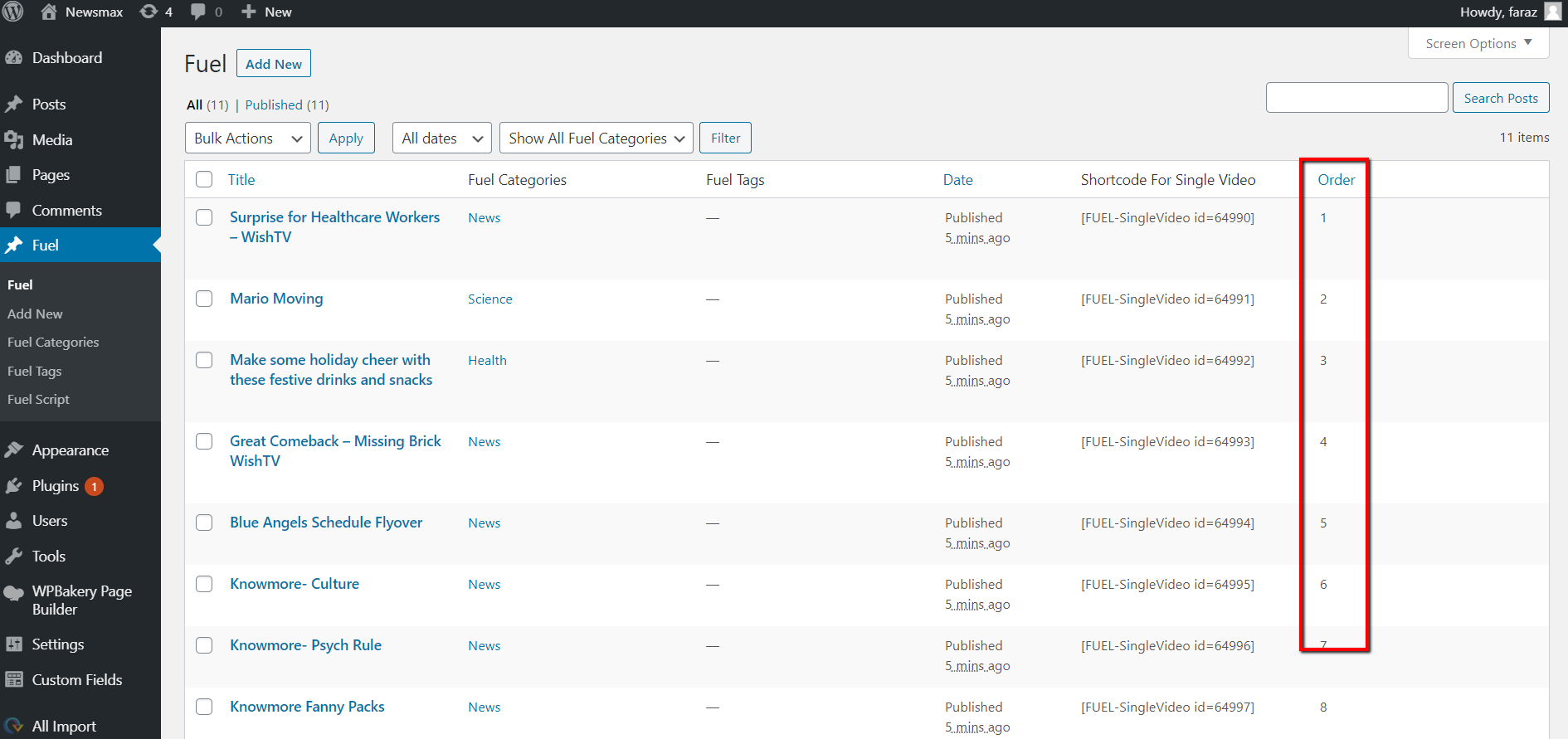
Showing orders on ViewNexa post type listing page.

Order Field
Changelog
1.1
Release Date – 1 June 2020
- Add Option to manage styles for sharing script.
1.2
Release Date – 19 June 2020
- Add option to manage tiles ordering according to the MRSS attribute. Please see the screenshots 8 to 11.
1.3
Release Date – 27 Sep 2021
- Fixed Some Warning Issues After Updates Of Dependant plugins.
1.4
Release Date – 14 Oct 2021
- Fixed Issue to Check ACF/ACF Pro Plugin Activation.
1.5
Release Date – 14 Jan 2022
- Updated the FUEL Player Source Script.
- Merged Pre-Roll Ads Functionality into FUEL Plugin. No longer needed to use pre-roll addon separately.
- Added the FUEL Title, Media URL and Embed code attributes into tag.
- Changed settings of Player Audio Control in global settings and introduced the new shortcode attributes
1.6
Release Date – 31 Jan 2023
- Remove WPAllImport Plugin Dependency.
- Added FUEL Importer into FUEL Plugin. No longer needed to use WPAllImport plugin separately.
- Added FUEL Shortcode Generator and Added in the Editor area.
1.7
Release Date – 3 Mar 2023
- Apply pagination on FUEL post selection popup.
- Fix Image importing bug in FUEL Importer
1.8
Release Date – 15 Mar 2023
- Add author in FUEL posts generated by XML
- Restructure the WP Cron for MRSS feed.
1.9
Release Date – 31 Mar 2023
- Fix player share option.
2.0
Release Date – 10 Apr 2023
- Sync FUEL Settings Sound Option Field With Shortcode Generator Field.
2.1
Release Date – 18 Apr 2023
- Fixed some bugs in share function.
2.2
Release Date – 16 June 2023
- Change algorithm for update or add new fuel posts from MRSS.
- Provide an option to set the fuel post status during import.
- Provide an option to manage pre-roll ad for specific fuel video.
- Implement data migration.
2.3
Release Date – 14 Aug 2023
- Remove The Migration Script.
- Define category variable method in fuel ad url.
- Show MRSS feed title and link on FUEL post listing page in admin.
- Fix the FUEL Post description issue in shortcode.
- Render FUEL post on front-end via shortcodes even if the post status is set to draft.
2.4
Release Date – 16 Aug 2023
- Provide the MRSS Cron setting management in FUEL Importer.
- Provide necessary columns to see the cron data in FUEL Importer.
- Provide necessary columns to see FUEL MRSS in FUEL Post Type.
- Handle the cron recurrence smartly.
2.5
Release Date – 30 Aug 2023
- Fix some minor bugs.
2.6
Release Date – 6 Sep 2023
- Fix some minor bugs.
2.7
Release Date – 18 Oct 2023
- Fix the category tag issue.
2.8
Release Date – 25 Oct 2023
- Fix the duplication issue.
2.9
Release Date – 6 Nov 2023
- Modified the CRON Job handler.
3.0
Release Date – 2 Jan 2024
- Fix date order issue.
- Fix Vast Url Category Rendering Issue.
3.1
Release Date – 14 Mar 2024
- Modify the ad url and add placements.
3.2
Release Date – 29 Mar 2024
- Bug Fixes.
3.3
Release Date – 29 Apr 2024
- Formatting
3.4
Release Date – 28 May 2024
- Change Branding From FUEL To ViewNexa
3.5
Release Date – 9 Oct 2024
- Fix the ordering issue.
3.6
Release Date – 2 Feb 2025
- Fix sorting issues.
3.7
Release Date – 14 Oct 2025
- Bug Fixes and Tested with 6.8 Version
3.8
Release Date – 16 Nov 2025
- Bug Fixes and Tested with latest wordpress 6.8 Version
3.9
Release Date – 19 Nov 2025
- Duplication issue fixed and Secured and Tested with latest wordpress version