

FullCalendar
Display and customize one or many Google calendars. A non-official WordPress plugin for the (https://fullcalendar.io/) Open Source project.
Plugin info
Maintenance & Compatibility
Maintenance score
Possibly abandoned • Last updated 2603 days ago
Is FullCalendar abandoned?
Possibly abandoned (last update 2603 days ago).
Compatibility
Similar & Alternatives
Explore plugins with similar tags, and compare key metrics like downloads, ratings, updates, support, and WP/PHP compatibility.
Description
This plugin provides the following features :
- A [fullcalendar] shortcode with custom parameters to be inserted in your pages/posts
- An admin page where you can define a custom HEAD and BODY template for the [fullcalendar] shortcode
- By default FullCalendar 3.4.0 JS+CSS is loaded locally, your can change the version and/or load from cdnjs by setting the HEAD template (WARNING : Setting the HEAD template will remove the default FullCalendar JS+CSS loading)
- A default BODY template to display a Google Calendar (just fill in your API KEY and your Google Calendar ID)
Installation
- Download plugin Full Calendar into /wp-content/plugins/.
- Activate plugin.
- Visit Google Calendar and create your calendar.
- Configure FullCalendar in the WordPress Setup menu.
- Insert the [fullcalendar] shortcode in your pages/posts.
Frequently Asked Questions
Review feed
Screenshots

You can setup the head and body templates in the admin option page. Keep the head template empty to load the fullcalendar local library
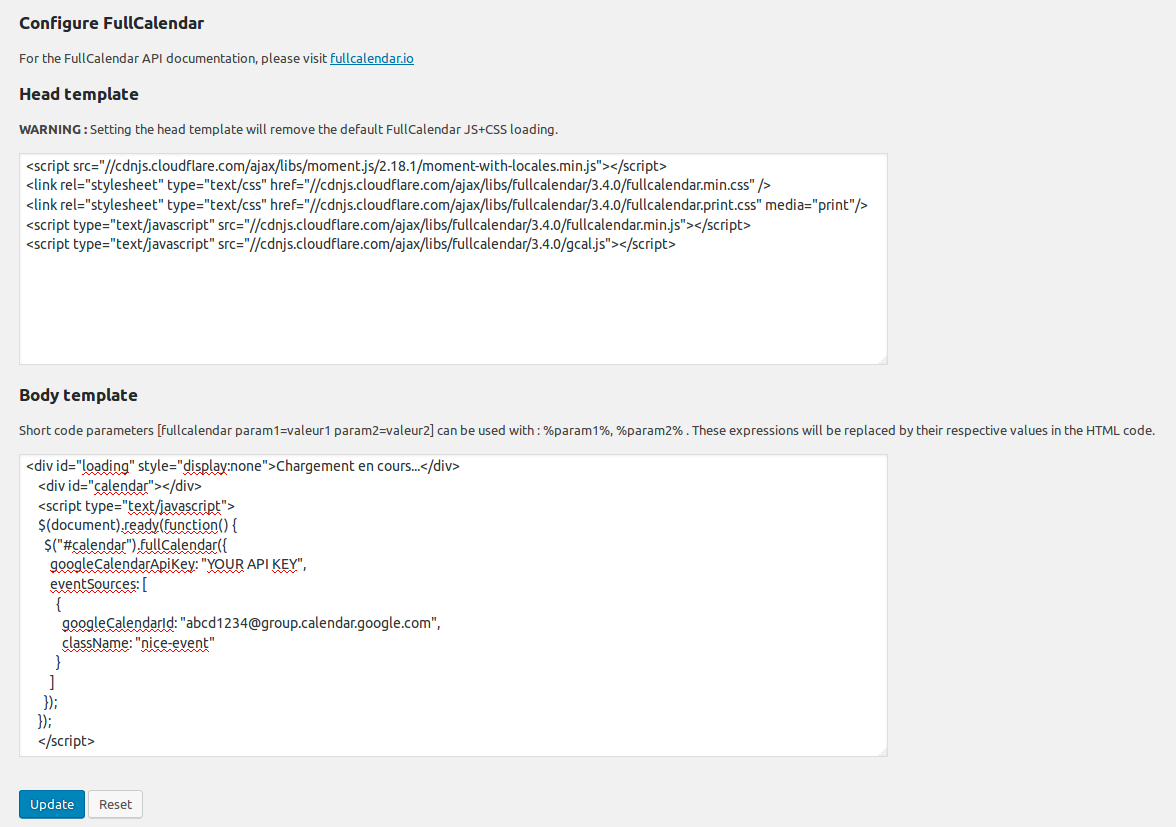
Fill in the head template if you want to load fullcalendar from CDN, or another version or plugins.
![The calendar is displayed in your page when you insert the [fullcalendar] shortcode. Here is a sample with multiple calendars and a few CSS.](https://ps.w.org/fullcalendar/assets/screenshot-3.png?rev=1705824)
The calendar is displayed in your page when you insert the [fullcalendar] shortcode. Here is a sample with multiple calendars and a few CSS.

Here is a sample with a single calendar and a custom CSS.
Changelog
1.0
- First version.
2.2.2
- Updated to fullcalendar 2.2.2
3.4.0
- Updated to fullcalendar 3.4.0.