

Fullscreen Cart For WooCommerce
A plugin that enhances the WooCommerce shopping experience by displaying a fullscreen cart overlay along with a quick add-to-cart interface.
Plugin info
Maintenance & Compatibility
Maintenance score
Stale • Last updated 316 days ago • 2 reviews
Is Fullscreen Cart For WooCommerce abandoned?
Likely maintained (last update 316 days ago).
Compatibility
Languages
Similar & Alternatives
Explore plugins with similar tags, and compare key metrics like downloads, ratings, updates, support, and WP/PHP compatibility.
Description
Fullscreen Cart For WooCommerce is designed to improve the shopping experience by introducing an intuitive, fullscreen cart overlay. Shoppers can quickly view and manage their cart items without leaving the page. Additionally, the plugin offers a quick add-to-cart feature for a seamless shopping journey.
Presentation
Premium | Demo | Documentation
Free Features
⭐ Lightweight and user-friendly design for fast performance
⭐ Customize the cart icon, text, style, and placement with ease
⭐ Real-time cart updates using AJAX – no page reloads
⭐ Display products from specific categories in the cart
⭐ Apply or remove coupon codes with instant feedback
⭐ Advanced styling controls for cart layout, colors, and typography
⭐ Fully supports variable and grouped products
⭐ Clear display of subtotal, discount, shipping, and total in the cart
⭐ Built-in Elementor widget for Full Screen Cart
⭐ Mobile-first, fully responsive design
⭐ Quick access links to Cart and Checkout pages
⭐ Enable or disable cart and checkout buttons as needed
⭐ Supports template override for developers
⭐ Add custom CSS for personalized design tweaks
⭐ Show live product count in the cart
⭐ AJAX-powered product add/remove functionality
⭐ Supports selecting product variations directly in the cart
⭐ Regular updates and detailed documentation
⭐ Friendly and responsive support team
⭐ Clean, high-quality code built with WordPress standards (PHPCS/WPCS)
Pro Features
⭐ Exclude specific products from being added to the cart
⭐ Restrict cart to selected products only
⭐ Enable support for all product types: simple, variable, grouped, virtual, and downloadable
⭐ Apply conditions based on sale or regular pricing
⭐ Automatic shipping cost calculation inside the cart
⭐ Seamless one-page checkout experience
⭐ Customize the “Change Address” button text and appearance
⭐ Personalize the “Place Order” button styling and label
⭐ Priority 24×7 premium support for faster assistance
⭐ Upgrade to Premium Today! Unlock these powerful features and elevate your WooCommerce store’s cart experience to the next level.
Watch a Quick Tutorial
Support
Need help or have suggestions?
📧 Email us at [email protected]
🌐 Visit our website: https://jthemes.com/
License
This plugin is licensed under the GNU General Public License v2.0 or later. For more details, visit GPL-2.0+ License URI.
Upgrade to Pro
Unlock advanced features by upgrading to the Pro version of the plugin: Upgrade Now 🔥
Installation
- Upload the plugin files to the
/wp-content/plugins/fullscreen-cart-for-woocommercedirectory, or install the plugin through the WordPress plugins screen directly. - Activate the plugin through the ‘Plugins’ screen in WordPress.
- Navigate to WooCommerce > Settings > Fullscreen Cart to configure the plugin settings.
Frequently Asked Questions
A: Yes, the plugin is designed to work seamlessly with any WooCommerce-compatible theme.
A: No, the plugin is lightweight and optimized for performance.
A: Yes, you can customize the cart overlay to match your website’s branding through the settings panel or custom CSS.
Review feed
Screenshots
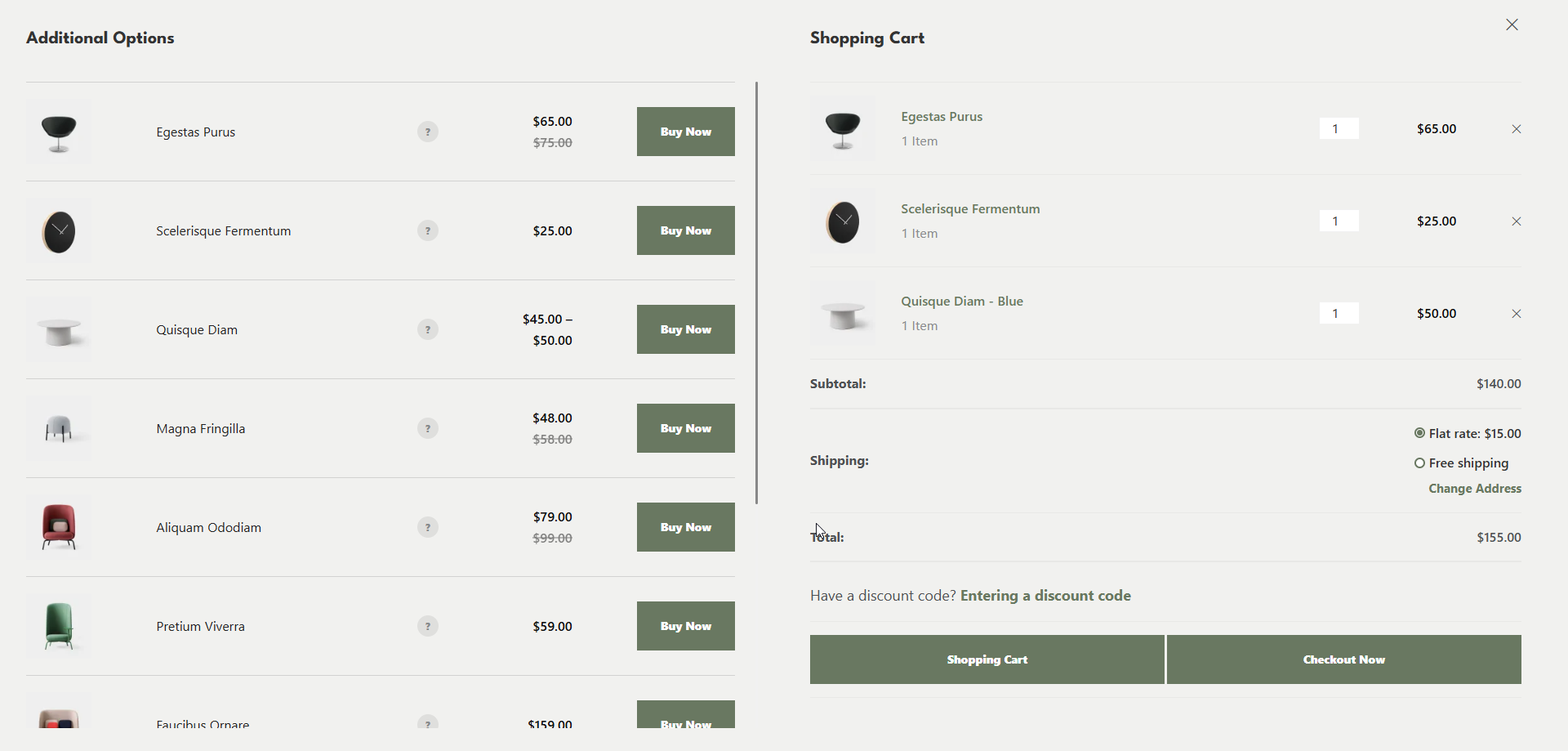
Fullscreen Cart Popup: Preview of the fullscreen cart popup as displayed on the frontend.
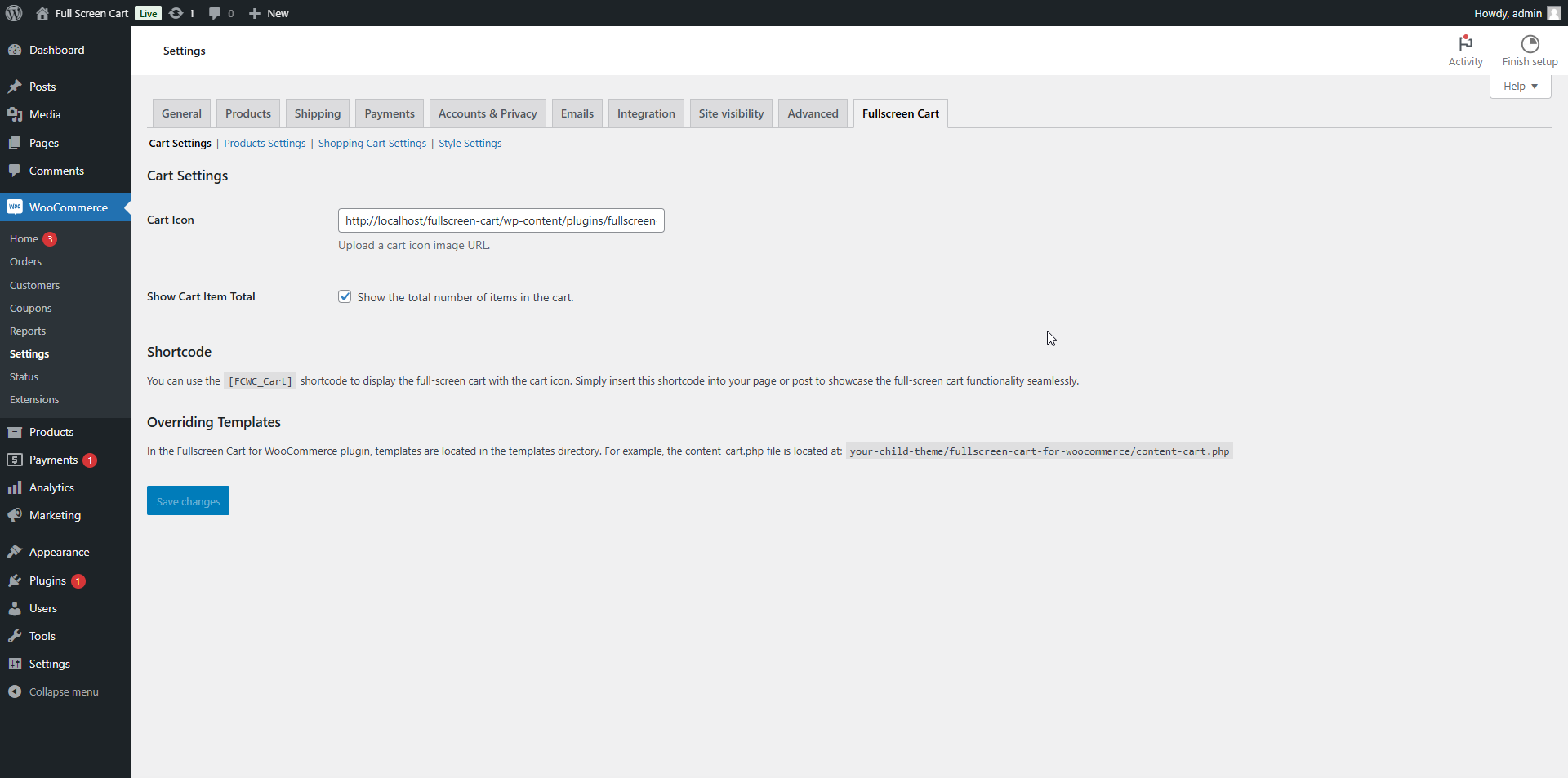
Cart Settings: Screenshot of the plugin settings page where you can configure cart-related Settings.
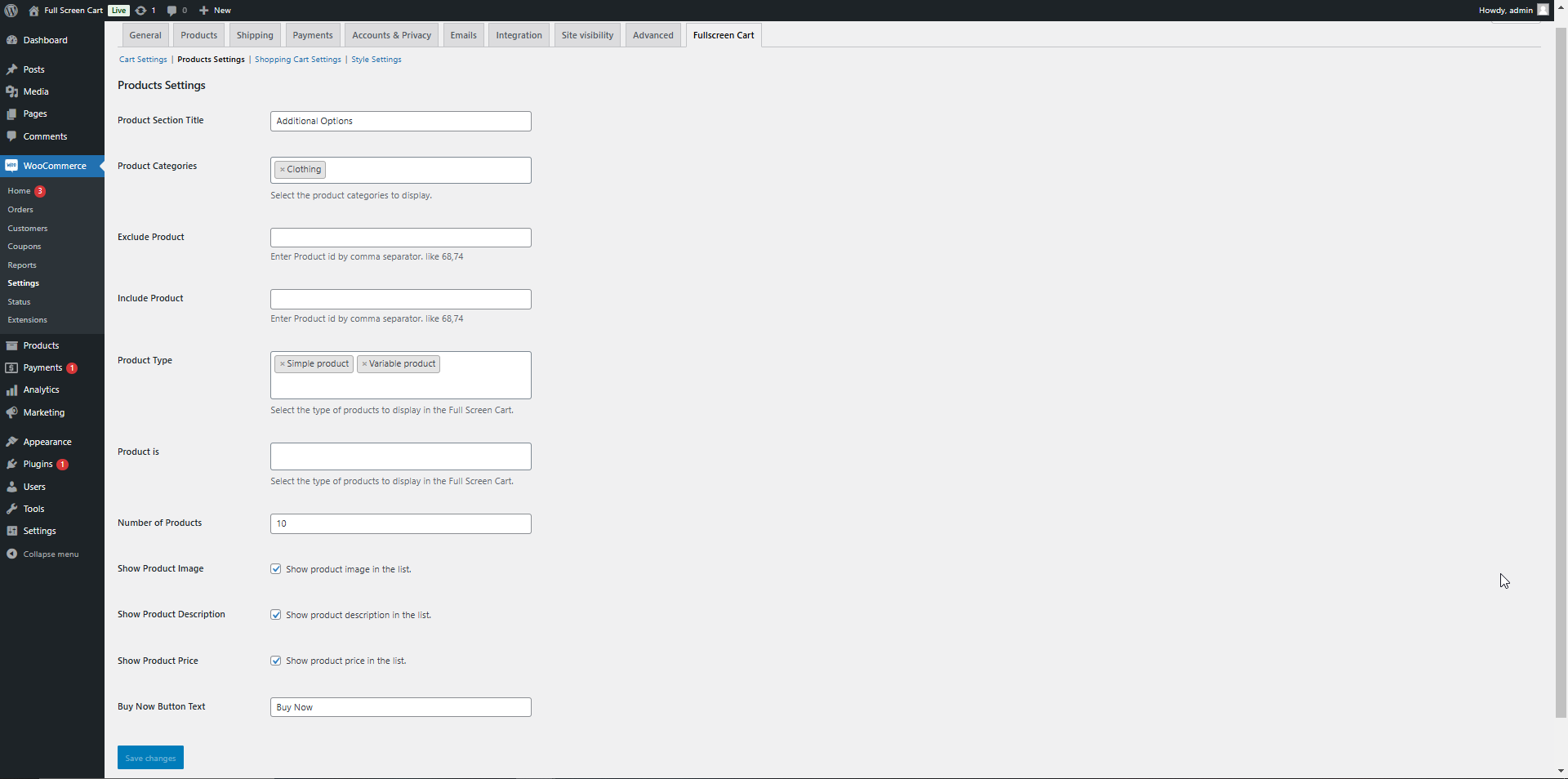
Products Settings: Screenshot of the plugin settings page where you can configure product-related options.
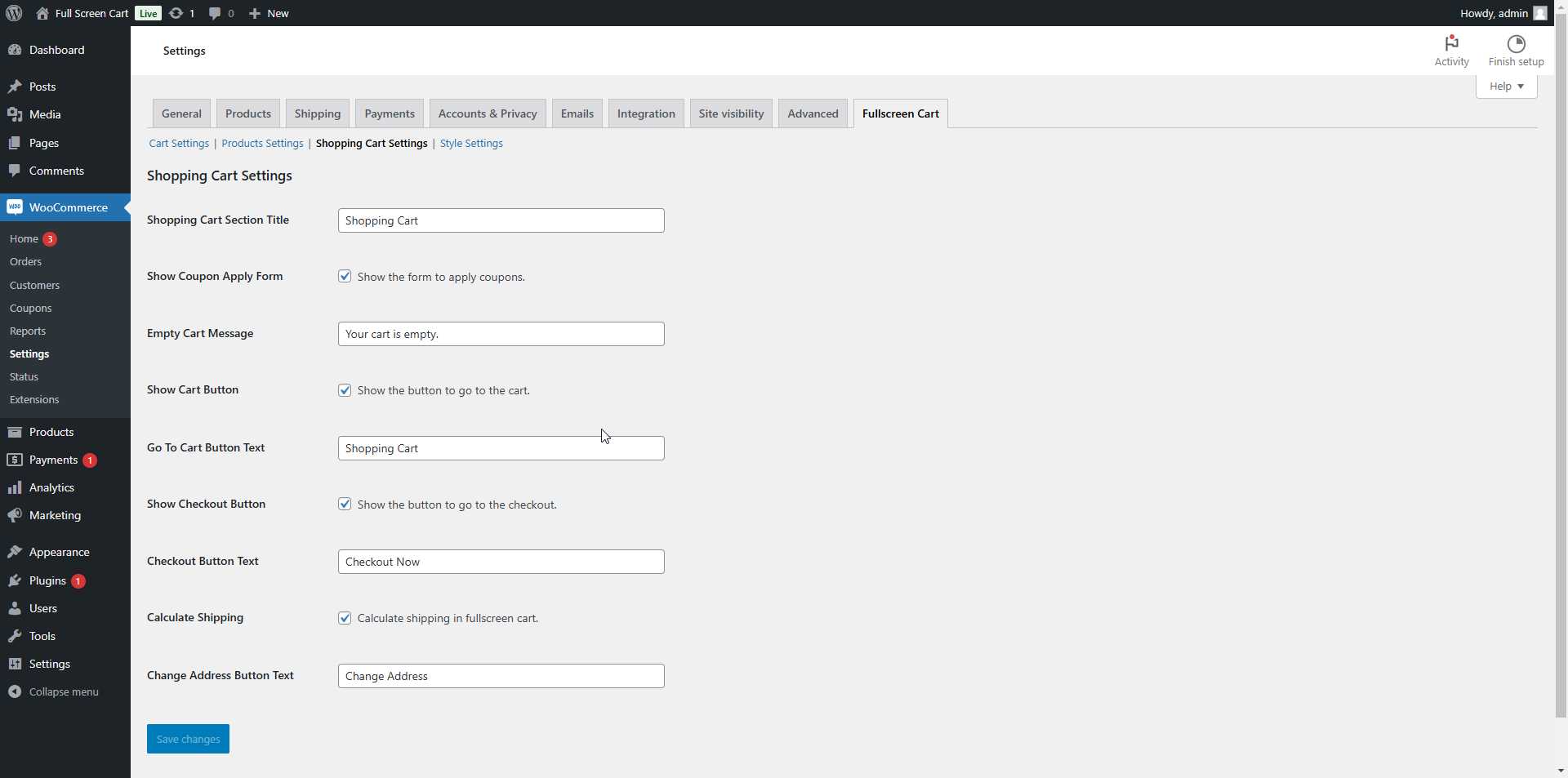
Shopping Cart Settings: Screenshot of the plugin settings page where you can configure shopping cart-related options.
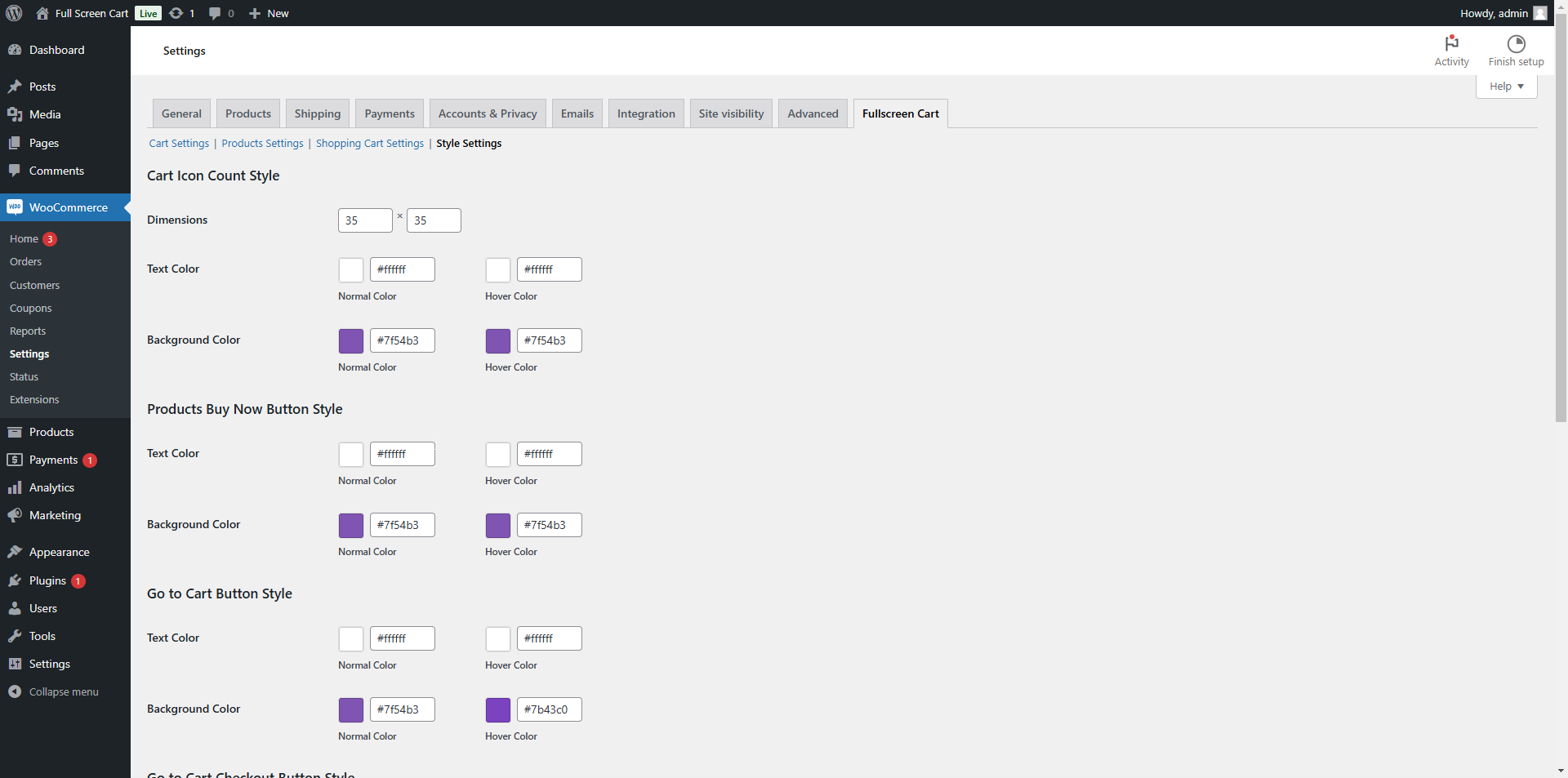
Style Settings: Screenshot of the plugin settings page where you can configure style-related options.
Changelog
1.1.6
- Stable update with WordPress 6.8 compatibility
1.1.0
- Add floating cart feature.
1.0.3
- Update qunatity issue Fixed.
1.0.0
- Initial release.
- Fullscreen cart overlay feature.
- Quick add-to-cart functionality.