

Fullwidth Templates for Any Theme & Page Builder
When using a Page Builder, things like page title, boxed layout usually limit your creativity. This plugin helps you go fullwidth on any* theme.
Plugin info
Maintenance & Compatibility
Maintenance score
Maintained • Last updated 122 days ago • 42 reviews
Is Fullwidth Templates for Any Theme & Page Builder abandoned?
Likely maintained (last update 122 days ago).
Compatibility
Similar & Alternatives
Explore plugins with similar tags, and compare key metrics like downloads, ratings, updates, support, and WP/PHP compatibility.
Description
Full Width Page Templates For Your Website
Does your theme offer full width page templates? Need freedom to design beautiful full width layouts with page builder like Beaver Builder, Elementor? Need a complete blank template without header or footer for your landing pages?
This plugin adds Fullwidth Page Templates to overcome these limitations.
Here is a quick video explaining how this plugin works
Try it out on a free dummy site
Blank Template
- Removes header, footer, sidebar, comments, title and leaves you with a plain canvas
- Awesome for landing pages where you need complete control over your layout
Full Width Template
- Removes Sidebar, page title, comments and stretches the layout to full width
- Ideal if you’re using a Page Builder
Bonus – No Sidebar Template
- Just Removes Sidebar
- Perfect if your theme does not have No Sidebar option.
- Rest of the layout & styling will remain intact.
Made to work with Page Builders
When you’re using a Page Builder, things like the default page title, boxed layout, extra margin and padding usually get in your way. This plugin puts you in absolute control and removes all unnecessary elements from your layout.
Dead Simple
It adds three simple options for your pages & posts. Just choose the one and you should be all set.
Potable & No Lock-in
If you’re anything like us, you care what happens when you switch your themes. Generally changing theme means, you will need to edit all your pages and change templates. But if you’re using a plugin like this – you won’t have to worry about it.
Supported & Actively Developed
Need help with something? Have an issue to report? Get in touch with us on GitHub.
Some of the popular themes
- Genesis Framework by StudioPress
- Primer Theme by GoDaddy
- Twenty Sixteen
Disclaimer –
This option works on most of the themes; but it might not work on few depending on it’s layout structure.
Please open up an issue on GitHub or send us a pull request for adding compatibility with your theme.
Project by Brainstorm Force.
Installation
- Install Fullwidth Templates either via the WordPress plugin directory or by uploading the files to your server at wp-content/plugins.
- Activate the plugin through the ‘Plugins’ menu in WordPress
- When creating or editing pages you will see options to select the fullwidth templates in the template selection dropdown, select any of the three templates and update the page.
Check Screenshots for more details.
Frequently Asked Questions
Review feed
Screenshots

Extra Template Selection Options for Pages & Posts
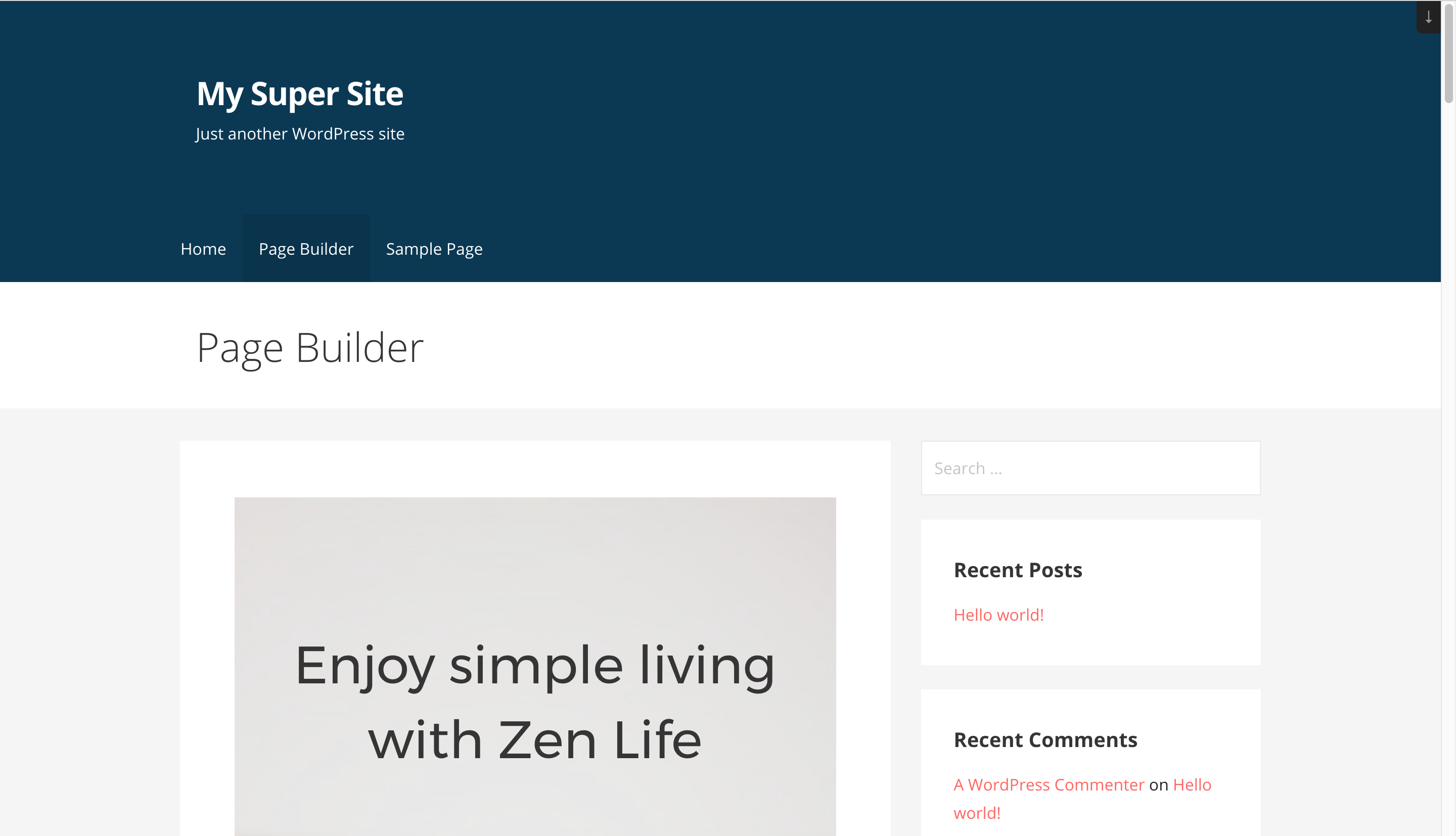
Default View on Primer Parent Theme
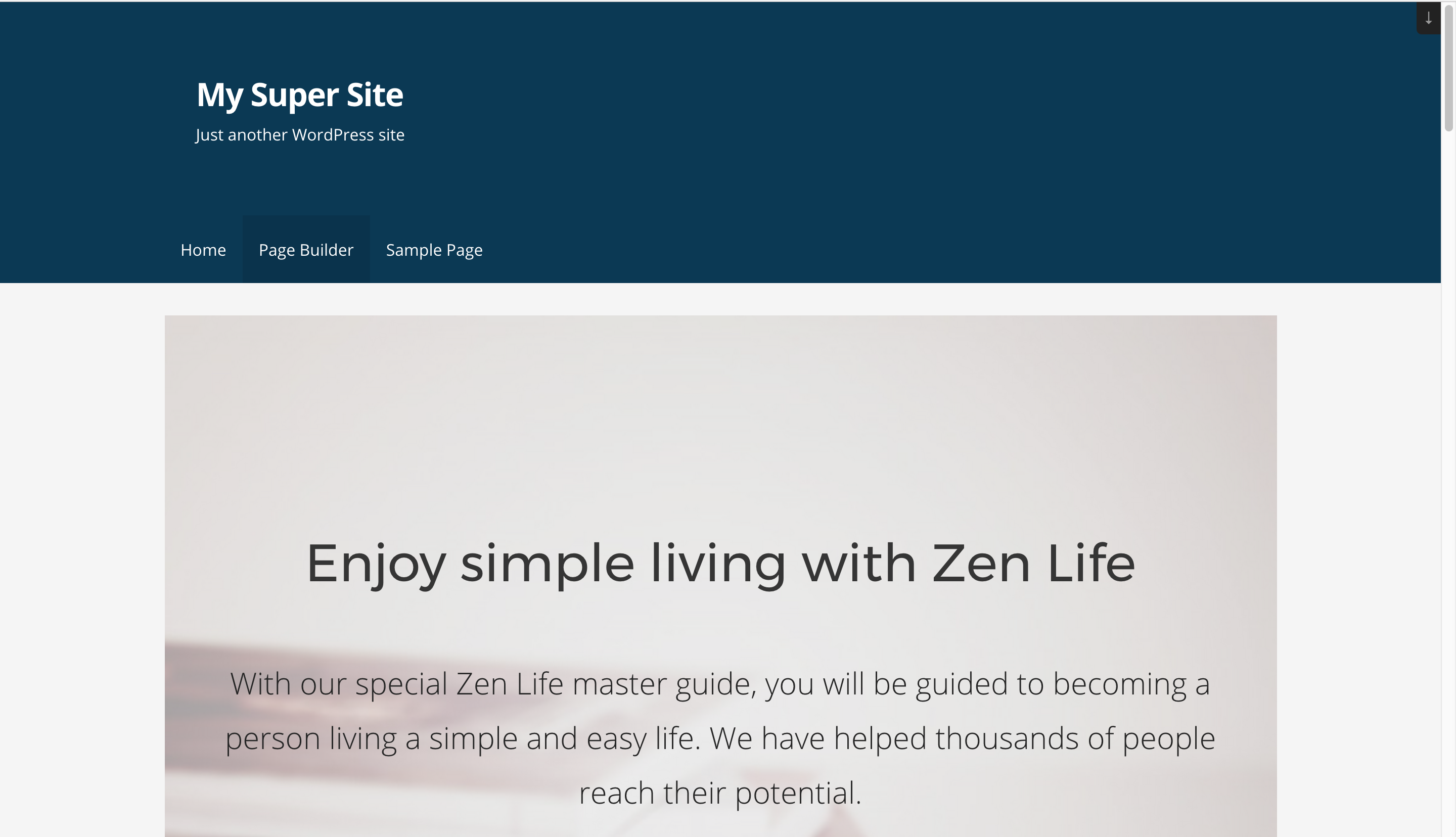
No Sidebar Template
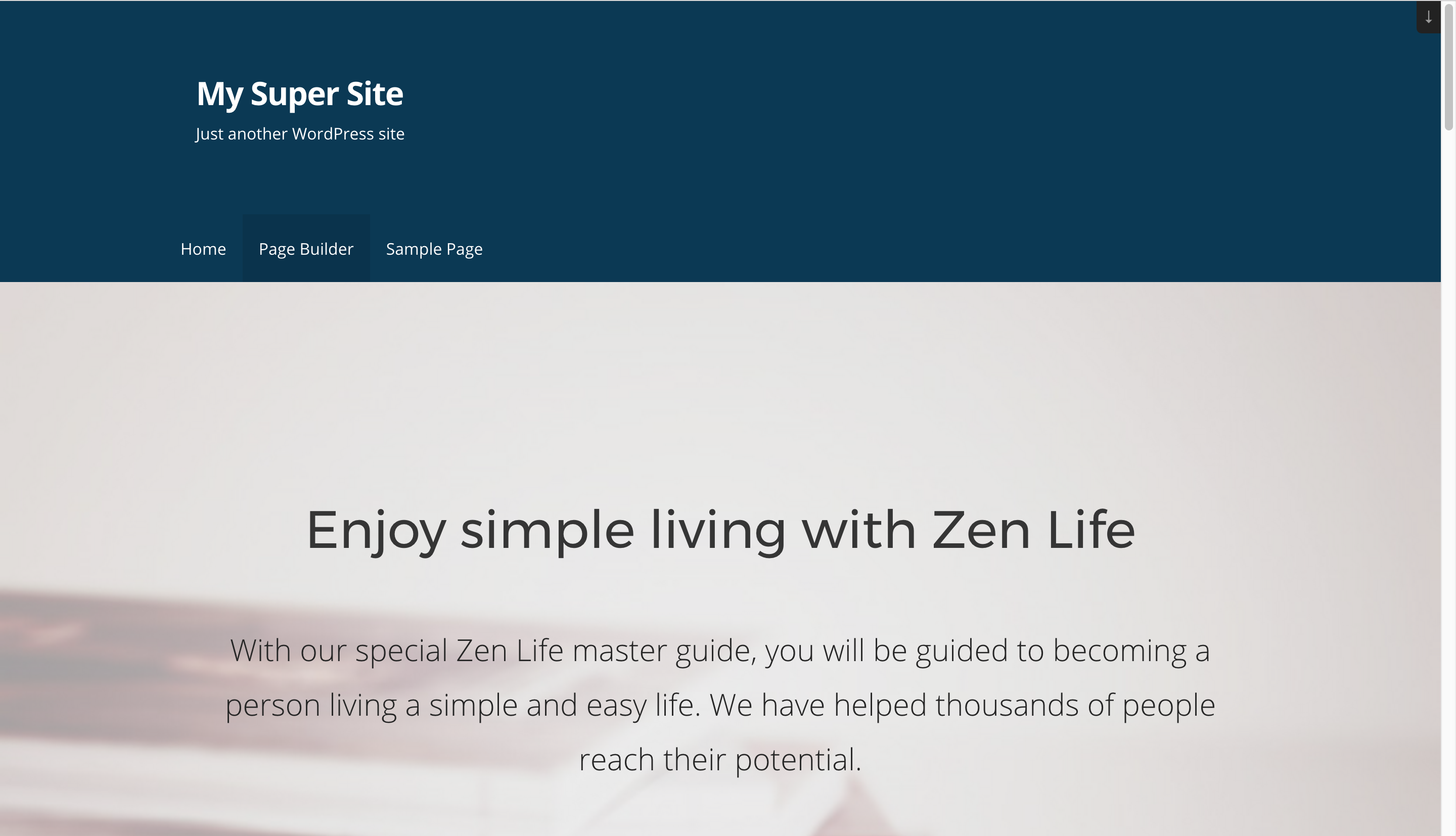
Fullwidth Template

Blank - No Header / Footer Template
Changelog
1.2.0
- Fix: Fixed PHP notice by delaying text domain loading for Fullwidth Template plugin until the init action.
1.1.1
- Fix: Fixed compatibility with other plugins with respect to the admin notice.
1.1.0
- New: Users can now share non-personal usage data to help us test and develop better products. ( Know More )
1.0.3
- Make the plugin translation compatible.
1.0.2
- Prevent direct access to php files.
- Prevent direct access to directories.
- i18n: Load plugin translations.
- i18n: Use translation function for text strings.
1.0.1
- New: Support for storefront theme.
- New: Support Custom Post types created by plugin Custom Post Type UI.
1.0.0
- Initial Release