

GAM ADS – Ad Manager and Ad Exchange
Easily connect your website with Google Ad Manager (GAM). Manage, display, and optimize ads directly from your dashboard without any coding.
Plugin info
Maintenance & Compatibility
Maintenance score
Maintained • Last updated 121 days ago
Is GAM ADS – Ad Manager and Ad Exchange abandoned?
Likely maintained (last update 121 days ago).
Compatibility
Similar & Alternatives
Explore plugins with similar tags, and compare key metrics like downloads, ratings, updates, support, and WP/PHP compatibility.
Description
GAM ADS – Ad Manager and Ad Exchange helps publishers, agencies, and developers seamlessly integrate Google Ad Manager (GAM) into their WordPress websites.
With this plugin, you can create, configure, and manage GAM ad units, insert ads into pages, and control placements — all from a custom, user-friendly admin panel.
✨ Key Features
- 🔗 Connect Google Ad Manager securely using OAuth 2.0
- 📊 Ad Summary Dashboard – View total, active, and inactive ads
- ➕ Create New Ads with full support for:
- Banner
- Interstitial
- Anchor (Top/Bottom)
- Floater
- Custom Ad
- Popup (Premium Feature)
- Push Down (Premium Feature)
- Flying Carpet (Premium Feature)
- Sticky (Premium Feature)
- Rewarded (Premium Plus Feature)
- 🖥️ Device Targeting – Display ads on Desktop, Tablet, or Mobile
- 📐 Flexible Sizes – Add fixed or fluid sizes for each ad unit
- 🎛️ Responsive Sizes – Define responsive breakpoints easily
- 🛡️ Cache Bypass Logic – Ensures ads load properly even with caching plugins
- ⚡ AJAX-Based Navigation – Smooth experience inside the dashboard
- ❌ No Auto-Drafts – Ads are created via a custom form, avoiding WordPress auto-drafts
- 🗂️ Ad Management Tools – List, search, paginate, edit, and delete ad units
- 🧩 Premium & Premium Plus Features
- Premium Ad Types
- Advanced integrations
- Upgrade options for professional publishers
🚀 Why Use GAM ADS?
- Avoid manually inserting GPT (Google Publisher Tag) code
- Prevent ad misconfigurations with a guided interface
- Save time with built-in ad templates
- Works perfectly with caching, responsive themes, and popular page builders
Credits
Developed and maintained by MagicBid.ai
Who we are
We are official Google MCM (Multiple Customer Management) Channel Partners, helping publishers monetize their websites through Google Ad Manager and Google Ads.
External Services
This plugin connects to external APIs provided by Google and to the plugin author’s secure server for default configs, premium features and subscription verification.
These connections are required to authenticate your WordPress site with Google Ad Manager (GAM) and to enable optional premium features.
The plugin uses the following external services:
-
Google Ad Manager API (GAM API)
- Purpose: To retrieve and manage Ad Units, Placements, Orders, and Line Items from your Google Ad Manager account.
- Data sent: Requests may include your network code and authorized access tokens generated during your own OAuth authentication process.
- Data received: Ad configuration details, ad unit metadata, and related information necessary to manage and display ads within WordPress.
- Provider: Google LLC
- Terms of Service: https://policies.google.com/terms
- Privacy Policy: https://policies.google.com/privacy
-
Google Cloud Console – OAuth Consent Screen
- Purpose: To securely authorize your WordPress site to access the Google Ad Manager API using your own credentials.
- Data sent: During authentication, Google may collect your account email, consent confirmation, and OAuth tokens.
- Data received: Secure access tokens (stored locally in your WordPress database) that allow this plugin to perform authorized API calls on your behalf.
- Provider: Google Cloud Platform
- Terms of Service: https://cloud.google.com/terms
- Privacy Policy: https://cloud.google.com/privacy
-
Plugin Author’s Secure Server
- Purpose: To default configs, verify valid subscriptions, unlock premium features, and serve premium ad templates or assets.
- Data sent: Only the plugin license key, site URL, and plugin version for subscription validation.
- Data received: Verification status, premium feature access, and optionally, premium ad templates or styles.
- Provider: Plugin author’s own secure server at https://gam-ads.com.
- Notes: No personal data, ad analytics, or user account information is collected, transmitted, or stored.
- Frequency: Only when activating or validating a premium license, or when loading premium ad assets.
API Keys and Authentication
The plugin supports user-provided Google Cloud Console credentials (Client ID and Client Secret).
These credentials can be securely stored in the WordPress database using the plugin settings.
If no user credentials are configured, the plugin automatically falls back to a secure API request to retrieve credentials from our server.
These fallback credentials are stored safely on our own servers and are never exposed within the plugin source code.
They are used only to facilitate OAuth 2.0 authentication between the user and Google.
At no time do we collect, store, or have access to any user account data or authentication tokens.
Users who prefer can use their own Google Cloud Console credentials by entering their Client ID and Client Secret in the plugin’s configuration settings.
Once added, the plugin will use the user’s own Client ID and Secret Key for all Google API communications.
The plugin does not collect, store, or transmit any personal or advertising data to the plugin author or any third-party service other than Google’s official APIs or the secure subscription verification endpoint.
All authorization tokens are generated within your own WordPress admin dashboard via Google’s OAuth Consent Screen and stored locally in your database.
The plugin developer has no access to your Google account, credentials, or Ad Manager data.
All external communication takes place securely over HTTPS between your WordPress site, Google’s official APIs, and the plugin’s licensed verification server.
You can review our Privacy Policy and Terms here:
– Privacy Policy: https://gam-ads.com/privacy-policy
– Terms & Conditions: https://gam-ads.com/terms-&-conditions
For assistance or support, please contact us at:
👉 https://magicbid.ai/contact-us/
Privacy
This plugin respects user privacy and complies with WordPress.org’s plugin repository guidelines.
- The plugin does not collect or transmit any personally identifiable information (PII) to external servers.
- All API keys, tokens, and site settings are securely stored in your local WordPress database.
- Communication with Google services is handled exclusively between your site and Google’s servers.
- For premium users, only minimal data — such as license key and site URL — is sent securely to the author’s server for subscription validation.
- The plugin does not track, sell, or share any user or visitor data.
- The plugin author has no access to any data stored in your Google or WordPress accounts.
- Any premium ad templates served from the plugin’s server are static, non-personalized assets and do not include tracking or analytics scripts.
You may disconnect or revoke access at any time through your plugin settings page or your Google Account permissions.
You can read our full Privacy Policy at https://gam-ads.com/privacy-policy.
Included Public and/or Private Keys
This plugin does not distribute or include any hard-coded Google Cloud Console keys.
If user credentials are not configured, fallback keys are securely requested from our server and never revealed publicly.
No Google account data is collected, logged, or transmitted beyond the authentication process.
Security
Security is a core principle of this plugin’s design.
- OAuth 2.0 Authentication: Uses Google’s official OAuth 2.0 protocol for all Ad Manager API connections. Tokens are issued by Google only after explicit user consent.
- Secure HTTPS Communication: All API requests and license verifications are encrypted using HTTPS.
- Local Token Storage: All access tokens and credentials (Client ID and Secret Key) are securely stored in your WordPress database, never transmitted to third parties.
- Nonce & Capability Checks: All plugin actions and AJAX requests are protected using WordPress nonces and capability checks to prevent unauthorized access.
- No Remote Code Execution: The plugin does not load executable code from any external domain.
- Revoke Access Anytime: You can revoke Google API tokens or deactivate your subscription at any time to immediately stop all external communication.
- Minimal Data Policy: The plugin author’s server receives only non-personal data for subscription or license verification.
For more details, see our full Terms & Conditions at https://gam-ads.com/terms-&-conditions.
For help or technical support, visit https://magicbid.ai/contact-us/.
Support
Need help or want to monetize your site?
📧 Email: [email protected]
🌐 Visit: https://magicbid.ai/contact-us/
Installation
- Upload the plugin using the “Add Plugin” option or install it directly from the WordPress Plugin Repository.
- Activate the plugin through the Plugins menu in WordPress.
- Go to GAM ADS in your WordPress admin sidebar.
- Open Settings and click Connect Google Ad Manager to authorize your account.
- Start creating and managing ad units from the dashboard.
Frequently Asked Questions
Yes. You must have an active Google Ad Manager (GAM) account to use this plugin.
Yes. AdSense can be linked to Google Ad Manager, and you can serve AdSense ads via GAM.
Yes. The plugin includes smart device detection and cache bypass logic.
Yes. The core features are free. Some advanced ad types and tools are available as Premium Features.
No. It uses official Google Publisher Tag (GPT) asynchronous scripts for optimized performance.
Review feed
Screenshots
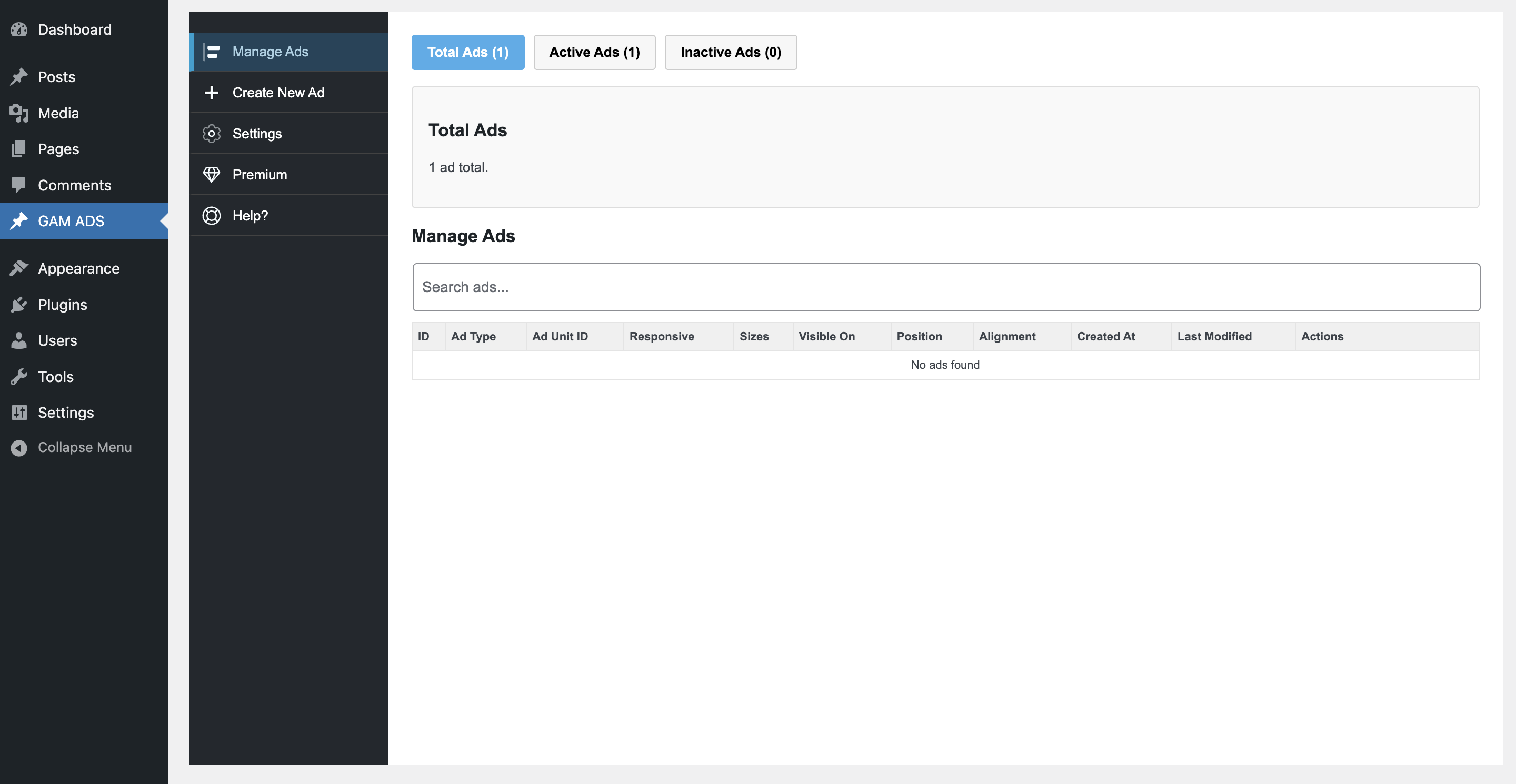
Manage Ads – Overview of ad units.
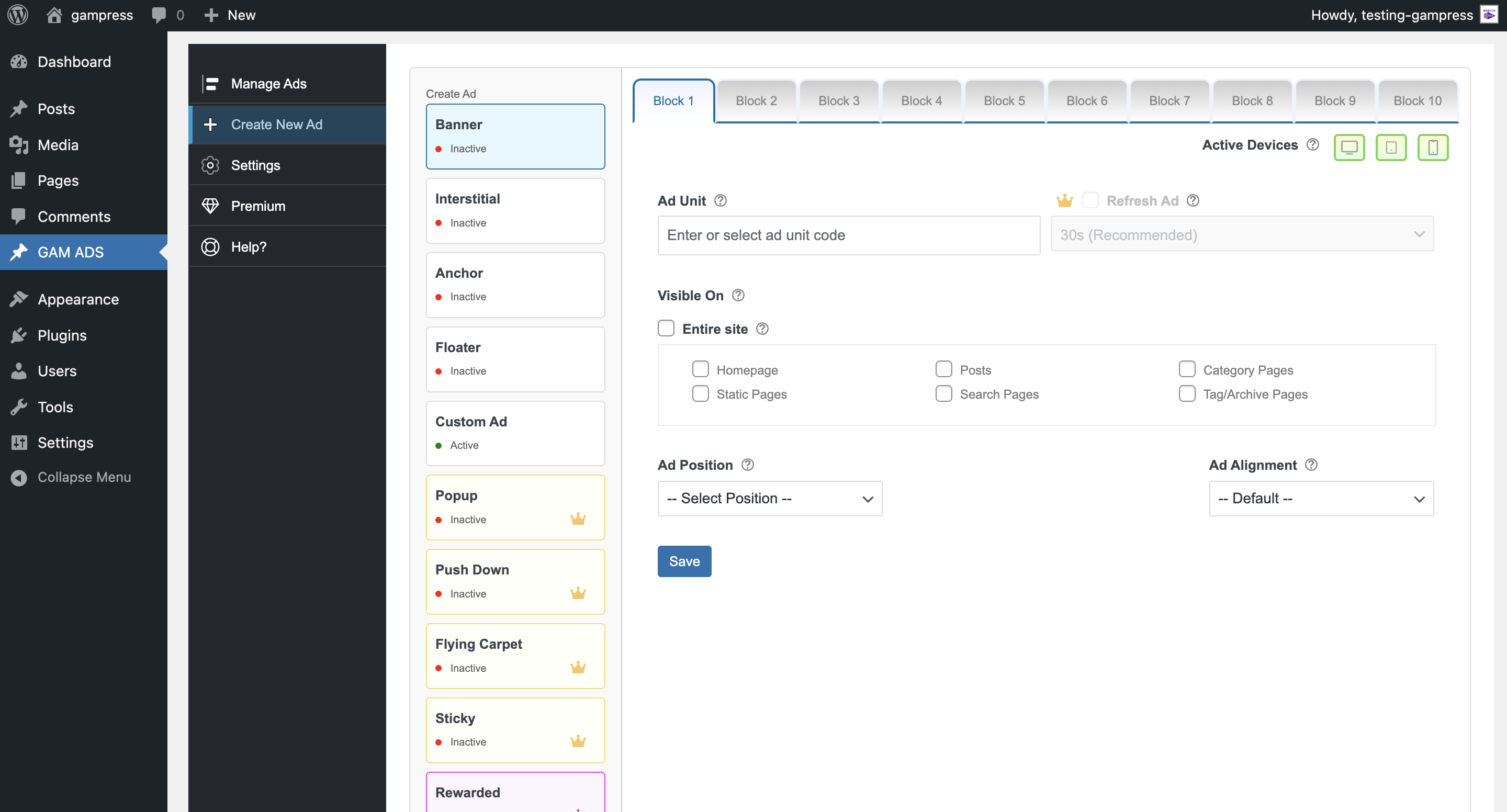
Create New Ad form.
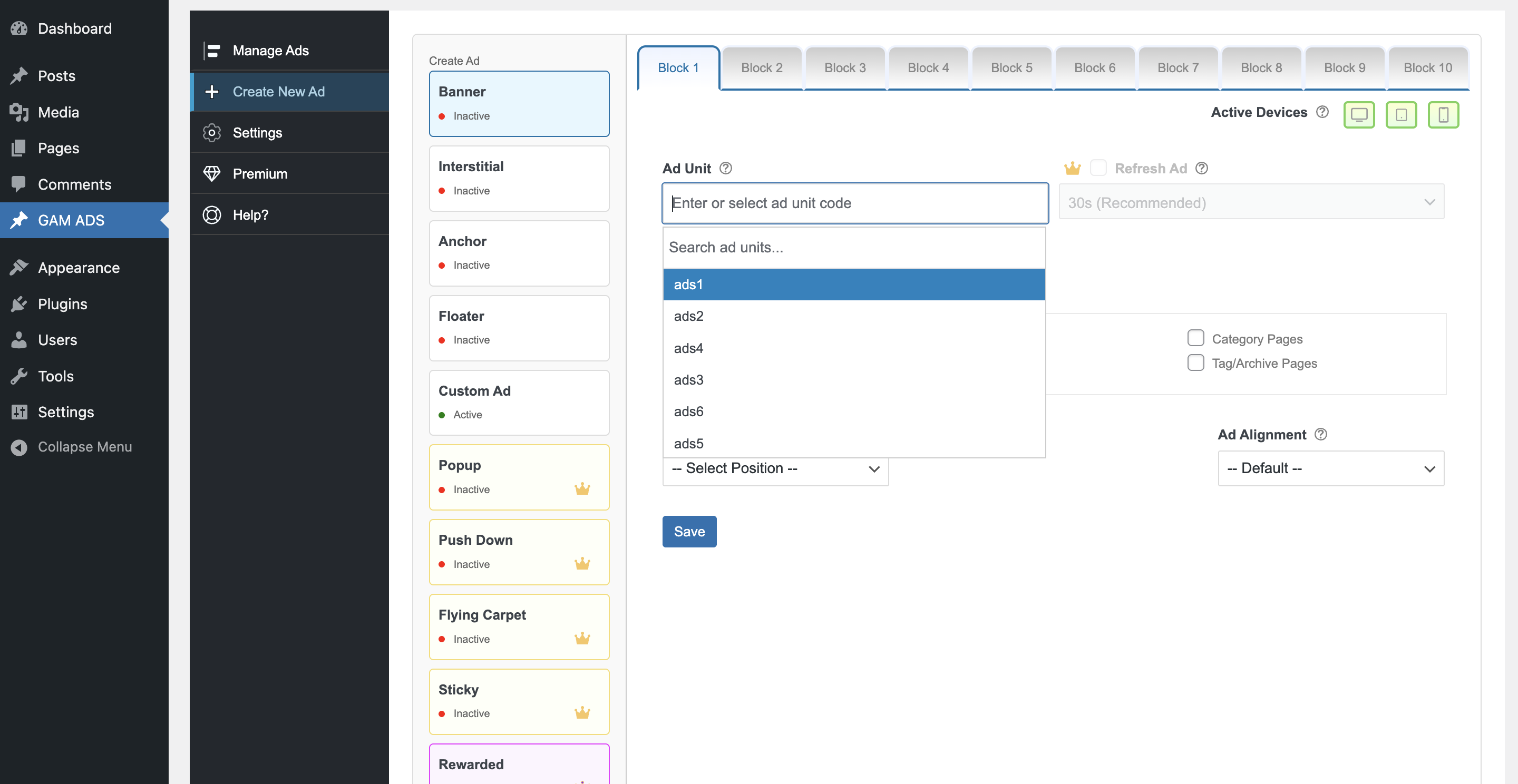
Create New Ad form with Selection of ad unit.
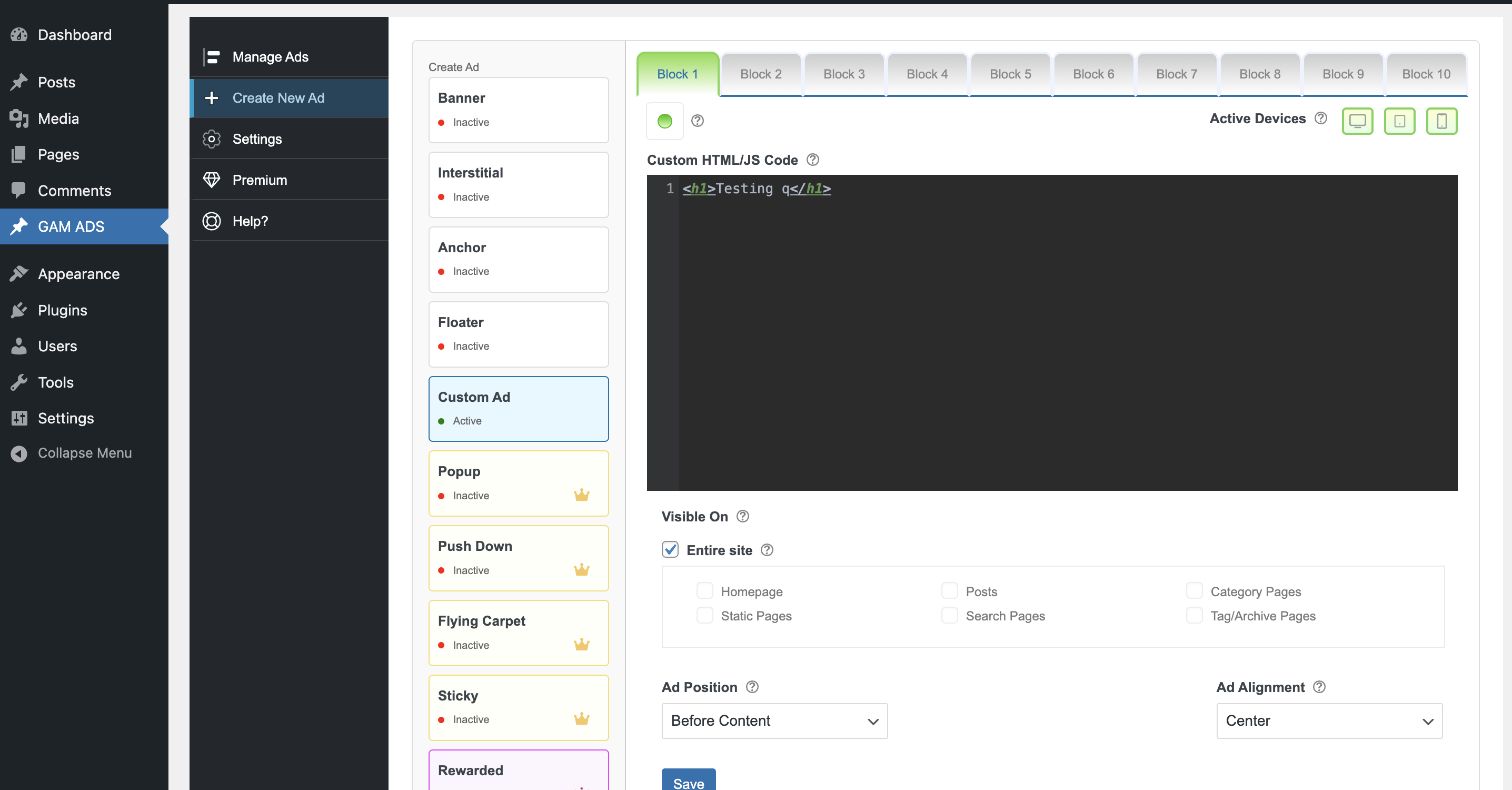
Add Custom Ad/Code.
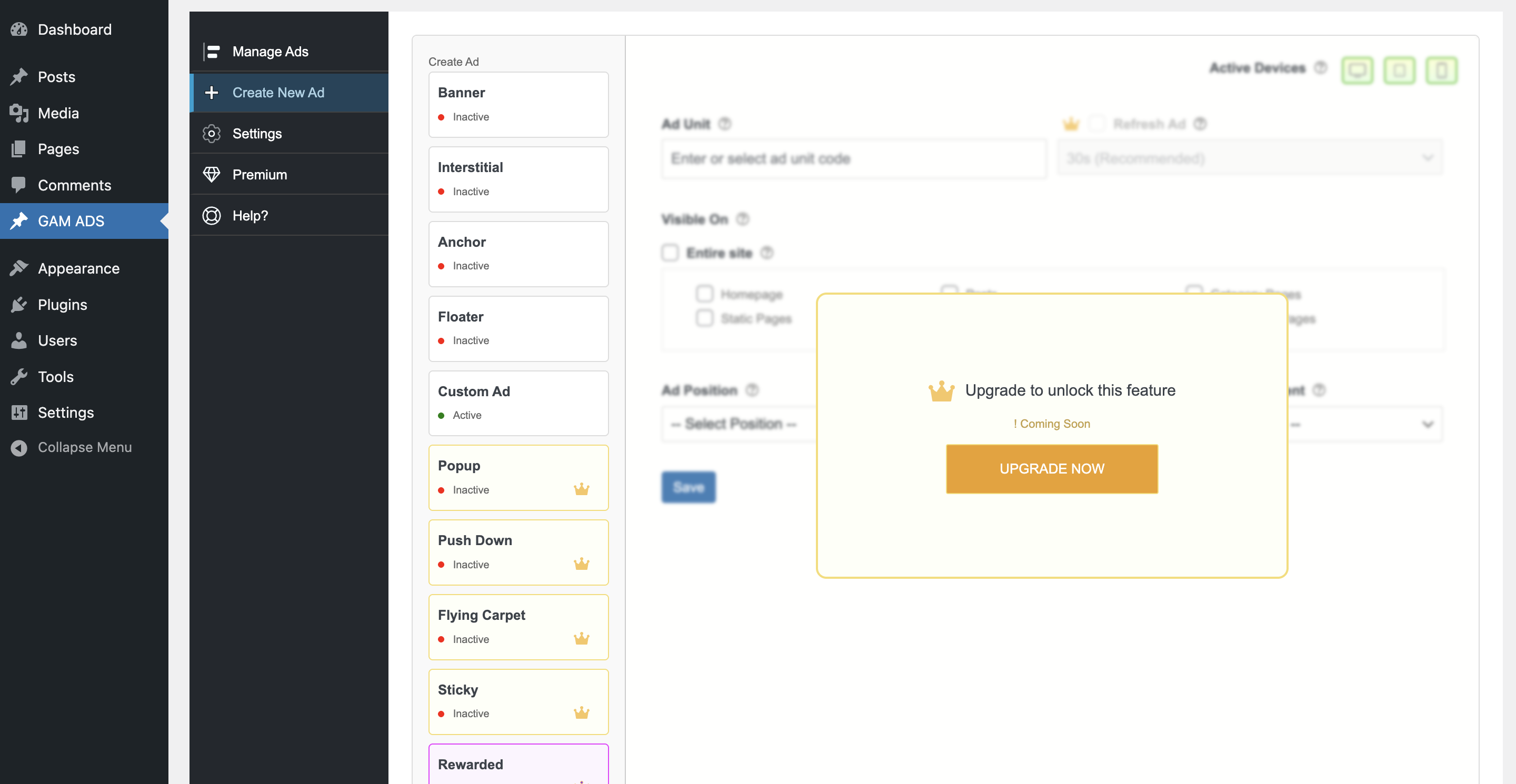
Upgrade popup showing Premium features.
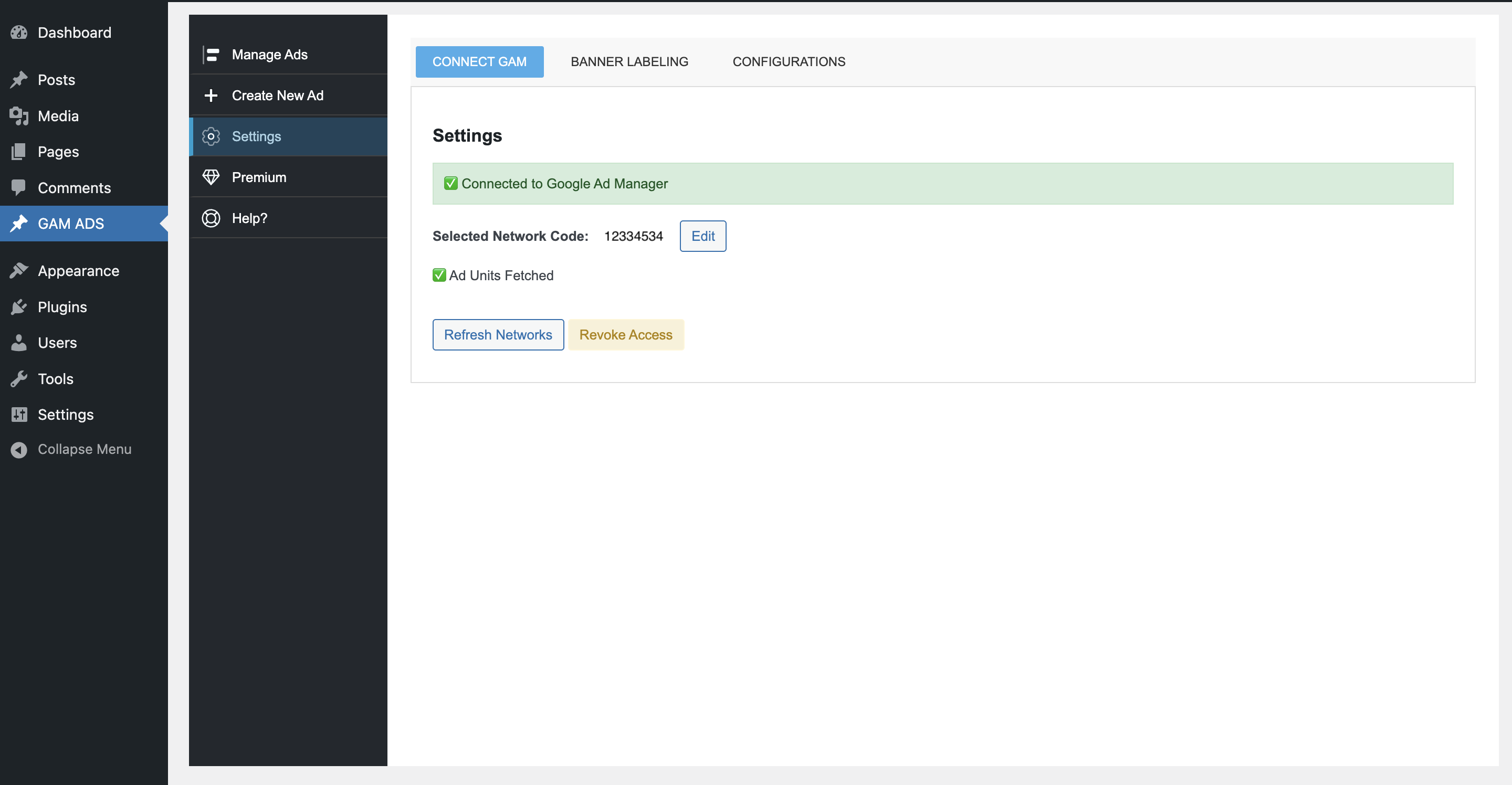
GAM Connect Settings.
Changelog
1.0.1
- Initial public release 🎉
- Google Ad Manager OAuth integration
- Manage Ads dashboard with ad statistics
- Create New Ads (Banner, Interstitial, Anchor, Floater, Custom Ad, Rewarded)
- Full CRUD management for ad units
- Responsive and device targeting support
- Premium feature upgrade system