
Genchat – AI Chatbot for Customer Support
AI ChatBot for WordPress – Automated 24/7 Live Chat Customer Support, with OpenAI, WooCommerce, and training on website data.
Plugin info
Maintenance & Compatibility
Maintenance score
Stale • Last updated 263 days ago
Is Genchat – AI Chatbot for Customer Support abandoned?
Likely maintained (last update 263 days ago).
Compatibility
Similar & Alternatives
Explore plugins with similar tags, and compare key metrics like downloads, ratings, updates, support, and WP/PHP compatibility.
Description
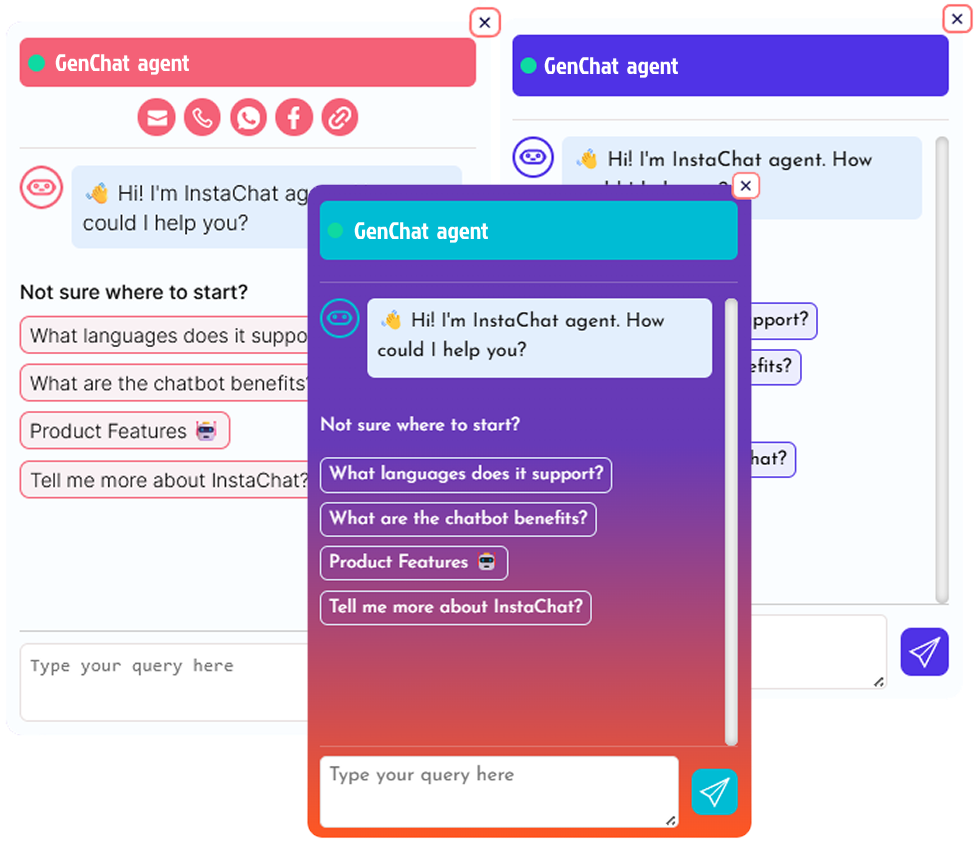
GenChat AI is an advanced AI-powered chatbot designed to enhance customer interactions, provide 24/7 automated support, and boost conversions. Powered by ChatGPT, GenChat delivers instant, human-like responses, improving user experience and engagement.
With multilingual support, it communicates effortlessly in any language, making it ideal for global businesses. The chatbot can analyze post content, custom prompt data, WooCommerce data to provide relevant answers, making it a smart knowledge assistant. It also features exit-intent popups and onsite retargeting, helping recover up to 15% of abandoning visitors. Its WooCommerce compatibility helps suggest products, answer queries
The fully customizable chat widget allows you to match your site’s branding with ease—no coding required! Whether you’re running an eCommerce store, a blog, or a support portal, GenChat AI is the perfect AI assistant for your business.
- ✅ AI-Powered Instant Responses
- ✅ Multilingual Support
- ✅ WooCommerce Integration
- ✅ Exit-Intent
- ✅ Fully Customizable & Easy to Use
Link Toolbar – Quick Access to Key Actions
The Link Toolbar feature lets site owners add a customizable link bar to the chatbot header, providing users with quick access to essential actions:
📞 Phone Call – Instantly initiates a call when clicked.
💬 WhatsApp Chat – Opens WhatsApp for direct messaging.
📘 Facebook Link – Redirects users to a Facebook page, profile, or group.
📧 Email Link – Opens the default email app to send a message.
🔗 Custom Link – Add any URL for easy redirection.
This feature enhances user engagement and accessibility, making it easier for visitors to connect with businesses in just one click! 🚀
All Features List:
- ✅ AI-Powered Smart Responses – Provides instant, human-like replies using ChatGPT
- ✅ 24/7 Availability – Always active chatbot ensuring round-the-clock customer support.
- ✅ Multilingual Support – Communicates in any language, making it ideal for global businesses.
- ✅ Post Content Analysis – Generates AI-powered responses based on website content.
- ✅ Exit-Intent & Onsite Retargeting – Recover up to 15% of abandoning visitors.
- ✅ WooCommerce Compatibility – Answers product-related queries, recommends products, and reduces cart abandonment.
- ✅ Pre-Defined & AI-Generated Responses – Use manual FAQs or let AI generate smart replies.
- ✅ Link Toolbar for Quick Contact – Add phone, WhatsApp, Facebook, email, or custom links in the chatbot header.
- ✅ Fully Customizable Chat Widget – Change colors, text, and branding to match your website.
- ✅ User-Friendly Dashboard – Easy setup and control with no coding required.
- ✅ Translation ready
- ✅ Easy to use it in both Free and Premium WordPress Themes
- ✅ Unlimited update
How to use:-
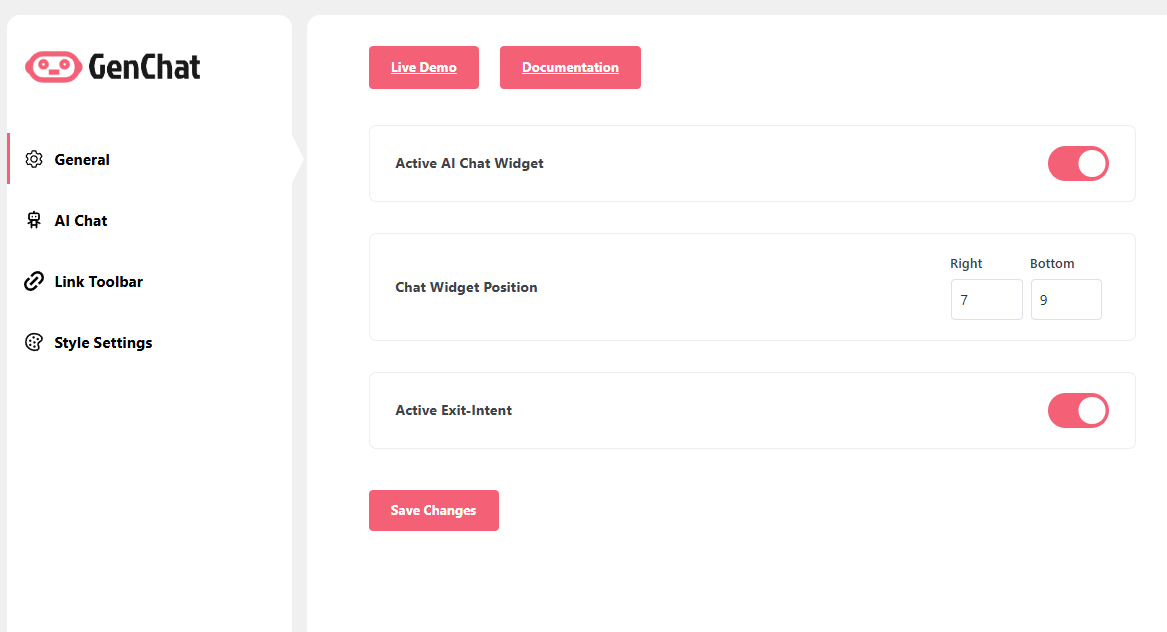
very easy to use,after active plugin just go to Dashboard -> GenChat Settings . You will find all settings to use.
External services
This plugin connects to the OpenAI API to provide AI-powered chat responses and assistance.
What the service is and what it is used for:
The plugin uses the OpenAI API to process user queries and generate AI-based responses. This service powers the chatbot functionality within your website.
What data is sent and when:
When a user interacts with the chatbot on your website, the text input provided by the user is sent to the OpenAI API. The API returns a response generated by the AI model, which is then displayed in the chat window. No personal data is collected or stored by the plugin during this process, unless explicitly configured by the site admin to include such data.
Service provider:
- OpenAI
- [Terms of Service](https://openai.com/policies/terms-of-use/)
- [Privacy Policy](https://openai.com/policies/privacy-policy/)
This connection is necessary for the plugin’s core AI functionality. If you do not wish to use the OpenAI API, the AI features of the plugin will not function.
Privacy Policy
Genchat uses Appsero SDK to collect some telemetry data upon user’s confirmation. This helps us to troubleshoot problems faster & make product improvements.
Appsero SDK does not gather any data by default. The SDK only starts gathering basic telemetry data when a user allows it via the admin notice. We collect the data to ensure a great user experience for all our users.
Integrating Appsero SDK DOES NOT IMMEDIATELY start gathering data, without confirmation from users in any case.
Learn more about how Appsero collects and uses this data.
Installation
The easy way.
Go to your WordPress Dashboard. Navigate to Plugins > Add New and then search for “GenChat”. Click on Install and then Activate the Plugin.
That’s it, GenChat Plugin is now activated on your site!
The hard way..
Download “GenChat WordPress Plugin” and then extract the zip file and just drop the contents in the wp-content/plugins/ directory of your WordPress installation and then activate the Plugin from Plugins page.
Frequently Asked Questions
Yes
Review feed
Screenshots
Changelog
1.0.0
This is initial Release for Genchat