

Generate Security.txt
With a security.txt file, ethical hackers can easily send you a notification when they have found a vulnerability on your website.
Plugin info
Maintenance & Compatibility
Maintenance score
Maintained • Last updated 150 days ago • Support resolved 100% • 1 reviews
Is Generate Security.txt abandoned?
Likely maintained (last update 150 days ago).
Compatibility
Similar & Alternatives
Explore plugins with similar tags, and compare key metrics like downloads, ratings, updates, support, and WP/PHP compatibility.
Description
Security.txt is an open standard (RFC 9116) that allows ethical hackers and security researchers to contact you when they have found a vulnerability on your website.
The principle is simple and effective: contact information is put into a txt file and placed in a fixed location in your website’s directory structure (well-known folder). In this way, contact can easily be made.
This plugin helps you to create and place the security.txt file without any knowledge of the open standard. This makes you easily accessible in case something is wrong with your website.
Installation
- Upload
generate-security-txtfolder to the/wp-content/plugins/directory - Activate the plugin through the ‘Plugins’ menu in WordPress
- Go the Tools > Generate Security.txt
- Find out of you have any critical requirements that you miss through the plugin admin interface like HTTPS or the PHP-extension ‘gnupg’.
- Generate your keys and security.txt
Frequently Asked Questions
You will not be able to generate keys and sign your security.txt. This isn’t a full requirement as per securitytxt.org, but an internet.nl validation will not green-light the file.
We recommend contacting your webhostingprovider and ask them how to enable this extension.
Your security.txt file will not be valid without URIs starting with ‘https://’. It’s critical as per securitytxt.org standards
Review feed
Screenshots

/assets/screenshot-1.png
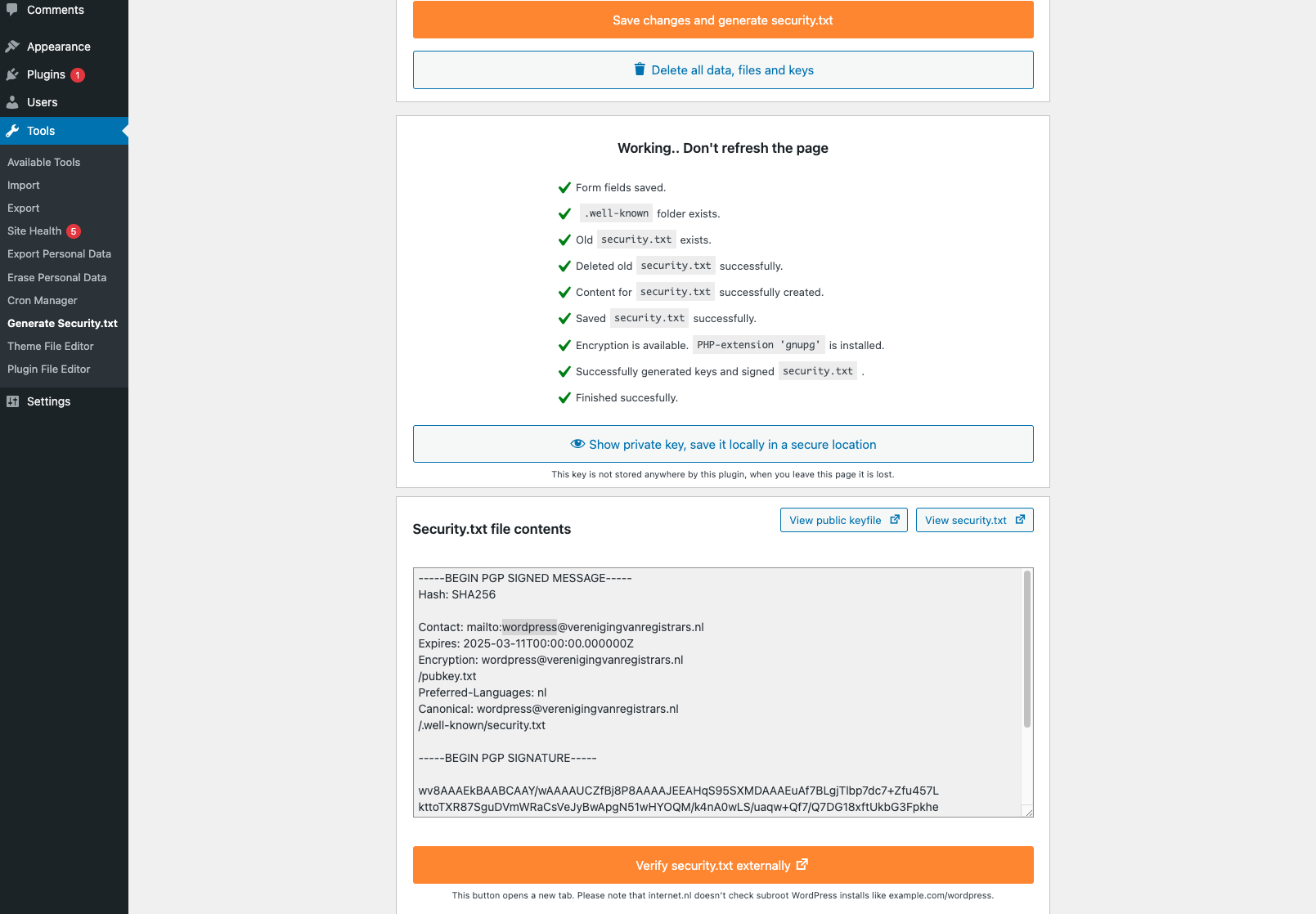
/assets/screenshot-2.png
Changelog
1.0.10
Updated dependencies
1.0.9
Updated dependencies
1.0.8
Updated internet.nl conform
New log feature
New file has verification feature
1.0.6
Normalize end of line characters
1.0
- Initial release version