

GetYourGuide Ticketing
Official GetYourGuide's plugin to easily add a ticketing solution to your Wordpress website
Plugin info
Maintenance & Compatibility
Maintenance score
Possibly abandoned • Last updated 1221 days ago
Is GetYourGuide Ticketing abandoned?
Possibly abandoned (last update 1221 days ago).
Compatibility
Similar & Alternatives
Explore plugins with similar tags, and compare key metrics like downloads, ratings, updates, support, and WP/PHP compatibility.
Description
GetYourGuide Ticketing offers an engaging checkout widget for your website, as well as a touchless ticketing solution for an improved end-to-end experience.
If you’re interested in activating our solution you can get in touch with us here.
Watch a one minute demo
Online Checkout
Benefit from best-in-class online checkout with high conversions, multiple payment and language options, and more with constant improvements and updates.
The Buy Button
Natively integrated into your website, the buy button is all you need to start selling tickets online — you can also customize the look and feel to suit your platform.
Touchless Ticketing
Use a low infrastructure POS solution with QR-code and online payment options, enabling customers on-site to self-book on the move and with more flexibility.
How to use the link builder
- Go to the Link Builder sub-menu under GYG Ticketing menu.
- If already configured in the Settings sub-menu, Partner Affiliate ID and your webiste URL are already pre-filled
- Copy the GetYourGuide Activity Links you intend to show in your website
- Select a language
- Click Generate Links
Output
The first section called “Call to action link” will provide links that you need to use to update your “book” buttons links.
In its first sub-section called “individual” will provide URLs that will show individual activities.
The second sub-section called “combined” will provide one URL that will show all the activities together.
The second section called deeplink will allow you to see links that will send users to your website with the Booking Engine already visible (deeplinking).
In its first sub-section called “individual” will provide URLs that will show individual activities.
The second sub-section called “combined” will provide one URL that will show all the activities together.
Installation
This plugin either be installed from the WordPress dashboard, or manually.
FROM THE WORDPRESS DASHBOARD
- Visit Dashboard > Plugins > Add New > Search “GetYourGuide Ticketing”
- Install Now
- Visit Dashboard > Plugins
- Activate the plugin.
MANUALLY
- Download this plugin.
- Upload the plugin folder to the /wp-content/plugins/ directory.
- Visit Dashboard > Plugins
- Activate the plugin.
Frequently Asked Questions
Login into the Partner Portal, and navigate to your settings.
Review feed
Screenshots
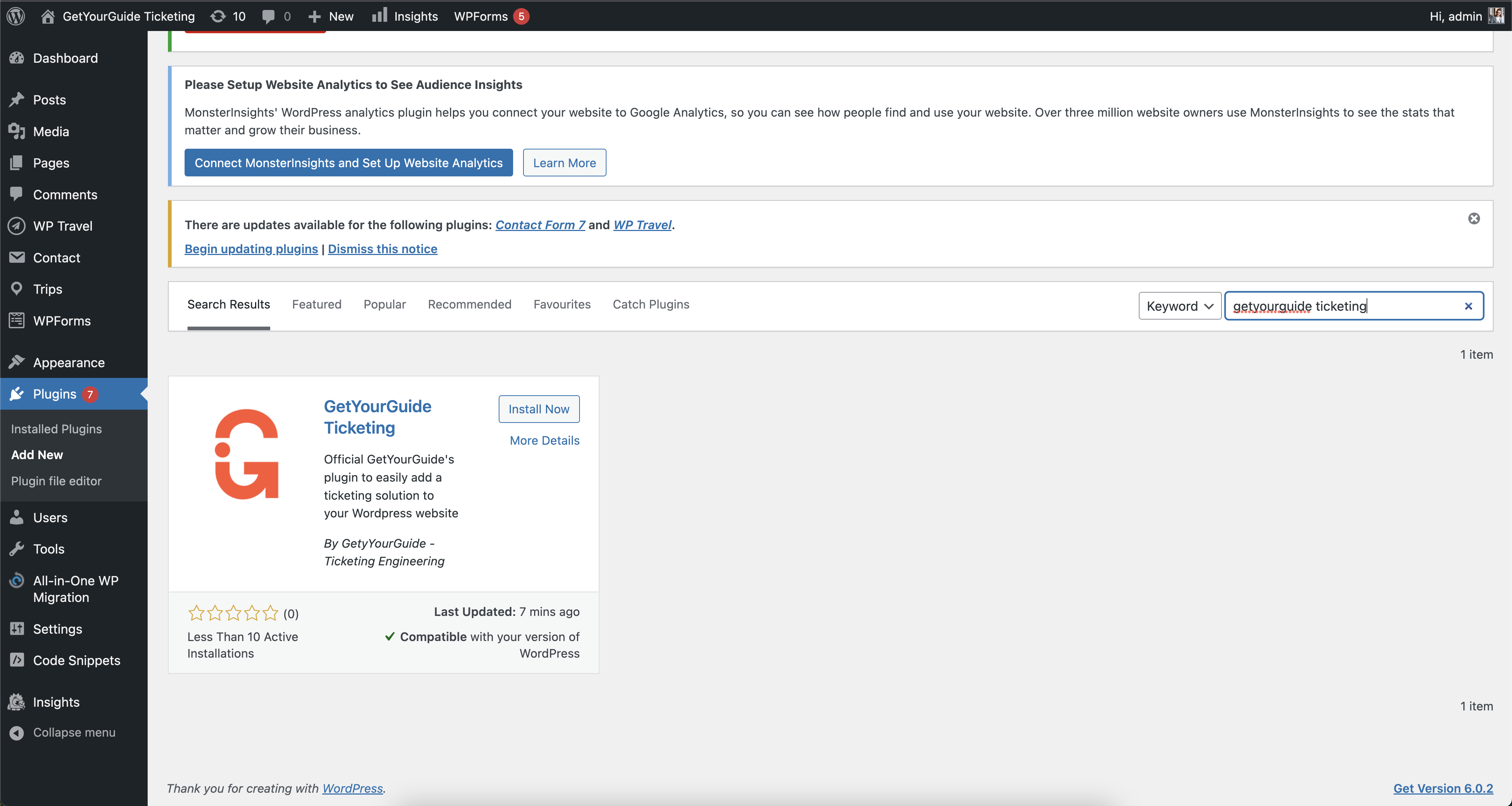
Search for our plugin: GetYourGuide Ticketing

Activate the plugin

Update settings
Changelog
1.0.6
Update supported WordPress version
1.0.5
Improved security with late escaping
1.0.4
Improved security
Update link builder to reflect new best practices
1.0.3
Escape input to prevent XSS attacks
1.0.2
Add preview to link builder
1.0.0
Create link builder
0.9.2
Readme fix
0.9.1
Readme fix
0.9
Initial version