

Gravity Forms Block Email Domains
Easily set a list of email domains to block on email fields in Gravity Forms.
Plugin info
Maintenance & Compatibility
Maintenance score
Possibly abandoned • Last updated 513 days ago • 9 reviews
Is Gravity Forms Block Email Domains abandoned?
Possibly abandoned (last update 513 days ago).
Compatibility
Languages
Similar & Alternatives
Explore plugins with similar tags, and compare key metrics like downloads, ratings, updates, support, and WP/PHP compatibility.
Description
Gravity Forms Block Email Domains is an add-on plugin for Gravity Forms that allows you to define a comma separated list of email domains to block on each email field. Custom validation messages can be set as well. Blocked email domains will prevent the form from being submitted and prompt the user to enter a non-blocked email address.
Installation
- Visit Plugins > Add New in the WordPress admin dashboard
- Search for “Gravity Forms Block Email Domains”
- Install and then Activate Gravity Forms Block Email Domains from your Plugins page
- Navigate to your gravity form
- Set a comma separated list of blocked domains and a custom validation message on an email field in the advanced tab
Frequently Asked Questions
Review feed
Great plugin!
Screenshots
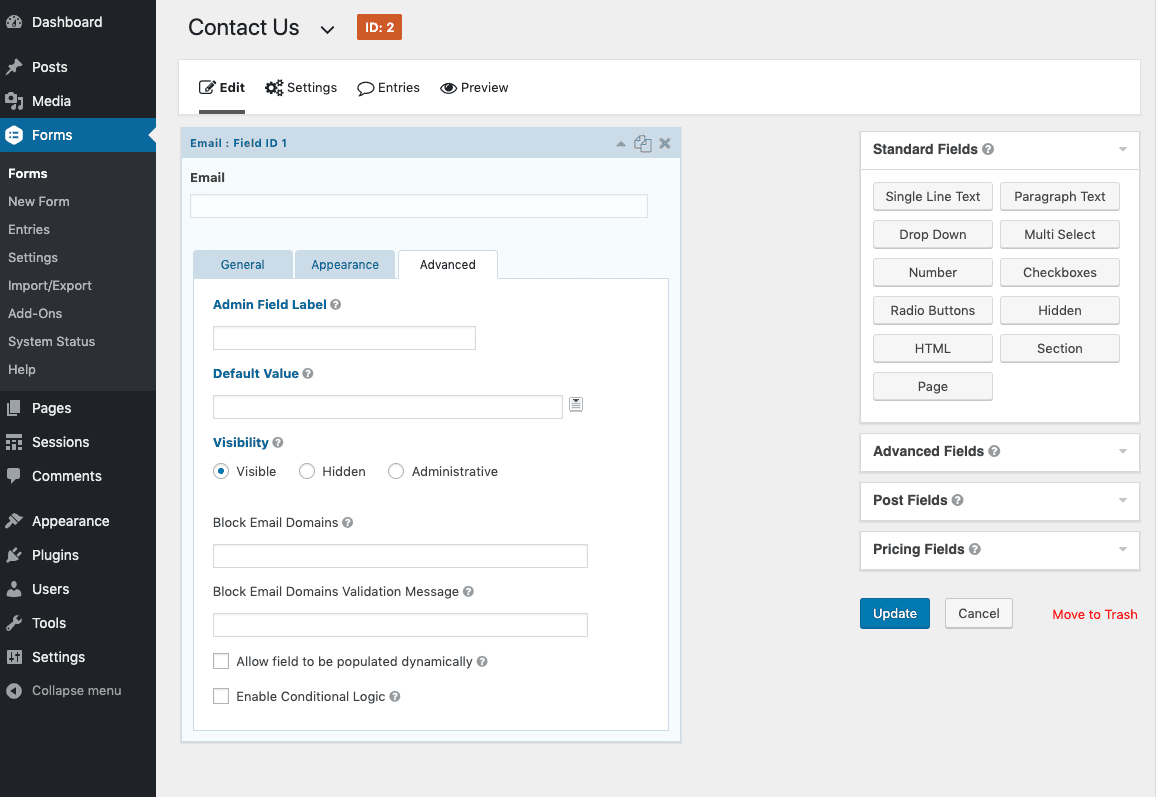
screenshot-1.png shows the advanced tab of an email field.
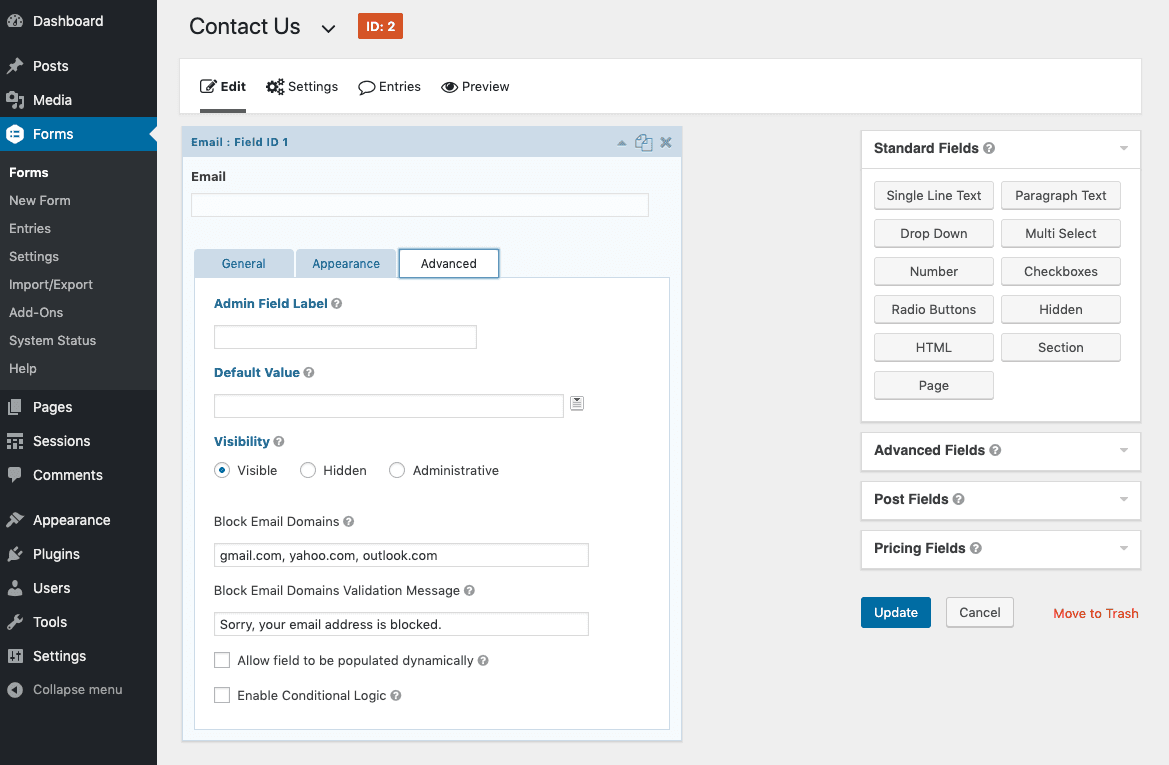
screenshot-2.png shows the block email domains and validation message fields filled out.
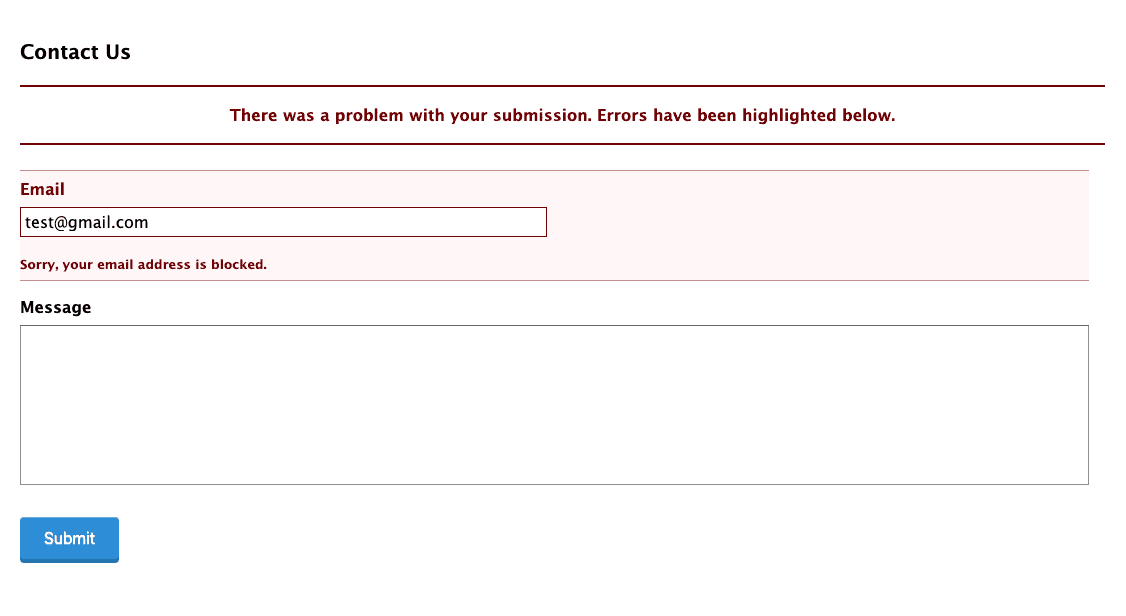
screenshot-3.png shows the form with a custom validation message.
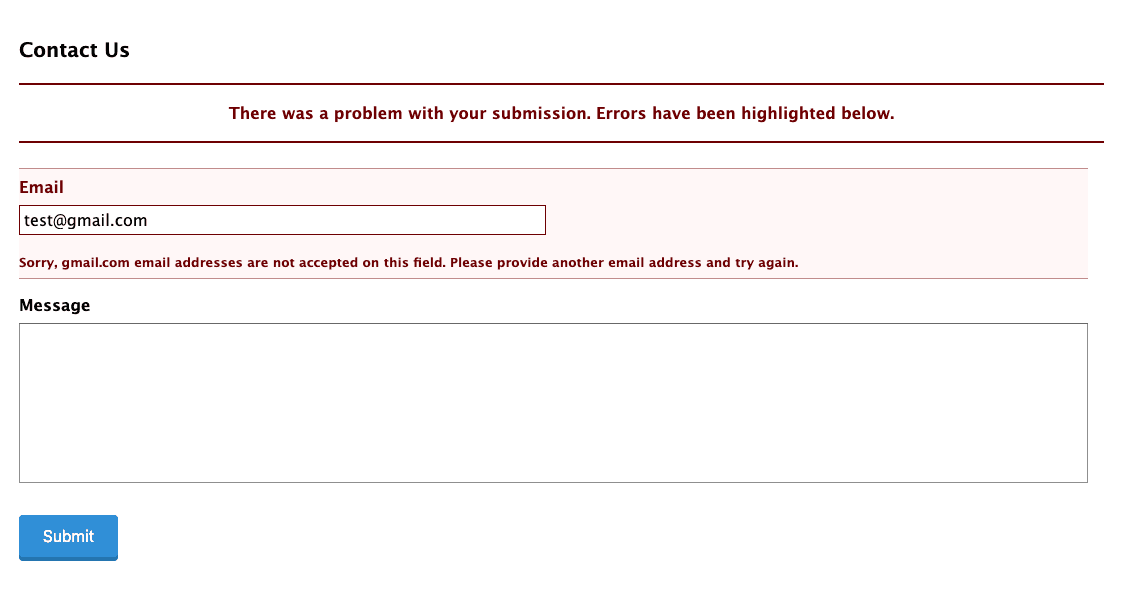
screenshot-4.png shows the form with the default validation message.
Changelog
1.0.2
- Add support for email fields with the confirmation field enabled
1.0.1
- Remove case sensitivity on domains
1.0.0
- This is version 1 – everything is new and shiny!