

Real Time Validation For Gravity Forms
This plugin adds an awesome feature that provides instant feedback and guidance in each field, helps prevent errors.
Plugin info
Maintenance & Compatibility
Maintenance score
Possibly abandoned • Last updated 487 days ago • 2 reviews
Is Real Time Validation For Gravity Forms abandoned?
Possibly abandoned (last update 487 days ago).
Compatibility
Languages
Similar & Alternatives
Explore plugins with similar tags, and compare key metrics like downloads, ratings, updates, support, and WP/PHP compatibility.
Description
This plugin adds an awesome feature that provides instant feedback and guidance in each field, helps prevent errors, reduces form submission time, and ensures the submission of accurate and complete data. It introduces a dynamic and interactive layer of validation that verifies the data entered by users as they fill out the form in real time.
Features
- Add Regular expression in text and number only.
- Ability to turn on/off for each gravity forms.
- Add validation only on required field.
- Add custom validation message.
- Works with multi-step forms.
- Works with both environment AJAX / NON-AJAX.
- Works with the Conditional logic of fields.
- Works with Multiple Forms on one page.
- Regular expression (New)
- More features coming…
Works with following fields
- Single Line Text
- Paragraph Text
- Drop Down
- Number
- Checkboxes
- Radio Buttons
- Image Choice (new)
- Multiple Choice (new)
- Name
- Date
- Time
- Phone
- Address
- Website
- Product
- Quantity
- Option
- Shipping
- More are coming soon.
Regular expression
- You can apply regular expressions exclusively to text fields.
- Don’t use / before and after of regular expression.
Navigate to the “Advanced” tab of the text field and click on “Enable Real-Time Validation.” This will provide two input boxes: one for entering a regular expression and another for specifying a validation failure message.
Example:
^(+?\d{1,4}[\s-]?)?((?\d{3,4})?[\s-]?)?\d{3}[\s-]?\d{3,4}$
Requirements
- PHP 7.4
- Gravity Forms 2.8.0 or higher
Installation
Installation is fairly straight forward. Install it from the WordPress plugin repository.
Frequently Asked Questions
Review feed
Screenshots

Enable real time validation from form settings page.
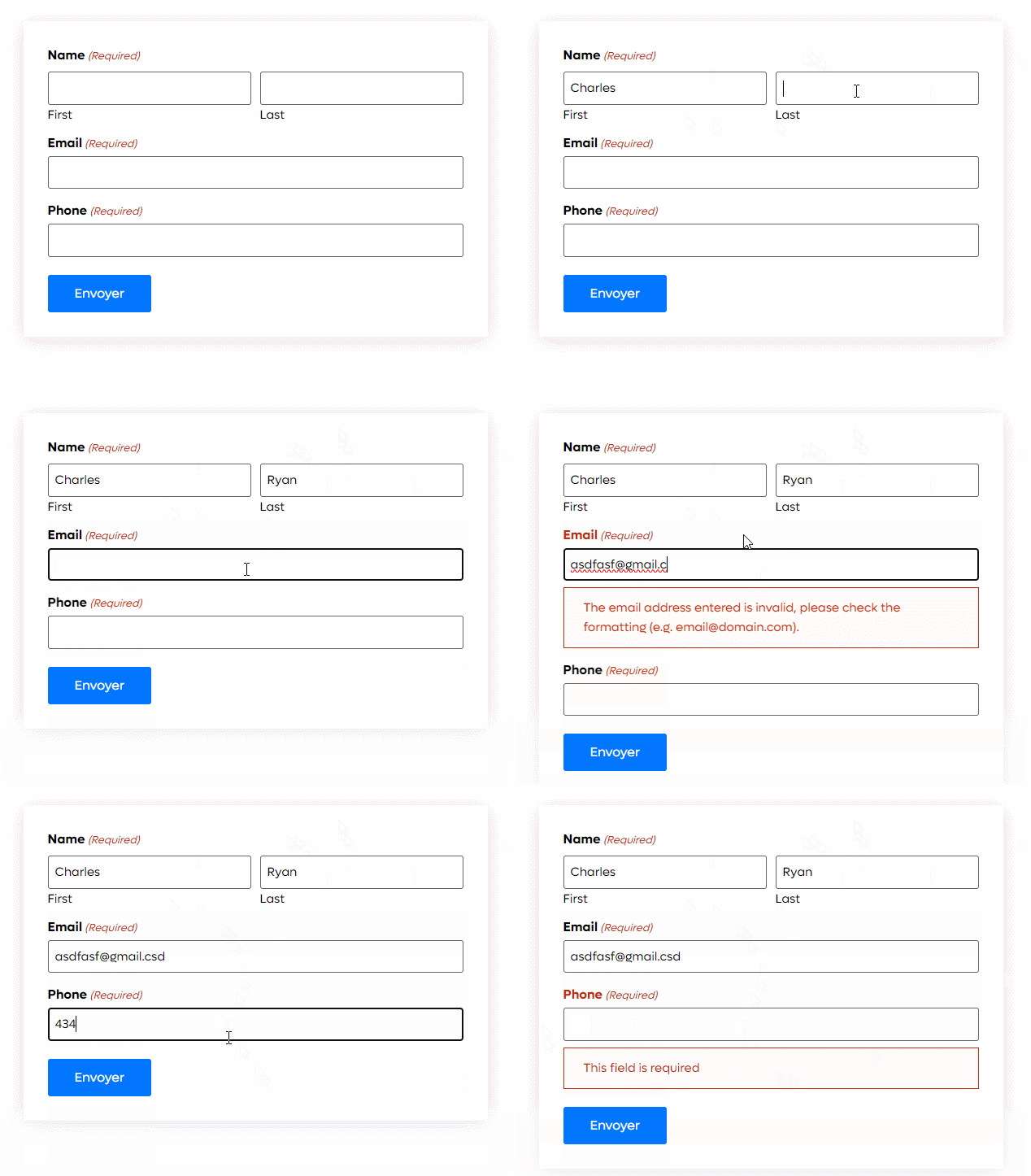
Add your fields in form with required and use it.
Changelog
1.0.3
- Add Image choice and multiple choice field
- Bug fix
1.0.2
- Fixed email validation message issue
- Bug Fix
1.0.1
- Add regular expression for text and number field
- validation message for regular expression
- Bug fix
1.0
- Initial Release