

Plugin info
Maintenance & Compatibility
Maintenance score
Possibly abandoned • Last updated 3765 days ago
Is Gist Button abandoned?
Possibly abandoned (last update 3765 days ago).
Compatibility
Similar & Alternatives
Explore plugins with similar tags, and compare key metrics like downloads, ratings, updates, support, and WP/PHP compatibility.
Description
The Gist Button is an innovative plugin to let users see the summary of your wordpress article.
GIST’s mission is to disburden you from long form online content, which is done primarily by reducing the text to only the most important sentences.
GIST accomplishes its mission by
1. Using natural language processing algorithms that scan each piece of text.
2. Ranking sentences by importance using that algorithm.
3. Identifying the biggest keyword and condensing the piece to only sentences that are most relevant to that keyword.
4. Removing transition sentences.
5. Removing excessive examples.
Here’s how the plug-in works:
1) Analyse the frequency of each word in the text.
2) Assign each word with a score depending on their frequency.
3) Detect which periods represent the end of a sentence. (e.g “Mr.” does not).
4) Isolate the text into individual sentences.
5) Rank sentences by the sum of their words’ points.
6) Return the most highly ranked sentences in chronological order.
About Us
Yrals is a Tech Media Startup with a history of creating innovation with apps, products and platforms.
The team currently owns and runs 8 websites under the GIST Brand:
MovieGist.in, HealthGist.in, FashionGist.in, StoryGist.com, FinanceGist.in, TravelGist.in, ArticleGist.com & SVTracker.com
HISTORY
Founded in late 2008, Yrals was one of the first Social Media Agencies in India, back in the days of Orkut.
By mid 2010, as social media started to mature, Facebook & Twitter became dominant, Yrals expanded to building social media destinations for brands.
In early 2011, Yrals pivoted into a Social Media Apps Development firm, specializing in leveraging the inherent virality of social media through apps. The team (of now 30+ members) built over 200 Facebook Apps for clients across India, UK, Europe & USA, including multiple industry-firsts that set the template for future apps.
By 2012, Yrals was now a full service digital agency, with over 50 members, providing end-to-end solutions for web & mobile technology. Yrals developed and launched Magii, an Enterprise Social Media Management Suite with over 300 clients using the platform.
2013 – 2014: Build Content Recommendation Engine and Co-Created Recommendly that lead us finally on to the path of NATIVE Content and GIST.
During this period the team has mastered:
1. Natural Language Processing (NLP)
2. Machine Learning
3. Content Extraction, Ranking and Semantic Analysis
4. Named Entities
5. Text to Speech
6. Text Summarization
7. Image Processing
8. Audio Processing
9. Video Creation from Articles
Support
Installation
- Download the plugin archive and expand it (you’ve likely already done this).
- Upload the ‘gist-button’ folder to the to the
/wp-content/plugins/directory - Go to the Plugins page in your WordPress Administration area and click ‘Activate’ for Gist Button.
- Go to Gist Button settings, choose your options and sign up/ login to make Gist Button live on blog.
- Please refer this article for detailed instructions – wordpress installation
Frequently Asked Questions
What is Gist Button?
Gist Button lets a user auto summarise wordpress content
Review feed
Screenshots

Selection of theme for Gist Button.

Selection of features for the Gist Button
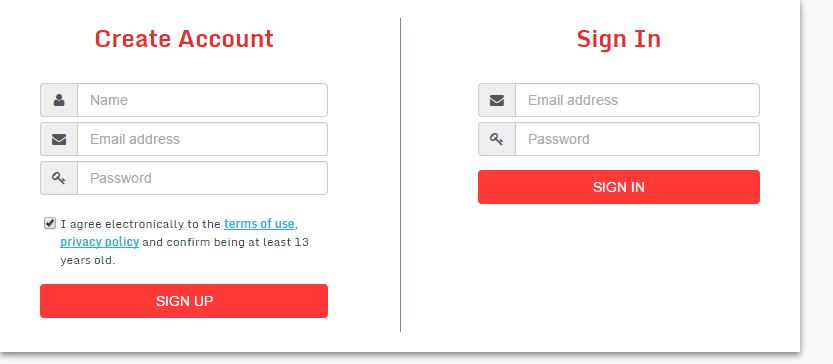
Login screen for validating plugin.

Screen when the Gist Button plugin is active.

Gist content of blog post in overlay

Gist button on page bottom-left.
Changelog
1.0.0
- Introductory release.