

GL Import External Images
Import and insert images to WordPress Media Library from external URLs.
Plugin info
Maintenance & Compatibility
Maintenance score
Possibly abandoned • Last updated 445 days ago • 6 reviews
Is GL Import External Images abandoned?
Possibly abandoned (last update 445 days ago).
Compatibility
Similar & Alternatives
Explore plugins with similar tags, and compare key metrics like downloads, ratings, updates, support, and WP/PHP compatibility.
Description
With the help of this plugin, you can become hassle-free from downloading and re-uploading images from hosted elsewhere to your site.
The GL Import External Images plugin for WordPress is designed to facilitate downloading and inserting images directly into your WP Media Library from external URLs, streamlining the process of importing media content. This plugin enhances user efficiency by allowing seamless integration of external images, thereby improving content management workflows. Be a better online citizen: avoid image hot-linking with ease!
Features
- Easily download images from external URLs directly into your WordPress Media Library.
- After successful uploading, you can select or edit (like caption, title, alt, description) the image.
- Full integration with WordPress Media Library – including creation of thumbnail images.
- Simplifies the process of adding external images to your website and saves you time.
- Saves time by automating the image import process.
- Lightweight and code written following WordPress coding standards.
Like this plugin? Please consider leaving a 5-star review
Want to suggest any feature? Please consider Create a new topic
Installation
Install from wordpress.org:
- Go to Plugins > Add New.
- Search for “GL Import External Images”
- Install and Active it. No configuration need.
Install from ZIP file:
- Upload the plugin files to the
/wp-content/plugins/directory. - Activate the plugin through the ‘Plugins’ screen in WordPress Dashboard.
Frequently Asked Questions
WordPress Default image formats are supported. you can extend them by installing other plugins.
Image name will be the file name from your URL.
Your given URL must be publicly accessible.
GL Import External Images uses Appsero SDK to collect some telemetry data upon user’s confirmation. This helps us to troubleshoot problems faster & make product improvements.
Appsero SDK does not gather any data by default. The SDK only starts gathering basic telemetry data when a user allows it via the admin notice. We collect the data to ensure a great user experience for all our users.
Integrating Appsero SDK DOES NOT IMMEDIATELY start gathering data, without confirmation from users in any case.
Learn more about how Appsero collects and uses this data.
Review feed
Screenshots
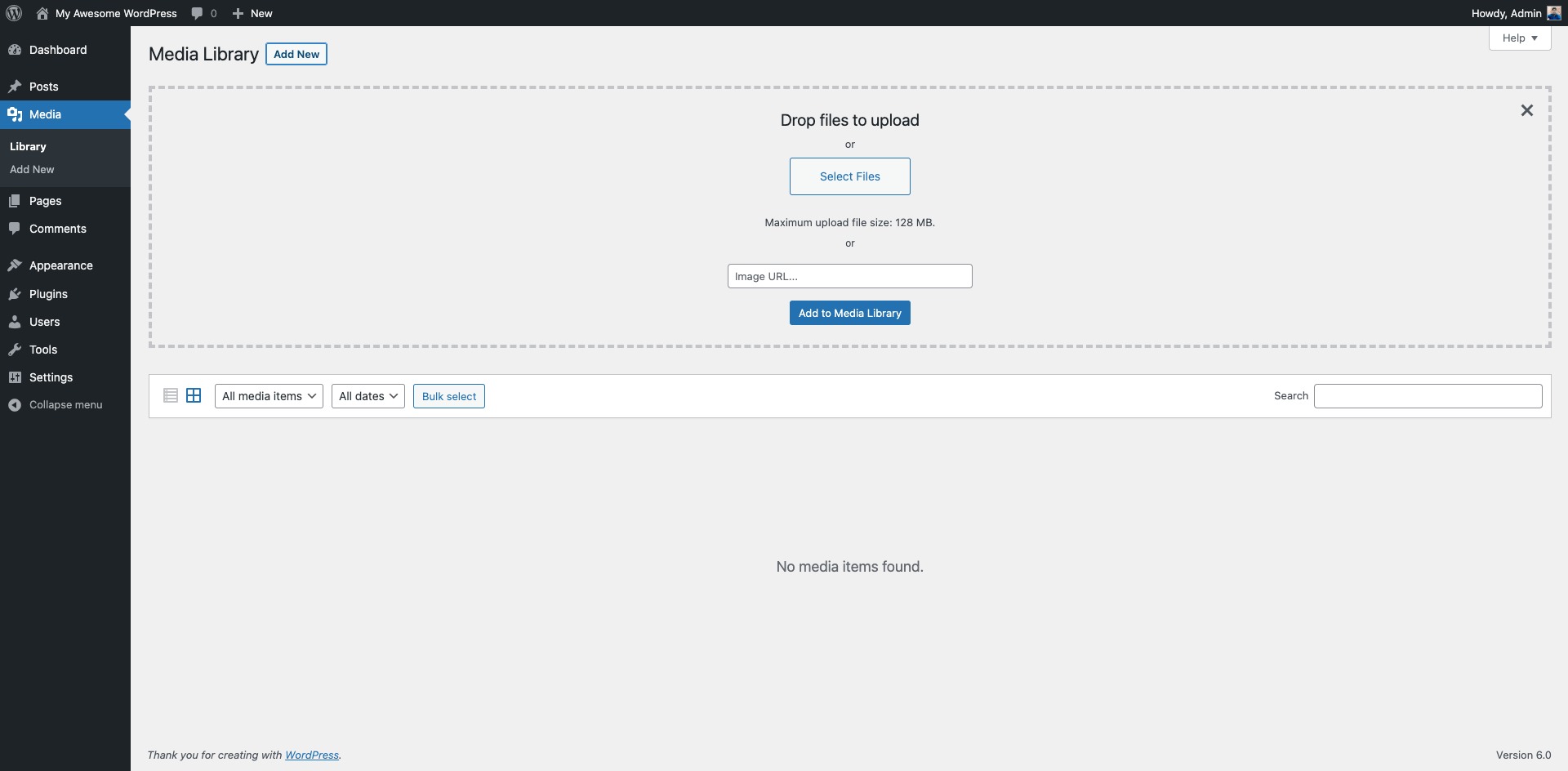
Media Library Page.

Download and Insert Image
Changelog
1.0
- Initial Release.
2.0
- Elementor conflict fix.
- Appsero Analytics added.
3.0
- Description updated
- Add support for default WordPress image formats
3.1
- text-domain-loaded-incorrectly notices fix.