

Google Weather 4 WP
This plugin was made to show google weather info on wordpress. It was designed to fit the needs of a customer of virtual2.
Plugin info
Maintenance & Compatibility
Maintenance score
Possibly abandoned • Last updated 4762 days ago
Is Google Weather 4 WP abandoned?
Possibly abandoned (last update 4762 days ago).
Compatibility
Similar & Alternatives
Explore plugins with similar tags, and compare key metrics like downloads, ratings, updates, support, and WP/PHP compatibility.
Description
This plugin was made to show google weather info on wordpress. It was designed to fit the needs of a customer of virtual2.
We decided to make it availiable to the comunity. So here it is, enjoy it.
Arbitrary section
We would like to thank you for installing and use the GoogleWeather4WP Widget.
This is still under some development, so it will get improvements, specialy
in the frontend of the widget. Missing the animation on frontend to show forecast days.
If you care to help, please do to info at virtual2 dot net
Please visit www.virtual2.net for more info.
Installation
- Upload the plugin folder to the
/wp-content/plugins/directory - Activate the plugin through the ‘Plugins’ menu in WordPress
- Goto Apearence-> widgets and put the “Google Weather 4 WP” in the sidebar.
- Configure at your desire the widget.
Frequently Asked Questions
How does the autolanguage detection works?
For that to work you must have the plugin qTranslate installed and enabled.
The GoogleWeather4WP plugin detect’s the selected language in qTranslate and tries to show acording it.
What about the language by default?
The default language acts if the qTranslate plugin is not installed, or if it cannot detect the used language by qTranslate.
Can i change the icons to match my style?
Yes, you can. Just head with ftp or file manager to wp-content/plugins/google-weather-4-wp/imgs/ and replate the images.
Dont forget to mantain the icons names.
The widget content is showing nicely in the language i had selected with qTranslate, but the widget title no, is it a bug?
No. That is not a bug. For the widget title to change acording to qTranslate language, you must make it this way:
[:en]widget title in en[:fr]widget de titre en fr[:XX]widget title in XX language
if you type that in the widget title in the widget configuration, qTranslate will make it availiable in the defined languages.
Review feed
Screenshots
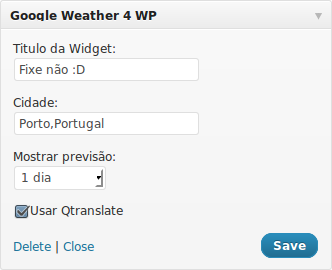
Widget options
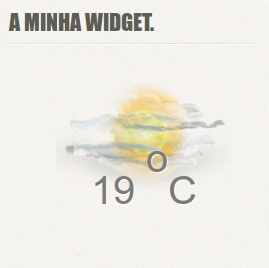
Widget on CesarAraujo.net
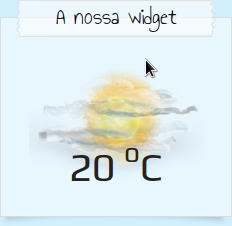
Widget on CampingAve.net
Changelog
0.1
- Created the code to open the google weather api.
0.2
- Formated the output of the google weather api to be more user friendly.
0.3
- Added the widget preferences, so user can select some details.
1.0
- Added icons, possibility to change icons acording to specific termination (png, jpg)
1.1
- Fixed path for the images location.
1.2
- Replaced portuguese admin language to english language, easy for everybody.
1.3
- Added Ricardo Jorge style to the frontend.
1.4
- Bug correction, preferences where not passed to the frontend functions, makint it to show always default data.
1.5
- Google has discontinued the weather api, so i had to change to another reliable source. Currently only working for Portugal.