

Gravity Forms – OTP Verification (SMS/EMAIL)
A powerful plugin for Gravity Forms that adds OTP verification via SMS/Email to your forms for FREE.
Plugin info
Maintenance & Compatibility
Maintenance score
Stale • Last updated 211 days ago • Support resolved 0%
Is Gravity Forms – OTP Verification (SMS/EMAIL) abandoned?
Likely maintained (last update 211 days ago).
Compatibility
Languages
Similar & Alternatives
Explore plugins with similar tags, and compare key metrics like downloads, ratings, updates, support, and WP/PHP compatibility.
Description
Gravity Forms – OTP Verification allows you to add One-Time Password (OTP) verification to Gravity Forms, ensuring that users enter a valid mobile number or email address before submitting a form. It helps prevent spam, fake submissions, and ensures real user authentication.
Key Features:
- 🔒 Secure Mobile Verification – Ensures users verify their phone numbers before submitting.
- ✅ Seamless Gravity Forms Integration – Works with all versions of Gravity Forms without conflicts.
- 🌎 Supports Persian, Arabic & English Numbers – Converts and validates all number formats.
- 📡 Flexible SMS Gateway Support – Connects to multiple SMS providers via built-in integrations or custom hooks.
- ⚙️ Easy Setup – Configure in just a few clicks with user-friendly settings.
Features
- Add an Mobile OTP field to any Gravity Form.
- Prevent form submission until mobile verification is successful.
- Support for multiple SMS gateways including custom integrations.
- Fully compatible with Gravity Forms’ conditional logic.
- Users can resend OTP with a cooldown limit (e.g., 3 attempts, 90 seconds each).
- Supports hooks & filters to extend functionality.
- Works across all WordPress and WooCommerce sites.
Supported SMS Gateways
The plugin supports direct integration with popular SMS gateways as well as widely-used SMS plugins. You can send OTP messages using your preferred SMS provider or through supported SMS plugins for maximum flexibility.
- Plugin: WP-SMS (over 300 gateways)
- Plugin: Persian WooCommerce SMS (over 100 gateways)
- Iranian Gateway: SMS.ir (v1/v2)
- Iranian Gateway: FarazSMS
- Iranian Gateway: IPPanel
Supported Email Gateways
The plugin uses the default WordPress email sending function (wp_mail). This means you are free to use any email service you want—whether it’s your web host’s built-in mail, your WordPress site’s configured SMTP settings, or a third-party SMTP plugin. Just configure your preferred email service, and OTP emails will be sent using that method.
You can also fully customize the OTP email: set a custom sender name, sender address, subject, and modify the email template as HTML directly from the plugin settings.
Additionally, you can add any other SMS gateway via WordPress hooks and filters.
How to Setup the Plugin
- Install & Activate the plugin.
- Go to Gravity Forms and create a form.
- Add the OTP Field from the field settings.
- Configure your SMS Gateway in plugin settings.
- Save your form, and OTP verification will be active.
Third-Party & External Resources Used
This plugin utilizes the following third-party libraries to enhance functionality:
- Tippy.js
- Select2.js
- Datatables
- jQuery Confirm
- jQuery Repeater
- Font Awesome v.7 (Used only for icons in the settings panel)
Disclaimer and Warranty
This plugin is provided “as is” without any warranties, express or implied. While every effort has been made to ensure reliability and security, the developers are not responsible for any issues arising from its use. Always test in a staging environment before deploying to production.
Contribution and Support
We welcome contributions to improve the plugin! If you have feature requests, bug reports, or suggestions, please create a GitHub issue or pull request.
Github Repository: https://github.com/pigment-dev/gravity-otp-verification
For support, contact us at support (at) pigment (dot) dev.
Installation
- Upload the plugin files to the
/wp-content/plugins/directory, or install the plugin through the WordPress plugins screen directly. - Activate the plugin through the Plugins screen in WordPress.
- Go to Gravity Forms > Your Form > Add OTP Field.
- Configure your SMS Gateway in the plugin settings.
- Save your form, and you’re good to go!
Frequently Asked Questions
Once a user enters their mobile number or email address, they receive an OTP Code. They must enter the correct OTP before submitting the form.
Yes! The plugin supports multiple SMS gateways, and you can add your own via hooks.
Yes! The plugin automatically converts Persian and Arabic numerals to English before validation.
Yes! It is tested and compatible with all recent Gravity Forms versions.
You can help us improve our works by committing your changes to pigment-dev/gravity-otp-verification
You can report security bugs through the Patchstack Vulnerability Disclosure Program. The Patchstack team helps validate, triage and handle any security vulnerabilities. Report a security vulnerability.
Review feed
Screenshots
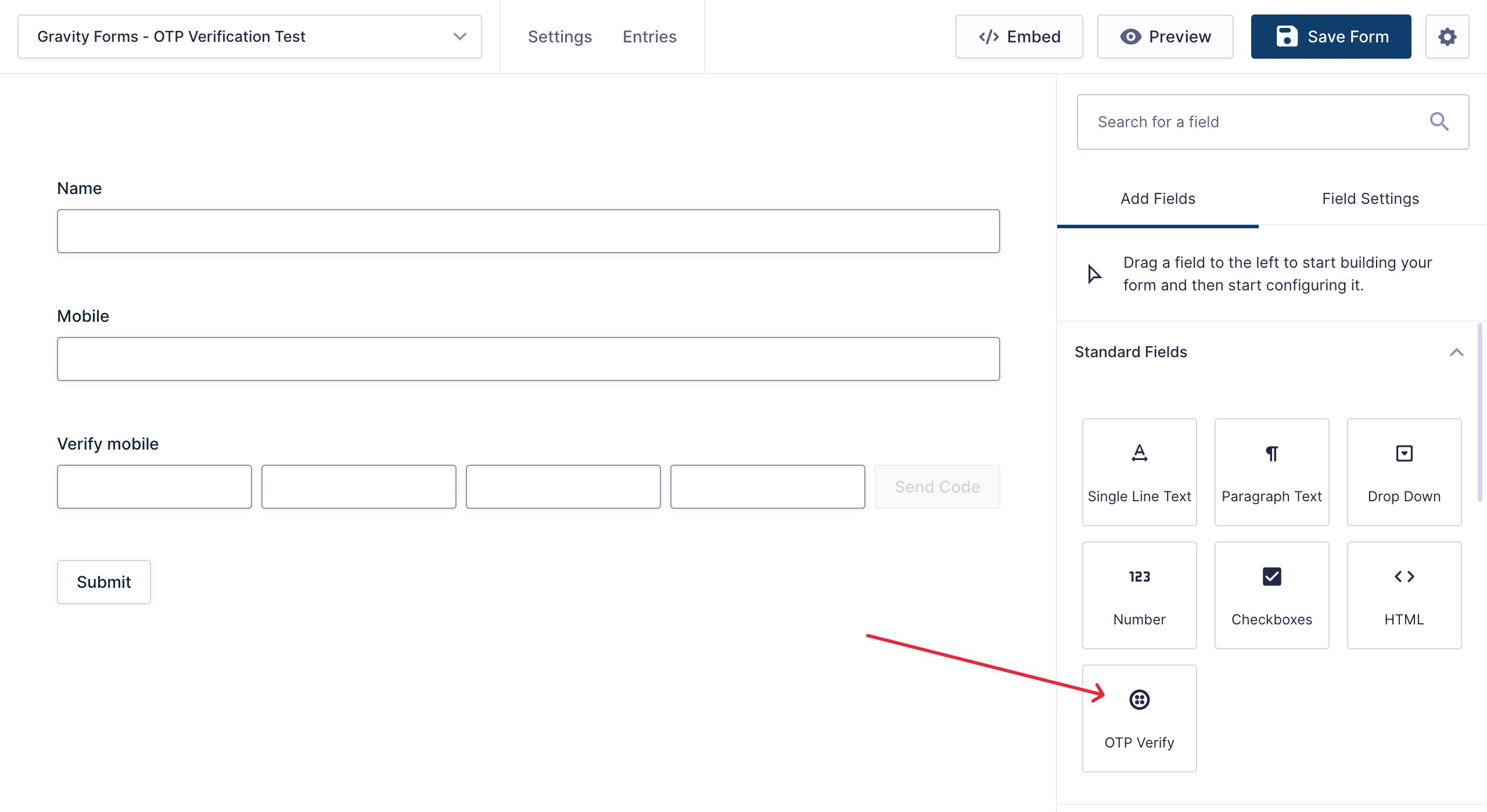
Gravity Form > newly added OTP Field
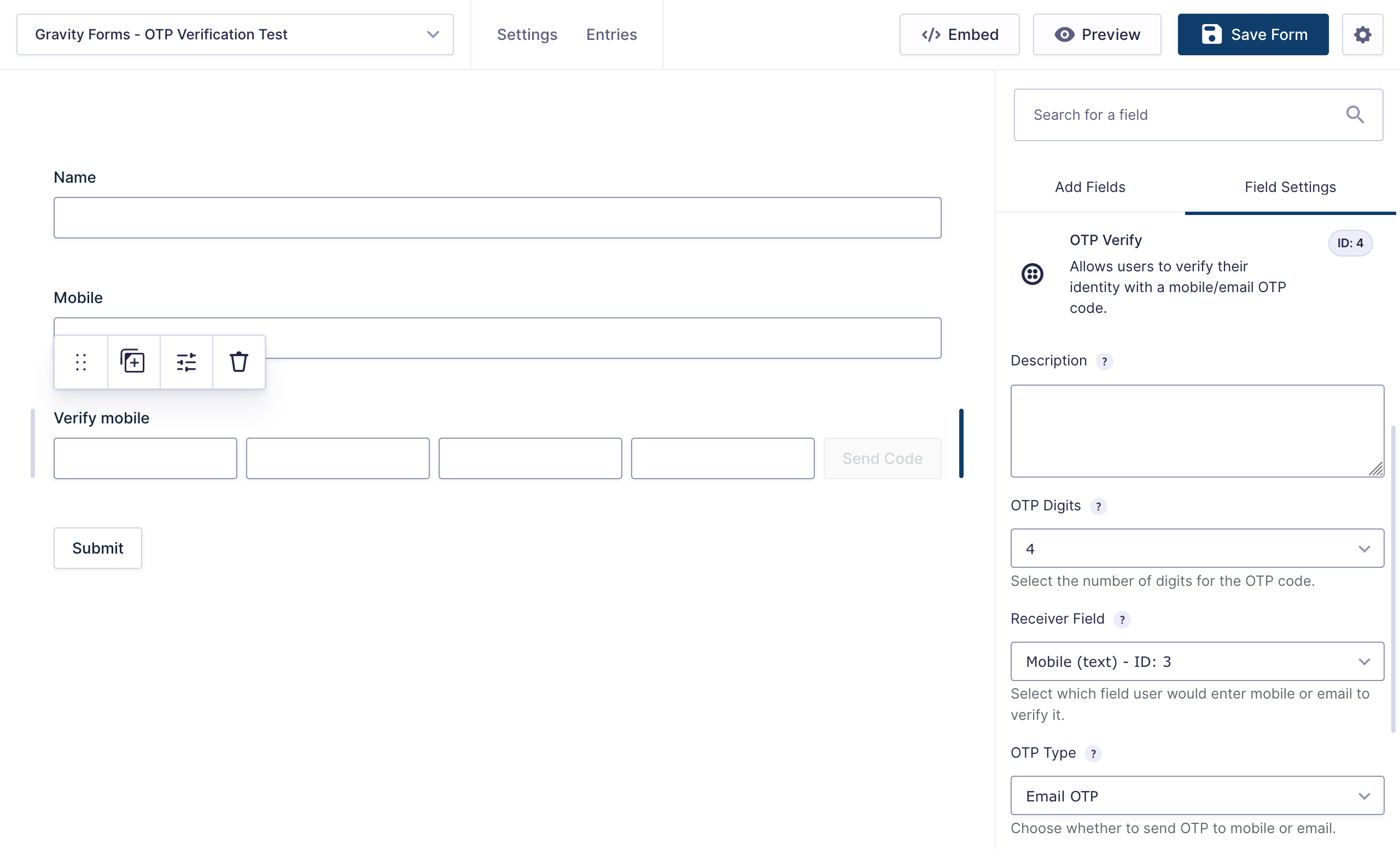
Gravity Form > OTP Field Settings
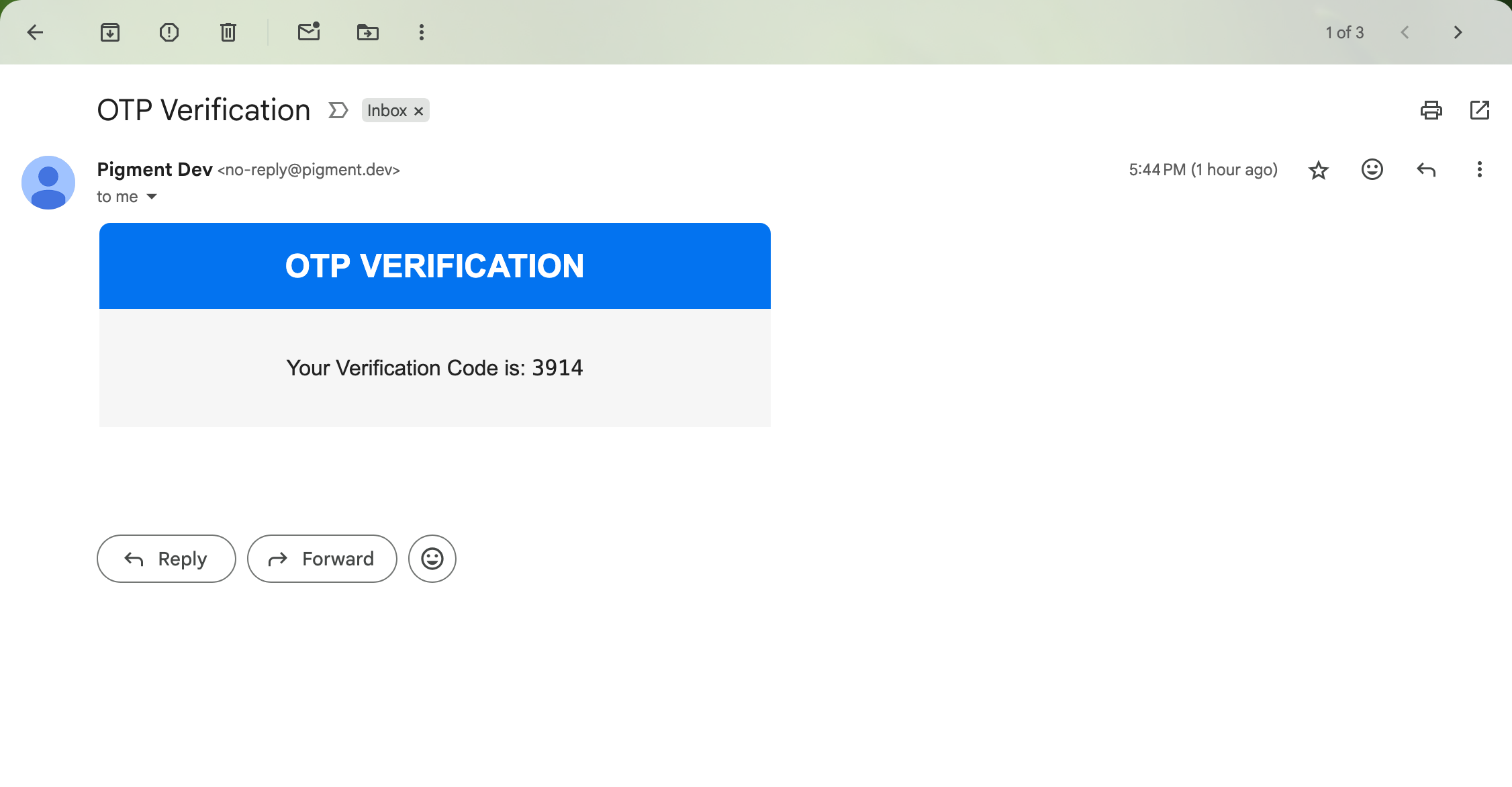
Sample OTP Email preview in Gmail
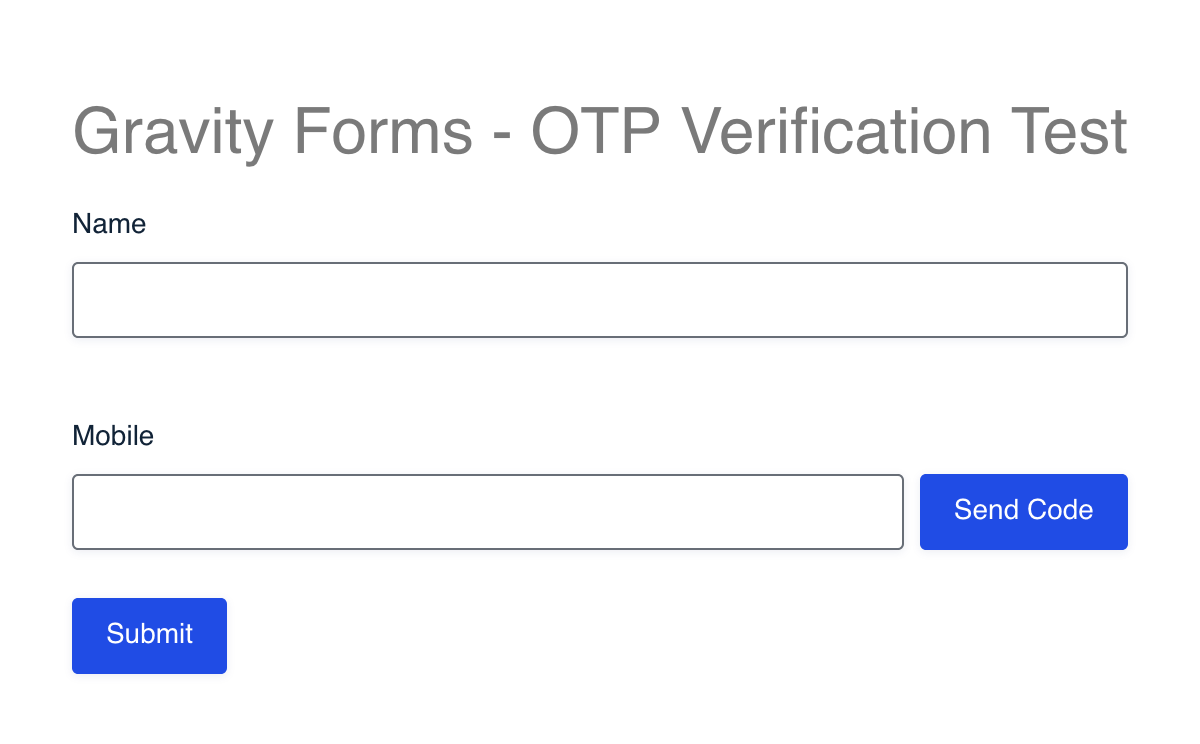
Sample Form with Mobile OTP Field
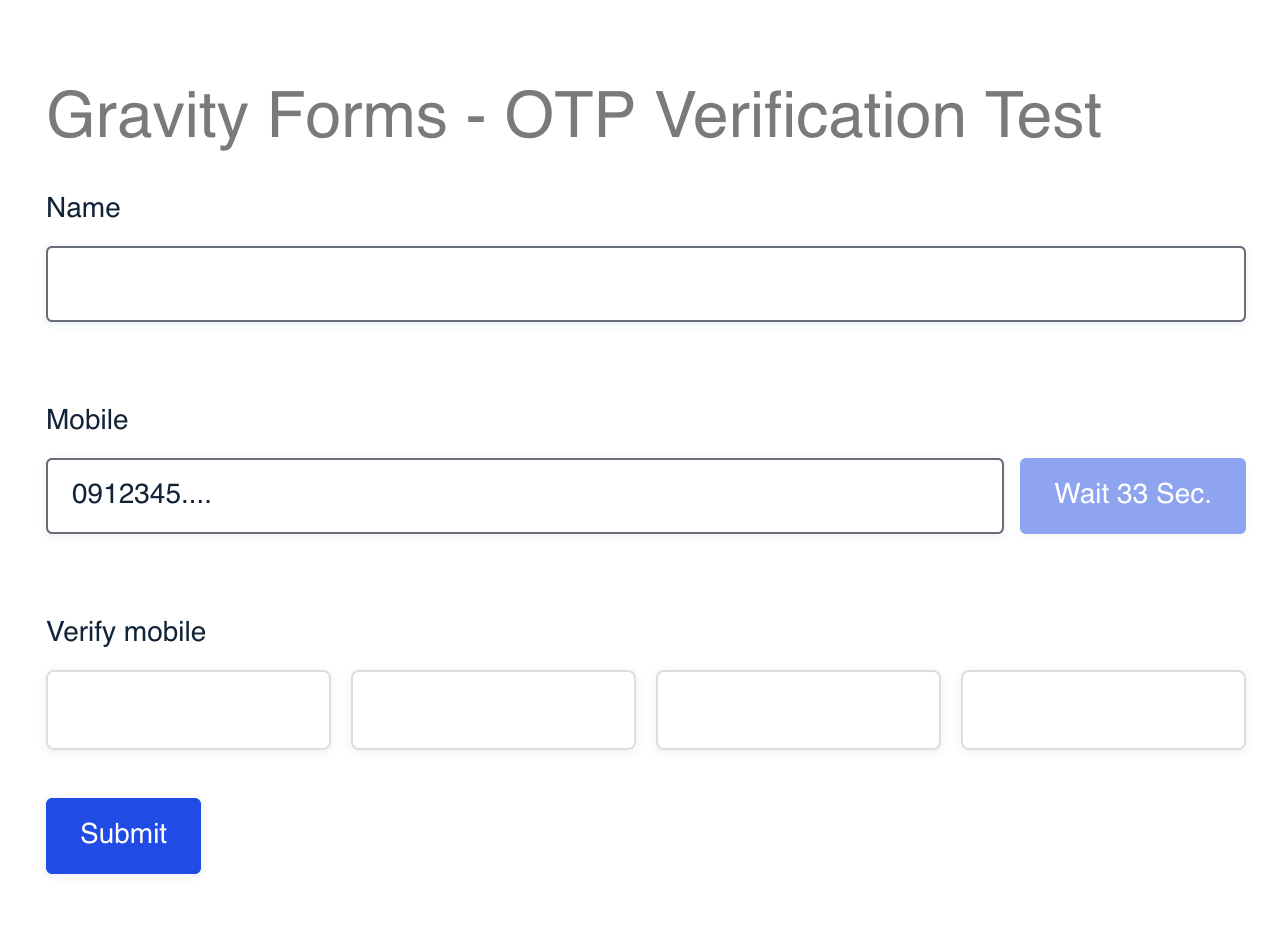
Mobile OTP Field (Waiting for User to enter code)
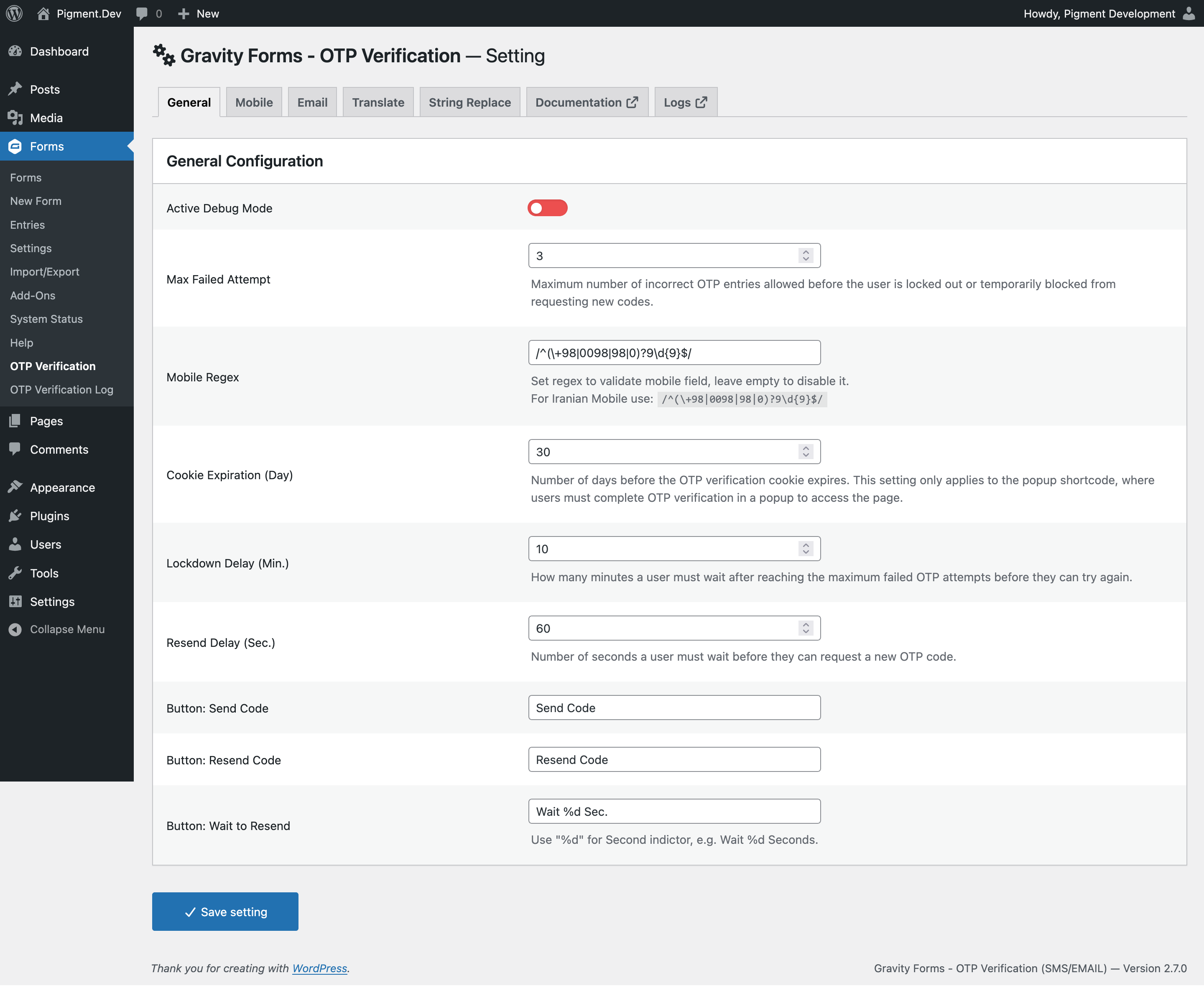
Settings > General
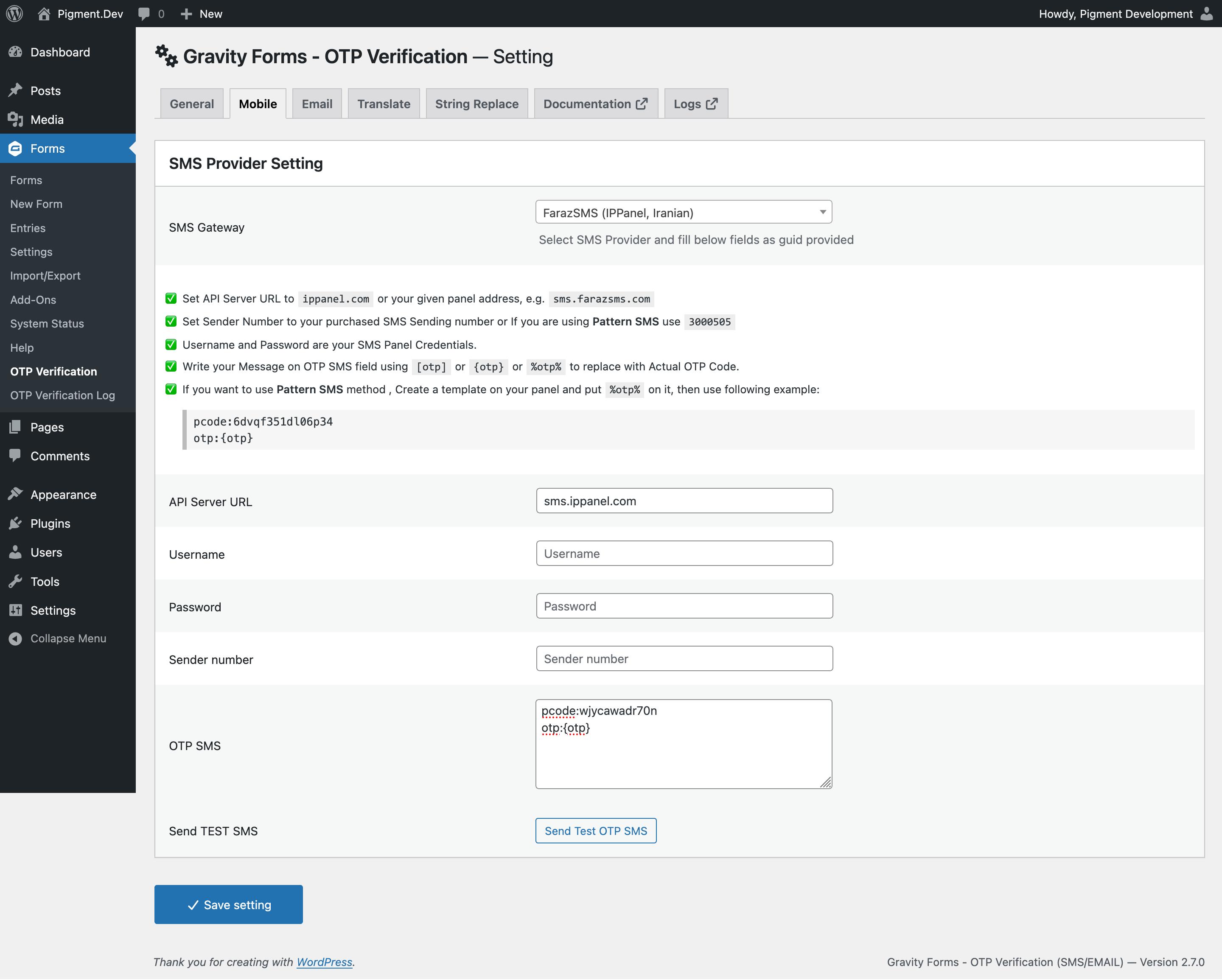
Settings > Mobile > Sample Gateway Setting
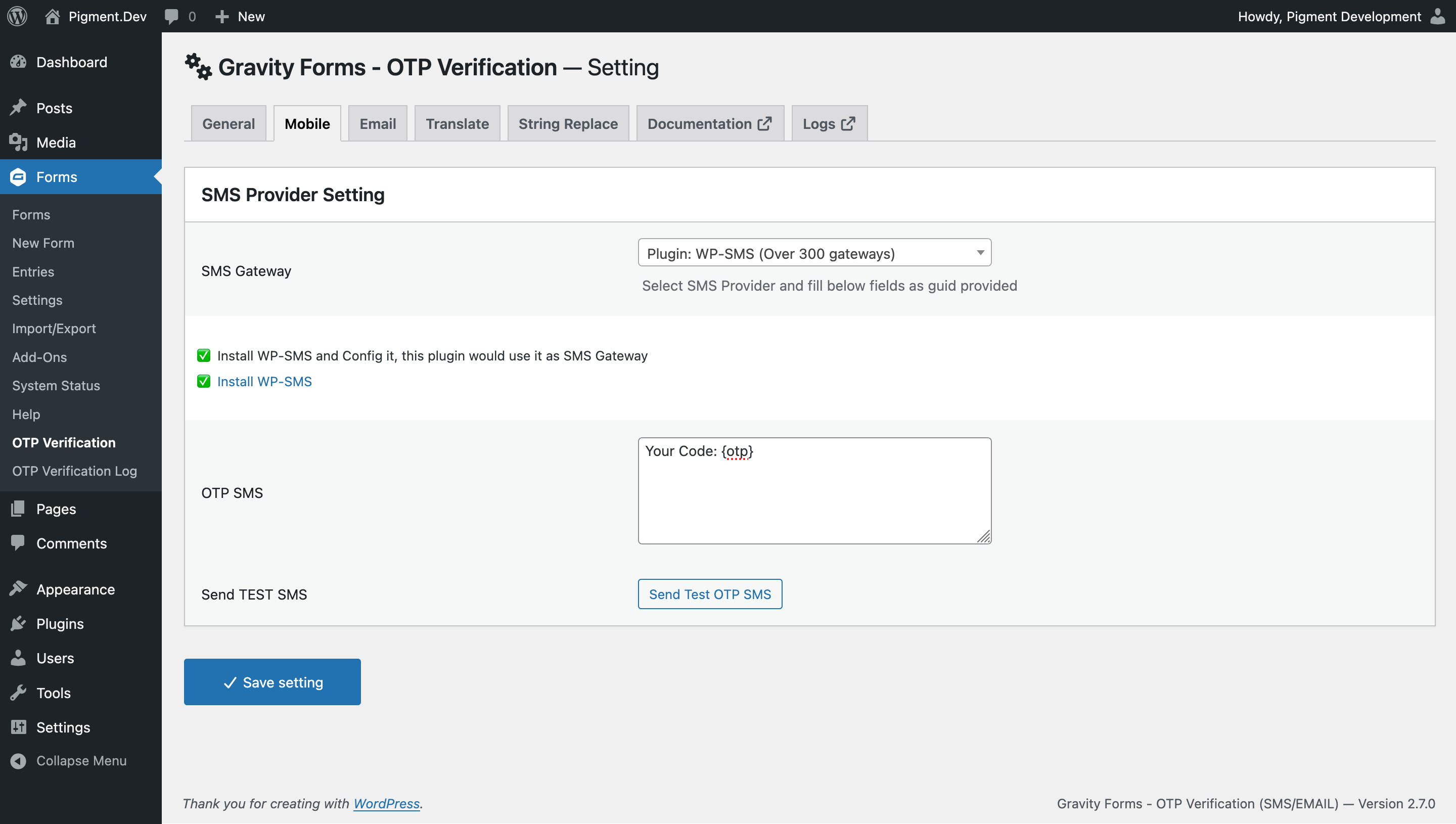
Settings > Mobile > WP-SMS Gateway Setting
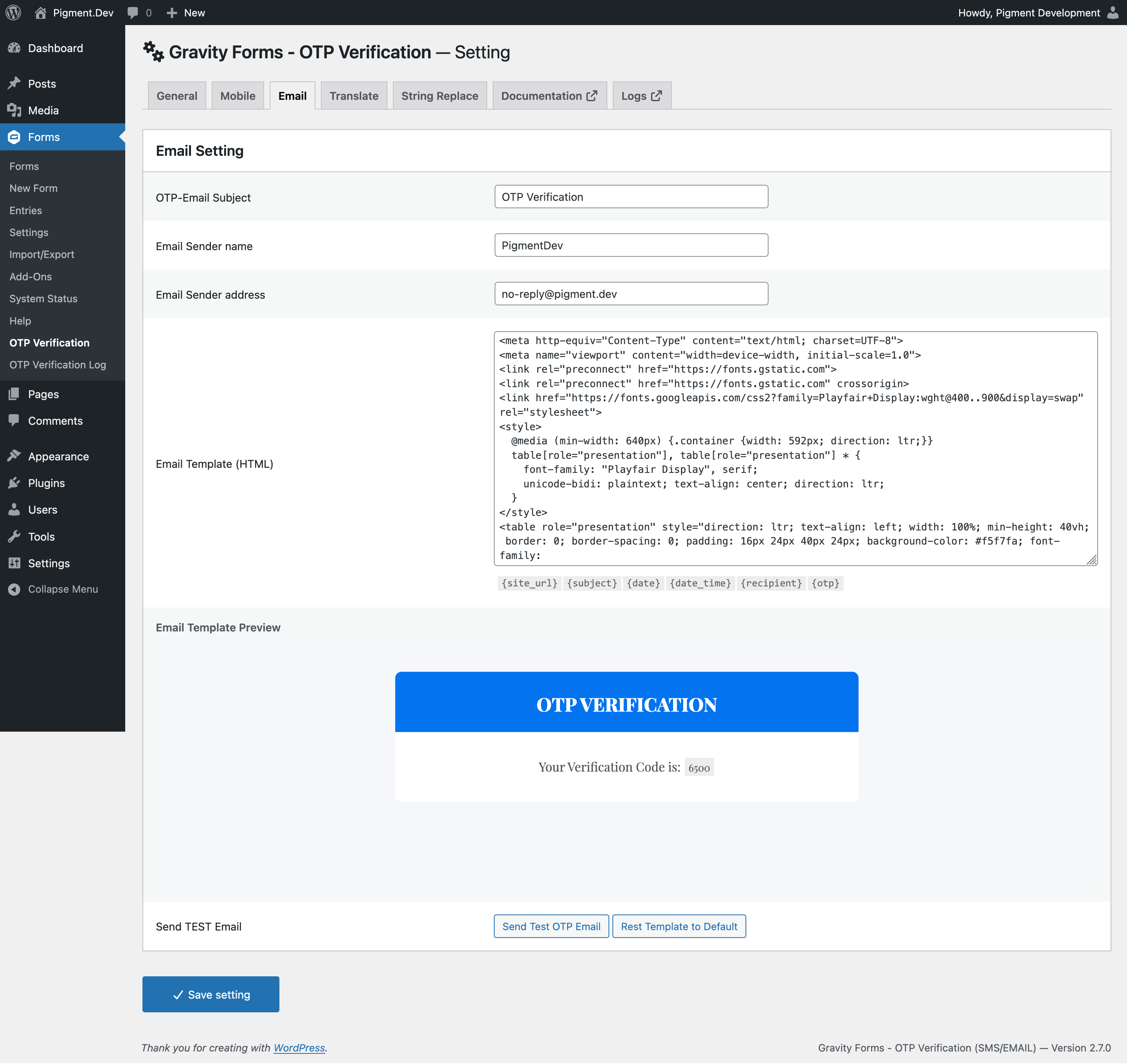
Settings > Email Setting
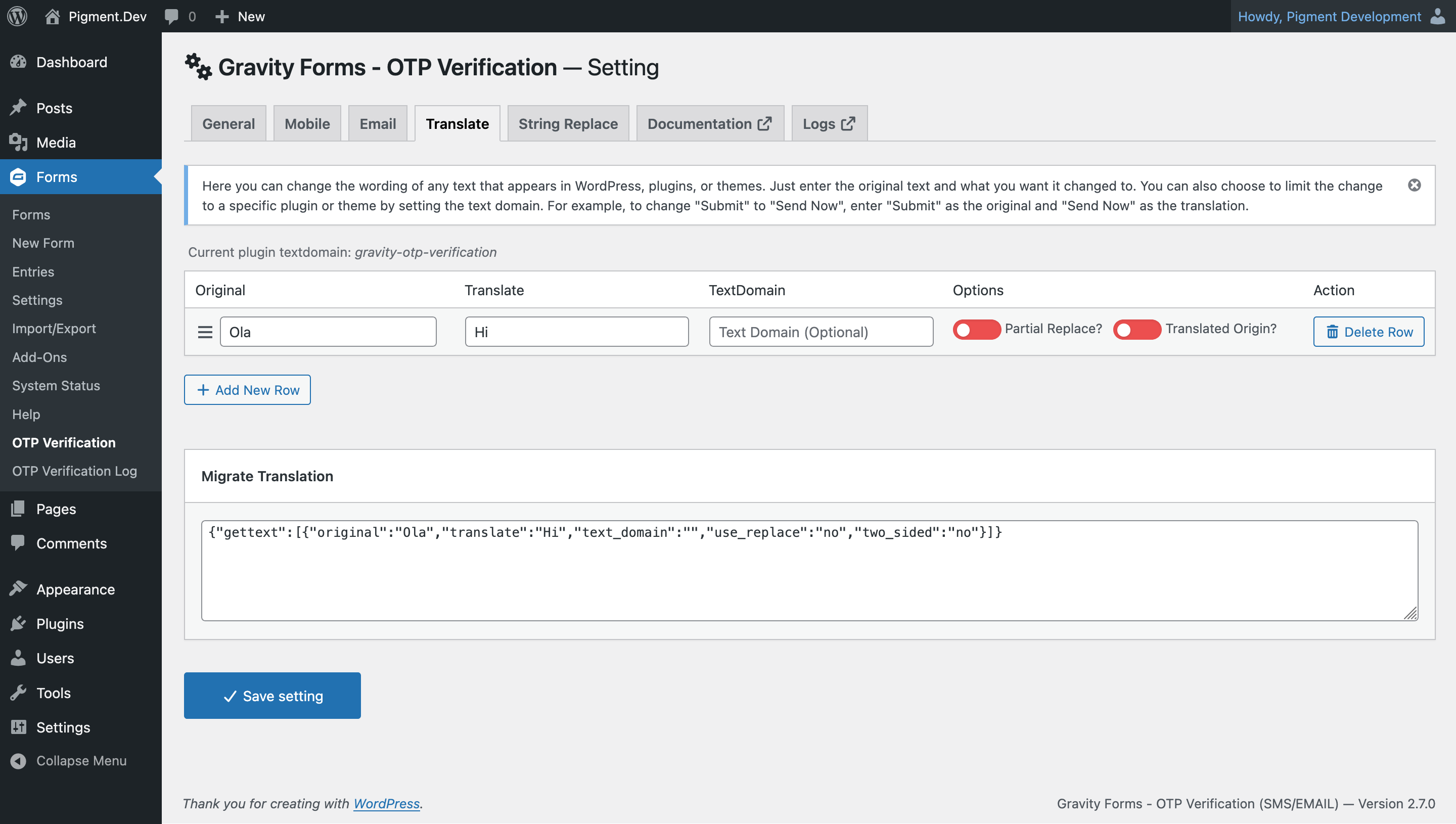
Settings > Translation Panel
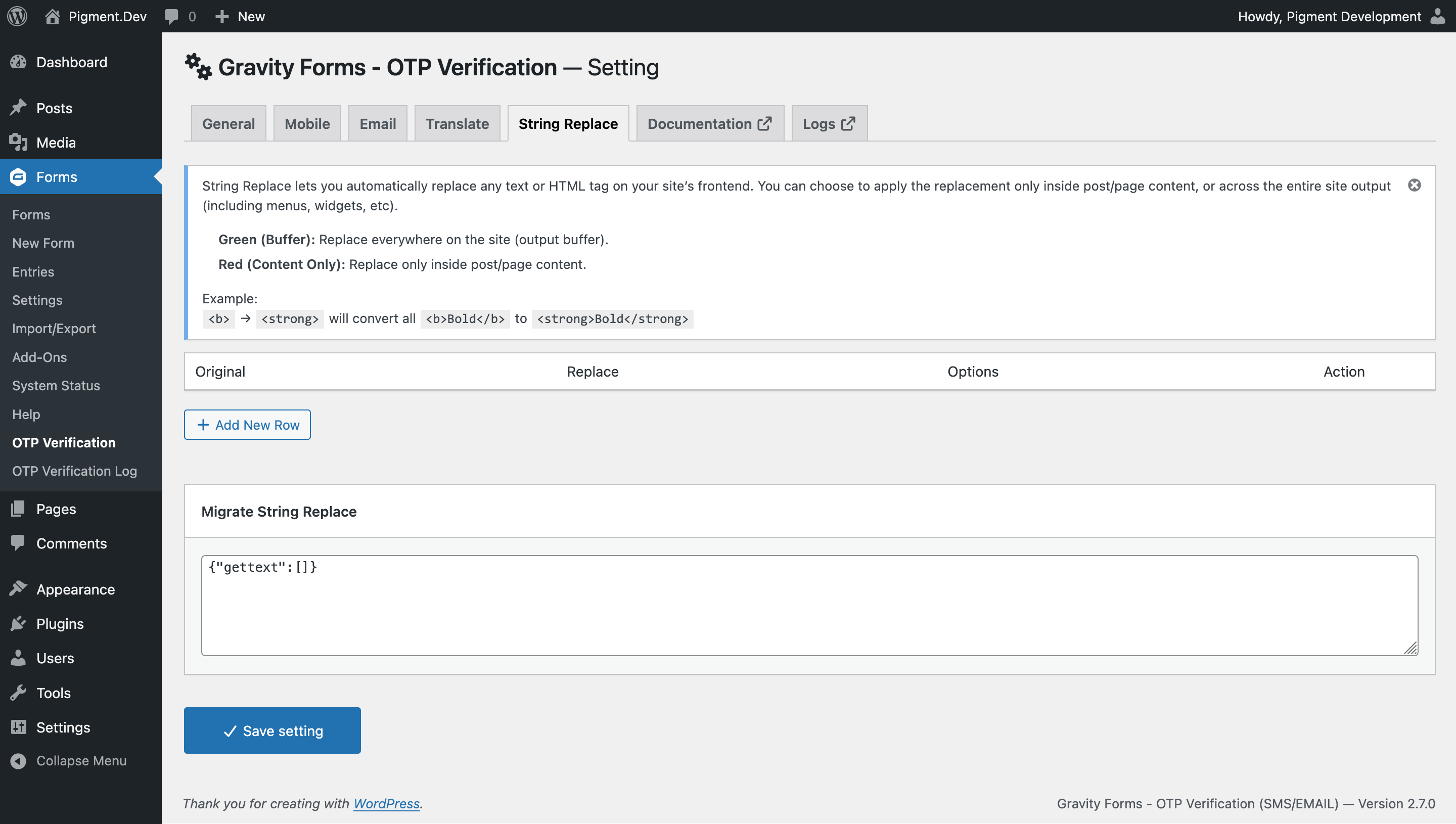
Settings > String Replace Panel
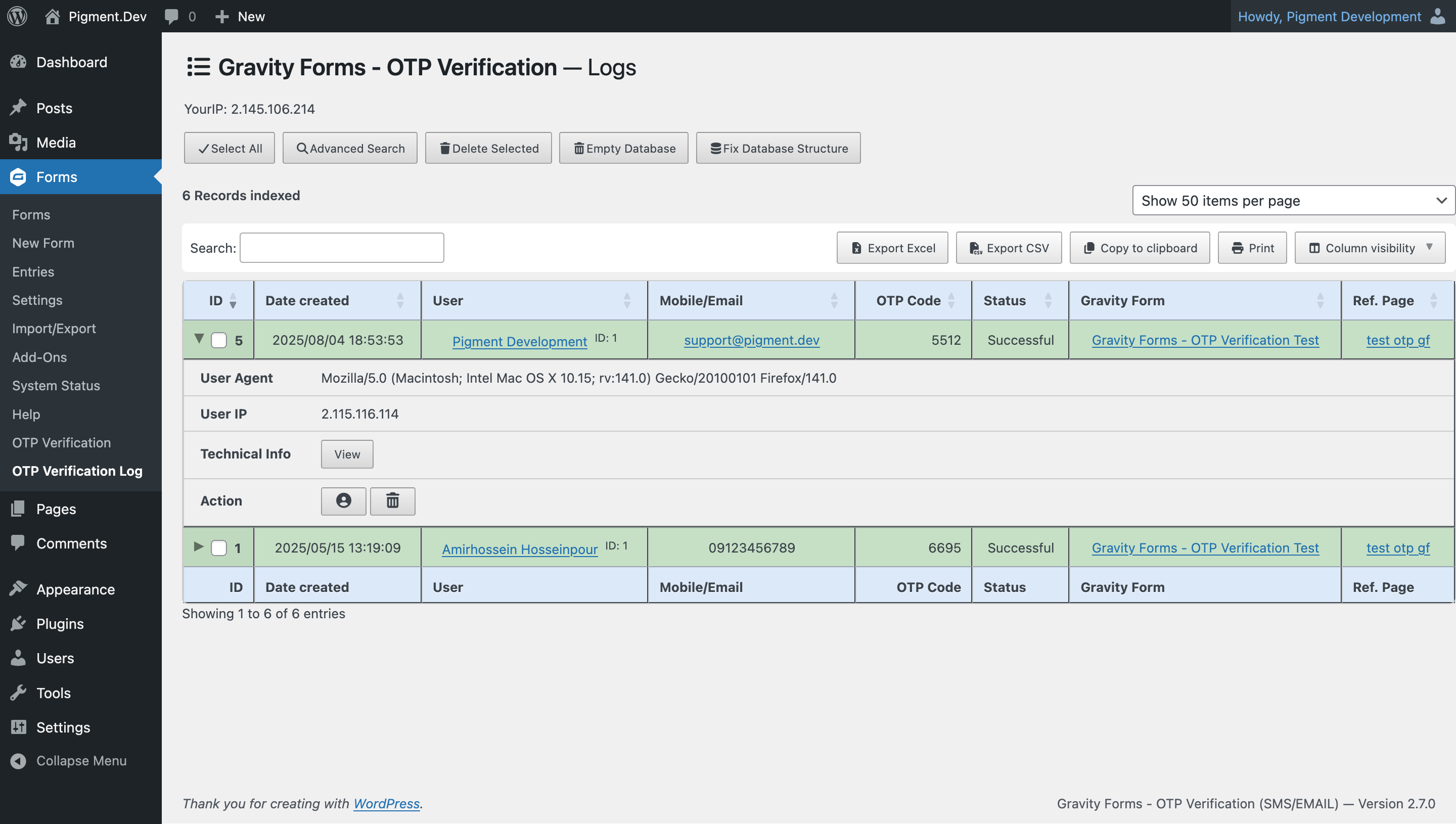
Sent OTPs Log
Changelog
For the full changelog, please view the Github Repository
v3.0.1 | 2025-09-03 | 1404-06-12
- Updated Readme to added patchstack vdp link for reporting security bugs.
v3.0.0 | 2025-08-04 | 1404-05-13
- Added WP-SMS plugin as an OTP SMS gateway option.
- Added Email OTP verification alongside Mobile OTP verification.
- Added option to customize the email sender name and address for OTP emails.
- Introduced an email template (HTML) editor with a default template for OTP messages.
- Added Persian translation to WordPress plugin repository.
- Upgraded offloaded Font Awesome to version 7.