

Guest Order Assigner
Automatically attaches WooCommerce guest orders to matching existing user accounts by billing email.
Plugin info
Maintenance & Compatibility
Maintenance score
Maintained • Last updated 147 days ago • Support resolved 100% • 2 reviews
Is Guest Order Assigner abandoned?
Likely maintained (last update 147 days ago).
Compatibility
Similar & Alternatives
Explore plugins with similar tags, and compare key metrics like downloads, ratings, updates, support, and WP/PHP compatibility.
Description
When a customer checks out as a guest in WooCommerce, this plugin will look for a user account with the same billing email and, if found, reassign the order to that user.
Key benefits:
- 🔗 Instant Assignment – New guest orders with a matching email are immediately linked to the customer’s account.
- 🔄 Historic Back-fill – On user registration or login, all past guest orders with that billing email are attached.
- ⚡ Zero Configuration – Works right out of the box; no settings to tweak.
- 🛠 Developer Hooks – Extend or customize via actions before/after assignment.
Features
-
Automatic Order Assignment
Guest orders are automatically reassigned to an existing user account when the billing email matches. -
Historical Order Recovery
On account creation or login, all previous guest orders for that email are back-filled. -
Real-time Processing
Both guest and logged-in checkouts are processed instantly during the WooCommerce checkout flow. -
Secure & Reliable
Built on WordPress and WooCommerce best practices to ensure data integrity. -
Developer Hooks
goa_before_attach_ordergoa_after_attach_order
Requirements
- WordPress 5.0 or higher
- WooCommerce 3.0 or higher
- PHP 7.2 or higher
Verifying It’s Working
-
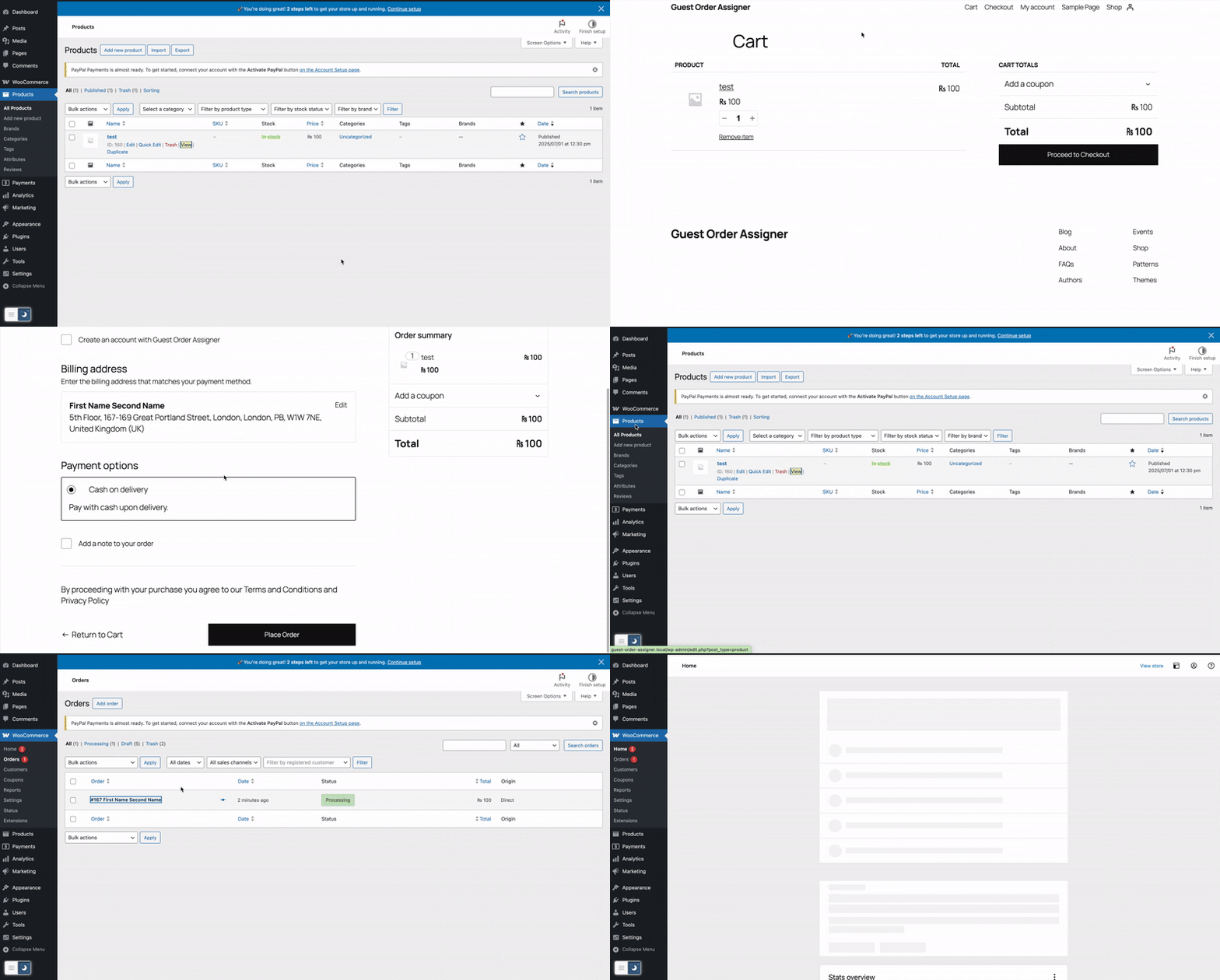
Create a WooCommerce Product.
-
Create a Guest Order and then check the order created.
-
Create a Order after logging in or create accout at checkout time.
-
Check a WooCommerce Order Listing.
No further settings are required—once activated, Guest Order Assigner will automatically handle all future and past guest orders for matching emails.
License
This plugin is licensed under the GPLv2 or later.
Installation
There are three easy ways to install and get started with Guest Order Assigner:
-
From the WordPress Admin Dashboard
a. Go to Plugins Add New.b. Search for Guest Order Assigner.
c. Click Install Now, then Activate.
-
Activate Guest Order Assigner in Plugins
Frequently Asked Questions
Yes. After a customer registers or logs in with the same billing email, any previous guest orders will be reassigned to their user account.
WordPress prevents duplicate user emails by default. Only the first matching user will be used.
Review feed
Screenshots

n/a




Changelog
1.0.3.4
- Enhanced deactivation workflow with functional updates for a smoother experience and clearer feedback.
1.0.3.3
- Added deactivation survey to gather feedback on deactivation reasons.
- Added dismissible notification on settings page and post-activation, offering WordPress design/development hiring options.
1.0.3.2
- Fixed a critical error on login by adding proper guard checks for missing or invalid data..
- Added guards to ensure compatibility.
- Minor code improvements and bug fixes.
1.0.3.1
- Fixed fatal error on activation caused by strict type hinting.
- Added guards to ensure compatibility.
- Minor code improvements and bug fixes.
1.0.3
- Added assets folder and other updates.
1.0.2
Maintenance release: cleaned up tags, contributors fixed.
1.0.1
Bumped version to 1.0.1 for ownership verification.
Added live Plugin URI to documentation.
1.0.0
Initial release.