

Plugin info
Maintenance & Compatibility
Maintenance score
Possibly abandoned • Last updated 1159 days ago • 1 reviews
Is Guten-bubble abandoned?
Possibly abandoned (last update 1159 days ago).
Compatibility
Similar & Alternatives
Explore plugins with similar tags, and compare key metrics like downloads, ratings, updates, support, and WP/PHP compatibility.
Description
Guten-bubble can create a speech bubble display like a chat conversation.
Features
- It’s easy to create speech bubble using Guten-bubble block for Gutenberg editor in WordPress 5.0 or later.
- Pick from 24 color themes for speech bubble.
- You can use it as an icon image by importing image files from WordPress’s media library. Let’s make interesting articles by using icon image on hand!
How to use in block editor
- Add a Guten-bubble block where you want to add a speech bubble.
- Enter serif in the balloon in the block ( the part where ‘Enter serif here …’ placeholder is displayed ), select character icon and set the balloon in the inspector.
Installation
- Upload the plugin files to the
/wp-content/plugins/guten-bubbledirectory, or install the plugin through the WordPress plugins menu. - Activate the plugin through the WordPress plugins menu.
Frequently Asked Questions
Open Guten-bubble settings page in the setting menu of the admin page.
Press the ‘Select from media library’ button to select the icon image you want to use from the media library (if you have not uploaded it yet, upload it here) and press the ‘Import’ button to import.
( Or upload the icon image files to the /wp-content/uploads/guten-bubble/img directory ( that is created on plugin install ) using FTP software etc. )
In the Inspector of “Guten-bubble” block, select “custom” from the “Character icon (preset)” drop-down box
and enter the file name of the icon image ( relative path from /wp-content/uploads/guten-bubble/img directory ) in the “Character icon (custom)” input box,
that Icon image can be used.
Review feed
Screenshots
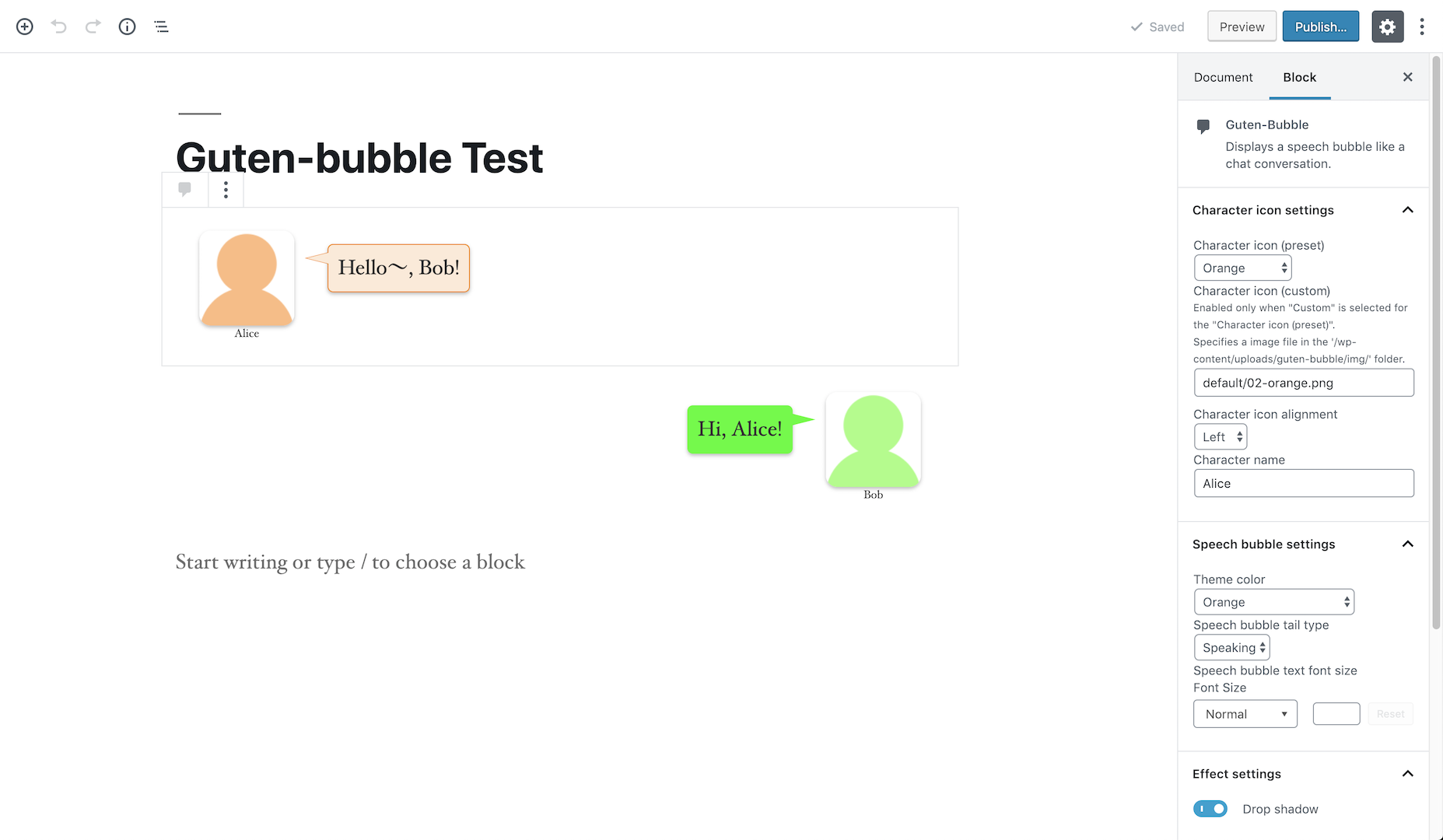
Guten-bubble block

Settings page
Changelog
0.9.2
- Fixted version number.
0.9.1
- Upgraded ‘Speech bubble text font size’ property (Blocks already set as of version 0.8.1 will be migrated after the update).
- Fixed some CSS.
0.8.1
- First release.