

Gutentools
Gutentools is a powerful block editor plugin designed for seamless full-site editing.
Plugin info
Maintenance & Compatibility
Maintenance score
Maintained • Last updated 135 days ago • 2 reviews
Is Gutentools abandoned?
Likely maintained (last update 135 days ago).
Compatibility
Similar & Alternatives
Explore plugins with similar tags, and compare key metrics like downloads, ratings, updates, support, and WP/PHP compatibility.
Description
Gutentools is a powerful block editor plugin designed for seamless full-site editing. It offers a range of customizable blocks, including page and post sliders, containers, and more, all with flexible responsive controls. With an intuitive drag-and-drop visual editor, you can easily create engaging layouts and dynamic content for any device.
Unlock the full potential of WordPress with blocks that are tailored for a smooth design experience.
Resources
Font Icons:
Author: Font Awsesome,
Source: http://fontawesome.io,
License: https://fontawesome.com/license (Fonts: SIL OFL 1.1, Code: MIT License)
Slick:
Author: Ken Wheeler,
Source: https://github.com/kenwheeler/slick,
License: MIT
Progress Bar:
Author: KaterinaLupacheva,
Source: https://github.com/KaterinaLupacheva/react-progress-bar,
License: MIT
Jquery Countup:
Author: AGMStudio,
Source: https://github.com/AGMStudio/jquery.countup.js,
License: MIT
AcmeTicker – News Ticker:
Author: codersantosh,
Source: https://github.com/codersantosh/acmeticker,
License: MIT
External Services
This plugin connects to the following external services to provide its functionality:
Gutentools Demo Content API:
– What it does: This API provides demo content and configuration data for the plugin’s blocks and features.
– Data Sent: The plugin sends API requests to https://demos.gutentools.com/wp-json/wp/v2/ to fetch demo content and block configurations. No user-identifiable information is sent during this process.
– Data Received: Demo content and configuration settings required for the plugin to work as expected.
– Terms of Service: Gutentools Demo API Terms
– Privacy Policy: Gutentools Demo API Privacy Policy
Local File Usage:
– What it does: The plugin reads block configuration files from the plugin’s directory (e.g., block.json) to dynamically register and load block settings.
– Data Sent: None. The files are accessed locally on the server.
– Data Received: Block configuration settings that define how the blocks behave and render.
– Why it’s used: To dynamically load and register Gutenberg blocks from the plugin’s directory.
Please note that by using this plugin, you agree to the terms of the external services mentioned above.
Recomended Themes
This plugin Supports all the Themes but the following themes are highly recommended
Installation
Frequently Asked Questions
Install and activate Gutentools Blocks for Gutenberg on your website. Create a new page and click the ‘+’ sign, and you will find all the creative Gutenberg blocks there. Now click on the block you want to insert in your page and create amazing pages.
You can save any block from Gutentools Blocks for Gutenberg as a reusable block easily. Click on any block you want to save as reusable, then click on the ‘Add to reusable blocks,’ and instantly, that block will be converted into a reusable block.
Gutentools Blocks for Gutenberg has no theme dependency. This Gutenberg blocks plugin is compatible with any updated WordPress theme.
No, Gutentools Blocks will not slow down your website.
Yes, you can still use Gutentools Blocks. These Gutenberg blocks are created in such a way that you can use them and customize them without code.
You can use our demo importer to insert ready to use templates & Patterns
Yes, Gutentools Blocks provides you with a ready, professionally designed Gutenberg pattern.
You only need the Gutenberg block editor to use Gutentools Blocks plugin on your WordPress website. Then you can use Gutentools Blocks and create stunning pages.
Yes, Blocks are coming soon.
Review feed
Screenshots
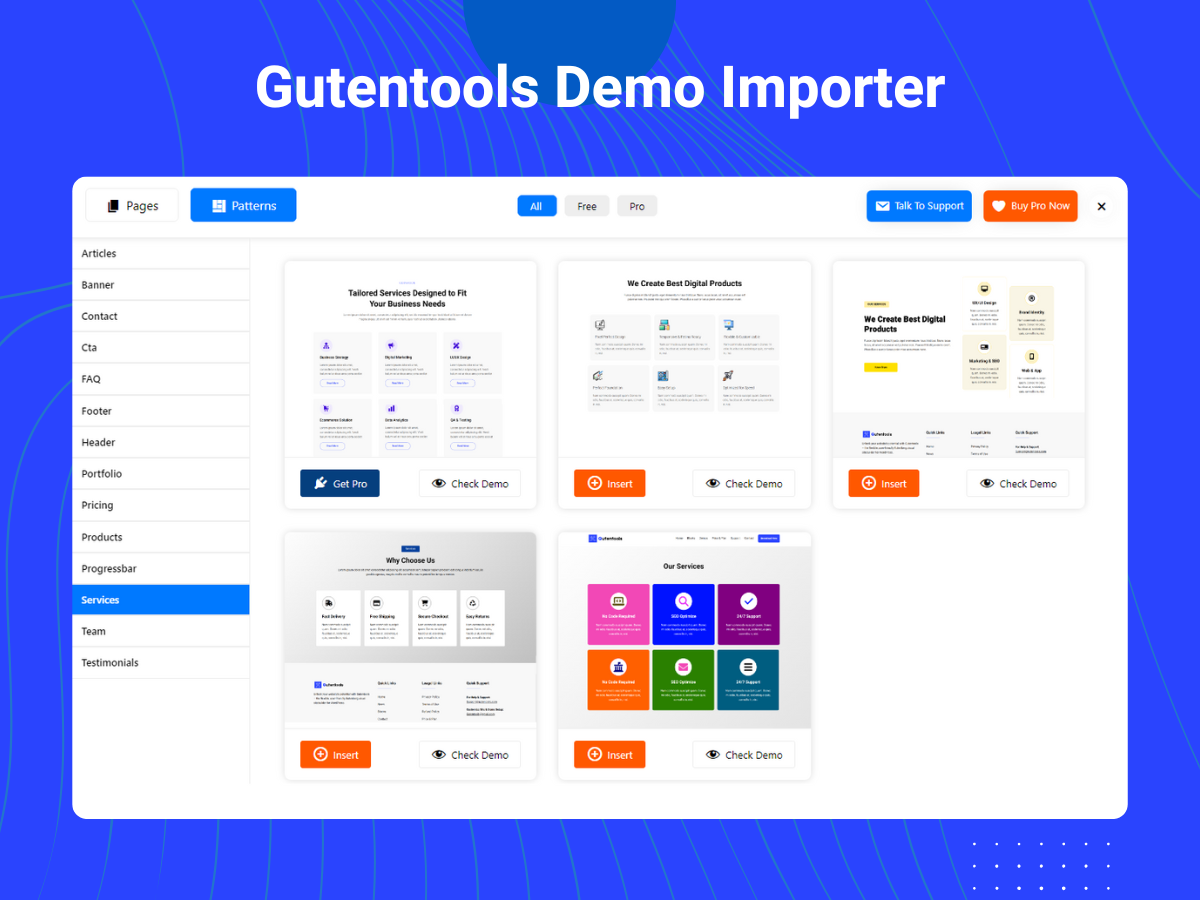
Gutentools Demo Importer

Gutentools Advanced Heading

Gutentools Progress Bar

Gutentools Team
Changelog
1.0.0
- Initial released
1.0.1
- External Services Documentation
- Inline Script Placement
1.0.2
- Escaped inline JS and CSS for security and coding standards compliance
1.0.3
- Bug Fixing
- Added Screenshots
1.0.4
- Bug Fixing
- Added call to action block
1.0.5
- Bug Fixing
- Added Count UP Block
1.0.6
- Bug Fixing
1.0.7
- Minor Bug Fixing
- Issue Fixing with Rating Block
- Added Pagination on Demo Content
- Admin Notice Added
1.0.8
- Added Default Page Slider Content on Frontend
1.0.9
- Added new FAQ block
1.1.0
- Fixing Issue on FAQ block
- Added New Image Slider
1.1.1
- Fixing Issue on FAQ block
1.1.2
- Adding support for letter spacing and font style
- Added new News Ticker Block