

Seasonal Effects & Notice Bar (formerly Halloween Animations)
Boost your Black Friday & Cyber Monday sales with festive animations, countdown timers, and high-converting notice bars!
Plugin info
Maintenance & Compatibility
Maintenance score
Maintained • Last updated 130 days ago
Is Seasonal Effects & Notice Bar (formerly Halloween Animations) abandoned?
Likely maintained (last update 130 days ago).
Compatibility
Similar & Alternatives
Explore plugins with similar tags, and compare key metrics like downloads, ratings, updates, support, and WP/PHP compatibility.
Description
Seasonal Effects is the ultimate toolkit for holiday marketing and seasonal decorations.
🚀 Boost Black Friday & Cyber Monday Sales
Create urgency with countdown timers, flash sale banners, and exclusive “Sale Mode” animations like falling price tags and shopping bags.
🎃 Spooky Halloween Effects – Crawling spiders, floating ghosts, flying bats, fog effects
🎄 Festive Christmas Vibes – Winter themes with falling snow, lights, and ornaments
🎆 Celebration Ready – New Year fireworks, confetti, and balloons
🛍️ Black Friday & Cyber Monday Features
Maximize your Q4 revenue with dedicated tools:
* Countdown Timers: Create FOMO with urgent timers in your notice bar.
* Sale Animations: Falling “Sale” tags, shopping bags, and discount icons.
* Cyber Effects: Matrix rain and glitch effects perfect for Cyber Monday tech deals.
* Pre-built Templates: One-click setup for Black Friday (Dark/Red) and Cyber Monday (Neon/Tech).
* Scheduled Campaigns: Set start/end dates for your sales banners automatically.
✨ Key Features
6 Beautiful Animations:
* 🦇 Flying Bats – Smooth flight patterns
* 👻 Floating Ghosts – Mysterious floating
* 🎃 Running Pumpkin – Rolling across screen
* 🍂 Falling Leaves – Autumn atmosphere
* 🕷️ Crawling Spiders – Realistic crawling motion
* 🌫️ Fog Effect – Multi-layer fog drift
Smart Controls:
* Individual on/off toggles
* Count controls (1-20 elements)
* Speed variations (slow/medium/fast)
* Mobile device support
* Display location targeting
Notice Bar System:
* 🎨 Advanced Design: Gradients, background images, and custom colors
* ⏱️ Countdown Timer: 5 styles (Simple, Rounded, Square, Filled, Circle)
* 👁️ Visibility Rules: Show on specific pages (Home, Blog, Posts, CPTs)
* 🍪 Smart Closing: Session-based, time-based (1h/1d/7d), or permanent dismissal
* 📱 Responsive: Top/Bottom positioning with mobile support
* 📝 Rich Content: Full WYSIWYG editor with color and font size controls
5 Sales Templates:
* ⚫ Black Friday: High-converting dark theme with red accents
* 💻 Cyber Monday: Modern neon/tech aesthetic
* 🎄 Christmas Sale: Festive holiday colors
* ⭐ Special Offer: High contrast attention grabber
* ⚡ Flash Sale: Urgent gradient design
🎯 Perfect For
- Black Friday / Cyber Monday Sales
- Holiday themed websites
- Seasonal sales and promotions
- Event announcements
- Blog posts and articles
- E-commerce stores
- Portfolio sites
⚡ Performance
- CSS-only animations (no JavaScript overhead)
- GPU-accelerated transformations
- Mobile-optimized
- <50ms page load impact
- 60fps smooth animations
🔒 Privacy & Security
- No external API calls
- No data collection
- No tracking cookies
- All settings stored locally
- Fully GDPR compliant
👨💻 Developer
Created with 🎃 by Sanjay Shankar
Connect:
* WordPress Profile
* GitHub
* LinkedIn
* Website
Support Development:
* Buy Me a Coffee ☕
Installation
Automatic Installation
- Log in to WordPress admin
- Go to Plugins Add New
- Search for “Seasonal Effects”
- Click Install Now
- Click Activate
- Go to Site Animations Seasonal Effects
Manual Installation
- Download the plugin ZIP file
- Go to Plugins Add New Upload Plugin
- Choose the ZIP file
- Click Install Now
- Click Activate
Quick Start
- Go to Site Animations Seasonal Effects
- Click Templates tab
- Choose a seasonal preset
- Click Apply Template
- Save settings
- Visit your website!
Frequently Asked Questions
Go to Site Animations Notice Bar, click the Templates tab, and select the Black Friday template. You can then customize the text and countdown timer in the Settings tab.
Yes! In the Notice Bar settings under the Schedule tab, you can set a Start Date and End Date. The banner will automatically appear and disappear at your specified times.
No! The animations are CSS-only and GPU-accelerated. Average page load impact is less than 50ms.
Yes! Seasonal Effects works with any WordPress theme.
Absolutely! Control count, speed, and display locations for each effect.
Yes! Works perfectly with WooCommerce and other popular plugins.
Yes! There’s a mobile device toggle in the General tab.
Yes! The plugin is 100% backward compatible. All settings are automatically migrated.
- GitHub Repository
- Submit pull requests
- Report bugs
- Suggest features
Yes! If you find this plugin helpful:
* ⭐ Rate it on WordPress.org
* ☕ Buy me a coffee
* 🐛 Report bugs on GitHub
* 💡 Share feature ideas
Review feed
Screenshots
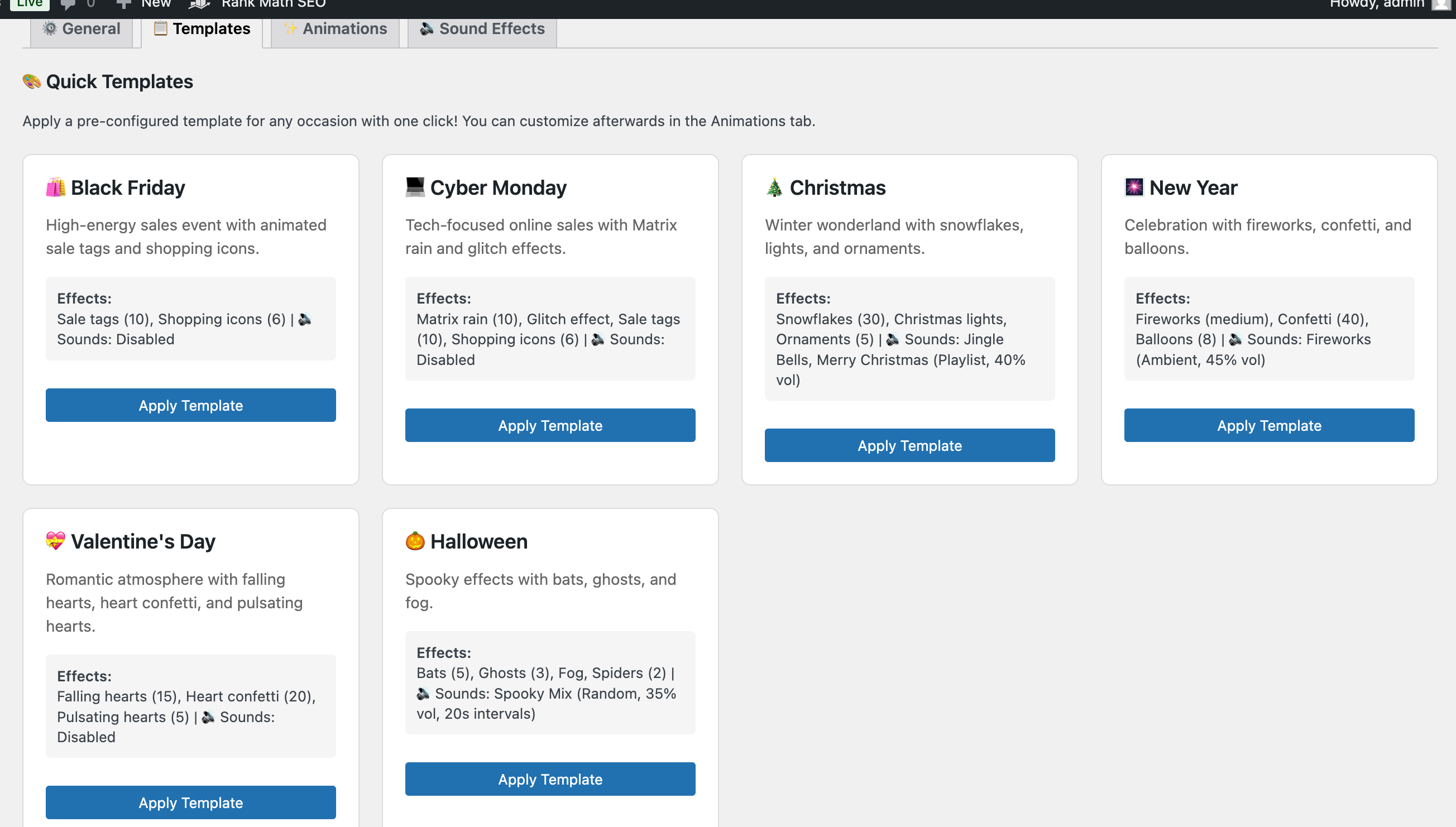
Templates tab with 5+ seasonal presets
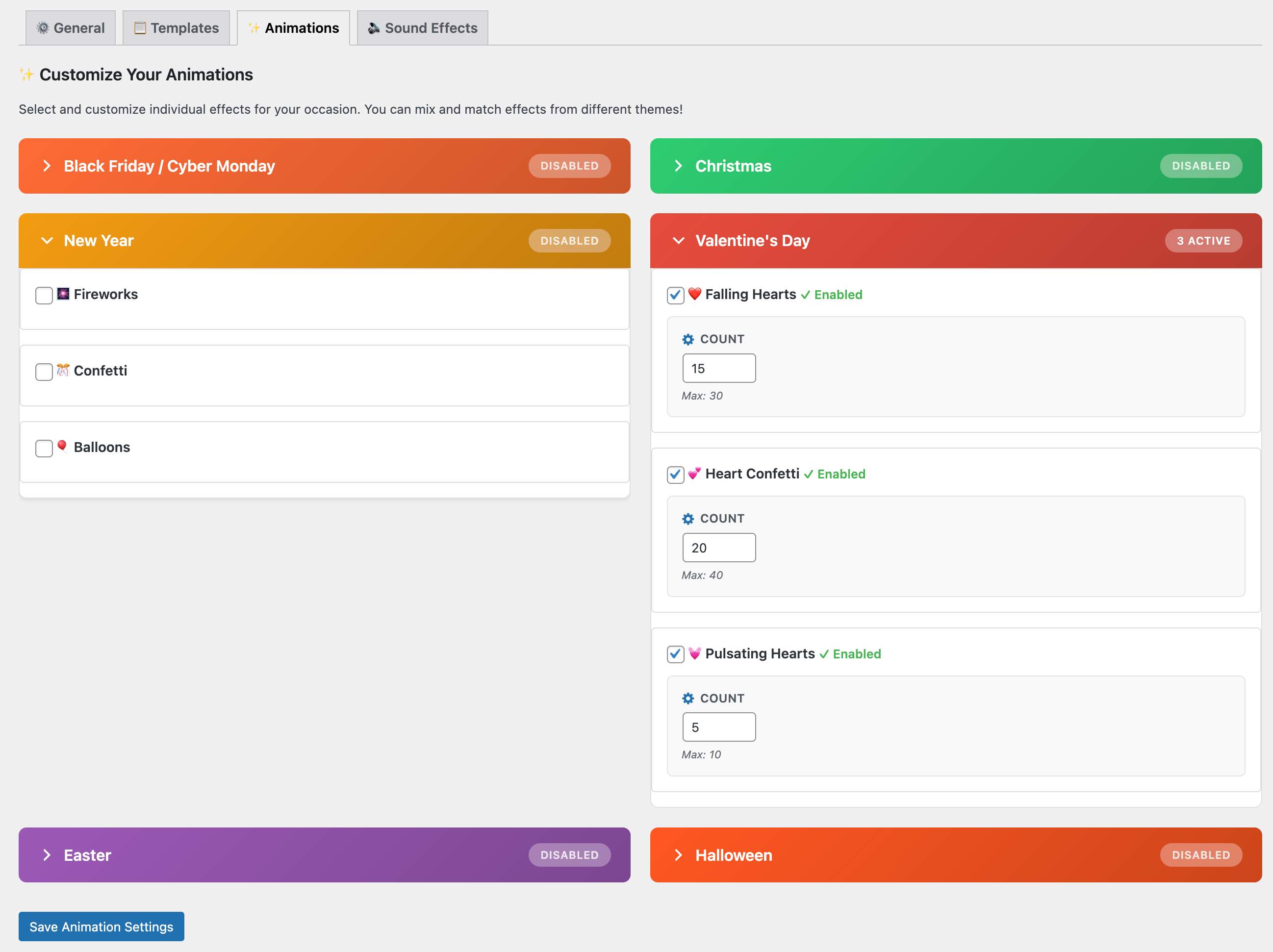
Animations tab with individual controls
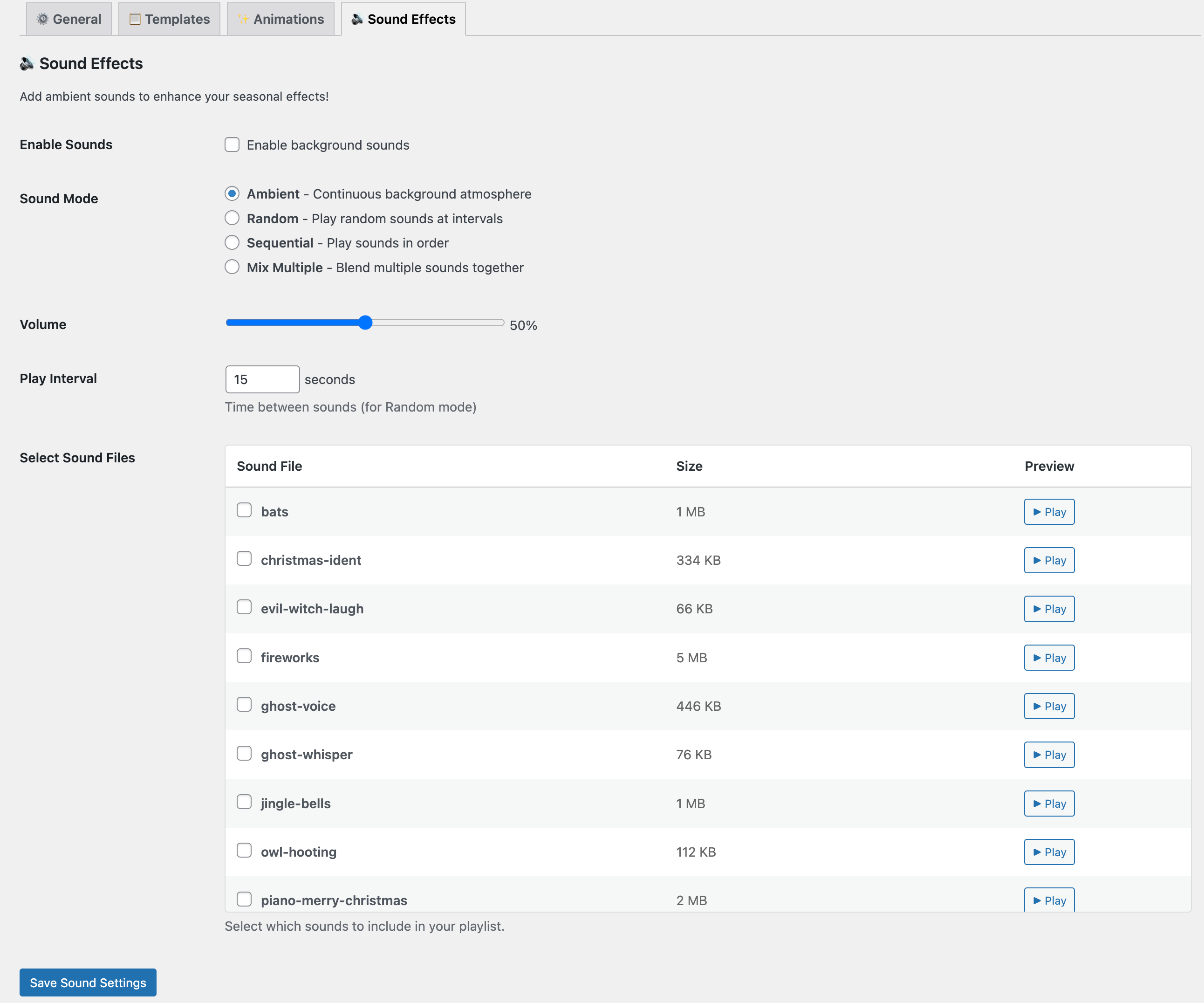
Sound settings with 4 playback modes
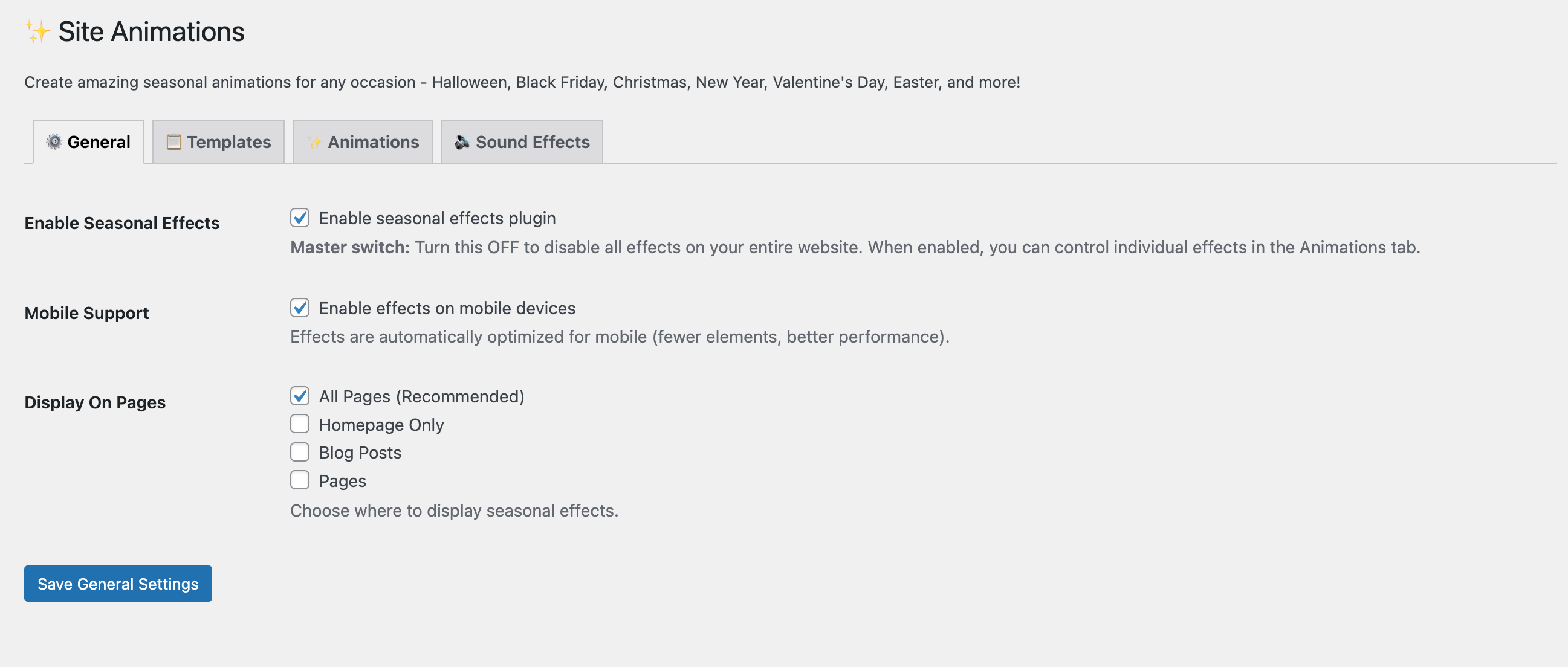
Display controls for targeting
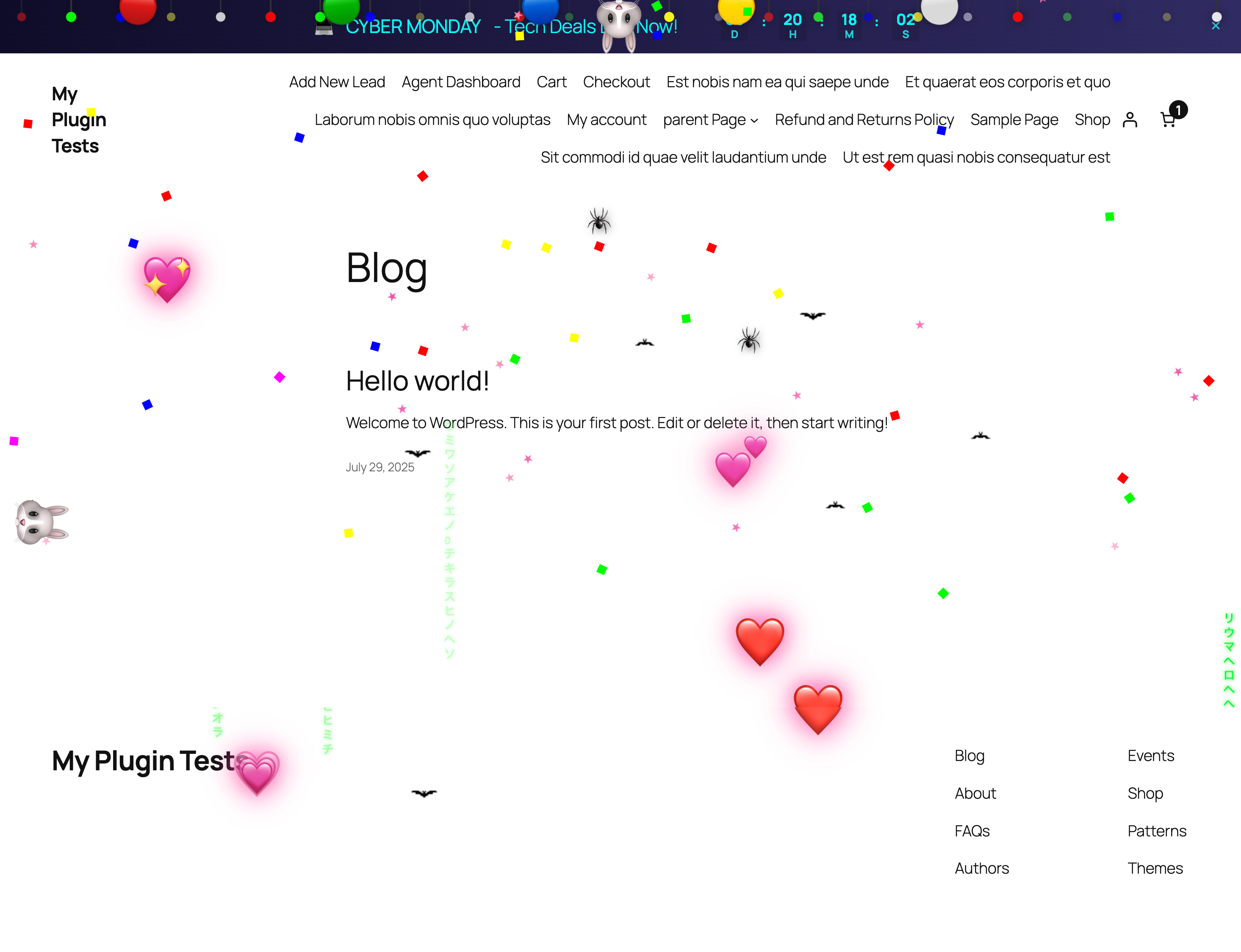
Simple and cute animations.

Notice bar with countdown timer
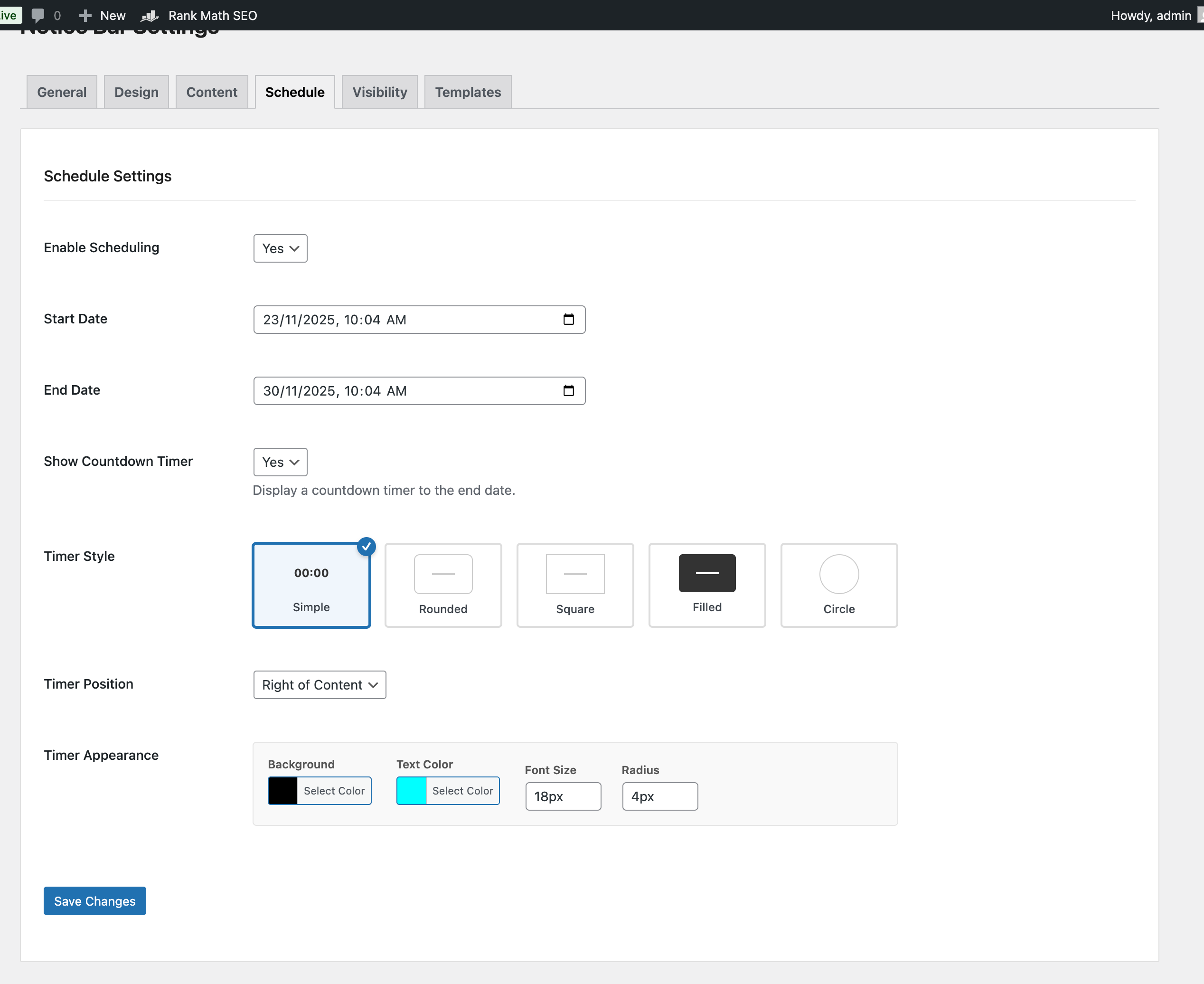
Style countdown timer by yourself
Changelog
2.3.0 – 2025-11-23
- New Feature: Advanced Notice Bar Templates (Black Friday, Cyber Monday, Christmas, etc.)
- New Feature: Visibility & Targeting Rules (Show on Home, Blog, Specific Post Types)
- New Feature: Smart Closing Behavior (Session, 1 Hour, 1 Day, Forever)
- New Feature: Countdown Timer Styles (Simple, Rounded, Square, Filled, Circle)
- New Feature: Background Image support for Notice Bar
- Improved: Rich Text Editor for Notice Content with color/size controls
- Improved: Admin UI with Visual Selectors and Template Grid
- Improved: “Reset Visibility” tool for admins
2.2.0 – 2025-11-20
- Major Update – Rebranded to Seasonal Effects
- Added Templates tab with 8 quick presets
- Improved spider crawling animation (removed web threads)
- Fixed fog effect visibility and drift
- Enhanced mobile performance
- Better admin UI with clearer organization
- One-time welcome notice for existing users
- 100% backward compatible
- Full details in CHANGELOG.md
2.0.0 – 2024-10-01
- Initial public release
- 6 Halloween animations
- Sound effect system
- Notice bar functionality
- Mobile device support
1.0.0 – 2024-09-01
- Beta release