

Headline Analyzer
Headline Studio WordPress plugin allows you to easily analyze & improve your headlines as you create content in WordPress
Plugin info
Maintenance & Compatibility
Maintenance score
Maintained • Last updated 178 days ago • 14 reviews
Is Headline Analyzer abandoned?
Likely maintained (last update 178 days ago).
Compatibility
Similar & Alternatives
Explore plugins with similar tags, and compare key metrics like downloads, ratings, updates, support, and WP/PHP compatibility.
Description
Are you looking for an easy way to write eye-catching headlines that reach & convert more readers?
The Headline Analyzer Studio plugin helps you quickly optimize your headlines to hook readers & boost engagement…without ever leaving WordPress.
Don’t struggle to get satisfactory views, clicks, engagement, and conversions on your WordPress content.
Create or connect your Headline Analyzer Studio account to your WordPress account for your whole team to use. Then score & improve your headlines based on proven data from millions of existing headlines.
Your content will be more likely to rank higher & become more visible in search, driving traffic back to your brand and converting more readers into customers.
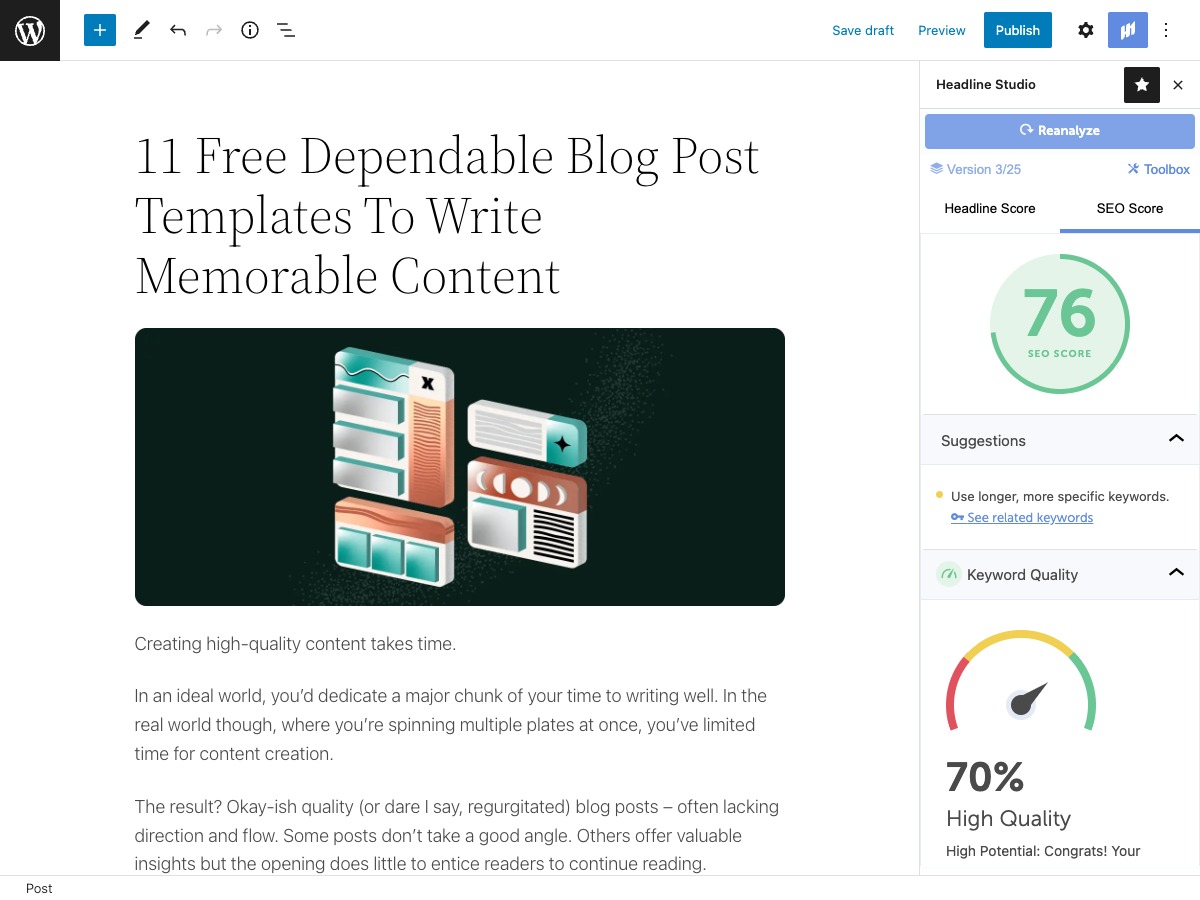
Analyze your headlines directly in the posts you write
Score your headlines on their likelihood to appeal to readers & rank in search based on data from millions of headlines. Then optimize them to hook more readers & rank higher.
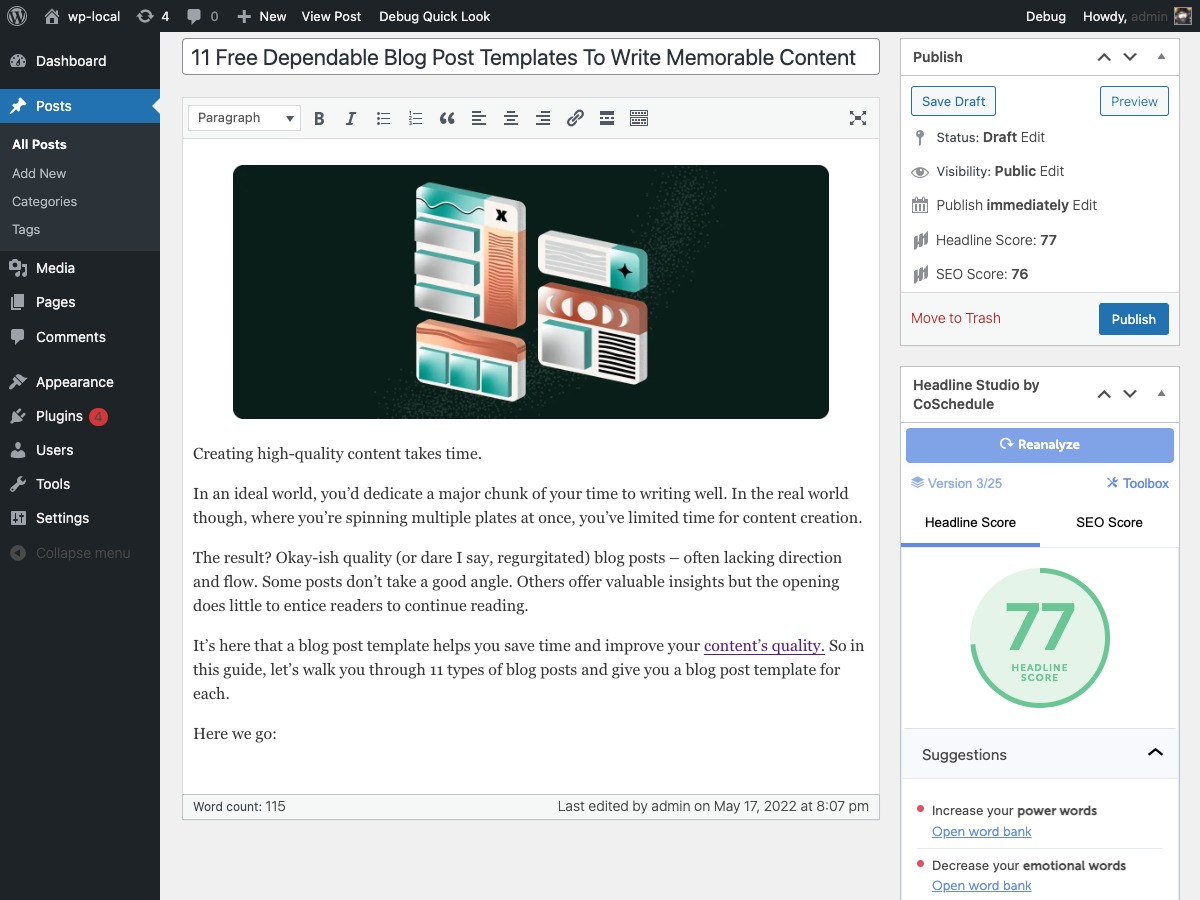
Write and analyze side-by-side with your team
Share one Headline Analyzer Studio account across your entire team. Just connect the plugin once and your team can analyze headlines directly inside WordPress, no matter who’s logged in.
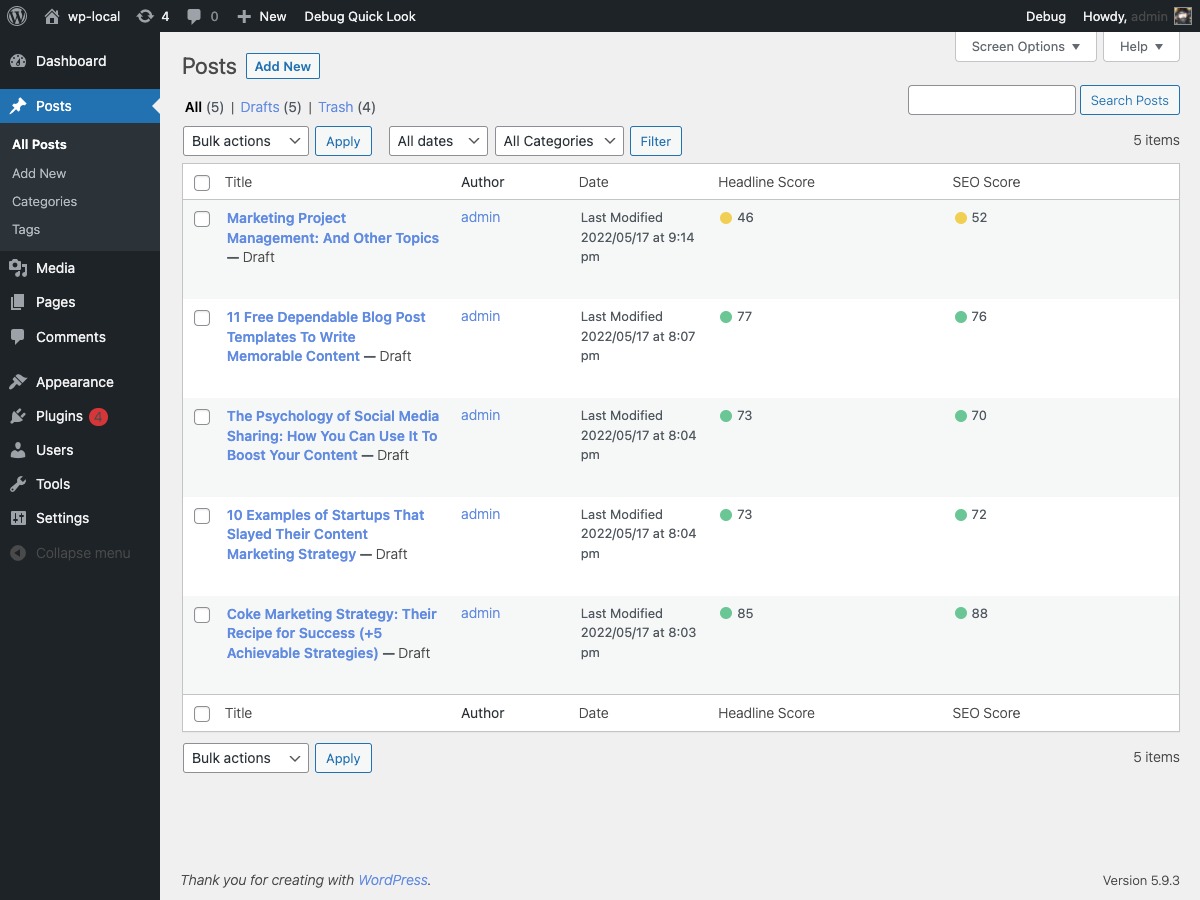
See all your headline scores together
Get an overall view of the Headline Analyzer Score & SEO Score for each of your headlines, right on your Posts page. Easily keep track of analyzed headlines to make sure every headline is a top performer.
Connect the Headline Analyzer Studio plugin to confidently create headlines that reach & convert more readers into customers.
Installation
You can install Headline Studio via the WordPress.org plugin directory or manually by uploading the files to your server.
Frequently Asked Questions
Headline Analyzer Studio synchronizes your WordPress posts, author, and category information to its servers, but all of your WordPress data remains in WordPress. Headline Analyzer Studio will update that WordPress data as you direct, but the data always remains in WordPress. Headline data you create in Headline Analyzer Studio will be stored on CoSchedule’s servers, and never in WordPress.
After you create or sign into your Headline Analyzer Studio account, you can connect the Headline Analyzer Studio plugin. If you have any issues with your account, please reach out to support at [email protected].
You can analyze standard headlines in Headline Analyzer Studio for free. Premium features are available in Headline Studio Pro. Pricing information is available in Headline Analyzer Studio.
Review feed
Screenshots




Changelog
1.3.7
- Update WordPress compatibility version
1.3.6
- security improvements
1.3.5
- security improvements
1.3.4
- security updates
1.3.3
- security updates
1.3.2
- Update WordPress compatibility version and security updates
1.3.1
- Update wordpress compatibility version
1.3.0
- Alert banners for improved visibility
1.2.5
- Bugfix for Gutenberg sidebar interface.
1.2.4
- Add analyze buttons to publish meta box. Fix plugin incompatibility issues.
1.2.2
- Update platform query param
1.2.1
- Fixes namespace collision
1.2.0
- Change query param for visibility purposes
1.1.2
- Add link to readme.txt
1.1.1
- Fixes incorrect url
1.1.0
- Adds setup links to plugin management page
1.0.0
- Initial release