

Hide Admin Bar Based on User Roles
Control the visibility of the WordPress Admin Bar (Toolbar) for specific user roles and capabilities. The ultimate solution for membership sites, shop …
Plugin info
Maintenance & Compatibility
Maintenance score
Maintained • Last updated 120 days ago • 19 reviews
Is Hide Admin Bar Based on User Roles abandoned?
Likely maintained (last update 120 days ago).
Compatibility
Similar & Alternatives
Explore plugins with similar tags, and compare key metrics like downloads, ratings, updates, support, and WP/PHP compatibility.
Description
Hide Admin Bar Based On User Roles gives you complete control over who sees the WordPress toolbar.
Whether you are running a membership site, a WooCommerce store, or simply want a cleaner frontend for your subscribers, this plugin allows you to hide the admin bar with precision. Stop confusing your users with backend links they don’t need.
The plugin is lightweight, fast, and works immediately upon activation.
Simple but great plugin. 🙂
– wptoolsdevWorks flawlessly! 🙂
– thebrazeneye
🚀 Key Features (Free)
- Hide for All Users: completely remove the admin bar from the frontend.
- Hide for Guests: ensure non-logged-in visitors never see the toolbar.
- Role-Based Hiding: Select specific roles (e.g., Subscriber, Customer, Editor) to hide the bar for.
- Capability-Based Hiding: Hide the bar based on user capabilities (e.g., hide for anyone who cannot
manage_options). - Keyboard Shortcuts: Friendly interface to manage settings quickly.
🏆 Premium Features (Pro)
Unlock advanced visibility logic with the Pro version:
* Page-Based Targeting: Show/Hide the admin bar only on specific URLs or page types.
* Device Detection: Hide the toolbar on Mobile or Tablet to save screen space, but keep it on Desktop.
* User Overrides: Manually force the admin bar to show/hide for specific user accounts.
* Time-Based Visibility: Automatically hide the bar during specific hours.
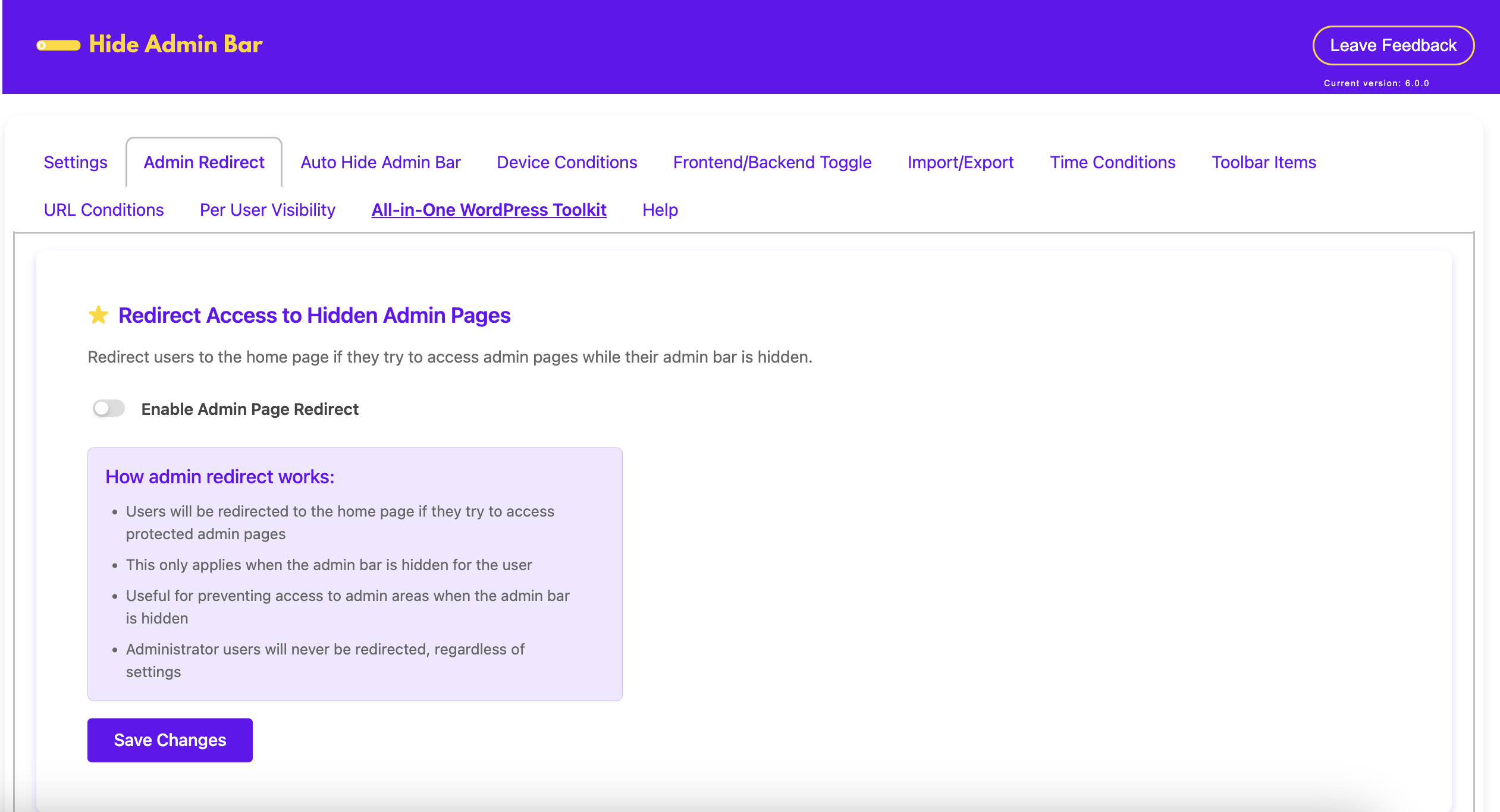
* Smart Redirects: Redirect users to the homepage or a custom URL if they try to access the backend.
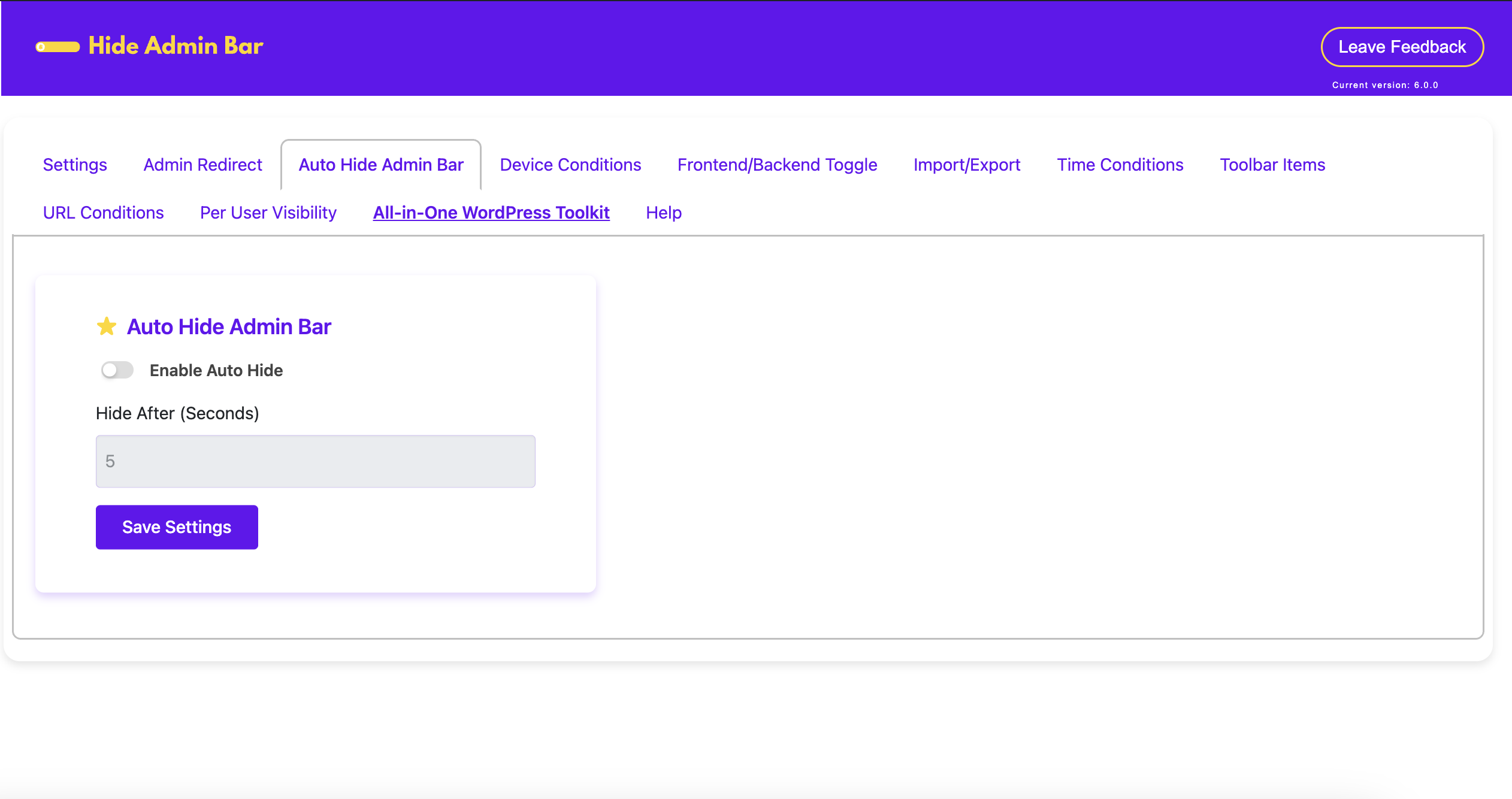
* Inactivity Auto-Hide: Automatically slide the toolbar away after a few seconds of inactivity.
You can check our other plugins:
Installation
- Upload the plugin files to the
/wp-content/plugins/hide-admin-bar-based-on-user-rolesdirectory, or install the plugin through the WordPress plugins screen directly. - Activate the plugin through the ‘Plugins’ screen in WordPress.
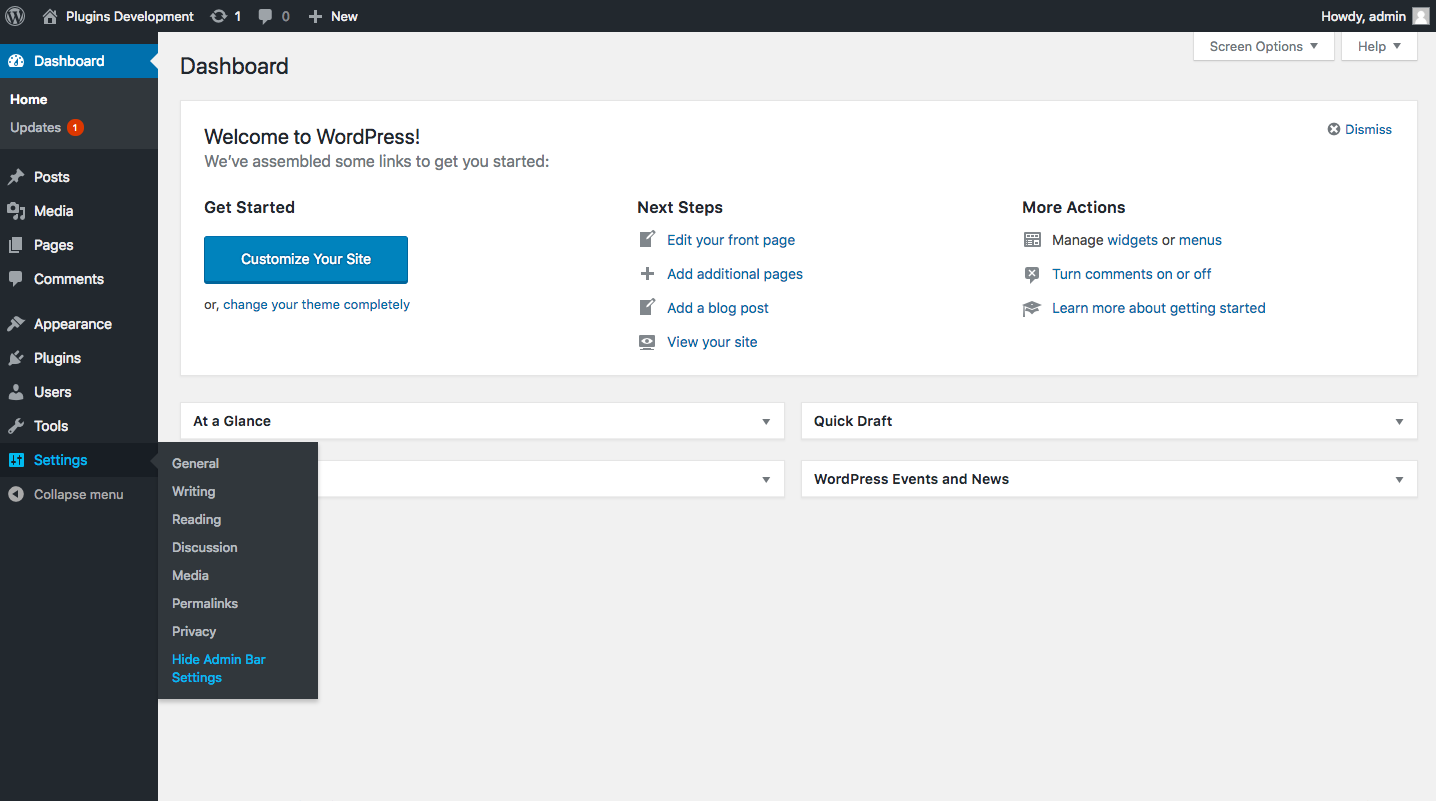
- Use the Settings->Hide Admin Bar screen to configure your visibility rules.
OR
Install it via Plugins Add New Search: Hide Admin Bar Based on User Roles
Frequently Asked Questions
By default, no. You have full control. You can choose to hide it for Administrators if you wish, but most users keep it visible for admins and hidden for everyone else.
Yes. Simply go to the settings and check the “Customer” user role.
Yes, it follows standard WordPress coding practices and works with all major themes and page builders (Elementor, Divi, Beaver Builder, etc.).
Review feed
Simple but great plugin.
Screenshots
Hide admin bar for all users
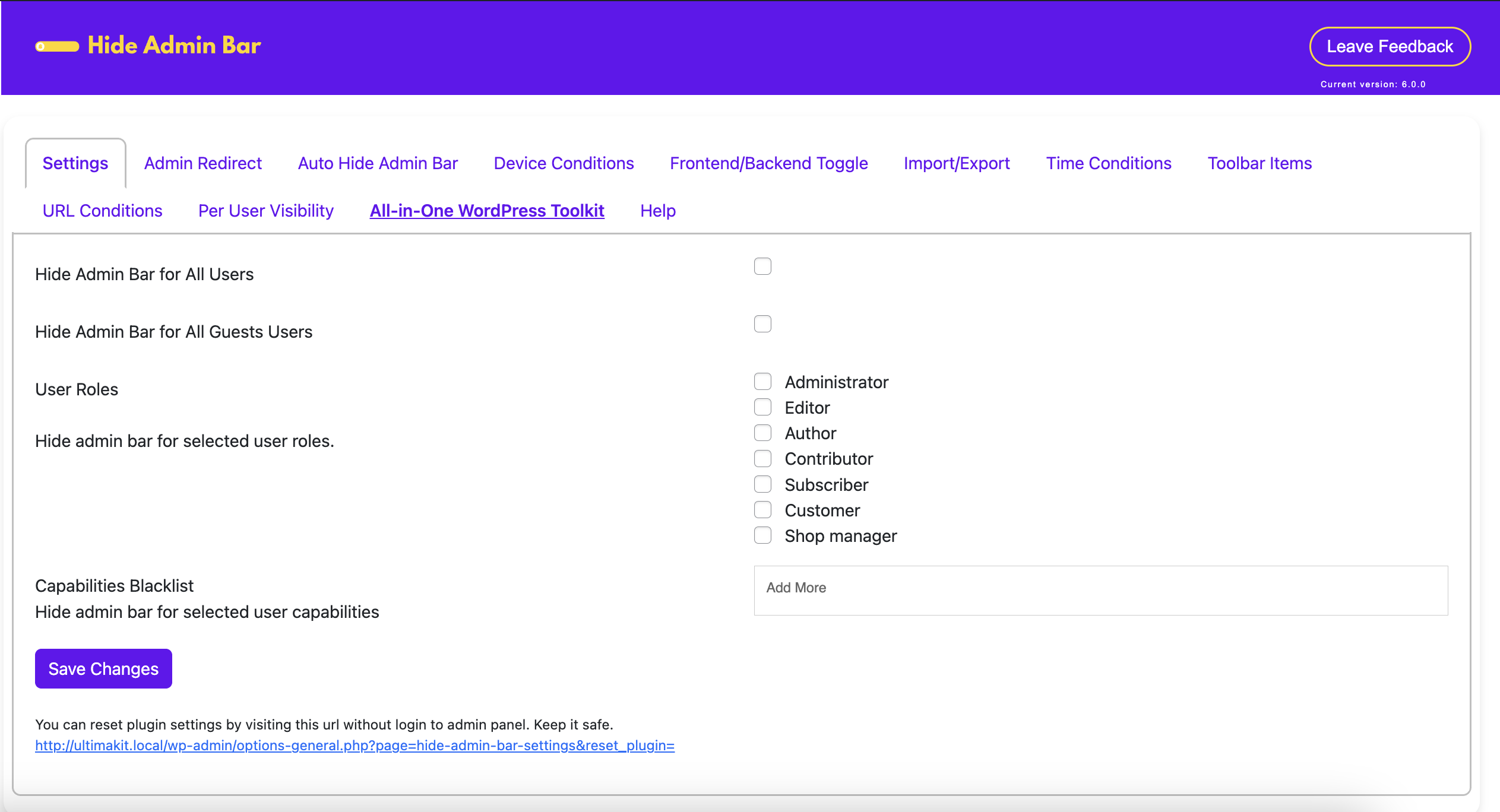
Hide by roles or capabilities
Changelog
7.0.1 – 25-11-2025
Fixed some bugs and improvements.
6.0.3 – 03-07-2025
Fixed some bugs and improvements.
6.0.2 – 03-06-2025
Fixed some bugs and improvements.
6.0.0 – 20-04-2025
- Major release: Pro version launched (optional, upgrade via Freemius)
- Added: Auto Hide Admin Bar (Pro)
- Added: Page-based, device-based, and time-based visibility modules (Pro)
- Added: Per-user override, redirect on hide, import/export
- Improved: Settings layout and compatibility with other plugins
- Refactored: Modular architecture for clean feature handling
5.2.0 – 02-04-2025
- I18N Issues Fixes
- Compatibility tested & Tested with the latest WordPress version.
5.0.0 – 16-02-2025
- Admin ui updated.
- Compatibility tested & Tested with the latest WordPress version.
4.1.0 – 28-12-2024
Compatibility tested & Tested with the latest WordPress version.
4.0.0 – 09-11-2024
Compatibility tested & Tested with the latest WordPress version.
3.9.1 – 30-10-2024
Compatibility tested & Tested with the latest WordPress version.
3.9.0 – 25-09-2024
Compatibility tested & Tested with the latest WordPress version.
3.8.3 – 13-08-2024
Compatibility tested & Tested with the latest WordPress version.
3.8.2 – 01-07-2024
Compatibility tested & Tested with the latest WordPress version.
3.8.1 – 24-05-2024
Compatibility tested & Tested with the latest WordPress version.
3.8.0 – 15-05-2024
Compatibility tested & Tested with the latest WordPress version & UltimaKit For WP support added.
3.7.2 – 03-03-2024
Compatibility tested & Tested with the latest WordPress version.
3.7.1 – 06-02-2024
Compatibility tested & Tested with the latest WordPress version.
3.7.0 – 01-01-2024
Compatibility tested & Tested with the latest WordPress version.
3.6.2 – 09-11-2023
Compatibility tested & Tested with the latest WordPress version.
3.6.1 – 01-10-2023
Compatibility tested & Tested with the latest WordPress version.
3.6.0 – 02-08-2023
Compatibility tested & Tested with the latest WordPress version.
3.5.6
Compatibility tested & Tested with the latest WordPress version.
3.5.5
Compatibility tested & Tested with the latest WordPress version.
3.5.4
Compatibility tested & Tested with the latest WordPress version.
3.5.3
Compatibility tested & Tested with the latest WordPress version.
3.5.2
Security Fixes and Improvements.
3.5.1
Security Fixes and Improvements.
3.5.0
Security Fixes and Improvements.
3.4.1
Security Fixes and Improvements.
3.4.0
Security Fixes and Improvements and multisite support reverted.
3.3.0
Security Fixes and Improvements and multisite support added.
3.2.0
Security Fixes and Improvements.
3.1.0
Security Fixes and Improvements.
3.0.0
Security Fixes and Improvements.
2.9.0
Improvements & Fixes
2.8.0
Improvements & Fixes
2.7.0
Improvements & Fixes
2.6.0
Improvements
2.5.0
Improvements
2.4.0
Improvements
2.3.0
Improvements
2.2.0
Improvements
2.1.0
Improvements
2.0.0
Bug Fixes & Improvements
1.8.0
Bug Fixes & Improvements
1.7.0
Bug Fixes & Improvements
1.6.1
Bug Fixes & Improvements
1.6
Bug Fixes & Improvements
1.5
Bug Fixes & Improvements
1.4
Code Improvements, GUI Updated, New Feature Integration.
1.3
Code Improvements, GUI Updated.
1.2
Fixed some bugs and improvements and new feature added -> Hide admin bar for all guest users.
1.1
Fixed some bugs and improvements.
1.0
First release