

Hide Admin Bar For User Roles
Easy to use WordPress hide admin bar plugin, allows you to hide admin bar for specific user roles. Using this plugin you can show the admin bar for ad …
Plugin info
Maintenance & Compatibility
Maintenance score
Possibly abandoned • Last updated 648 days ago • 1 reviews
Is Hide Admin Bar For User Roles abandoned?
Possibly abandoned (last update 648 days ago).
Compatibility
Similar & Alternatives
Explore plugins with similar tags, and compare key metrics like downloads, ratings, updates, support, and WP/PHP compatibility.
Description
Hide Admin Bar For User Roles is easy to use WordPress plugin to hide admin bar, allows you to hide admin bar for specific user roles. Using this plugin you can show the admin bar for administrators and remove admin bar for all users except administrators.
By default WordPress displays admin bar in front-end for all logged in users. This admin bar can be very useful if you are a website owner or a developer, but admin bar can be distracting to visitors or customers of your website and you may not want to show admin bar for to certain user roles.
Hide admin bar plugin allows you to remove WordPress admin bar for visitors or to disable WordPress admin bar for all users except administrators.
Features:
- Easily hide admin bar from WordPress front end
- Hide admin bar for all users except administrators
- Role based settings to remove admin toolbar
- Multisite support
- Well tested code
- Translation ready
Translations/Languages:
Hide Admin Bar For User Roles plugin is translation ready and is available in the following languages:
- English
Installation
From your WordPress dashboard
- Visit ‘Plugins > Add New’
- Search for ‘Hide Admin Bar For User Roles’
- Activate ‘Hide Admin Bar For User Roles’ from your Plugins page.
From WordPress.org
- Download ‘Hide Admin Bar For User Roles’ plugin.
- Upload the ‘hide-admin-bar-for-user-roles’ directory to your ‘/wp-content/plugins/’ directory, using your favorite method (ftp, sftp, scp, etc…)
- Activate ‘Hide Admin Bar For User Roles’ from your Plugins page.
Frequently Asked Questions
- Download and activate ‘Hide Admin Bar For User Roles’ plugin
- Navigate to Settings > Hide Admin Bar
- Select the desired roles for which you want to hide or show admin bar
- Save settings
- Download and activate ‘Hide Admin Bar For User Roles’ plugin
- Navigate to Settings > Hide Admin Bar
- Select the option in front of Subscriber
- Save settings
Yes, this plugin has full translation and localization support.
You can contact me using Contact Form
Review feed
Working perfectly with WordPress 5.7.1
Screenshots
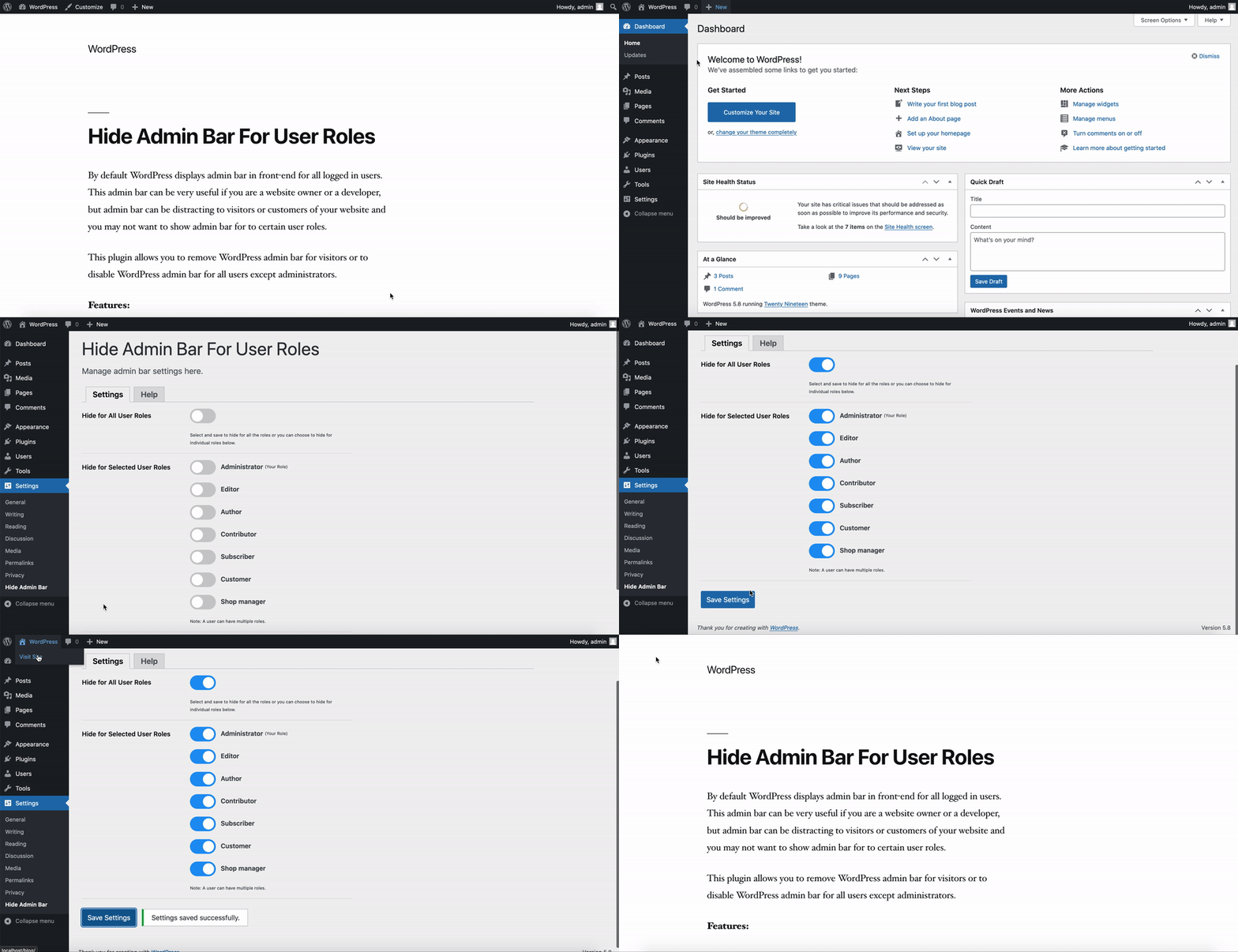
Hide Admin Bar - Select the desired role and hide admin bar.

Settings Page - Here you can manage admin bar settings.

Help Page - List of FAQ and support contact information.
Changelog
1.0.0
Initial release
1.0.1
Tested with WordPress 5.7.2 version
1.1.0
Tested with WordPress 5.8 version
Removed jQuery dependency
1.1.1
Tested with WordPress 5.9 version
1.1.2
Tested with WordPress 6.5.4 version