

Hide Any Page
Hide Any Page is a simple and lightweight plugin that allows you to hide any page from your website's visitors and search engines such as Google.
Plugin info
Maintenance & Compatibility
Maintenance score
Possibly abandoned • Last updated 615 days ago • 1 reviews
Is Hide Any Page abandoned?
Possibly abandoned (last update 615 days ago).
Compatibility
Similar & Alternatives
Explore plugins with similar tags, and compare key metrics like downloads, ratings, updates, support, and WP/PHP compatibility.
Description
The Hide Any Page plugin allows you to hide any page on your WordPress website or blog.
The plugin lets you select pages that you want to prevent from appearing in standard menus, lists and searches. It will add meta tags to your selected page which tell search engines such as Google not to index the page or to keep a cached copy.
The Hide Any Page plugin is useful for download pages, thank you pages and other pages that you want to hide from your visitors.
Installation
- Unzip the download file if necessary and upload the ‘hide-any-page’ folder and all its contents to your ‘/wp-content/plugins/’ directory.
- Activate the plugin through the ‘Plugins’ menu in your WordPress admin.
- Click the ‘Hide Any Page’ menu under the Settings menu in your WordPress admin.
- Check the page(s) that you want to hide from your visitors and search engines such as Google.
- Click the Save button to apply.
Frequently Asked Questions
Review feed
Screenshots
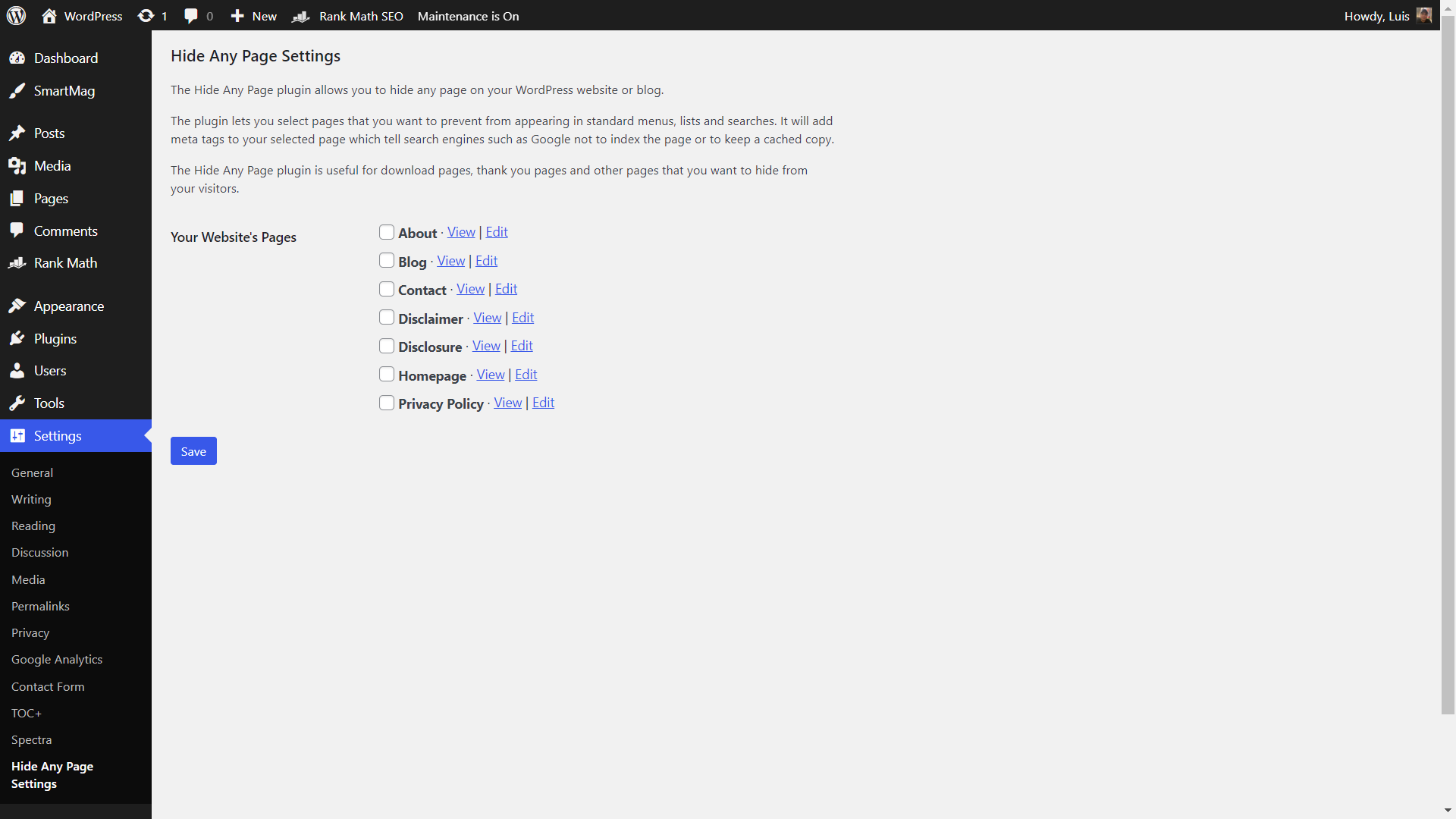
Hide Any Page settings page
Changelog
1.0.2
- Tested with WordPress 6.6.1.
- Minor HTML and CSS changes.
1.0.1
- Tested with PHP 8 and WordPress 6.3.
- Minor HTML and CSS changes.
1.0.0
- Initial version.