

Maintenance 32/100556d since update
Active installs
50,000
Downloads
663,027
Reviews
55
Age
8.7y
Plugin info
Total downloads: 663,027
Active installs: 50,000
Total reviews: 55
Average rating: 3.6
Support threads opened: 0
Support threads resolved: 0 (0%)
Available in: 1 language(s)
Contributors: 2
Last updated: 9/23/2024 (556 days ago)
Added to WordPress: 7/25/2017 (8 years old)
Minimum WordPress version: 3.5
Tested up to WordPress version: 6.6.3
Minimum PHP version: f
Maintenance & Compatibility
Maintenance score
Possibly abandoned • Last updated 556 days ago • 55 reviews
32/100
Is Hide Page And Post Title abandoned?
Possibly abandoned (last update 556 days ago).
Compatibility
Requires WordPress: 3.5
Tested up to: 6.6.3
Requires PHP: f
Similar & Alternatives
Explore plugins with similar tags, and compare key metrics like downloads, ratings, updates, support, and WP/PHP compatibility.
No similar plugins found yet.
Description
Hide title or Hide page and post title plugin provides functionality to user to hide the page and post title.
Major features of this plugin include
- Hide the title of particular page.
- Hide the title of particular post.
- Hide the title of particular custom post(CPT).
Like the plugin?
Please Vote, Your votes really make a difference! Thanks.
Installation
The plugin is simple to install:
- Download hide-page-and-post-title.zip
- Unzip
- Upload the ‘hide-page-and-post-title’ folder to your /wp-content/plugins directory
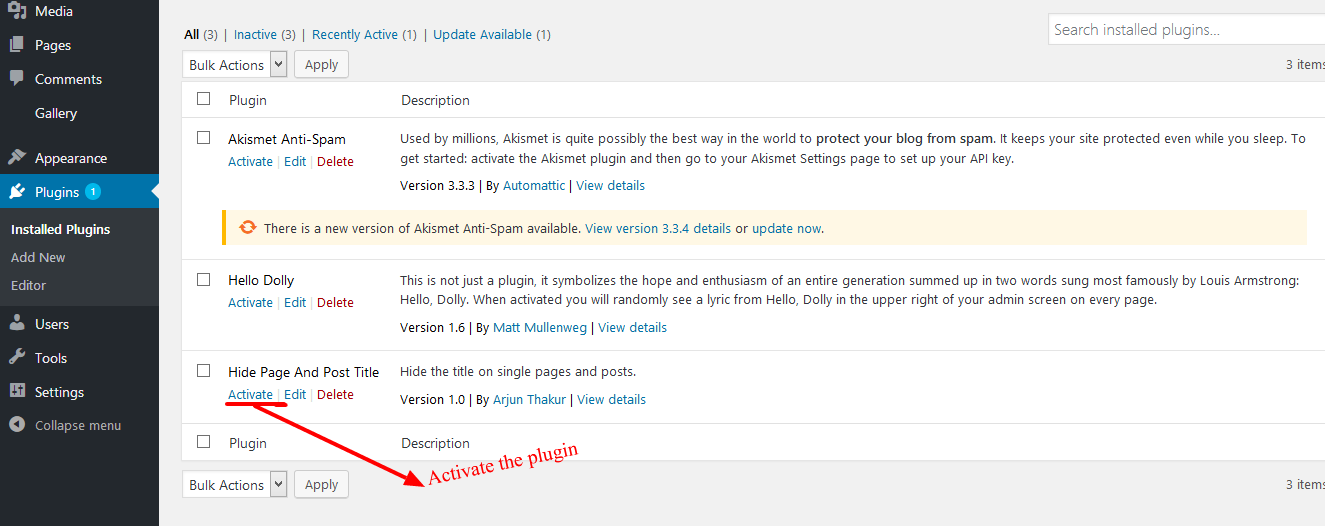
- Go to the plugin menu page and activate the plugin
Frequently Asked Questions
- Activate the plugin through the ‘Plugins’ menu in WordPress.
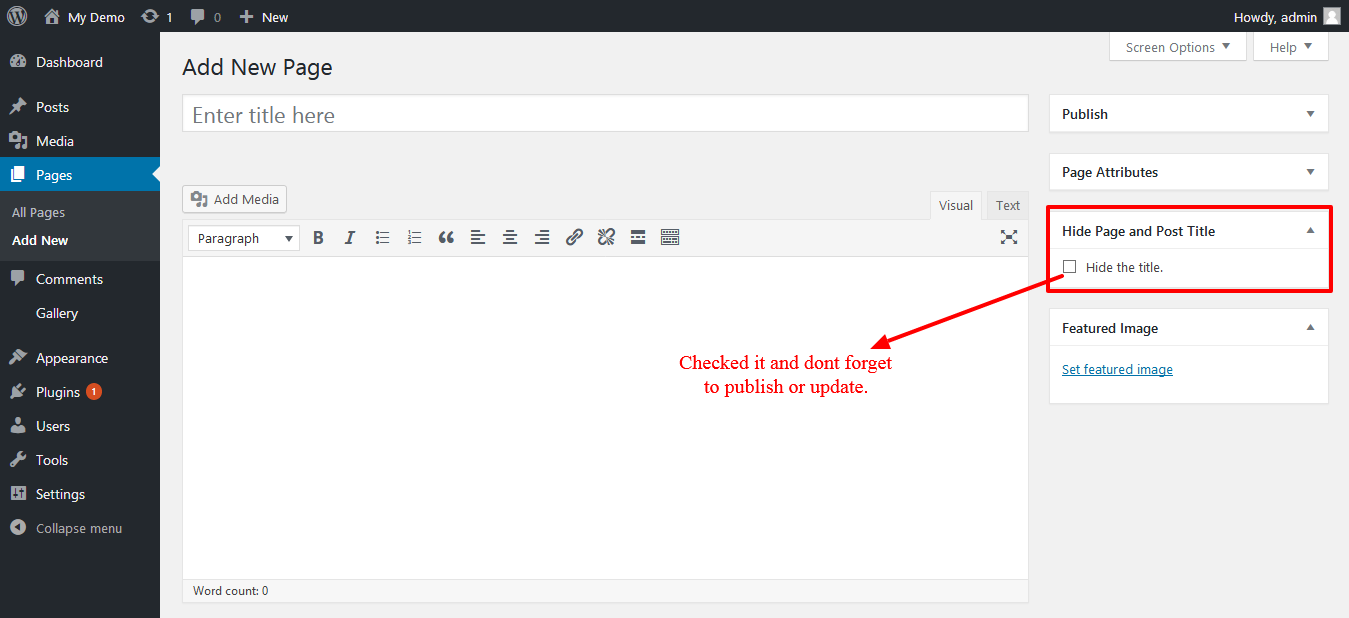
- Then Create New Post/Page Or you can use old one.
- Now go to edit screen for pages or posts and click on the Hide the title options.
- After you click on “Hide the title” just publish or update the page or post.
User can easily hide the title of posts, pages or the custom posts.
Review feed
Clare Parkinson
works exactly as expected
Simple checkbox, hides the title visually on the page, but the title is still visible in archives, menus, and in the source for SEO and screenreaders. Just what I needed, thanks!
Screenshots
Changelog
No changelog available