
Hide WP Admin Notifications
Hides all WordPress admin dashboard notifications with an option to show them temporarily.
Plugin info
Maintenance & Compatibility
Maintenance score
Maintained • Last updated 123 days ago • 1 reviews
Is Hide WP Admin Notifications abandoned?
Likely maintained (last update 123 days ago).
Compatibility
Similar & Alternatives
Explore plugins with similar tags, and compare key metrics like downloads, ratings, updates, support, and WP/PHP compatibility.
Description
Tired of your WordPress dashboard being overrun by countless admin notices? Regain control with our easy-to-use plugin!
This sleek, straightforward plugin does more than just disable notifications; it puts the power in your hands to switch them on whenever necessary! Stay up-to-date with crucial updates, safety warnings, and significant notifications, all tailored to your schedule.
Key Features:
* Refresh Your Dashboard: Say goodbye to the clutter of unnecessary notices and embrace the elegance of a neat, organized admin area.
* Flexible Notification Control: Turn on alerts as and when you prefer, ensuring you’re always abreast of vital updates, security warnings, and crucial bulletins.
* User-Focused Interface: Our plugin is designed considering your needs, offering a user-friendly and intuitive interaction.
* Seamless Updates: Maintain your configured settings even after plugin updates, ensuring uninterrupted user experience.
Installation
- Upload the
hide-wp-admin-notificationsfolder to the/wp-content/plugins/directory. - Activate the plugin through the ‘Plugins’ menu in WordPress.
- Go to the ‘Settings’ menu and click on ‘Hide WP Admin Notifications’ to configure the plugin.
Frequently Asked Questions
Go to the ‘Settings’ menu and click on ‘Hide WP Admin Notifications’. Check the box to temporarily show all dashboard notices.
Review feed
Screenshots
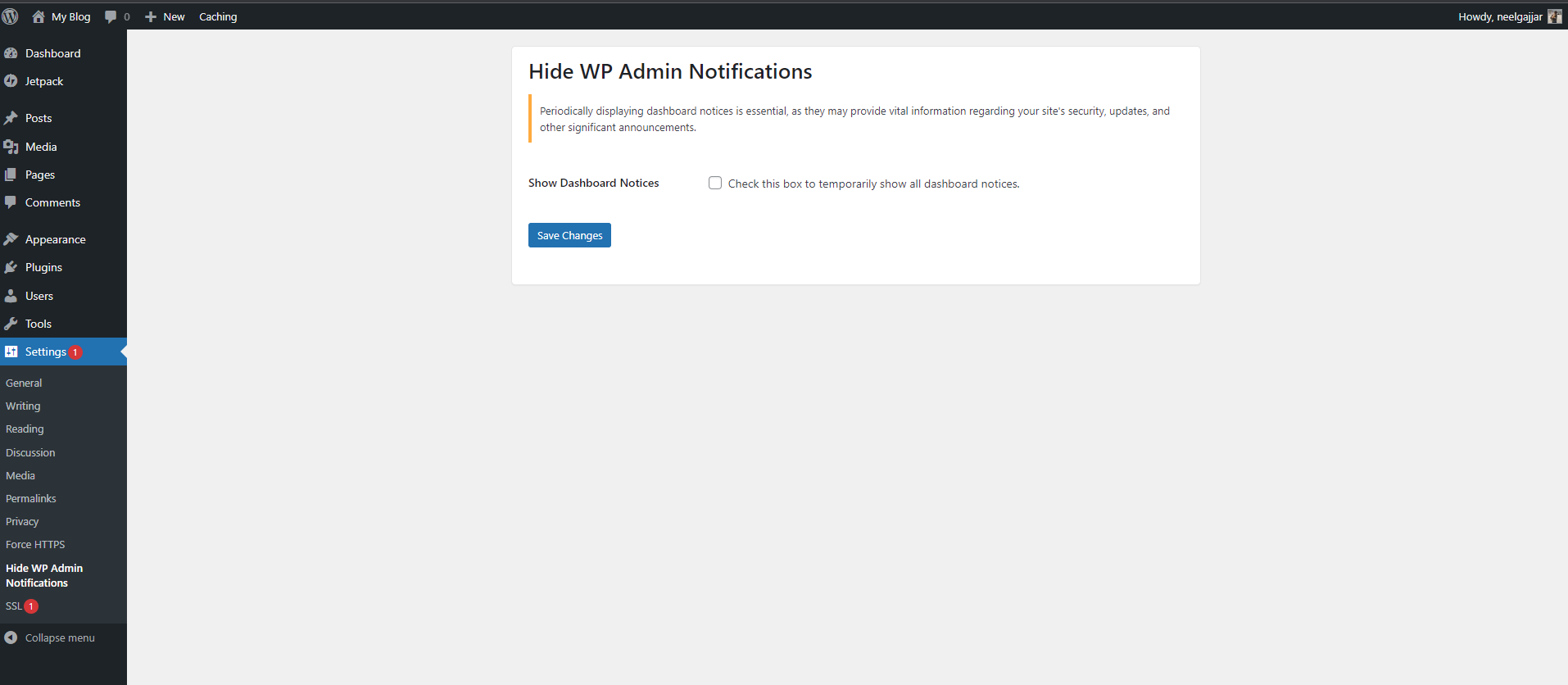
The settings page of the Hide WP Admin Notifications plugin.
Changelog
0.2.2
- Confirmed compatibility with WordPress 6.9.
- Improved security by properly escaping output in the settings page.
- Minor internal cleanup while preserving existing user settings.
0.2.1
- Confirmed compatibility with WordPress 6.8.
0.2
- Updated compatibility to WordPress 6.7.
- Ensured user settings are retained during updates.
0.1
- Initial release.