

Horizontal scrolling announcements
This horizontal scrolling announcement wordpress plugin lets scroll the content from one end to another end like reel. This plugin is using JQuery Mar …
Plugin info
Maintenance & Compatibility
Maintenance score
Possibly abandoned • Last updated 915 days ago • 10 reviews
Is Horizontal scrolling announcements abandoned?
Possibly abandoned (last update 915 days ago).
Compatibility
Similar & Alternatives
Explore plugins with similar tags, and compare key metrics like downloads, ratings, updates, support, and WP/PHP compatibility.
Description
This horizontal scrolling announcement wordpress plugin lets scroll the content from one end to another end like reel. This plugin is using JQuery Marquee script for scrolling. This is the simple way to create scrolling text in your website. Check official website for live demo http://www.gopiplus.com/work/2010/07/18/horizontal-scrolling-announcement/
Live demo
Live Demo
Documentation
Frequently Asked Questions
Feature
- Free plugin.
- Easy to customize.
- It supports all major browsers.
- Configurable scroll speed.
- Pause the scroll on mouse over.
- Option to set announcement start date.
- Option to set expiration date/time for the announcement.
Short code for post
You can add your announcement into your wordpress post with the following shortcode.
[hsas-shortcode group="" speed="10" direction="left" gap="50"]

[hsas-shortcode group="" speed="2" direction="down" gap="50"]
If you want to include this announcement in your custom theme, please look at the do_shortcode option in wordpress.
echo do_shortcode( '[hsas-shortcode group="" speed="10" direction="left" gap="50"]' );
Installation
Option 1:
- Go to WordPress Dashboard. Locate Plugins -> Add New
- Search Horizontal scrolling announcements plugin using search option
- Find the plugin and click Install Now button
- After installation, click on Activate Plugin link to activate the plugin.
Option 2:
- Download the plugin horizontal-scrolling-announcements.zip
- Go to WordPress Dashboard. Locate Plugins -> Add New
- Click on Upload Plugin link from top
- Upload the downloaded horizontal-scrolling-announcements.zip file and click on Install Now
- After installation, click on Activate Plugin link to activate the plugin.
Frequently Asked Questions
Review feed
Usefull plugin
Screenshots
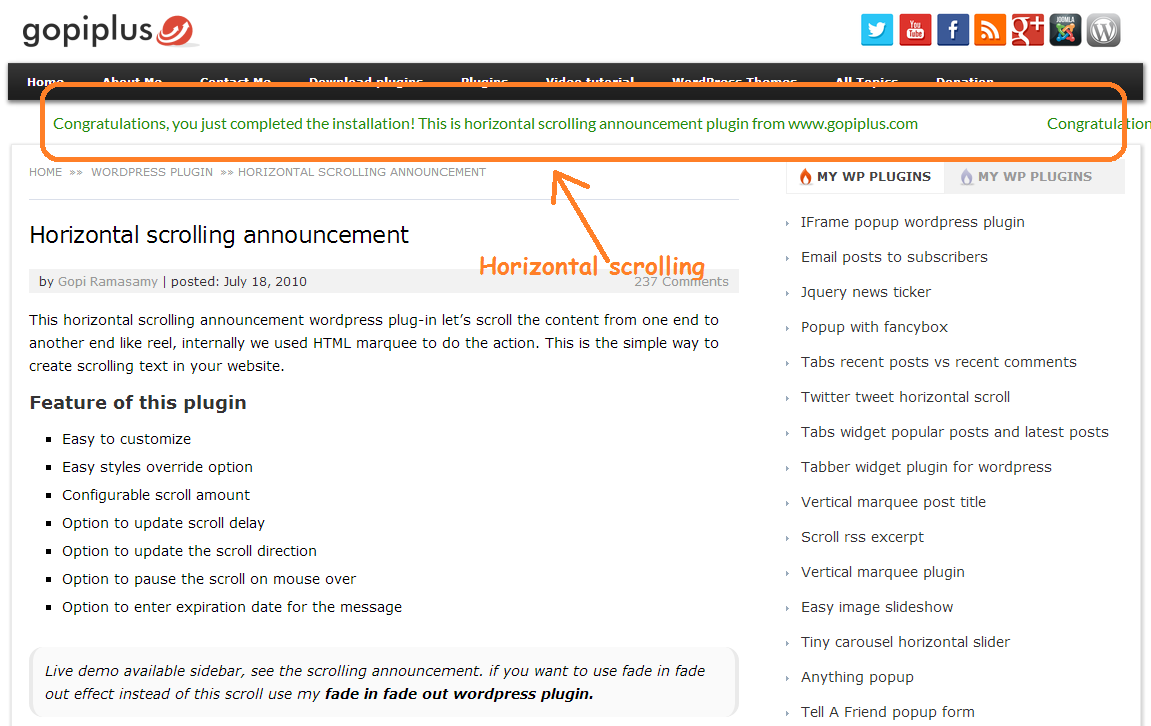
Front page

Admin option (Announcements View)

Admin option (Announcements Add and Edit)

Widget setting
Changelog
1.0
- First version.
1.1
- Tested up to 5.0
1.2
- Tested up to 5.1
1.3
- Tested up to 5.2
1.4
- Tested up to 5.3
1.5
- Change in admin design
1.6
- Order length is increased. Now we can add 4 digit order.
1.7
- Added time option in the admin, now we can select the start and end time along with the start and end date.
1.8
- Tested up to 5.4
1.9
- Tested up to 5.5
2.0
- Added new option “Permission” in the admin to provide plugin permission to other admin roles.
2.1
- Tested up to 5.7
2.2
- Tested up to 5.8
- Use plugin short code in the widget editor.
2.3
- Tested up to 5.9
2.4
- Tested up to 6.0
- Added style option in the announcement admin page.
2.5
- Tested up to 6.3
- Vulnerability fix