

HostAway Connector
Display real-time Hostaway listings, availability calendars, and enable direct bookings through the Hostaway API. No local data storage required.
Plugin info
Maintenance & Compatibility
Maintenance score
Maintained • Last updated 136 days ago
Is HostAway Connector abandoned?
Likely maintained (last update 136 days ago).
Compatibility
Similar & Alternatives
Explore plugins with similar tags, and compare key metrics like downloads, ratings, updates, support, and WP/PHP compatibility.
Description
HostAway Connector allows you to seamlessly connect your WordPress site with your Hostaway account. This plugin displays real-time listings, availability calendars, and direct booking — all via the Hostaway API.
No local data is stored on your server, ensuring performance and security.
Key Features:
* Display Hostaway listings with details and images
* Show availability calendars in real time
* Allow direct booking via Hostaway API
* No local storage of listing or booking data
Third-Party Services
This plugin connects to the Hostaway API (API Documentation) to:
* Retrieve listing details, images, and availability.
* Submit and confirm booking reservations.
* Fetch calendar and pricing information.
API Endpoints Used:
/v1/listings/– Get all listings/v1/listings/{$listingID}– Get details of a specific listing/v1/listings/{$listingID}/calendar/priceDetails– Fetch calendar pricing details/v1/listings/{$listingID}/calendar– Fetch availability calendar/v1/reservations/– Submit reservations/v1/cancellationPolicies/{$cancellationPolicyId}– Fetch cancellation policy details
Access Token:
All API requests require an OAuth 2.0 access token. The plugin retrieves this token automatically using your Client ID and Client Secret, and includes it in all requests via the Authorization: Bearer YOUR_ACCESS_TOKEN header.
No personal or booking data is stored locally — all interactions happen in real time via the Hostaway API.
Refer to Hostaway’s Privacy Policy for data handling details.
Credits
Developed by 610 Web Lab
Installation
- Upload the plugin files to the
/wp-content/plugins/hostaway-connectordirectory, or install the plugin through the WordPress plugins screen directly. - Activate the plugin through the ‘Plugins’ screen in WordPress.
- Navigate to
Settings > HostAwayto configure the plugin with your API credentials. - Use the shortcode
[hostaway_listings]where needed.
Frequently Asked Questions
No. All listing and booking data is fetched dynamically from the Hostaway API.
Yes, an active Hostaway account with API access is required.
Yes. Visitors can book directly through your site. All bookings are processed securely through the Hostaway API.
Yes. Since Hostaway is a channel manager, any syncs you have set up in Hostaway (Airbnb, Vrbo, Booking.com, etc.) are automatically reflected in the plugin
Review feed
Screenshots
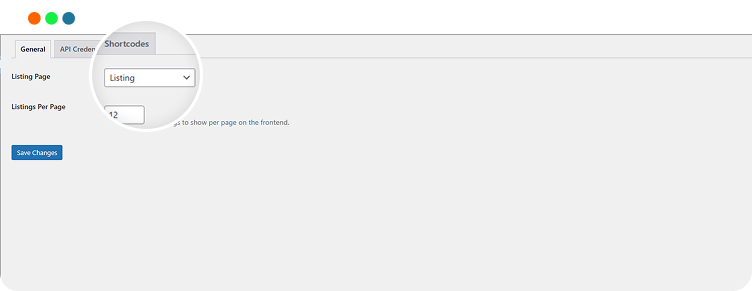
General Settings
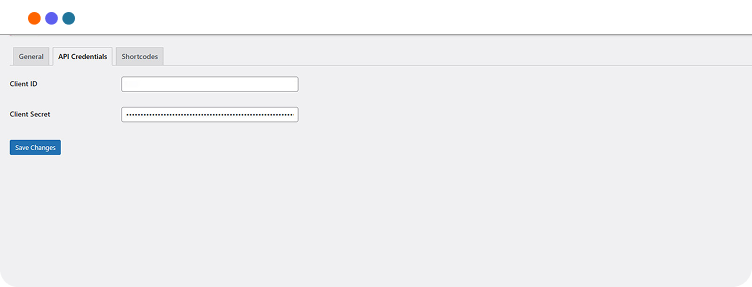
HostAway API Credentials
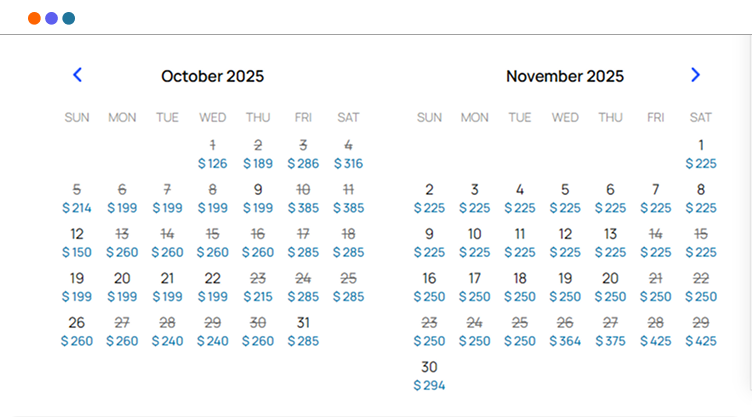
Availability Calendar
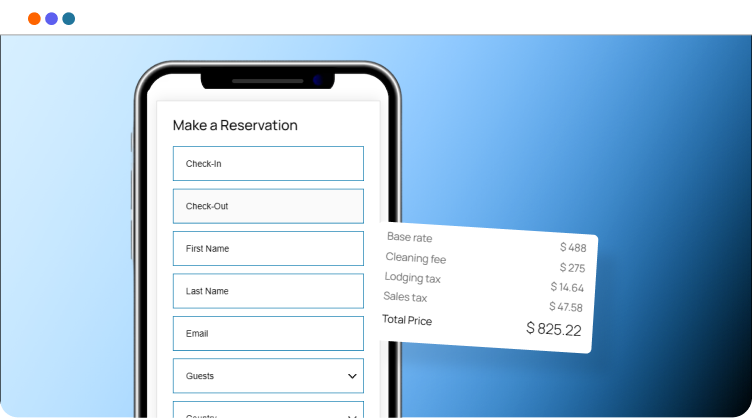
Booking Form
Changelog
1.0.0
- Initial release with listings, calendar, and booking support.