

HTML5 Audio Player – The Ultimate No-Code Podcast, MP3 & Audio Player
Maximize your WordPress site's potential with our versatile HTML5 Audio Player plugin. Seamlessly play .mp3, .wav, .ogg, and more audio files.
Plugin info
Maintenance & Compatibility
Maintenance score
Maintained • Last updated 140 days ago • Support resolved 100% • 166 reviews
Is HTML5 Audio Player – The Ultimate No-Code Podcast, MP3 & Audio Player abandoned?
Likely maintained (last update 140 days ago).
Compatibility
Languages
Similar & Alternatives
Explore plugins with similar tags, and compare key metrics like downloads, ratings, updates, support, and WP/PHP compatibility.
Description
The Ultimate No-Code Podcast, MP3 & Audio Player Plugin for WordPress
HTML5 Audio Player | Documentation | Pricing | Support | Demo
HTML5 Audio Player is a powerful, lightweight, and fully responsive audio player plugin for WordPress. It lets you embed MP3 and OGG audio files into posts, pages, widget areas, or template files using shortcodes, no coding required.
Built with modern HTML5 technology, this plugin works across all major browsers and iOS devices, ensuring reliable playback on any screen size. Its shortcode-based setup gives you full control over placement and player settings, making it suitable for podcasts, music tracks, audio previews, or online courses.
Key Features – Free Version
-
Embed Anywhere: Add audio to posts, pages, widgets, and theme templates using shortcodes.
-
Responsive & Lightweight: Adapts to all devices and doesn’t slow down your site.
-
Cross-Browser Support: Works smoothly on Chrome, Firefox, Safari, Edge, IE7–IE9, and more.
-
Inline Audio Playback: Full support for HTML5 audio across mobile and desktop browsers.
-
Customizable Skins & Colors: Match your player to your brand.
-
Autoplay, Loop, Mute Options: Define how your audio behaves.
-
Great for Podcasts: Perfect for embedding podcast episodes or audio courses.
-
Sell Audio Previews: Let users listen before they buy.
-
Shortcode Powered: Easy to use, yet flexible for advanced users.
-
MP3 & OGG Support: Automatically loads the right format based on user’s device.
-
Lightweight & User-Friendly: Clean, simple UI with powerful functionality.
Pro Version – Unlock Premium Audio Controls
Upgrade to the Pro version for more control over design, behavior, and playback settings.
What’s Included in Pro:
-
Color Customization: Set custom player colors to fit your site’s style.
-
Fast Forward & Rewind Buttons: Set seek time for enhanced navigation.
-
Preload Controls: Optimize page speed with Auto, Metadata, or None settings.
-
Ad-Free Experience: No ads, ever.
-
Restart Button Toggle: Choose whether users can restart audio.
-
Download Button Toggle: Show or hide the download option.
-
Customize Playback Controls: Control visibility of play, mute, progress, and duration elements.
-
Volume & Speed Control: Let users adjust the playback experience.
-
Upload Poster Image: Add a visual element to your player.
-
Title Support: Display custom audio titles.
-
Player Skins: Choose from Default, Fusion, Stamp, Wave, and more.
-
Disable Pause Option: Keep audio playing without interruption.
-
Advanced Player Types: Choose from Standard, Playlist, or Sticky Player.
-
Border Radius Control: Style your player’s corners.
-
Single Button Player: Minimalist design for single-action audio playback.
Try the HTML5 Audio Player PRO – Unlock all premium features now!
How to Use – Step-by-Step Setup
Getting started is quick and easy.
Step-by-Step Setup
-
Install and activate the plugin.
-
In the WordPress dashboard, go to the HTML5 Audio Player menu.
-
Add a new player and copy the generated shortcode.
-
Paste the shortcode into any post, page, or widget.
-
Done – enjoy seamless audio playback!
Gutenberg Block Support
Using the Block Editor? You’re covered.
-
Open a post/page editor.
-
Click the + icon, go to Common Blocks, and select HTML5 Audio Player.
-
Choose your audio player and hit the Publish button.
Enjoy crystal-clear audio in just a few clicks!
User Feedback
❛❛I bought a second license for another site because this plugin satisfied all my needs. I had a small problem on this new site and support solved the problem within hours of my request. Thank you so much. You are awesome.❜❜
-pripyat51
❛❛Loving the player and the support they have provided. The new features are exactly what we need. Thank you!❜❜
-hoffmaw
Like that plugin? Hate it? Want a new feature? Send your feedback
Check out our other WordPress Plugins-
Html5 Video Player – Display videos as single and playlist in multiple skins.
PDF Poster – Display/Embed PDF files with different styles.
StreamCast – Customizable radio player with different skins.
3D Viewer – Embed 3D models and 3D products with interaction.
Advanced Post Block – Show posts and custom posts in different layouts.
Installation
This section describes how to install the plugin and get it working.
e.g.
1. Upload plugin-directory to the /wp-content/plugins/ directory
2. Activate the plugin through the ‘Plugins’ menu in WordPress
3. Use the shortcode on the page, post, or in widgets.
4. If you want Player in your theme php, Place <?php echo do_shortcode('YOUR_SHORTCODE'); ?> in your templates.
Frequently Asked Questions
You can install the plugin directly from your WordPress dashboard. Go to Plugins > Add New, search for the plugin name, click “Install Now”, and then activate it.
No, but you can try our “HTML5 Video Player” plugin.
You can play .mp3, .oog, and .wav audio files.
Yes, audio players are fully responsive and work on smartphones and tablets, including iOS and Android.
Yes, you can adjust colors, skins, sizes, and more. The plugin includes options for customizing player appearance to match your website.
Yes, you can enable autoplay for audio. Note that some browsers may restrict autoplay behavior based on user settings.
Yes, the plugin offers an option to enable or disable the download button.
Yes, you can configure the player to show a sample or preview clip for digital products or paid content.
You can use the plugin to showcase previews and link to purchase/download pages. Integration with eCommerce plugins can be handled separately.
Yes, you can create playlists with multiple audio files. Different player types are available, including standard, playlist, and sticky player.
The plugin is lightweight and optimized for performance. You can also adjust preload settings to improve page speed.
Please report security bugs found in the source code of the Html5 Audio Player plugin through the Patchstack Vulnerability Disclosure Program. The Patchstack team will assist you with verification, CVE assignment, and notify the developers of this plugin.
Review feed
Screenshots
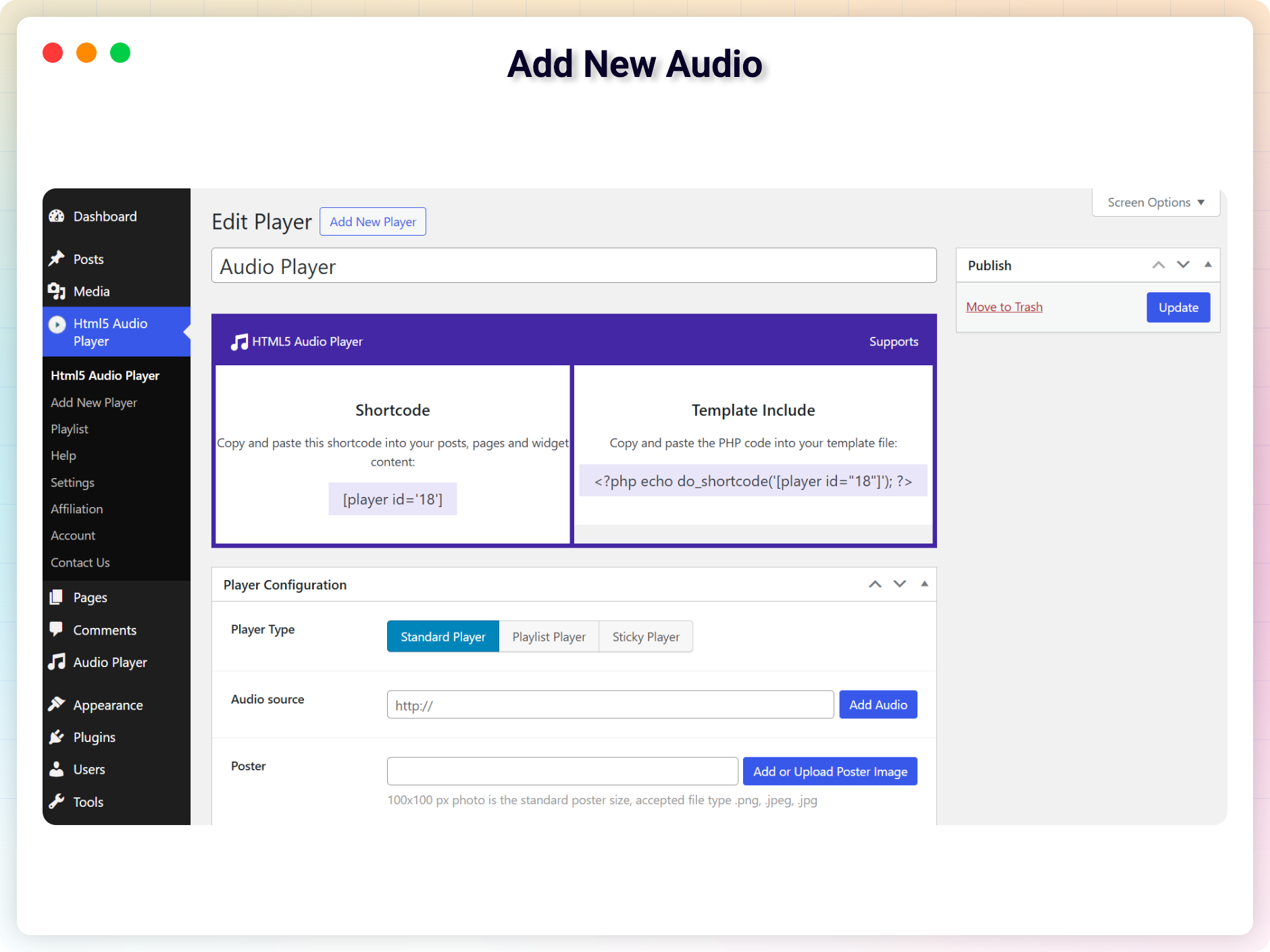
Add New Audio
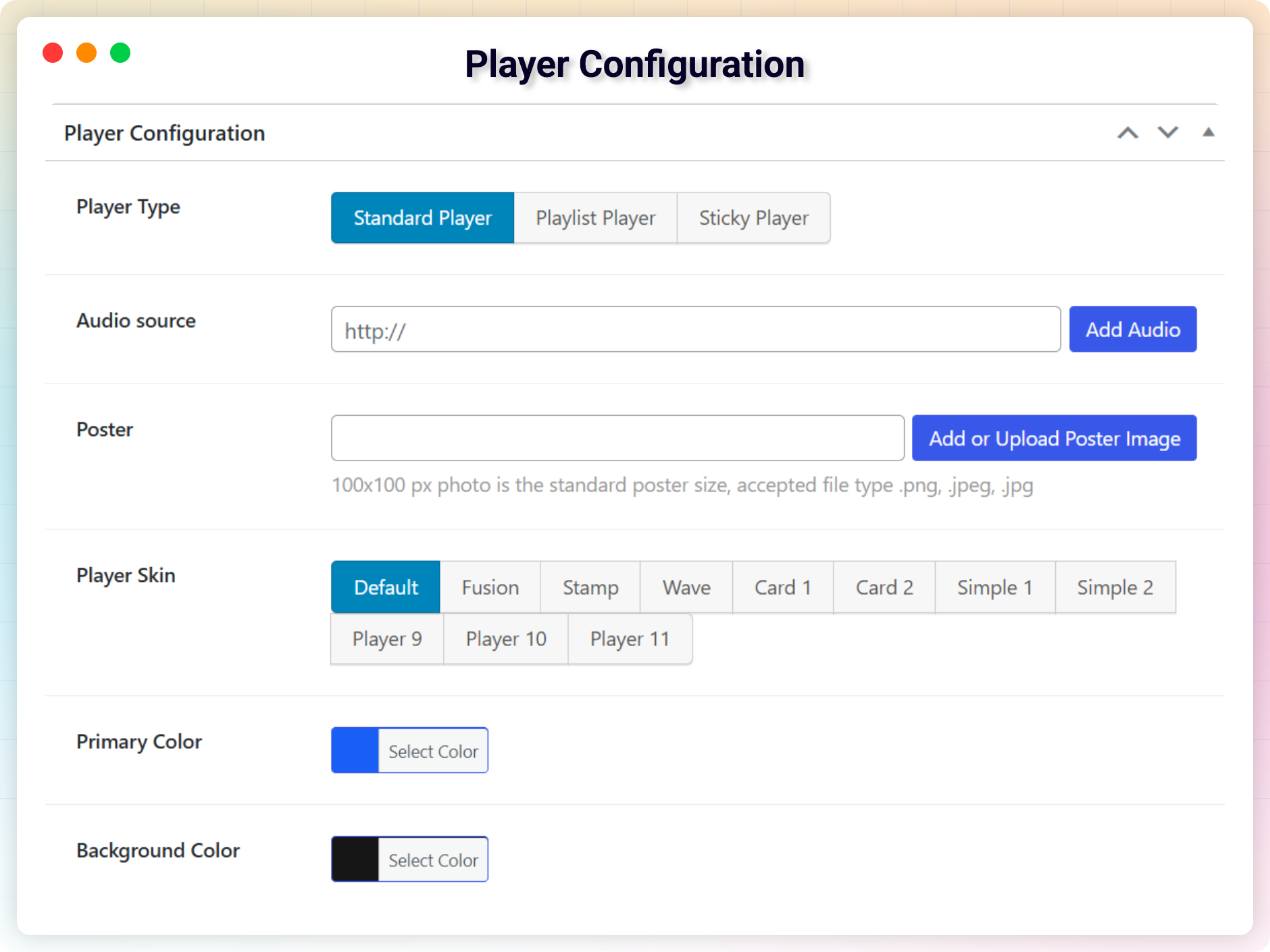
Player Configuration
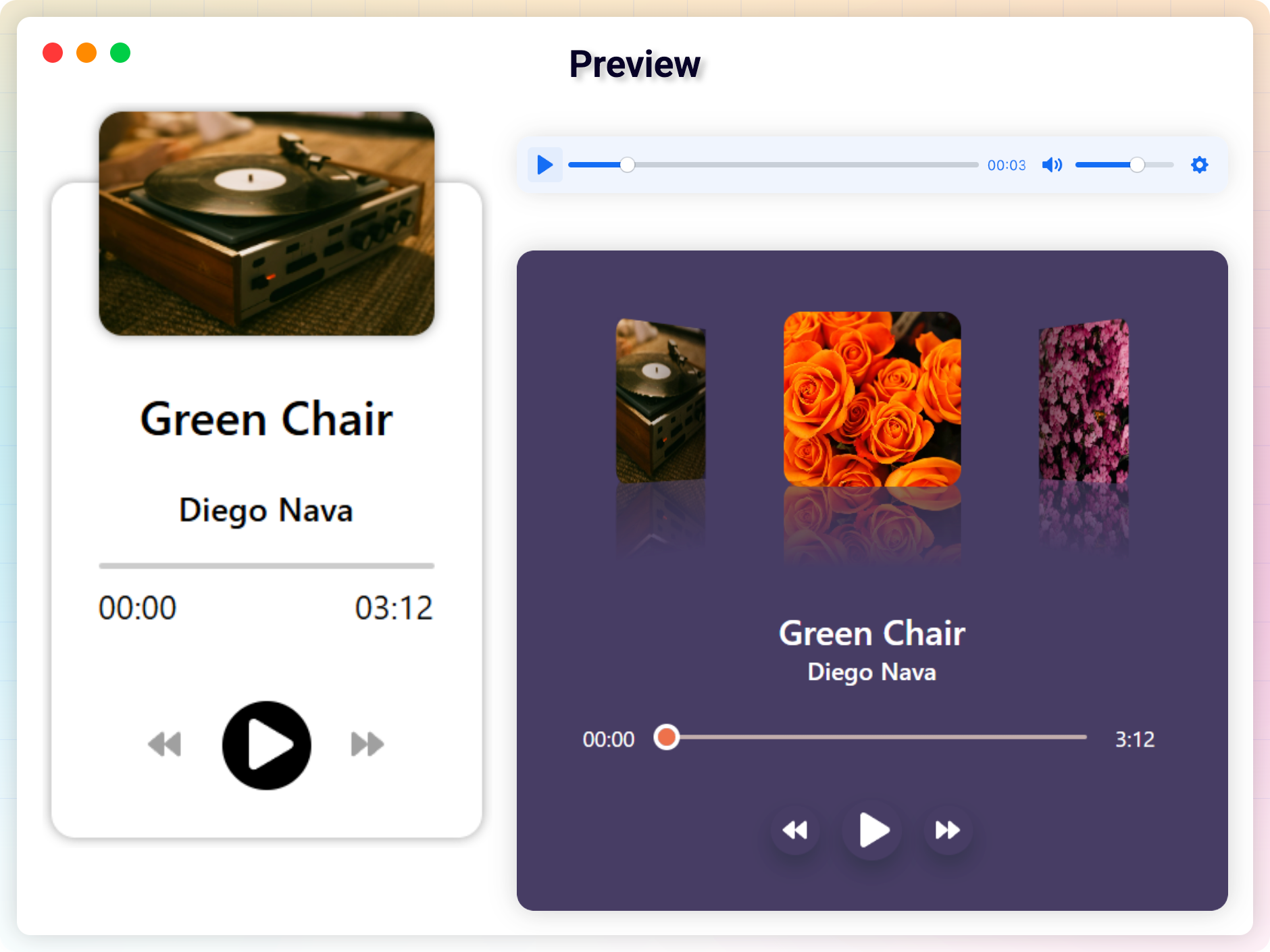
Preview
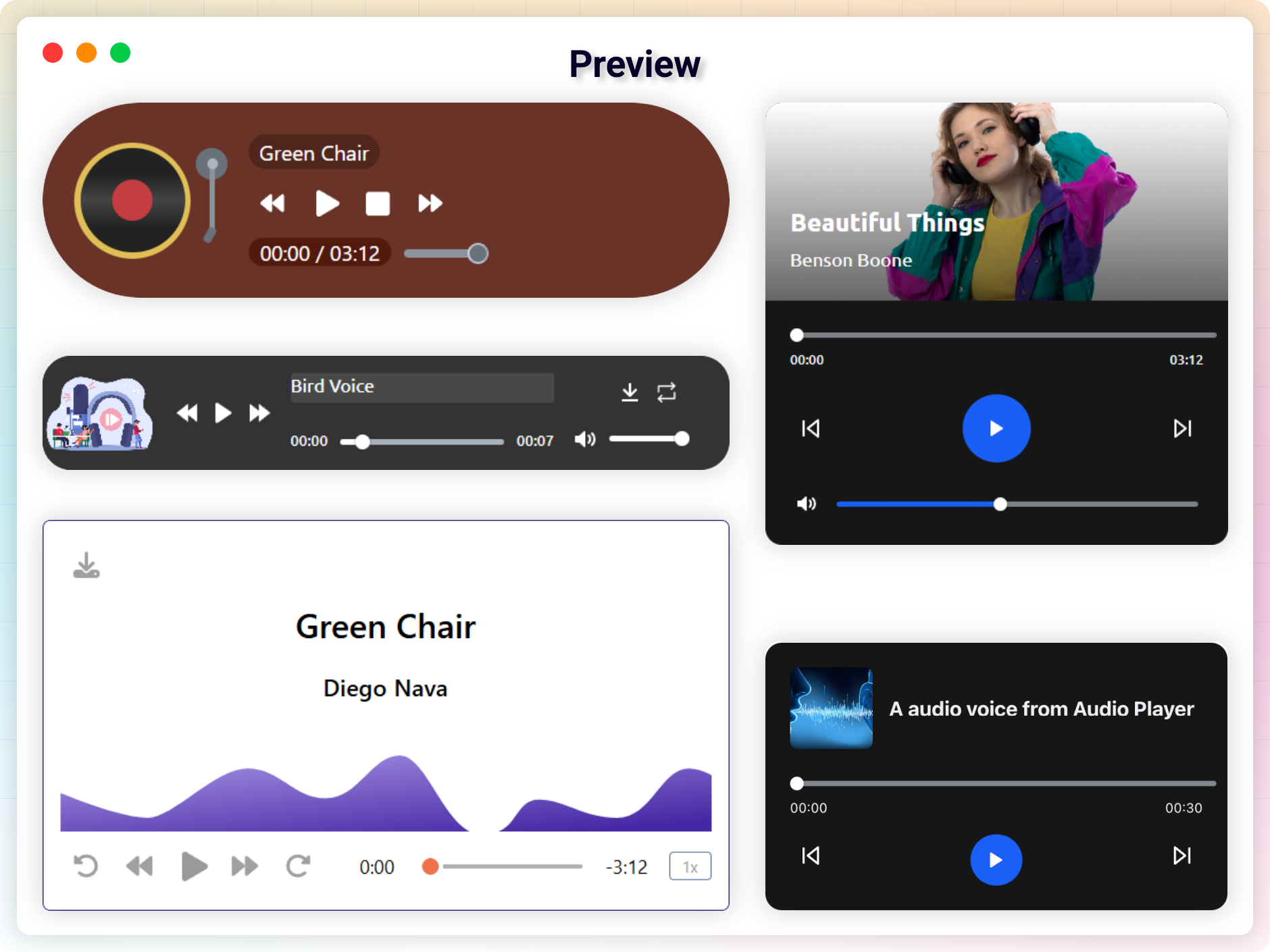
Preview
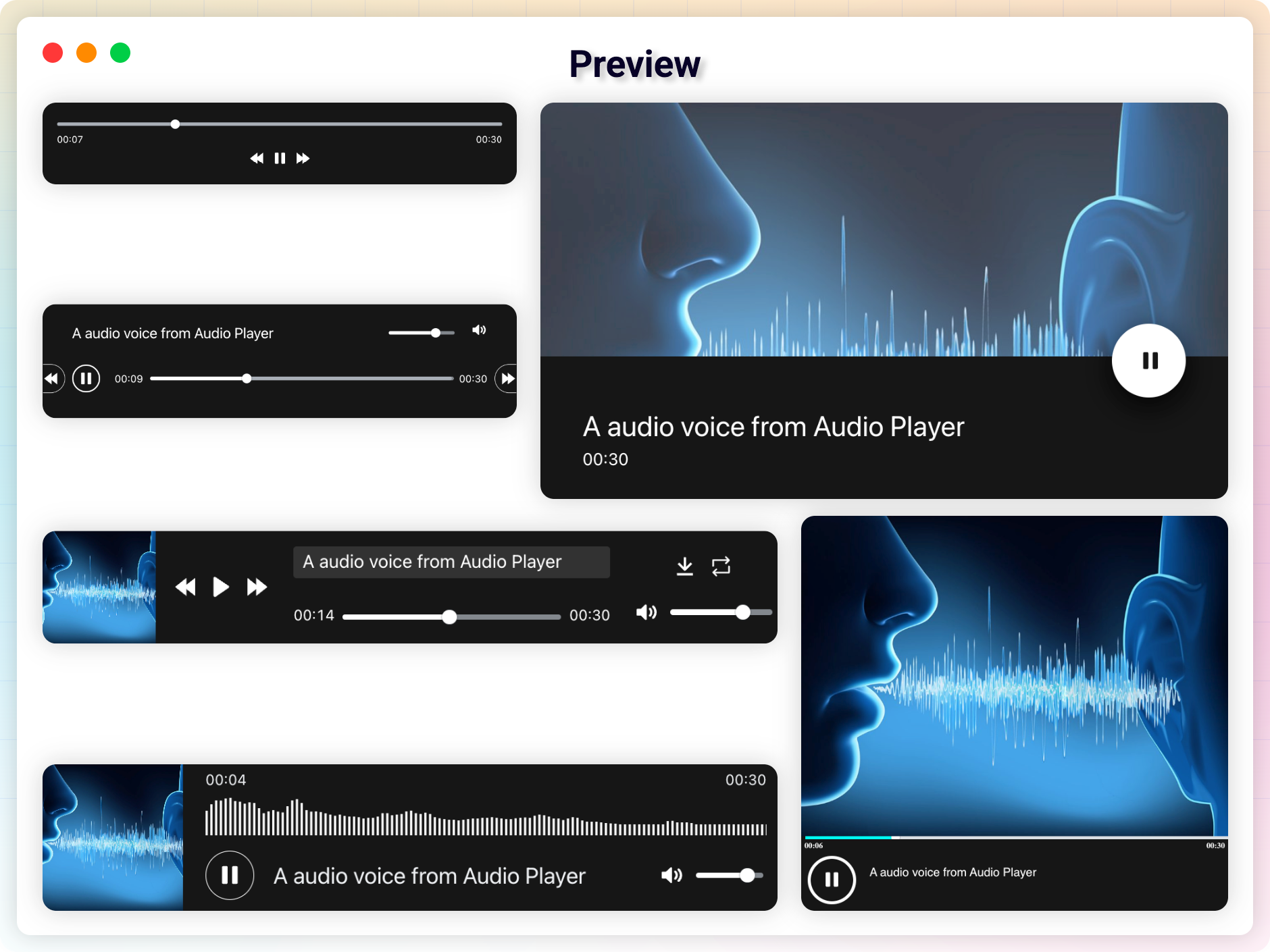
Preview
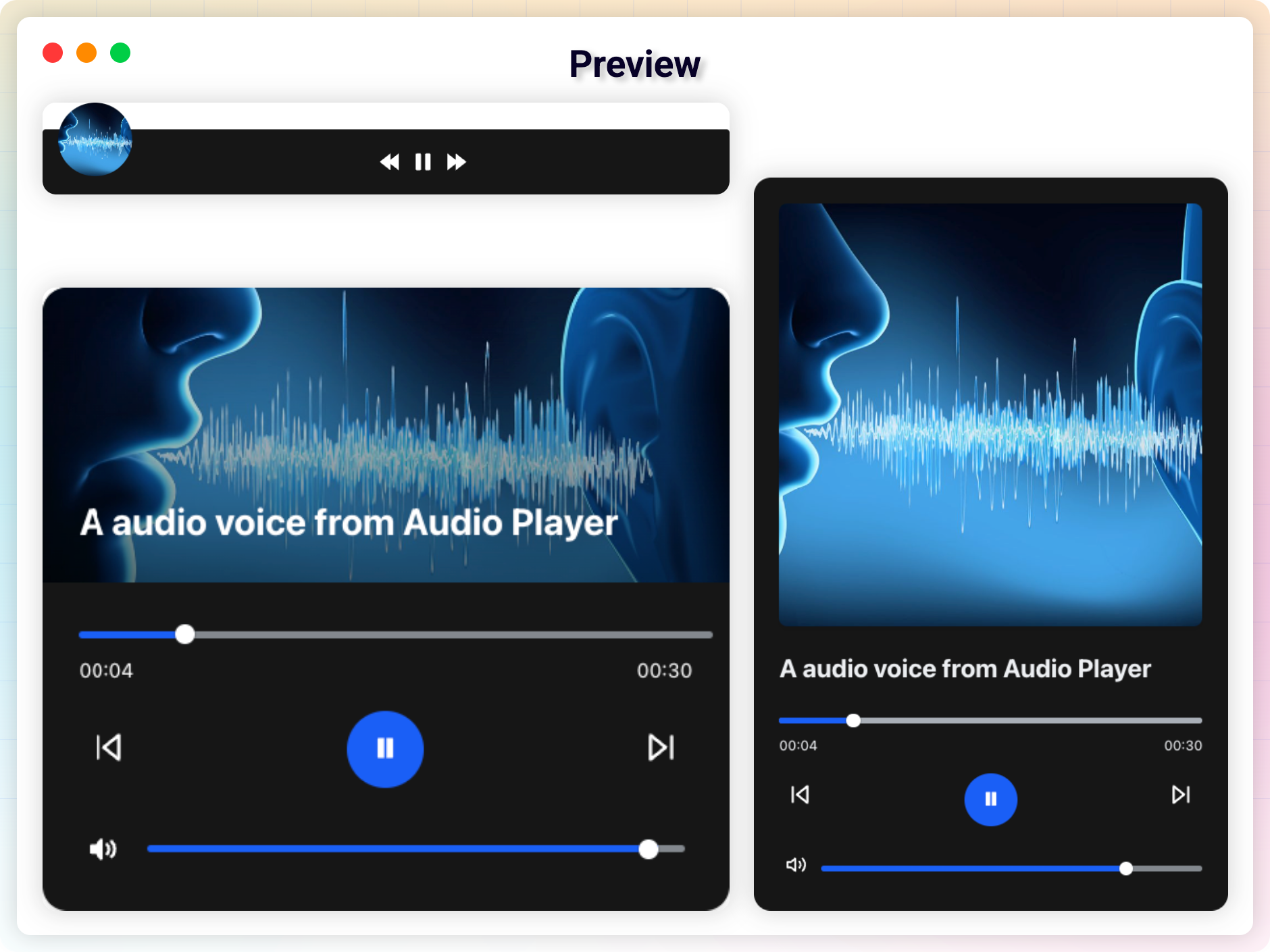
Preview
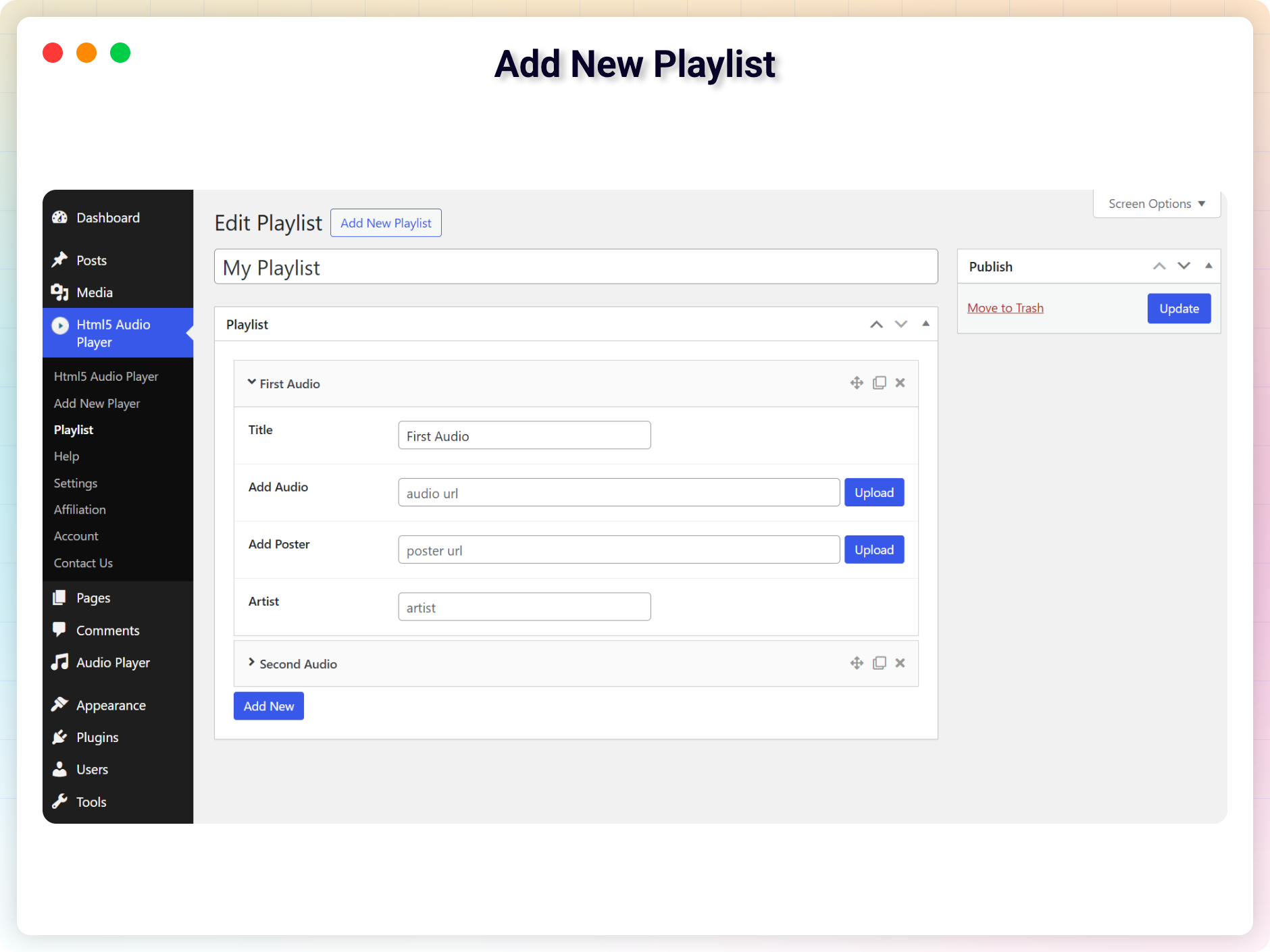
Add New Playlist
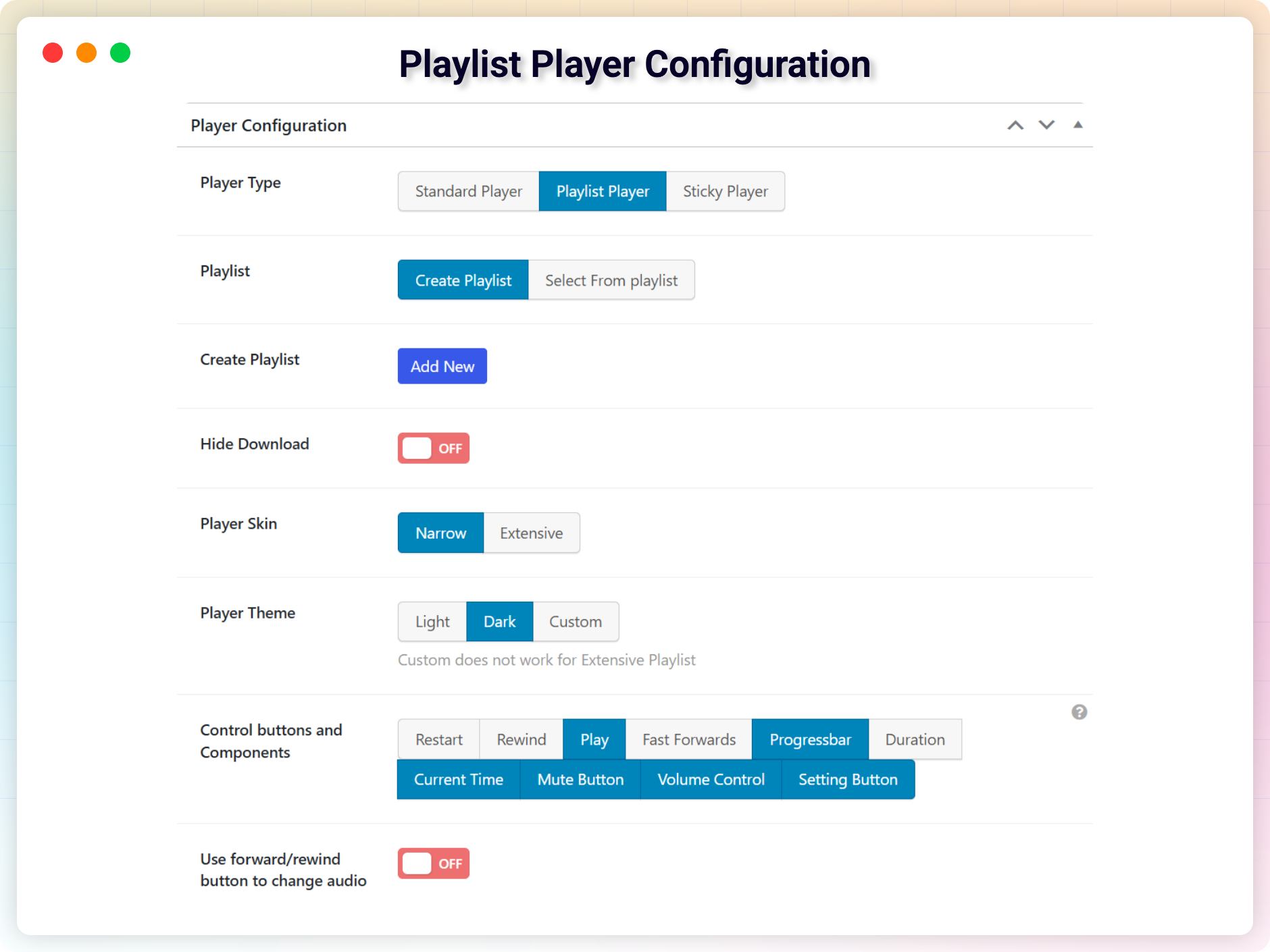
Playlist Player Configuration
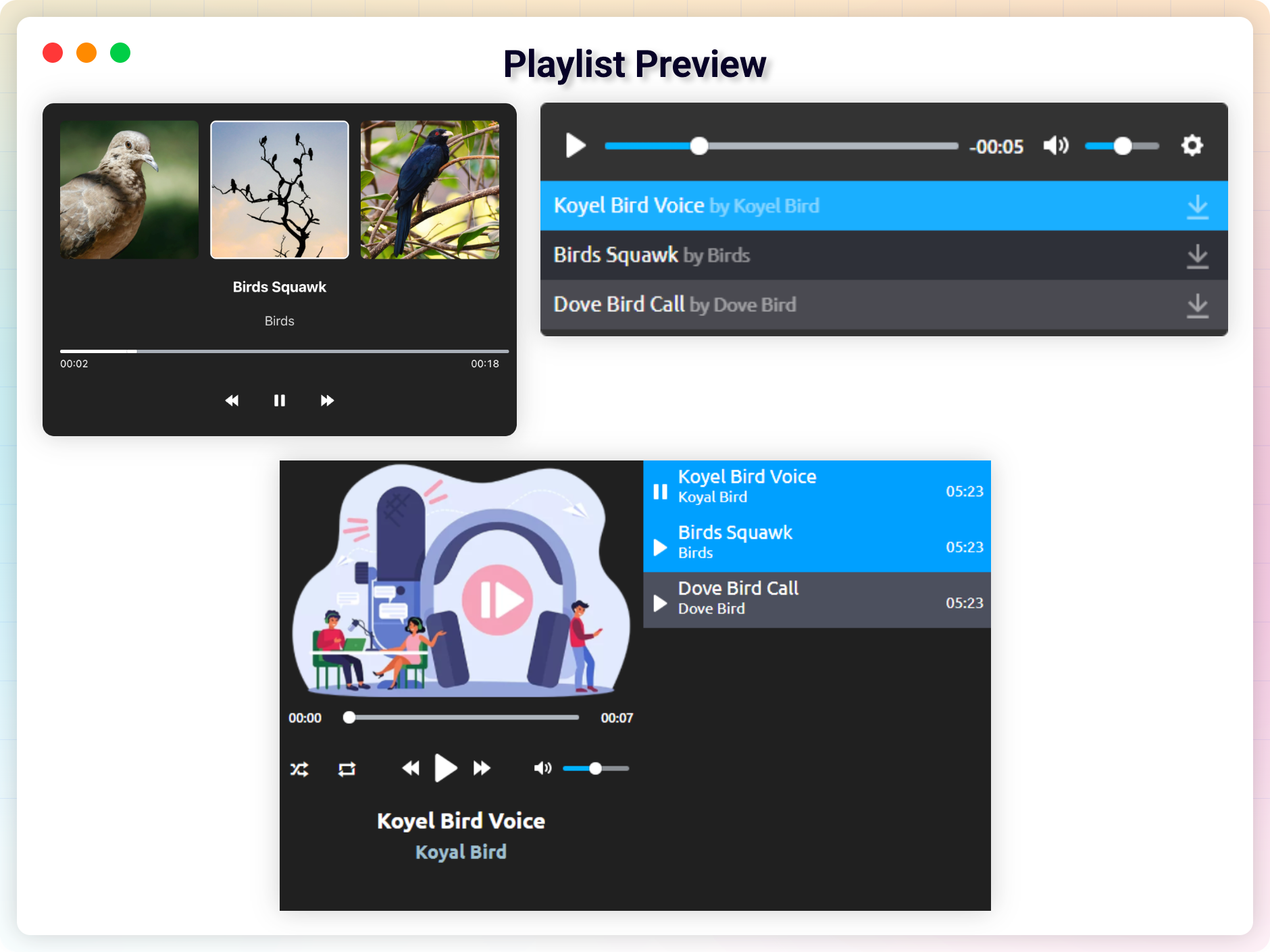
Playlist Preview
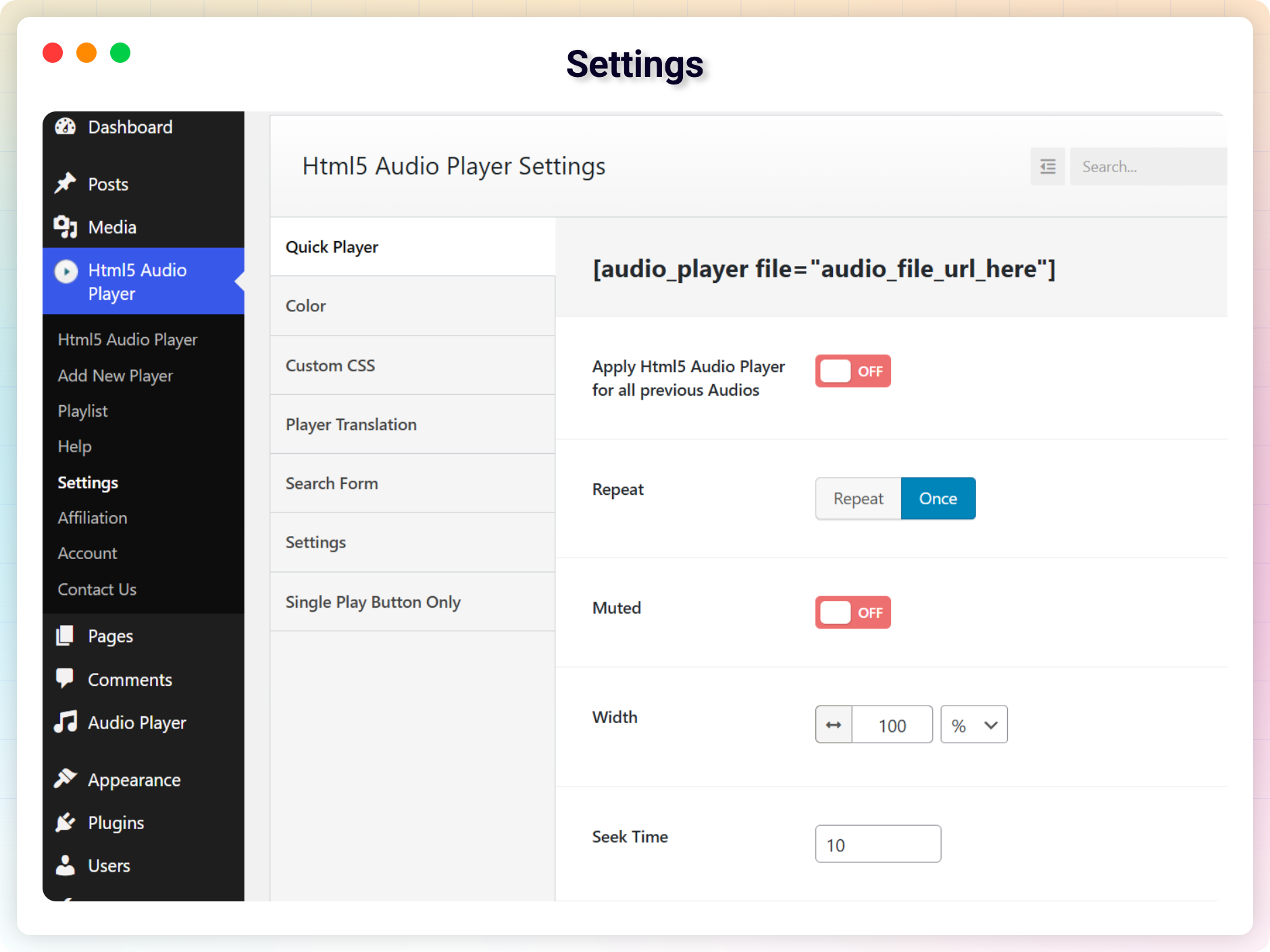
Settings
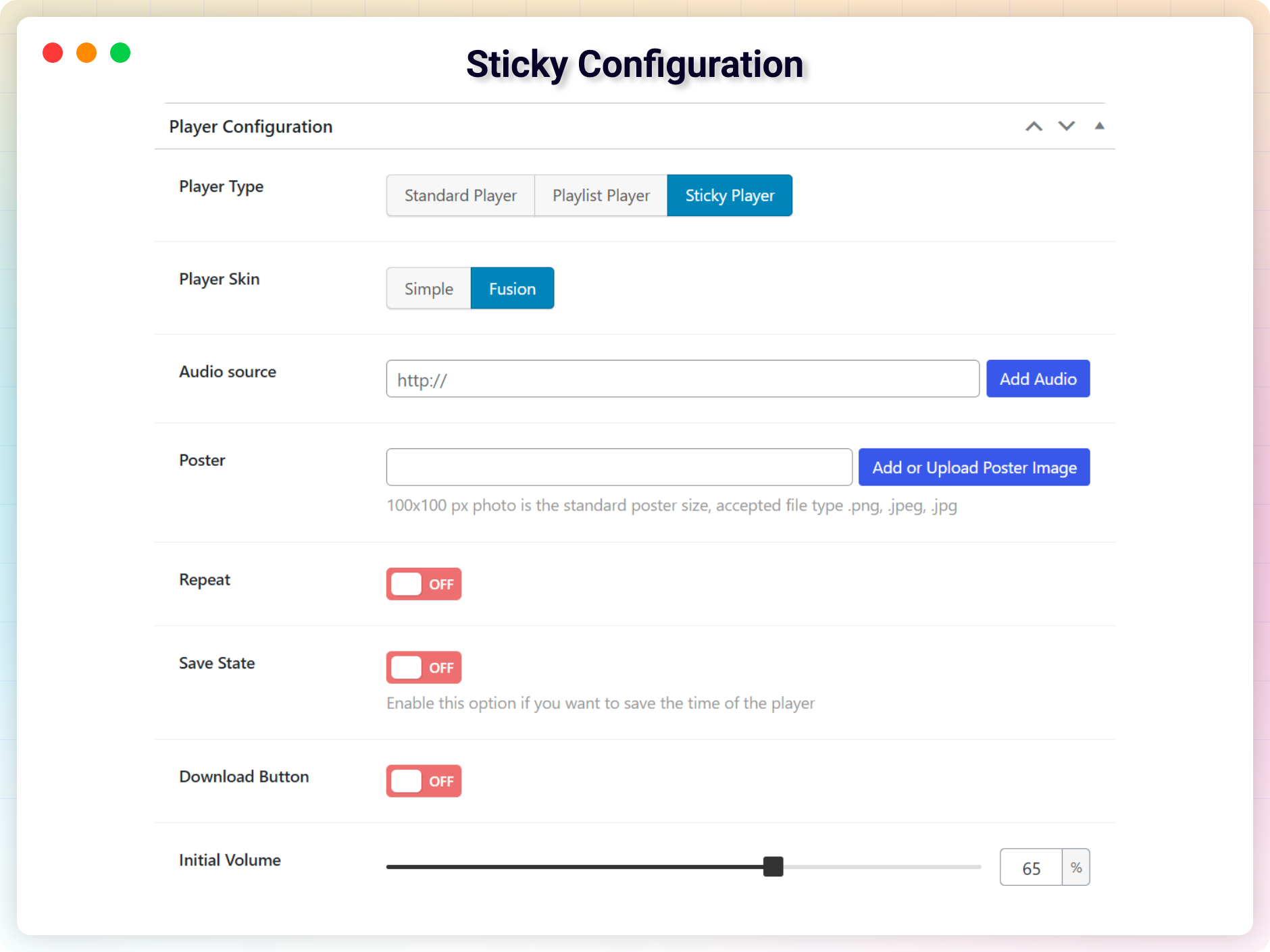
Sticky Configuration
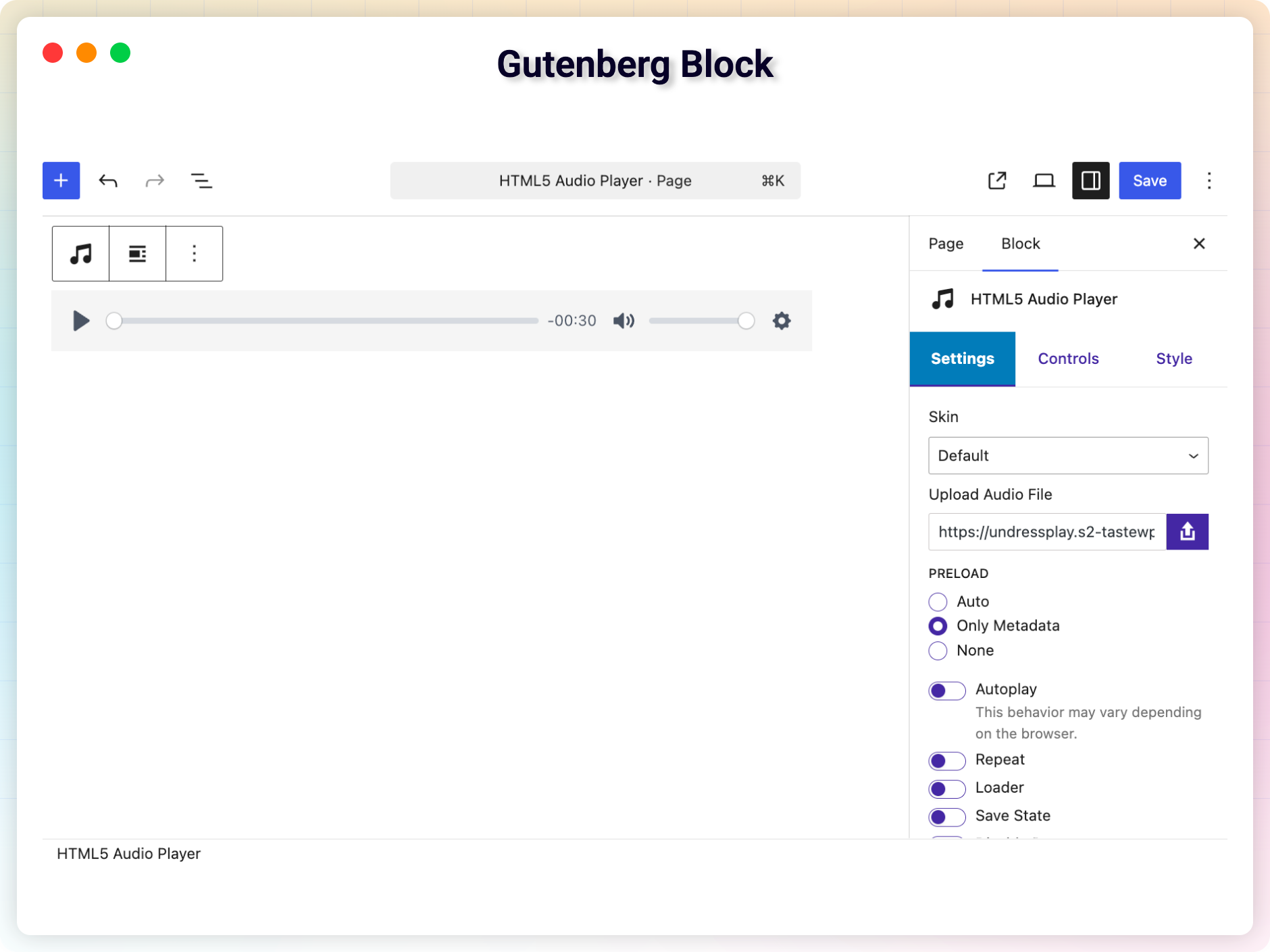
Gutenberg Block
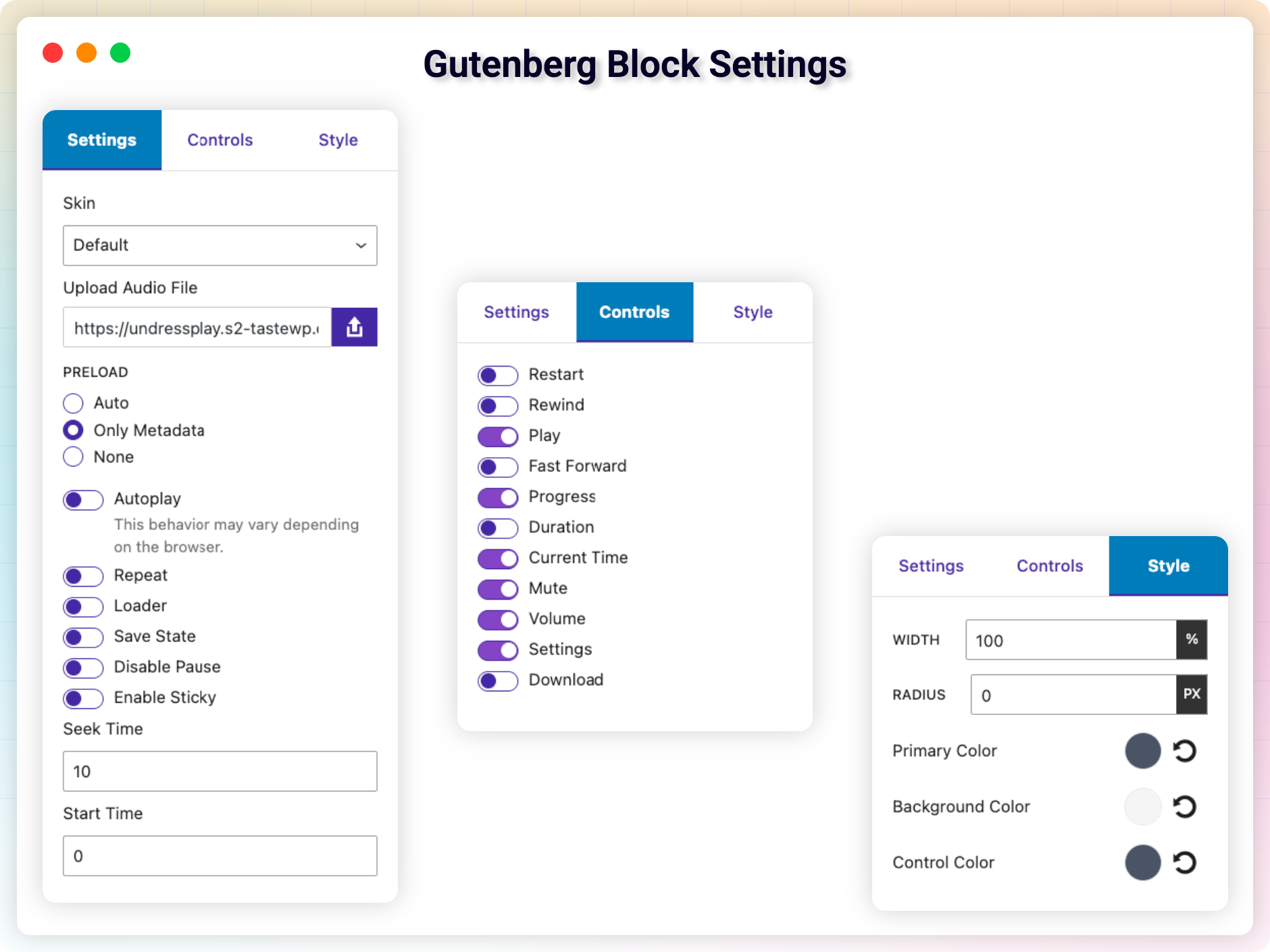
Gutenberg Block Settings
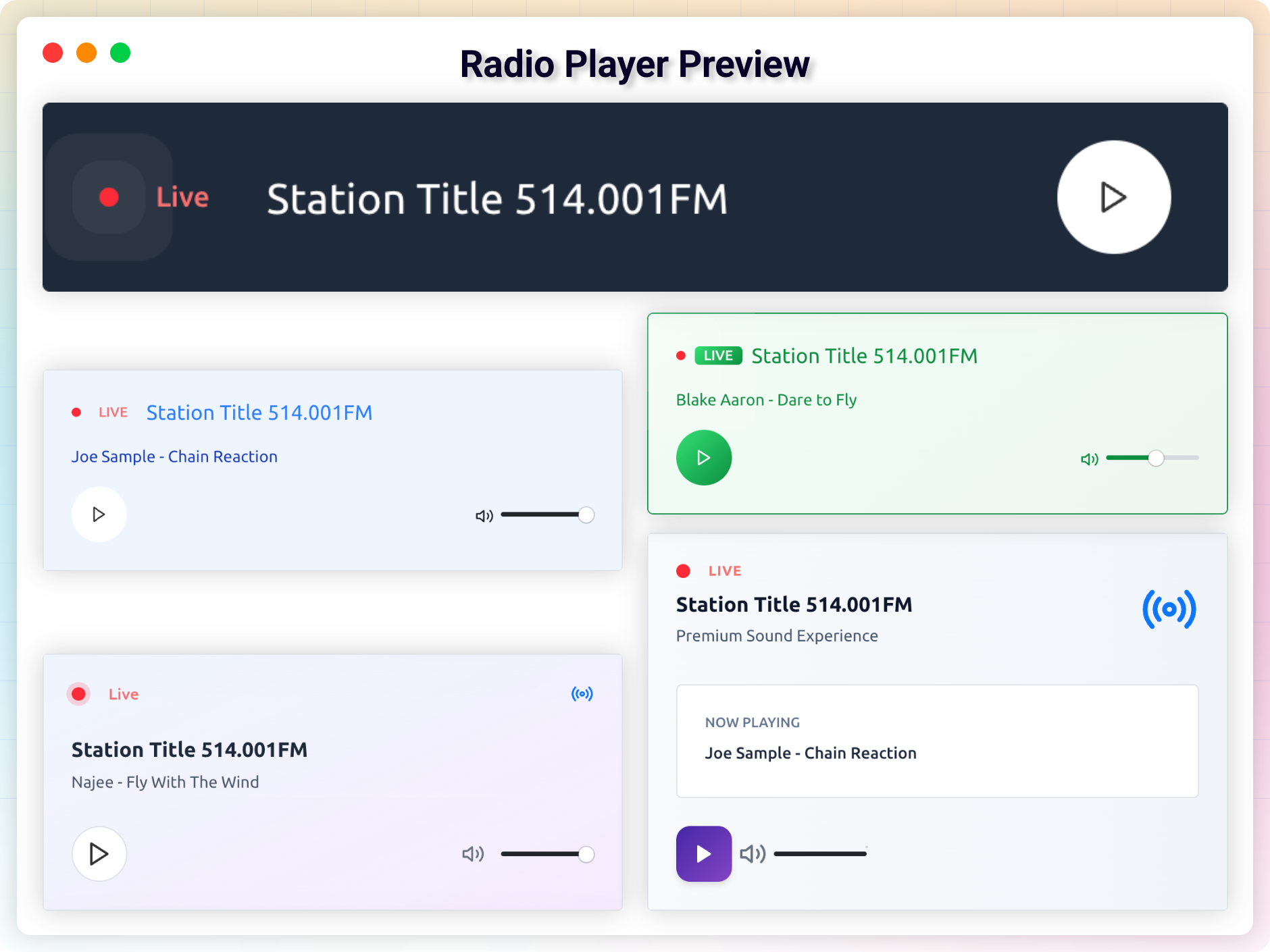
Changelog
2.5.1 – 13 Nov, 2025
- Update: Dashboard
- Improved: Code
2.5.0 – 21 July, 2025
- New: Dashboard page
- Improved: Code,
- Fixed: Disapear Player
2.4.0 – 29 June, 2025
- New Block: HTML5 Radio Player
- Shortcode: [h5ap_radio_player id=1740]
2.3.3 – 22 June, 2025
- Fixed: Fix Responsive issue.
- Improved: Code
2.3.2 – 11 May, 2025
- Fixed: Hide Download option worn’t work (Pro)
2.3.0 – 20 April, 2025
- Update: Improve Security
- Added: New Playlist (Premium)
- Fixed: shortcode Vulnerability
2.2.28 – 27 Jan, 2025
- Update: Update Freemius WordPress SDK
2.2.27 – 20 Dec, 2024
- Fixed: Elementor Can’t Edit (Undefined Elementor Color Schema)
2.2.26 – 26 Nov, 2024
- Fixed: Undefined array key “primary”
2.2.25 – 18 Aug, 2024
- Fixed: High Memory Usage
- Fixed: Preset color does apply on Gutenberg blocks
2.2.24 – 25 June, 2024
- Fixed: Patchstack Vulnerability
2.2.23 – 15 May, 2024
- Fixed: Double player issue
2.2.22 – 9 May, 2024
- Feature: Enable/Disable Loader
- Fixed: audio doesn’t play old (before 2018) iOS devices.
- Feature: Set start time (premium)
2.2.19 – 3 Feb, 2024
- Fixed: m4a issue in safari
2.2.18 – 27 Jan, 2024
- Feature: Quick Player / New Shortcode Added
- Fixed: Deprecated: Creation of dynamic property
2.2.17 – 4 Dec, 2023
- Fixed: File does not exist
2.2.16 – 22 Nov, 2023
- Fixed: default player not working
2.2.14 – 25 Sep, 2023
- Fixed: call to undefined function str_contains
2.2.13 – 20 Sep, 2023
- Fixed: Deprecated error from Codester
2.2.12 – 18 Sep, 2023
- Option to set initial volume in Elementor addon
2.1.10
- Elementor Addons Added
- Gutenberg Block Added
2.1.5
- solve audio player duration stuck issue
1.3
- Enabled Direct file download with the original file name.
- Fix a minor issue
- Improved performance
1.2
- Add support for Gutenberg Block
1.1
- fix player position issue
- Change player skin to modern one.
- improved performance
1.0
- Initial Release