

HYPERISE Website Personalisation and OpenGraph personalised link previews
The plugin provides a simple way to add the Hyperise snippet to your website and start personalising your website.
Plugin info
Maintenance & Compatibility
Maintenance score
Possibly abandoned • Last updated 1747 days ago
Is HYPERISE Website Personalisation and OpenGraph personalised link previews abandoned?
Possibly abandoned (last update 1747 days ago).
Compatibility
Similar & Alternatives
Explore plugins with similar tags, and compare key metrics like downloads, ratings, updates, support, and WP/PHP compatibility.
Description
The plugin provides a simple way to add the Hyperise snippet to your website and start personalising your website.
This plugin also leverages Hyperise.com dynamic images with OpenGraph, to display personalised images in the preview pane, when you share a link with the utm_hyperef parameter added.
Adding Facebook OpenGraph tags into your blog’s single posts and pages, which include Blog Title, Post Title, Description and Dynamic Image.
Note:
Hyperise OG Tags will be added only on Single Posts and Pages.
Installation
Once you’ve activated the Plugin:
-
Add your Hyperise Snippet to the plugins settings page, located on the main menu.
-
Use the Hyperise Chrome Extension to define personalisation on the website pages.
-
To personalise OG tags, edit any Page or Post and update with personalised share details.
Frequently Asked Questions
Review feed
Screenshots
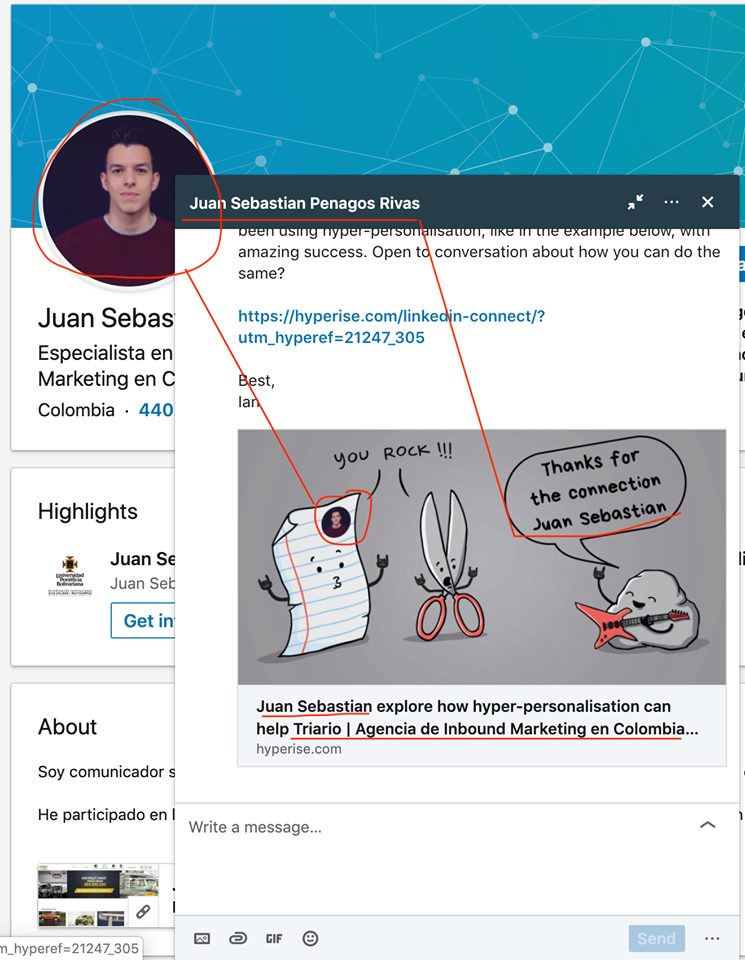
Add personalised images to your LinkedIn outreach and more

Personalised Post and Page text and image content to each visitor

Add Javascript snippet from the Hyper-Campaign