

Idle User Logout
This plugin automatically logs out the user after a period of idle time. The time period can be configured from admin end.
Plugin info
Maintenance & Compatibility
Maintenance score
Possibly abandoned • Last updated 742 days ago • 18 reviews
Is Idle User Logout abandoned?
Possibly abandoned (last update 742 days ago).
Compatibility
Similar & Alternatives
Explore plugins with similar tags, and compare key metrics like downloads, ratings, updates, support, and WP/PHP compatibility.
Description
This plugin detects idle user and execute the action that is being specified in Admin End.
The plugin is very minimalistic. Nothing fancy. So, if you are looking for a plugin that adds up security without having to add additional load in your website, you can try this plugin.
From version 2.0, you can now specify the action and time for each user role.
It tracks the users activity in both the front end and admin end.
You can setup Idle Time from WP Admin > Settings > Idle User Logout
Once you reach Idle User Logout Page, you can setup behavior of the plugin for each user\’s role.
If there is any problem, or need any help, we can give you a helping hand.
Installation
Install this plugin is very simple:
-
Upload the plugin\’s folder to the
/wp-content/plugins/directory -
Activate the plugin through the \’Plugins\’ menu in WordPress
-
That\’s it! Go to Settings > Idle User Logout and configure the field \”Auto Logout Duration\” as you want.
Frequently Asked Questions
Go and configure the time period whatever you like from your admin end general settings page.
It\’s in milliseconds, so 2 seconds is equal to 2000 ms of idle time.
It isn\’t possible. The plugin does some validation, which force user to set idle time minimum 10. If left blank, it will take default time mentioned in General Settings tab.
Review feed
Awesome!
Screenshots
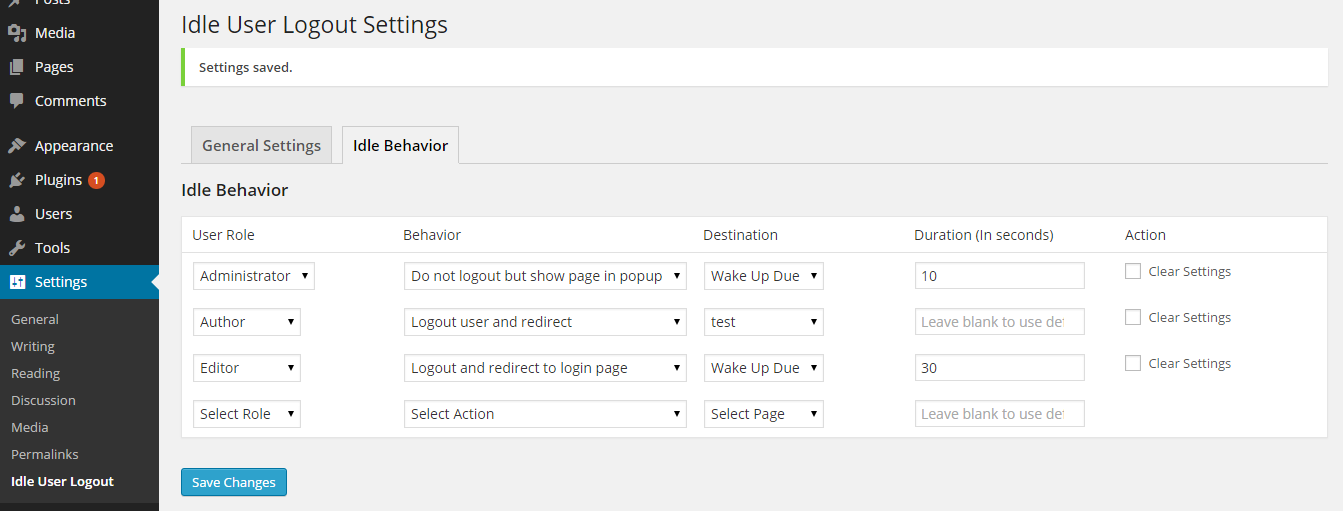
1 Admin Section Admin section to describe the behavior of each roles of users
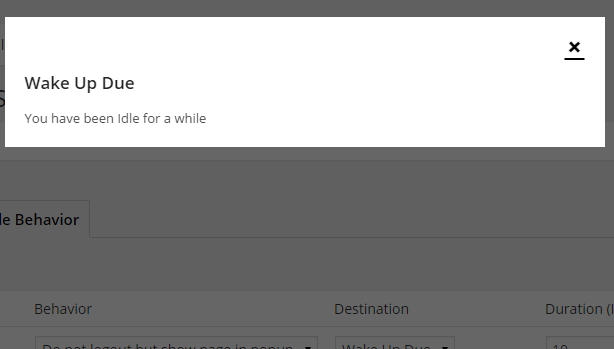
2 Popup Pop up shown right after idle timer is reached.
Changelog
3.1
- No changes are made. Just updated the version
3.0
- Ensured WordPress 5.8.2 compatibility
- Ensured PHP 8.0 compatibility
- Updated timer library
2.3
- Dev: Server end timer added – User will get kicked out even if they close the browser
- Dev: Added session destory along with cookie
- Ensured WordPress 4.6 compatibility
2.2
- Fix: Minor JavaScript issues.
- Ensured WordPress 4.3 compatibility
2.1
- Fix: Minor issue while activating the plugin.
2.0
- Feature: Added Idle Behavior for each user roles.
1.3
- Fix: Mobile issue resolution
1.2
- Fix: Plugin activation error resolution
1.1
-
Fix: Bug fixed in Firefox and IE
-
Added independent Settings UI
1.0
- First Version