

Plugin info
Maintenance & Compatibility
Maintenance score
Possibly abandoned • Last updated 547 days ago
Is Image Classify abandoned?
Possibly abandoned (last update 547 days ago).
Compatibility
Similar & Alternatives
Explore plugins with similar tags, and compare key metrics like downloads, ratings, updates, support, and WP/PHP compatibility.
Description
Image Classify is a WordPress plugin that provides a block to classify images using deep learning. The plugin allows administrators to control what kind of images users can upload, helping to block unwanted image uploads to the server.
The plugin uses a third-party deep learning model to perform image classification, without sending data outside of the user’s device. The model is loaded locally, ensuring data privacy.
Features
- Image classification using TensorFlow.js with MobileNet V1.
- Set minimum confidence score thresholds for image classes.
- Control image uploads based on classification results.
Integrations
The plugin uses a third-party model from TensorFlow Hub, but no data is sent out of the user’s device. The model used is:
* MobileNet V1 Classification Model
Installation
To install the Image Classify plugin:
- Upload the plugin files to the
/wp-content/plugins/image-classifydirectory, or install the plugin through the WordPress plugins screen directly. - Activate the plugin through the ‘Plugins’ screen in WordPress.
Frequently Asked Questions
The confidence score is the minimum threshold value that determines whether an image belongs to one of the specified classes. If an image’s classification score is below this threshold, it will be blocked from uploading.
No. The plugin loads a pre-trained model from TensorFlow Hub to classify images, but all processing happens locally on the user’s device, and no data is sent to third-party servers.
Review feed
Screenshots
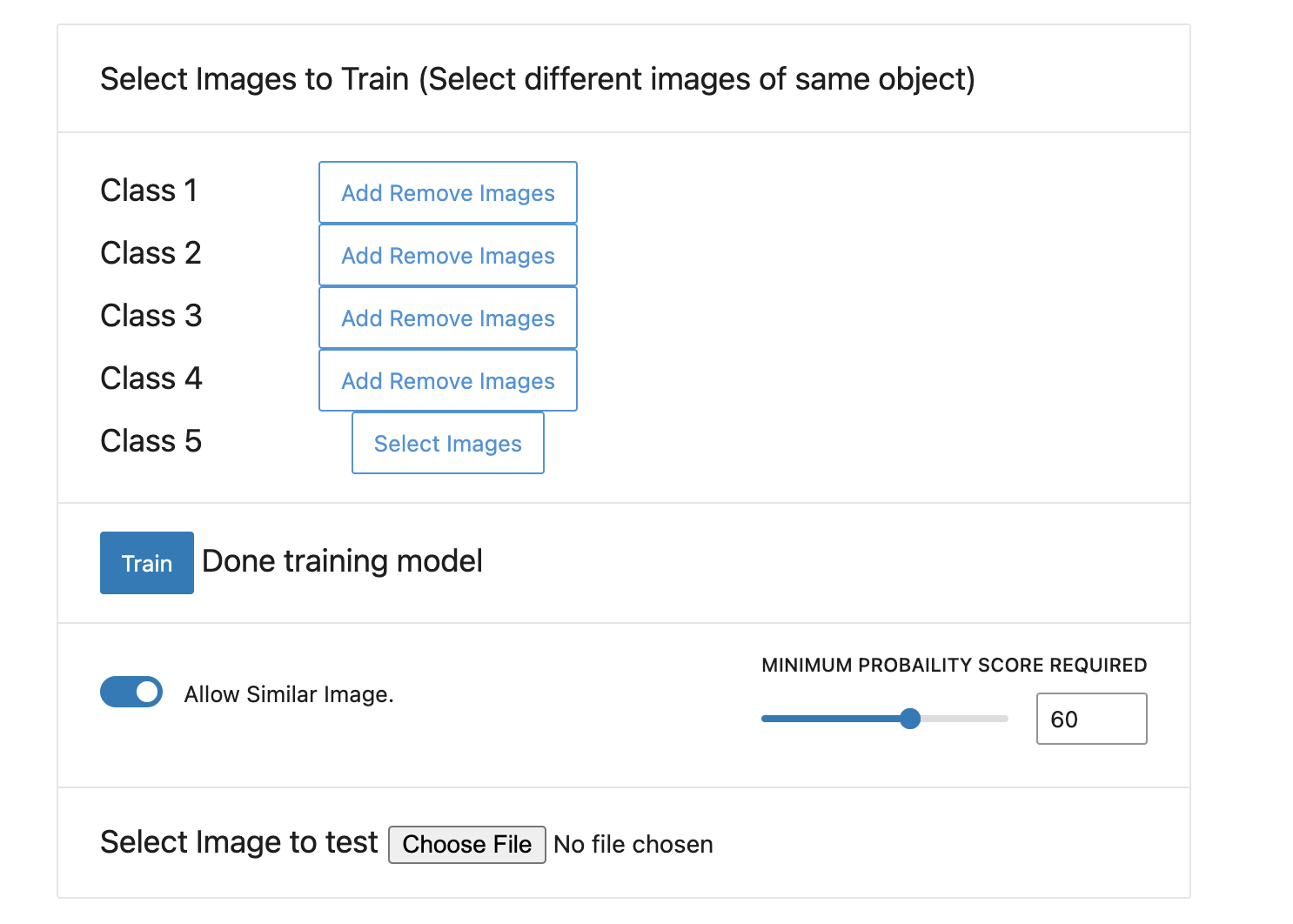
Block settings configuration screen for administrators.

User-facing side of the block to provide feedback about image classification.
Changelog
0.1.0
- Initial release.
1.0.0
- Added nonce verification for improved security.