

Image Picker – Image Choices for Elementor Forms
Add beautiful image picker / image choices fields (radio, checkbox, select) to Elementor Forms.
Maintenance 50/100125d since update
Active installs
20
Downloads
138
Reviews
0
Age
0.5y
Plugin info
Total downloads: 138
Active installs: 20
Total reviews: 0
Average rating: 0
Support threads opened: 0
Support threads resolved: 0 (0%)
Available in: 1 language(s)
Contributors: 2
Last updated: 11/28/2025 (125 days ago)
Added to WordPress: 10/20/2025 (0 years old)
Minimum WordPress version: 2.0
Tested up to WordPress version: 6.9
Minimum PHP version: f
Maintenance & Compatibility
Maintenance score
Maintained • Last updated 125 days ago
50/100
Is Image Picker – Image Choices for Elementor Forms abandoned?
Likely maintained (last update 125 days ago).
Compatibility
Requires WordPress: 2.0
Tested up to: 6.9
Requires PHP: f
Similar & Alternatives
Explore plugins with similar tags, and compare key metrics like downloads, ratings, updates, support, and WP/PHP compatibility.
Image Picker For Gravity Forms
Rating 5.0/5 (8 reviews) • Active installs 1,000
Description
Image Picker for Elementor Forms extends Elementor Pro Forms with image-based fields.
Instead of boring dropdowns or checkboxes, you can display images as selectable options (Image Choices).
Demo: https://demo.add-ons.org/demo-image-picker-image-choices/
Document: https://add-ons.org/document-image-choices-image-picker-for-elementor-form/
Perfect for
- Product variations (color, size, style, etc.)
- Service selection with images
- Voting or polls
- Any form where images make choices easier
Features
- Works with Select, Radio, Checkbox fields (no new field type required).
- Multiple layouts: Simple, Card, Circle, Polar, Box, Cover.
- Highlight border & check icon when selected.
- Responsive and customizable with CSS variables:
Usage
- Edit a form with Elementor Pro.
- Add a Select, Radio, or Checkbox field.
- In the field settings, toggle Enable Image Picker.
- Enter your choices:
Installation
- Upload the plugin files to the
/wp-content/plugins/post-submissions-for-elementor-formsdirectory, or install the plugin directly through the WordPress plugins screen. - Activate the plugin through the “Plugins” screen in WordPress.
- Create a form with Elementor Forms.
- Go to Form Actions enable Post Submission.
- Map your form fields to post fields (title, content, featured image, etc).
- Done! Submissions will automatically create new posts in WordPress.
Frequently Asked Questions
No FAQ available
Review feed
No reviews available
Screenshots
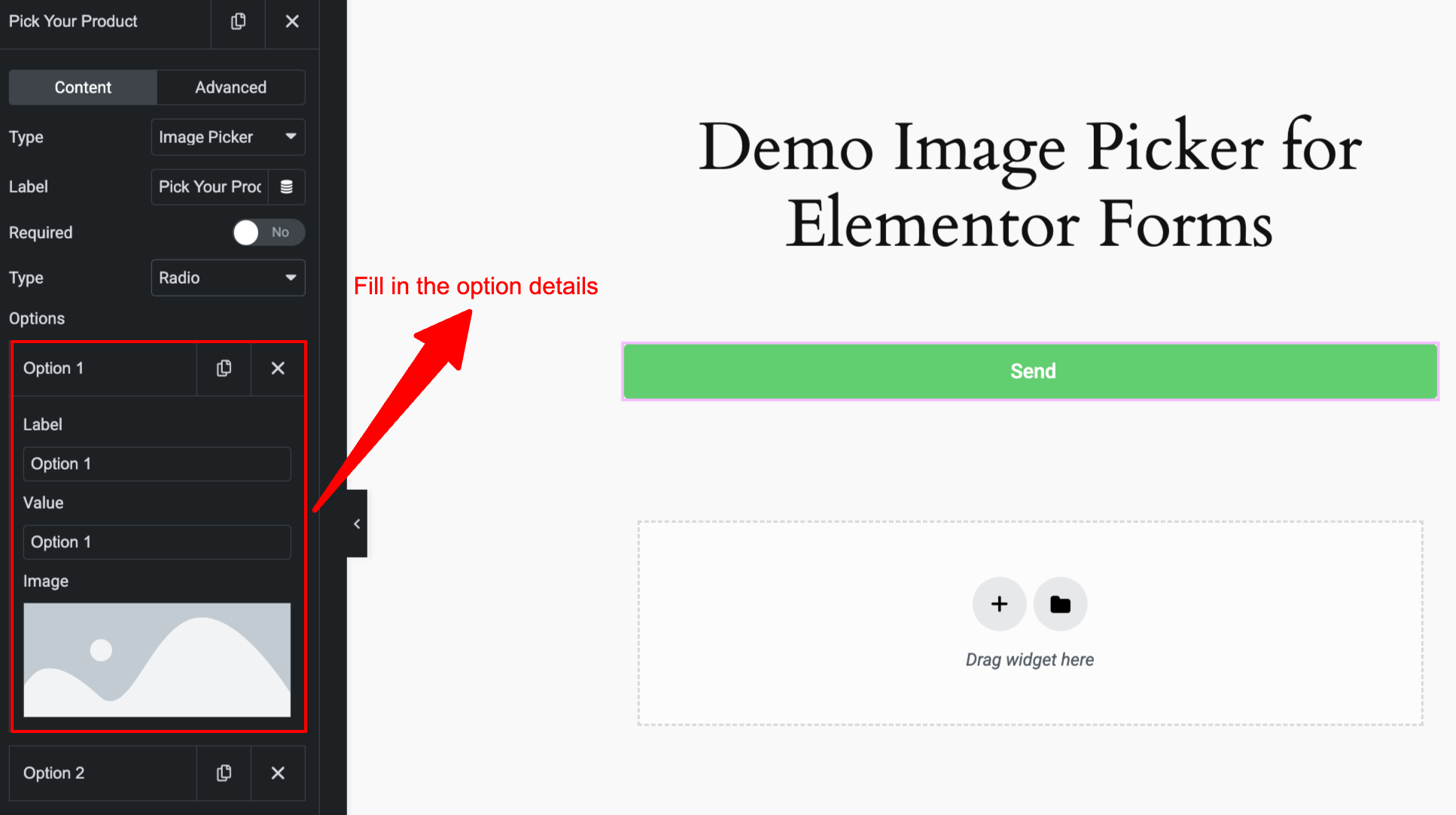
Enable "Post Submission" action in Elementor form.
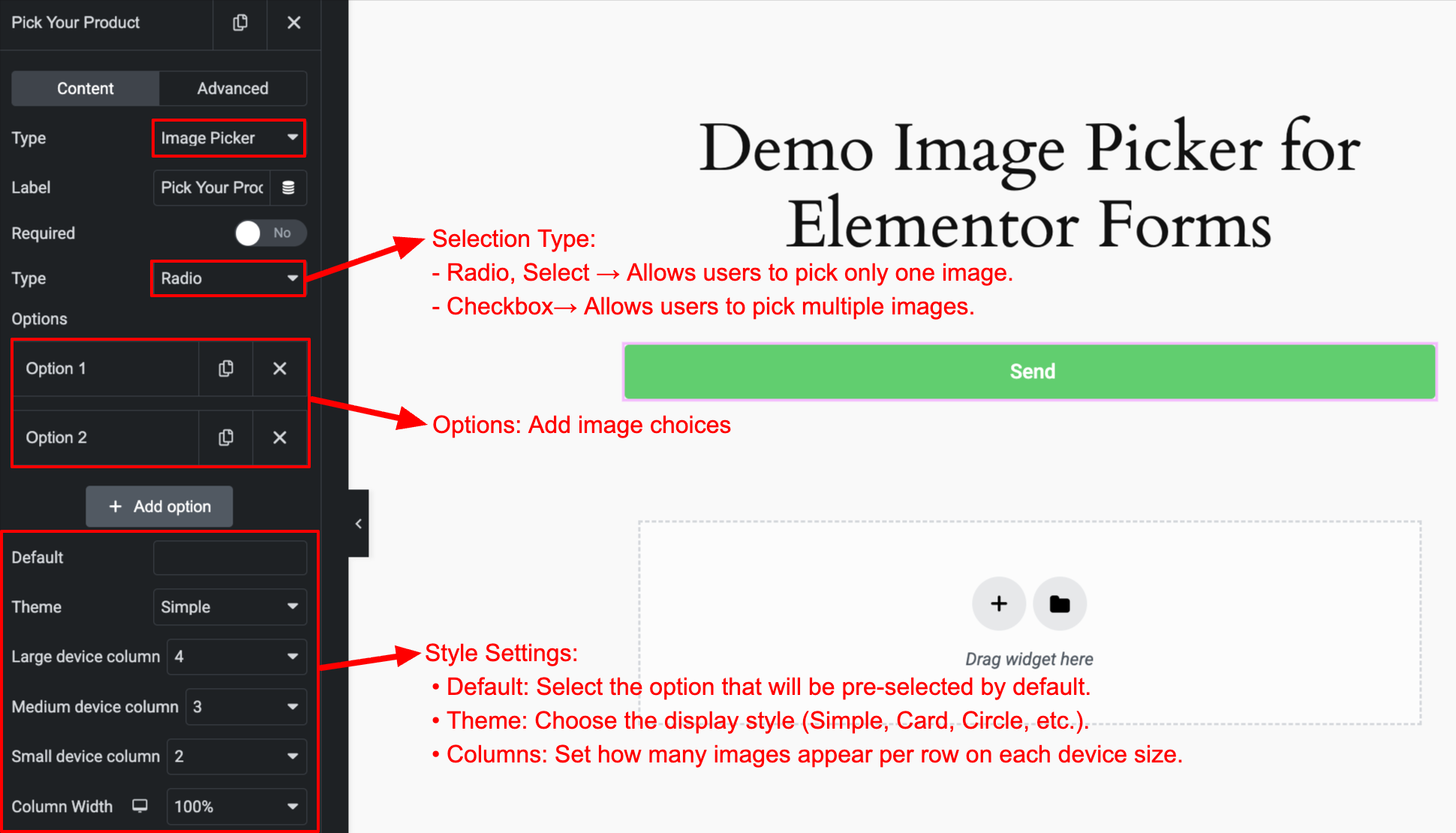
Map form fields to post fields.
Changelog
1.0.0
- Initial release.