

Image Preview for ACF Field
Enhances ACF fields with visual help images that appear in a modal popup when clicking a help icon.
Plugin info
Maintenance & Compatibility
Maintenance score
Stale • Last updated 310 days ago
Is Image Preview for ACF Field abandoned?
Likely maintained (last update 310 days ago).
Compatibility
Languages
Similar & Alternatives
Explore plugins with similar tags, and compare key metrics like downloads, ratings, updates, support, and WP/PHP compatibility.
Description
Image Preview for ACF Field is a WordPress plugin that enhances the Advanced Custom Fields (ACF) experience by adding visual help images to your fields. When users click on a help icon next to an ACF field, a modal popup appears showing a relevant help image.
Features
- Visual Help Images – Add preview images to ACF fields for visual guidance.
- Modal Popup – Clicking the help icon opens a clean, responsive popup.
- Easy Integration – Seamlessly integrates with the ACF UI.
- Responsive Design – Works well on all screen sizes.
- Universal Compatibility – Supports all ACF field types.
Usage
- Create or edit a field group in ACF.
- For any field, you’ll see a “Preview Image” option—enable it.
- Upload or select an image to be shown as a visual help.
- Save the field group.
- When editing a post or page, a small help icon will appear next to the field.
- Click the icon to view the help image in a popup.
Requirements
- WordPress 5.0 or higher
- Advanced Custom Fields (ACF) plugin
Installation
- Upload the
image-preview-for-acf-fieldfolder to the/wp-content/plugins/directory - Activate the plugin through the ‘Plugins’ menu in WordPress
- Make sure Advanced Custom Fields is installed and activated
- Configure your ACF fields to include help images
Frequently Asked Questions
Yes, this plugin works with all ACF field types.
Yes, this plugin requires Advanced Custom Fields to be installed and activated.
Review feed
Screenshots
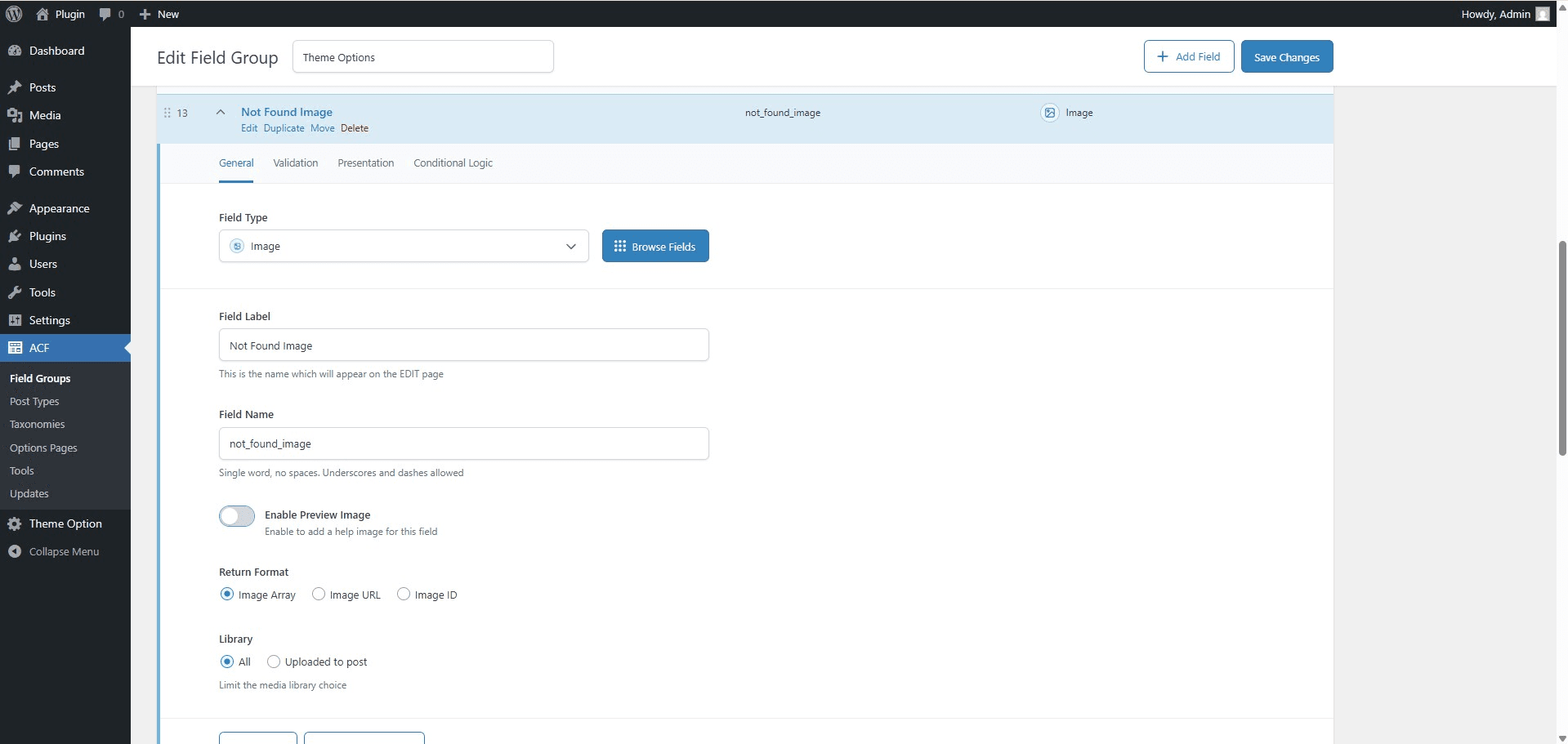
Enable Preview Image Option - In the ACF field settings, enable the "Preview Help Image" option to allow image-based assistance.
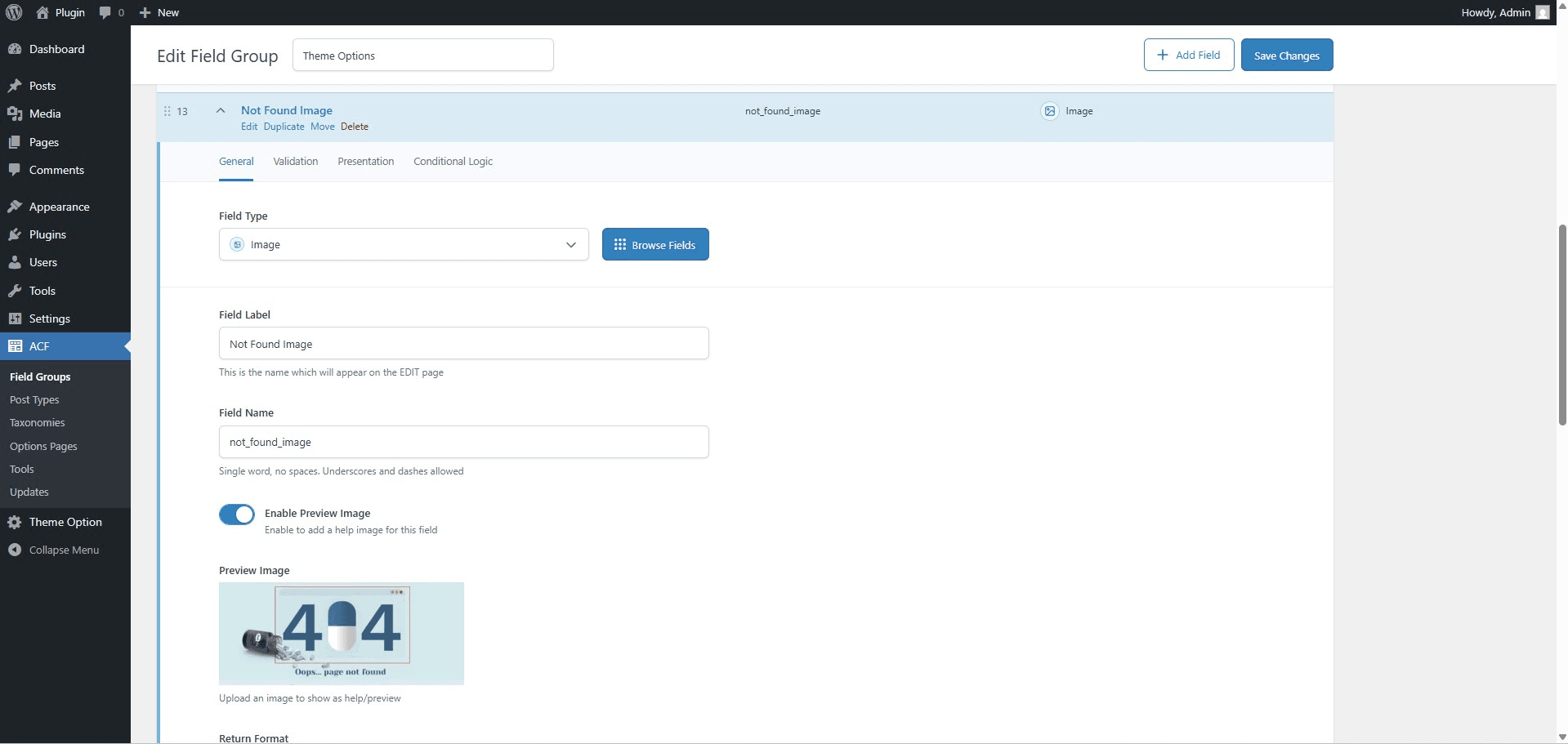
Upload Help Image - Upload a relevant help image for the selected ACF field using the new image upload field.
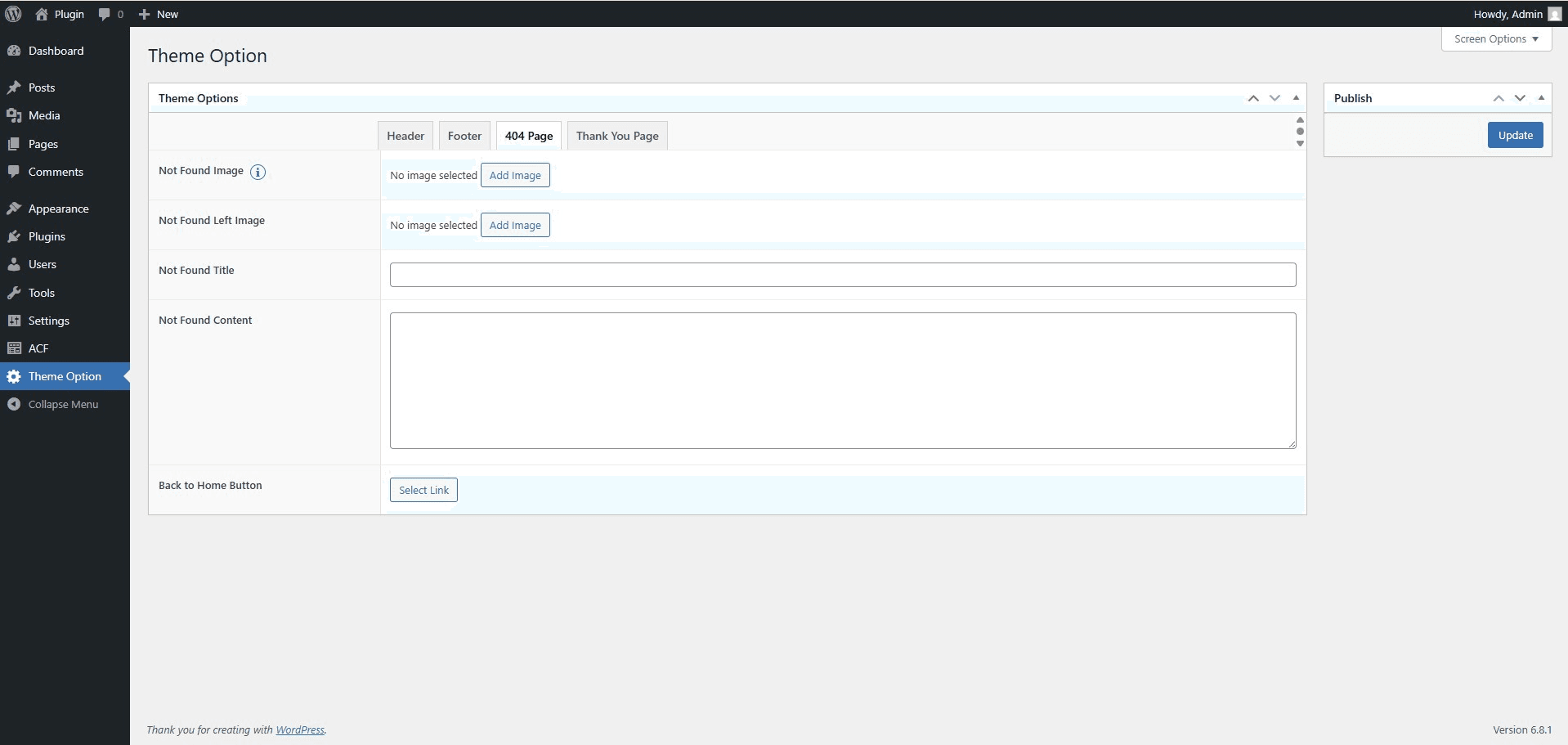
Help Icon Next to Field - A help icon appears next to the ACF field on the edit screen, indicating visual assistance is available.
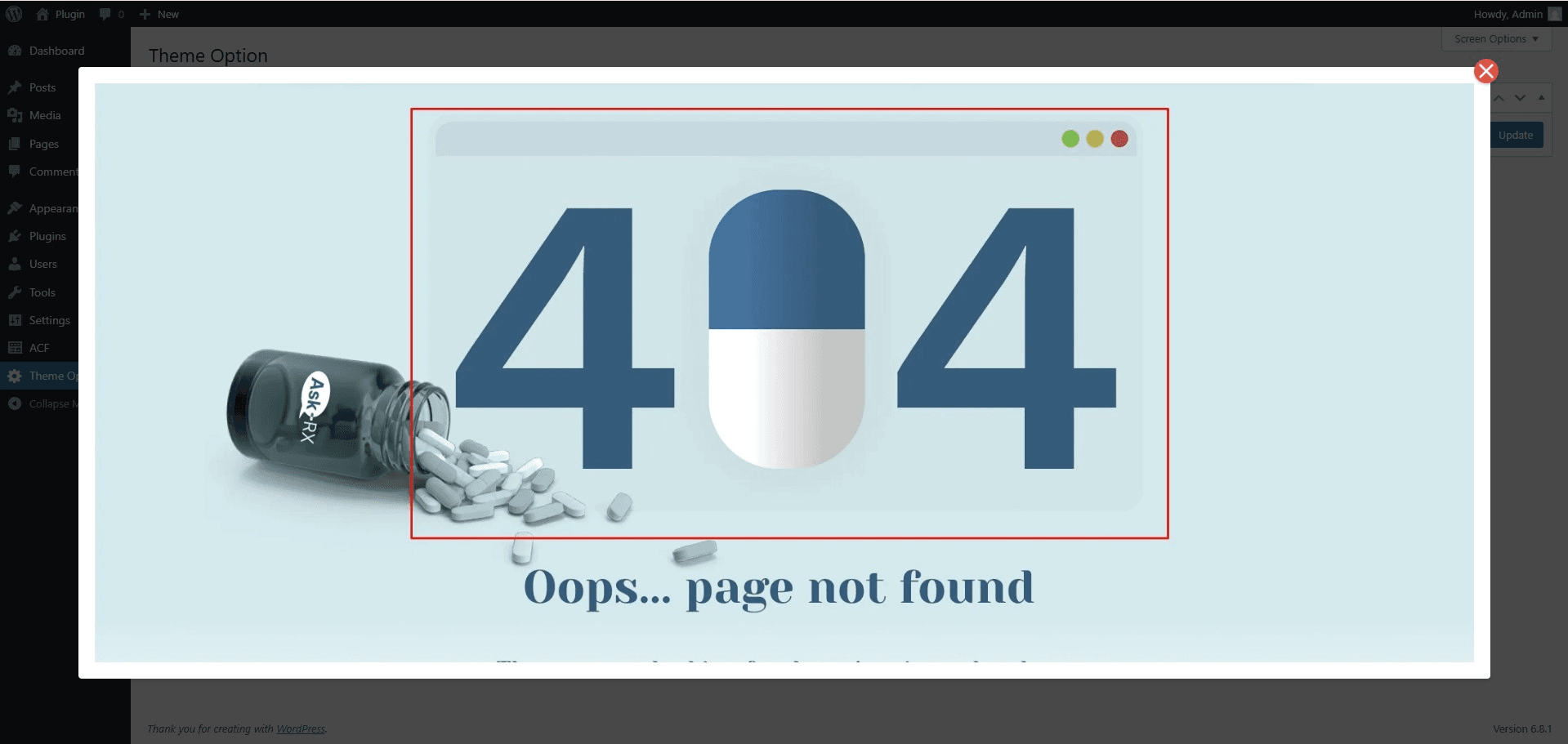
Popup Preview of Help Image - Clicking the help icon opens a responsive modal popup displaying the help image for quick guidance.
Changelog
1.0.0
- Initial release