

Plugin info
Maintenance & Compatibility
Maintenance score
Stale • Last updated 271 days ago • 1 reviews
Is Image Select Field for Elementor Forms abandoned?
Likely maintained (last update 271 days ago).
Compatibility
Similar & Alternatives
Explore plugins with similar tags, and compare key metrics like downloads, ratings, updates, support, and WP/PHP compatibility.
Description
Image Select Field for Elementor Forms
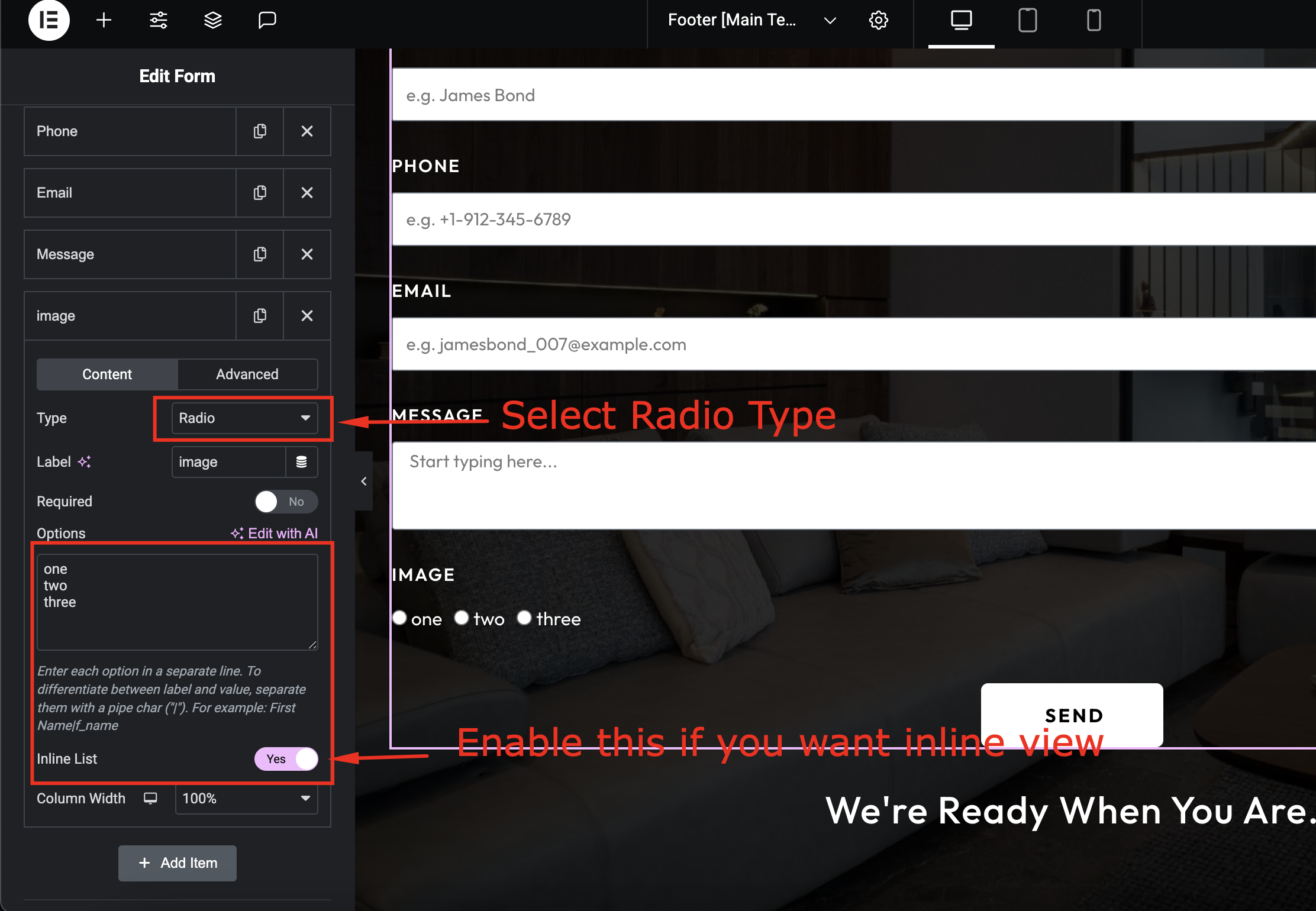
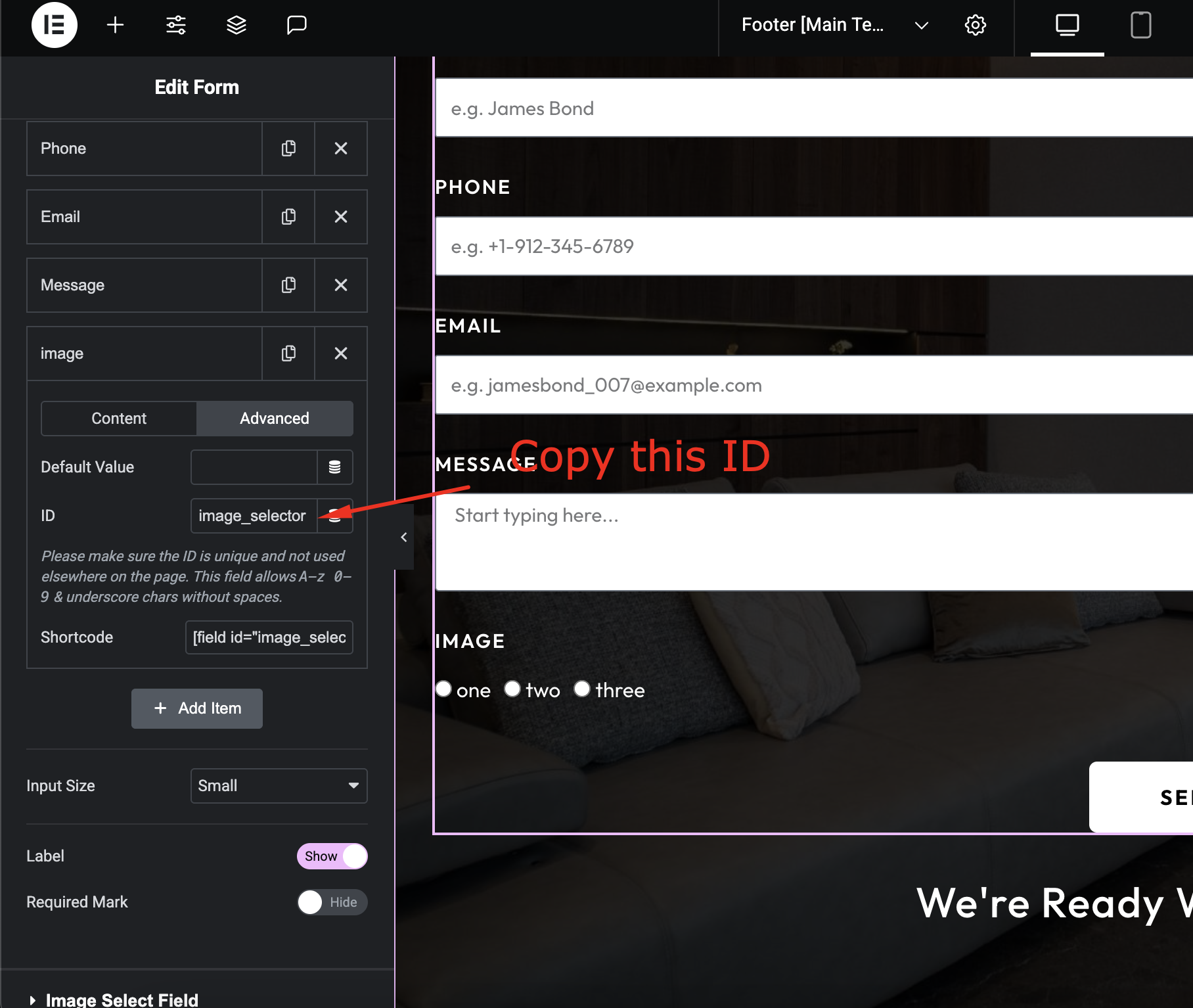
Image Select Field for Elementor Forms is a powerful addon that extends the native Elementor Form widget by adding a custom image selection field. Let your users select options visually through images—perfect for forms that require choices like product styles, services, packages, or preferences.
Features:
– Modern Checkbox and Radio Button
– Add Elementor image select field in native Elementor Form widget
Installation
- Upload the plugin files to the
/wp-content/plugins/image-select-field-for-elementor-formsdirectory, or install the plugin through the WordPress plugins screen directly. - Activate the plugin through the ‘Plugins’ screen in WordPress
- (Make your instructions match the desired user flow for activating and installing your plugin. Include any steps that might be needed for explanatory purposes)
- Edit an page with elementor and search for Advanced Addon Category
- Enjoin the plugin.
Frequently Asked Questions
Login your WordPress dashboard, Active Image Select Field for Elementor Forms plugin go page and search widgets.
It’s due to your servers’ PHP settings. Increase your server PHP memory limit from the wp-config.php file or php.ini file. If you don’t have an idea about it. Please contact your hosting provider and ask to increase
* PHP memory_limit = 512M
* max_execution_time = 300
Review feed
Screenshots



Changelog
- Initial release= 1.0.1 =
- Initial release
1.0.1
First version – adds Image Select Field to Elementor Forms.
1.0.2
- Add New controls
- Fix minor issues
1.0.3
- Fix bug