

Image Watermark
Image Watermark allows you to automatically watermark images uploaded to the WordPress Media Library and bulk watermark previously uploaded images.
Maintenance 49/100136d since update
Active installs
40,000
Downloads
965,175
Reviews
185
Age
13.0y
Plugin info
Total downloads: 965,175
Active installs: 40,000
Total reviews: 185
Average rating: 3.8
Support threads opened: 1
Support threads resolved: 0 (0%)
Available in: 10 language(s)
Contributors: 2
Last updated: 11/17/2025 (136 days ago)
Added to WordPress: 4/6/2013 (13 years old)
Minimum WordPress version: 4.7
Tested up to WordPress version: 6.8.3
Minimum PHP version: 7.4
Maintenance & Compatibility
Maintenance score
Maintained • Last updated 136 days ago • Support resolved 0% • 185 reviews
49/100
Is Image Watermark abandoned?
Likely maintained (last update 136 days ago).
Compatibility
Requires WordPress: 4.7
Tested up to: 6.8.3
Requires PHP: 7.4
Developers
Similar & Alternatives
Explore plugins with similar tags, and compare key metrics like downloads, ratings, updates, support, and WP/PHP compatibility.
Watermark WP Image Protect
Rating 3.4/5 (18 reviews) • Active installs 100
ImgMarkFactory
Rating 0.0/5 (0 reviews) • Active installs 0
PhotoBerry Studio for Photographers – Image Selection, Proofing, Watermarking & Client Management
Rating 5.0/5 (3 reviews) • Active installs 50
Dynamic Watermark
Rating 3.0/5 (6 reviews) • Active installs 10
Description
Image Watermark allows you to automatically watermark images uploaded to the WordPress Media Library and bulk watermark previously uploaded images.
For more information, check out plugin page at dFactory, documentation page or plugin support forum.
Features include:
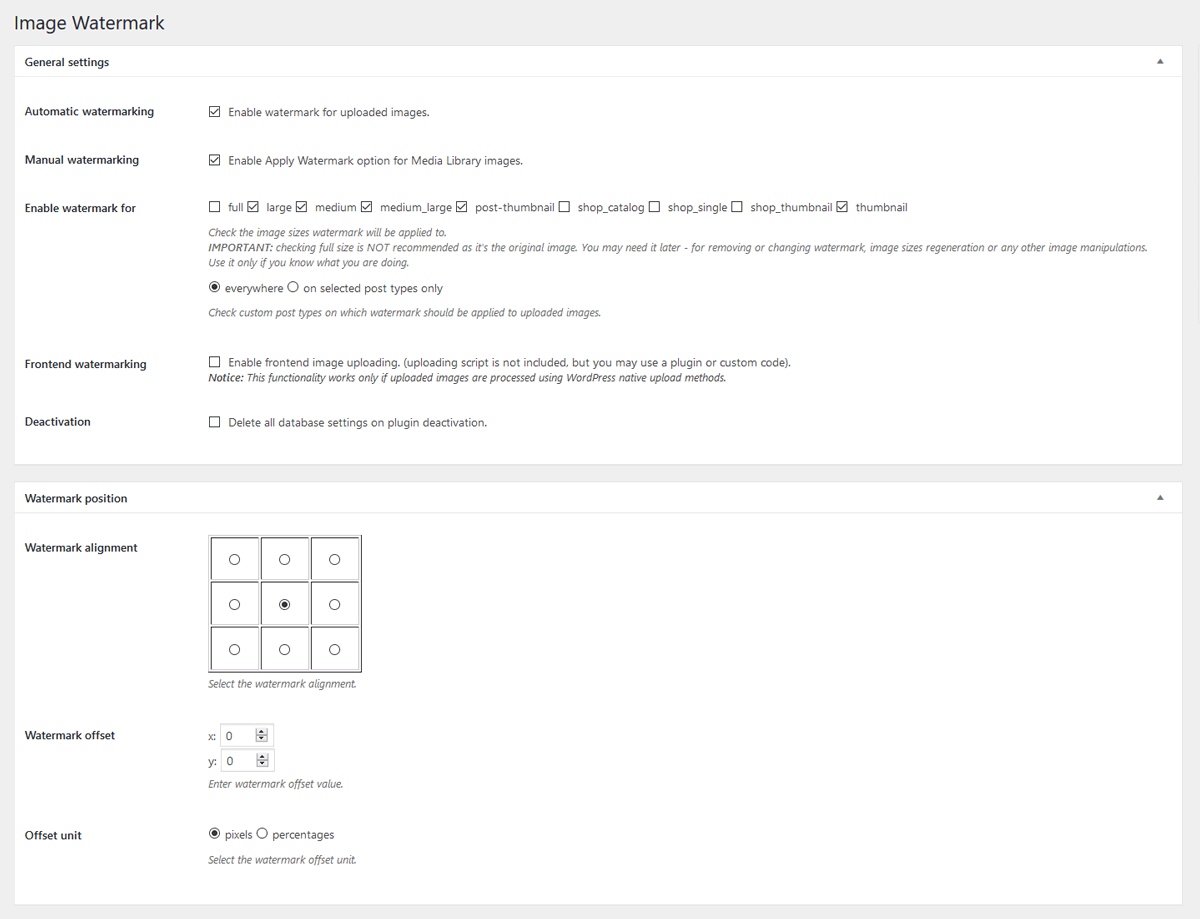
- Bulk watermark – Apply watermark option in Media Library actions
- Watermark images already uploaded to Media Library
- GD LIbrary and ImageMagic support
- Image backup functionality
- Option to remove watermark
- Flexible watermark position
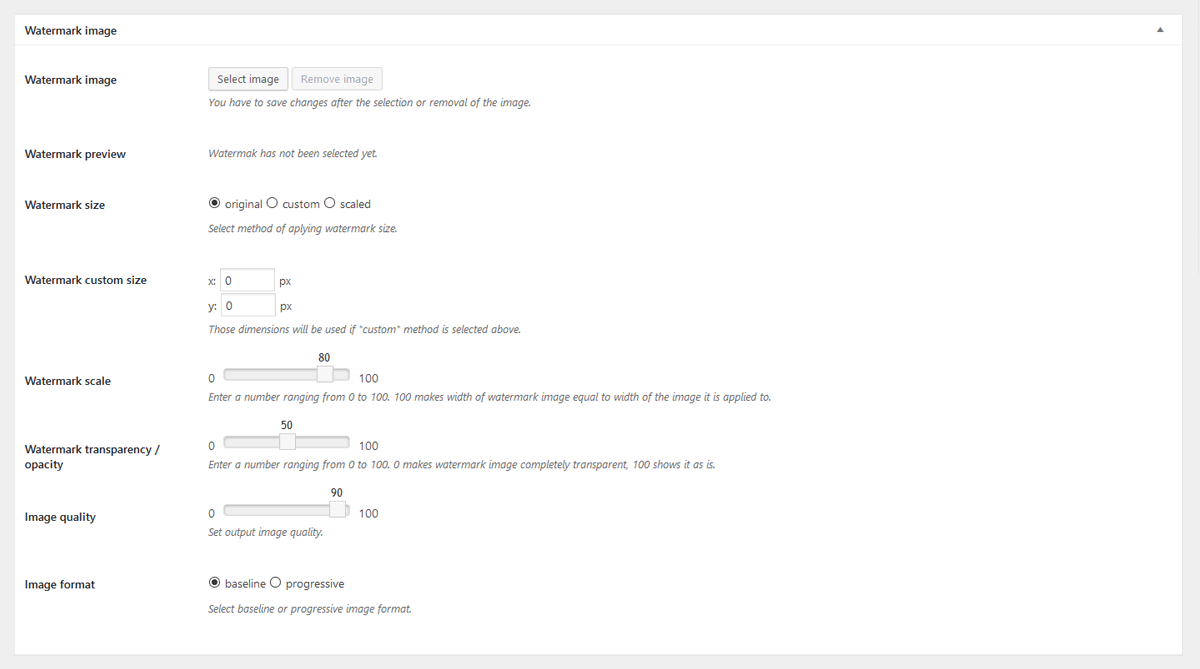
- Watermark image preview
- Set watermark offset
- Select post types where watermark will be aplied to uploaded images or select adding watermark during any image upload
- Select from 3 methods of aplying watermark size: original, custom or scaled
- Set watermark transparency / opacity
- Select image format (baseline or progressive)
- Set image quality
- Protect your images from copying via drag&drop
- Disable right mouse click on images
- Disable image protection for logged-in users
- .pot file for translations included
Installation
- Install Image Watermark either via the WordPress.org plugin directory, or by uploading the files to your server
- Activate the plugin through the ‘Plugins’ menu in WordPress
- Go to the Watermark menu in Settings and set your watermarking options.
- Enable watermark to apply watermark to uploaded images or go to Media Library to apply watermark to previously uploaded images
Frequently Asked Questions
No questions yet.
Review feed
No reviews available
Screenshots
screenshot-1.png
screenshot-2.png

Changelog
1.9.0
- Fix: Watermarked image not refreshing in attachment edit screen after watermark is applied or removed
- Fix: Updated image reload selectors to support modern WordPress attachment details page structure
- Tweak: Complete modern rewrite of Right click blocking feature
1.8.0
- New: WebP image files support
1.7.4
- Fix: Potential security issue with capability check – props WordFence
- Fix: Saving post types settings issue
- Tweak: WordPress 6.5 compatibility
1.7.3
- Tweak: WordPress 6.2 compatibility
- Tweak: PHP 8.2 compatibility
1.7.2
- Fix: Missing admin-media.js file
1.7.1
- Fix: Watermark option not available in Media Library
1.7.0
- Tweak: WordPress 5.9 compatibility
- Tweak: PHP 8.x compatibility
1.6.6
- Tweak: PHP 7.3 compatibility
1.6.5
- Fix: Improved support for PHP 7 and above
- Fix: Backup folders handling of date based organized uploads
1.6.4
- Fix: Transparent PNG issues with ImageMagic library
1.6.3.1
- Fix: The plugin directory upload fix.
1.6.3
- Fix: PNG files watermarking issue
1.6.2
- New: Option to select watermark offset unit – pixels or percentages
- Tweak: Added values to slider settings fields
1.6.1
- Fix: Minor bug with AJAX requests, thanks to JoryHogeveen
- Fix: Prevent watermarking the watermark image, thanks to JoryHogeveen
- Tweak: Code cleanup
1.6.0
- New: Image backup functionality, thanks to JoryHogeveen
- New: Option to remove watermark (if backup is available)
1.5.6
- New: PHP image processing library option, if more than one available.
- Fix: Manual / Media library watermarking not working.
- Fix: Image sizes not being generated proparly in GD library.
1.5.5
- Fix: Determine AJAX frontend or backend request
- Tweak: Remove Polish and Russian translations, in favor of GlotPress
1.5.4
- Fix: Use of undefined constant DOING_AJAX
1.5.3
- New: ImageMagic support
1.5.2
- Tweak: Switch from wp_get_referer() to DOING_AJAX and is_admin().
1.5.1
- New: Introducing plugin documentation
- Tweak: Improved transparent watermark support
1.5.0
- Tweak: Plugins setting adjusted to WP settings API
- Tweak: General code cleanup
- Tweak: Added Media Library bulk watermarking notice
1.4.1
- New: Hungarian translation, thanks to Meszaros Tamas
1.4.0
- New: Option to donate this plugin 🙂
1.3.3
- New: RUssian translation, thanks to Sly
1.3.2
- New: Chinese translation, thanks to xiaoyaole
1.3.1
- Fix: Option to disable right click on images not working
1.3.0
- Tweak: Manual watermarking now works even if selected post types are selected
- Tweak: UI improvements for WP 3.8
- Fix: Image protection options not saving properly
1.2.1
- New: German translation, thanks to Matthias Siebler
1.2.0
- New: Frontend watermarking option (for front-end upload plugins and custom front-end upload code)
- New: Introducing iw_watermark_display filter
- New: Option to delete all plugin data on deactivation
- Tweak: Rewritten watermark application method
- Tweak: UI enhancements for settings page
1.1.4
- New: Arabic translation, thanks to Hassan Hisham
1.1.3
- New: Introducing API hooks: iw_before_apply_watermark, iw_after_apply_watermark, iw_watermark_options
- Fix: Wrong watermark watermark path
- Fix: Final fix (hopefully) for getimagesize() error
1.1.2
- New: Image quality option
- New: Image format selection (progressive or baseline)
- Fix: Error when getimagesize() is not available on some servers
- Tweak: Files & class naming conventions
1.1.1
- New: Added option to enable or disable manual watermarking in Media Library
- Fix: Apply watermark option not visible in Media Library actions
- Fix: Warning on full size images
1.1.0
- New: Bulk watermark – Apply watermark in Media Library actions
- New: Watermark images already uploaded to Media Library
1.0.3
- Fix: Error during upload of file types other than images (png, jpg)
- Fix: Limit watermark file types to png, gif, jpg
- Tweak: Validation for watermark size and transparency values
- Tweak: Remove unnecessary functions
- Tweak: Code cleanup
- Tweak: Added more code comments
- Tweak: Small css changes
1.0.2
- New: Add watermark to custom images sizes registered in theme
- Tweak: Admin notices on settings page if no watermark image selected
- Tweak: JavaScript enquequing on front-end
- Tweak: General code cleanup
- Tweak: Changed label for enabling image protection for logged-in users
1.0.1
- Fix: Using image ID instead of image URL during image upload
1.0.0
Initial release