

IMS Countdown
IMS Countdown timer allows you to display a countdown on your post or page.
Plugin info
Maintenance & Compatibility
Maintenance score
Maintained • Last updated 129 days ago • 1 reviews
Is IMS Countdown abandoned?
Likely maintained (last update 129 days ago).
Compatibility
Similar & Alternatives
Explore plugins with similar tags, and compare key metrics like downloads, ratings, updates, support, and WP/PHP compatibility.
Description
IMS Countdown Timer enhances your website by allowing you to effortlessly showcase a visually appealing countdown on your post or page. This engaging feature not only captivates your audience but also contributes to retaining users on your site. Elevate the user experience and create a sense of anticipation with the IMS Countdown Timer, making your content more dynamic and interactive.
* Check out the
⚡️ FEATURES
- Easy implementation with shortcodes
- Set customized text for date and time
- Personalize box colors
- Customize text and background colors
- Stylish countdown with Google Fonts
- HTML5 compatibility: No flash, only jQuery
- Create an unlimited number of styles
- Redirect to URL option after expiry
- Hide option after expiry
- Show link after expiry
- Timezone customization
- Fully responsive design
- Ability to use Multiple countdown Timers on the same Post/Page
Installation
- Navigate to the “Plugins” Menu in WordPress.
- Search for “IMS Countdown.”
- Click “Install.”
- After installation, click “Activate.”
- You will now find the IMS Countdown menu in the sidebar, where you can add a countdown to your page or post.
Frequently Asked Questions
Yes, you can choose the ‘Countdown Expire Action’ radio button options to make the countdown invisible.
You can report bugs, suggest ideas, and participate in development by emailing us at [email protected].
Review feed
Screenshots
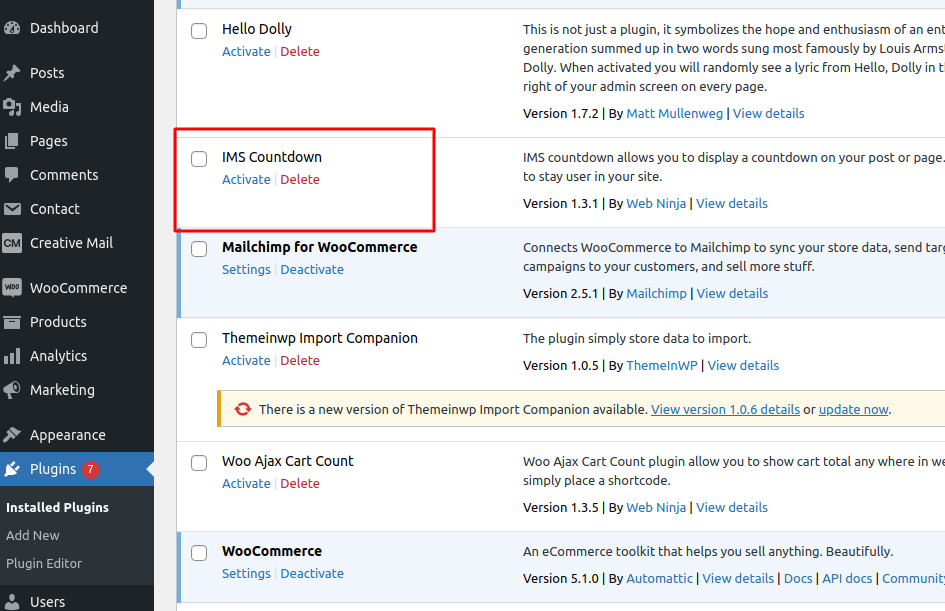
Installation - Search IMS Countdown & Install IMS Countdown Plugin.
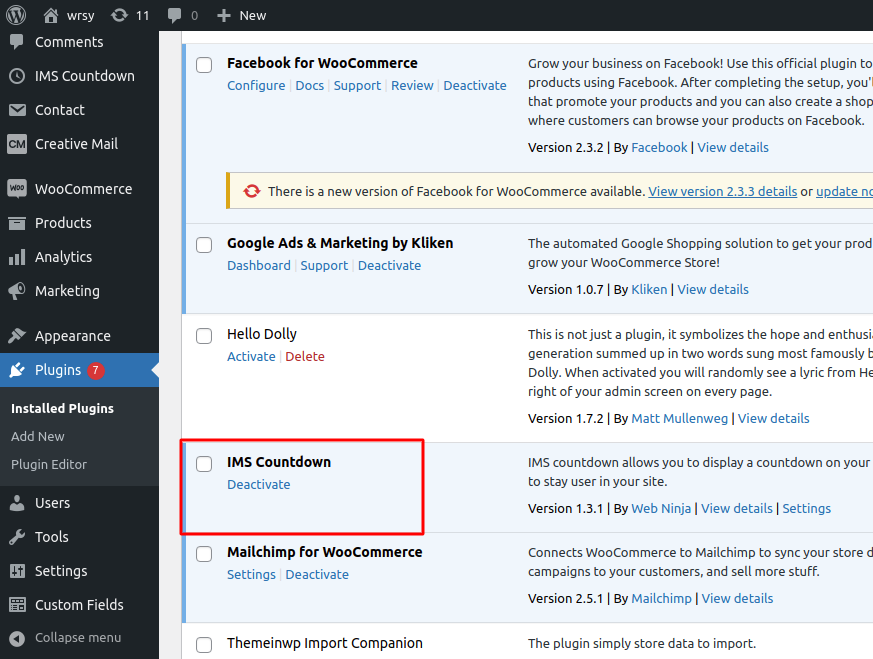
Activation - Activate IMS Countdown Plugin.

Settings - Set Date and Time in Select Date option.

Shortcodes - Also get shortcodes of added Countdown, that can be applied wherever you want to display the countdown.

Apply - Place shortcode according to your requirement.

Countdown Display On Page - Check Your Website Page where you add your shortcode and it displays the countdown.