

Inbox
All types of messages among users and admin including support departments are possible with this plugin.
Plugin info
Maintenance & Compatibility
Maintenance score
Possibly abandoned • Last updated 514 days ago • 3 reviews
Is Inbox abandoned?
Possibly abandoned (last update 514 days ago).
Compatibility
Similar & Alternatives
Explore plugins with similar tags, and compare key metrics like downloads, ratings, updates, support, and WP/PHP compatibility.
Description
-
Author: Fahad Mahmood
-
Project URI: http://androidbubble.com/blog/wordpress/plugins/inbox
-
Demo URI: http://demo.androidbubble.com/help
-
License: GPL 3. See License below for copyright jots and titles.
Inbox is a free communication tool for WooCommerce vendors and customers. Vnedors can manage their own communication threads privately with this plugin. Any user who is logged in can ask a question or put any query through help section. User will select the department from list to which he has some query and provide his email which is optional and his message. These messages will appear in your inbox and admin panel as well. Relevant Administrators or Moderators will reply the queries as support departments. Admin can add new departments, manage staff department-wise. Admin can also monitor communication threads and apply filters with an alert.
WooCommerce customers also can manage their communication threads with support departments and online vendors. Only logged-in user can communicate within the system. This plugin is an internal communication system among website registered users. In addition you can create support/help desks like contact forms etc. unregistered users can also submit inquiries and your administrator/moderators can reply those threads.
Tags
messages, users, administration, support, tickets, resolution center, disputes, alerts, chat, help desk, vendors
Features
- Admin can send/schedule messages to all users
- View all communication threads and apply filters
- Define different departments and assign staff for sales and support
- Shortcodes for users list
- Allow/Disallow words in threads
- Google Maps API compatibility
- Shortcode based pages
License
This WordPress plugin is a free software: you can redistribute it and/or modify it under the terms of the GNU General Public License as published by the Free Software Foundation, either version 2 of the License, or any later version. This WordPress plugin is distributed in the hope that it will be useful, but WITHOUT ANY WARRANTY; without even the implied warranty of MERCHANTABILITY or FITNESS FOR A PARTICULAR PURPOSE. See the GNU General Public License for more details. You should have received a copy of the GNU General Public License along with this WordPress plugin. If not, see http://www.gnu.org/licenses/gpl-2.0.html.
Installation
- Upload the plugin files to the
/wp-content/plugins/directory, or install the plugin through the WordPress plugins screen directly. - Activate the plugin through the ‘Plugins’ screen in WordPress
- There will be a link under WP Admin > Settings.
Frequently Asked Questions
Yes, it is compatible with all WordPress themes which are developed according to the WordPress theme development standards.
I. Install the Plugin and Activate it
II. Go to Admin Panel > Settings > Inbox
III. There are two readymade pages available in Pages & Short codes tab which can be inserted in relevant areas.
IV. You can also use short code available in settings page, as per your requirements.
V. In Communication tab, admin can view all conversations.
VI. In Support Department tab you can add departments and manage staff as per departments.
VII. In Google API tab you can add your Location API, which will help customers to find you easily through Google Maps API. Latitude and Longitude will be calculated from your location string.
VIII. In Install Plugin tab you can install plugins which are required for this plugin. Mandatory and Optional are included.
IX. In Advance Settings tab there are some advance short codes available.
WordPress Bootstrap CSS plugin required for this plugin mainly.
It Can be used only for the same platform users.
If You are a seller then on your product & profile/author page a contact button will be appeared. If you belong to support, admin or HR department then people will approach you through contact or help page. This plugin can be used for communication between seller and user + admin and user.
No, Email is optional for support page but account registration is required for the communication between seller and customer.
Yes, you can use it on any page by just adding the short code to any page.
No Instant chat is not available in this version.
Users can’t send messages to each other without login, but a visitor can send message to support or admin from help page.
Yes, all basic/required features are free in this plugin.
If you are a seller so you can add your location by Google Maps API. Customers can find you by distance preferences through your latitude and longitude values.
Review feed
It's a well tested working plugin
nice
A good first iteration but not a completed project
Screenshots

Features at a Glance

Free Version - Communication

Free Version - Ajax Based (Optional)

Advanced Version - Live Chat (Geared)

Required or Optional plugins list

A few extra short codes available here
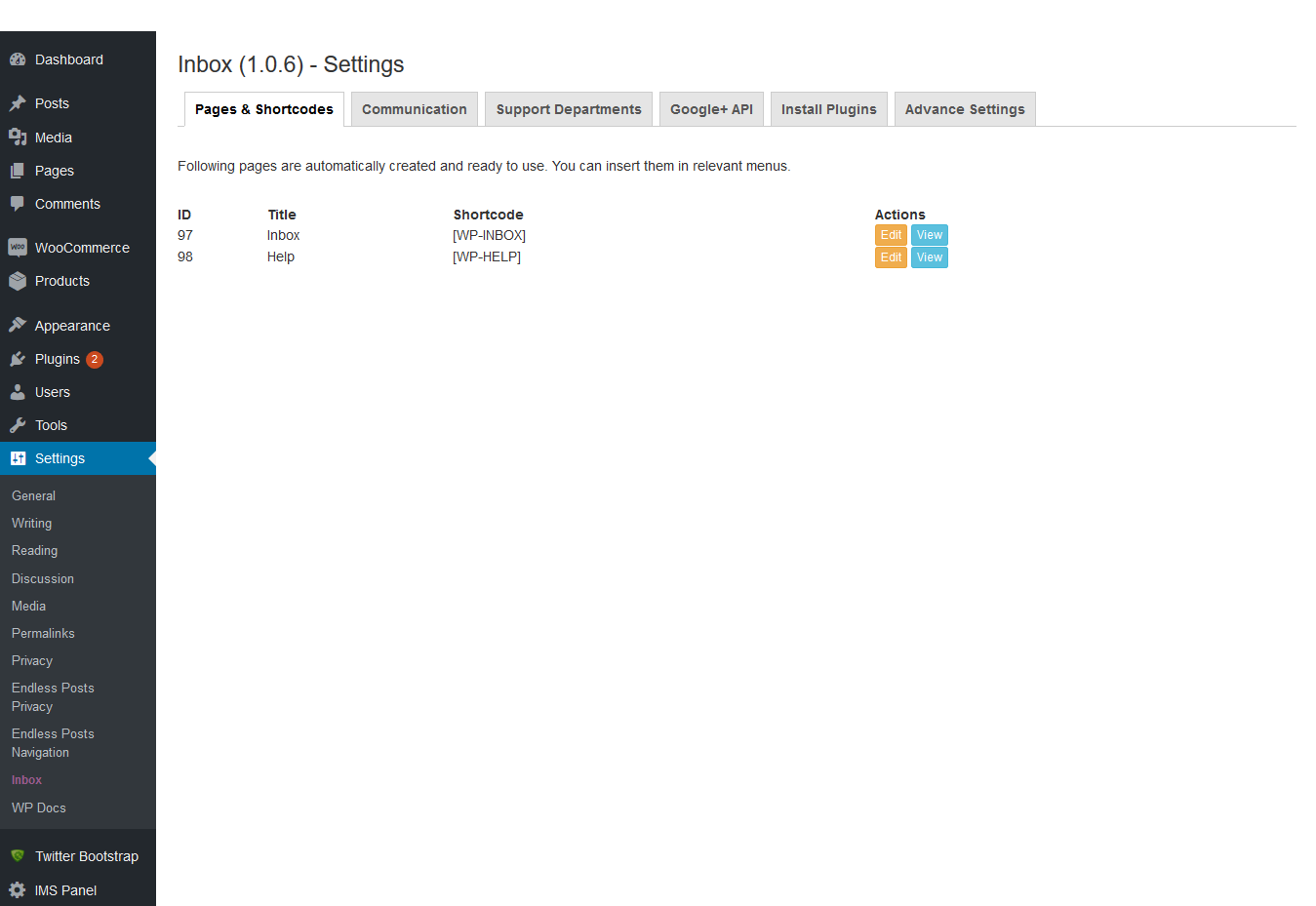
Automatically added two pages, Inbox and Help with relevant short codes

A few features described in communication board style.

Plugin Description
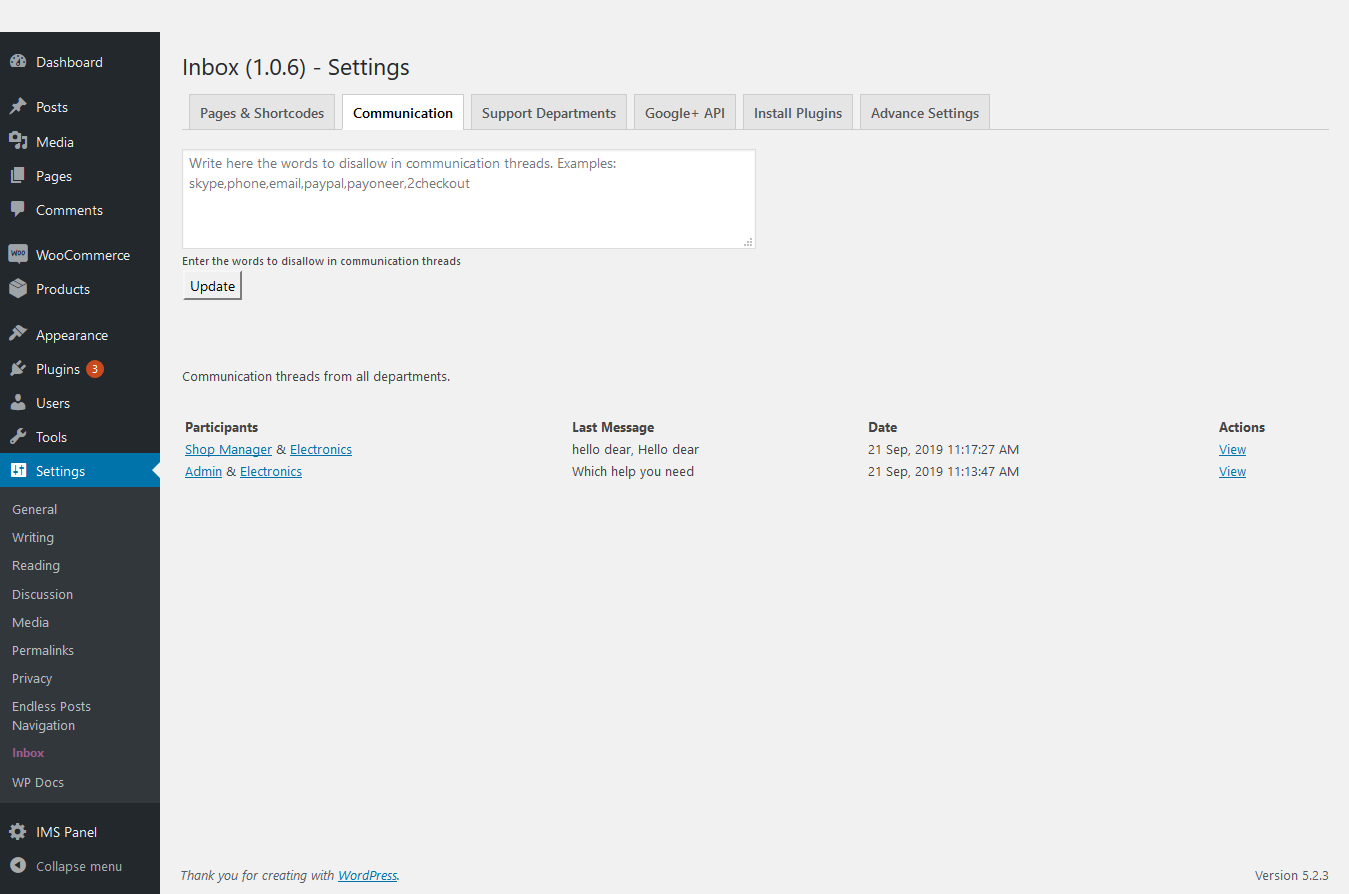
Communication tab

Support/Help Page Management

Google+ API for Maps Display on Seller Profile

Features Described
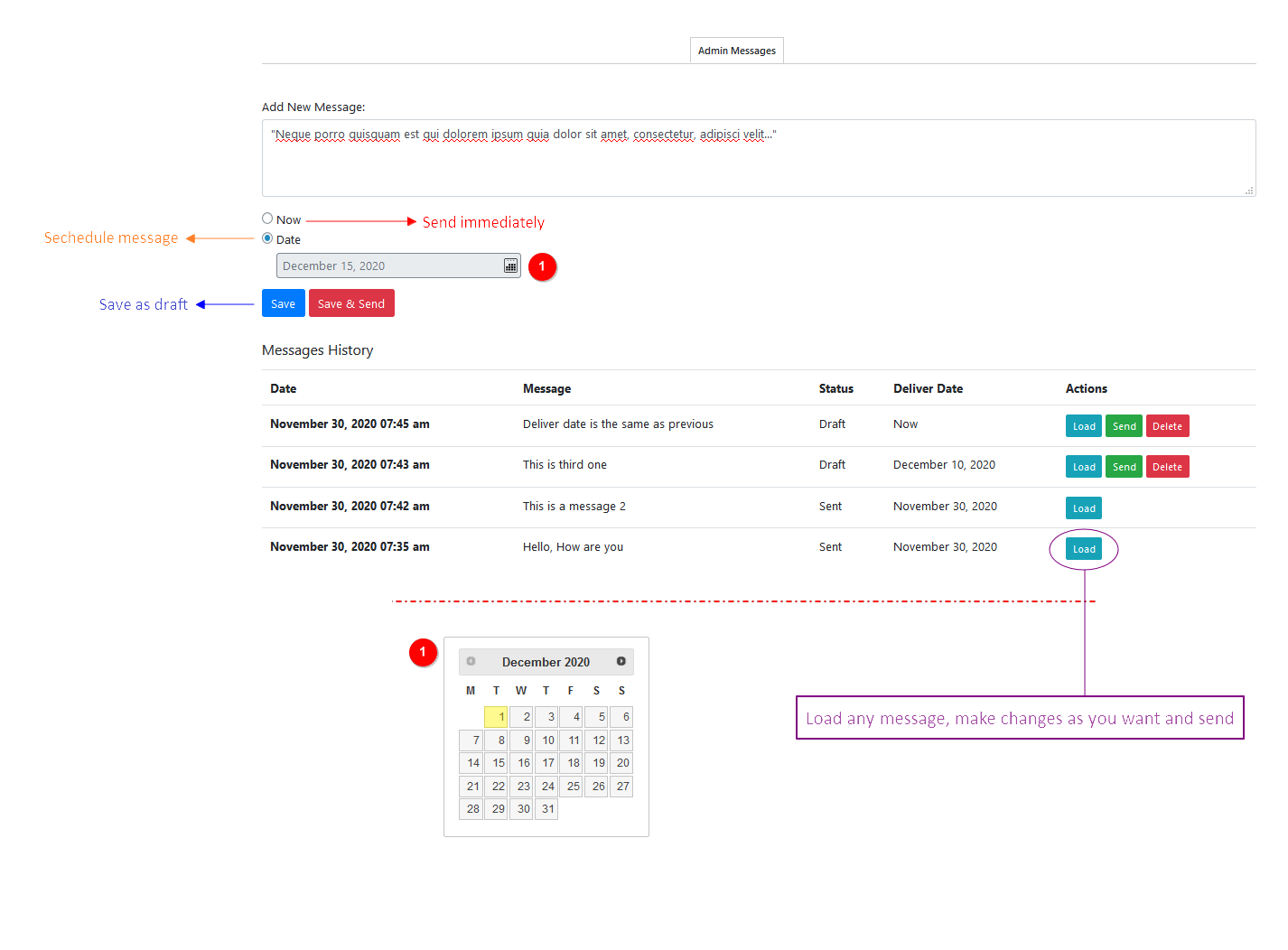
Admin Messages
Changelog
1.2.1
- Updated version for WordPress. [12/06/2023]
1.2.0
- Updated version for WordPress. [02/05/2023]
1.1.9
- Updated version for WordPress. [07/09/2022]
1.1.8
- Language files updated. [Thanks to i. A. Kevin Koch – IT]
1.1.7
- Admin can send/schedule messages to all users. [Thanks to Sam & Team Ibulb Work]
1.1.6
- Default timezone from WP settings page. [Thanks to ramya & Team Ibulb Work]
1.1.5
- Bootstrap conflict with WooCommerce registration page, fixed. [Thanks to Sam]
1.1.4
- Bootstrap conflict with WooCommerce checkout page, fixed. [Thanks to Sam]
1.1.3
- Checkbox for contact seller option added on settings page. [Thanks to roghithsam]
1.1.2
- htmlentities() used for admin side messages strings display.
1.1.1
- An error reported about the following address(es) failed:***[email protected]. Fixed. [Thanks to Team Sam]
- Timezone settings added for users inbox.
1.1.0
- Chat features added optionally. [Thanks to Team Ibulb Work]
1.0.9
- A few UI/UX improvements. [Thanks to @gusakdmitry]
1.0.8
- A few warnings are fixed. [Thanks to @gusakdmitry]
1.0.7
- A few additions and imrprovements.
1.0.6
1.0.5
1.0.4
- A few additions and imrprovements.
1.0.3
- Languages refined.
1.0.2
- Languages added. [Thanks to Abu Usman]
1.0.1
- Bootstrap installation tab and WooCommerce activation check added. [Thanks to Nick]
1.0.0
- Initial Commit