

Infobox Widget
Infobox Widget is a user-friendly plug-in for use. From now on, your information is with you, which placed in a box in the form of a widget.
Plugin info
Maintenance & Compatibility
Maintenance score
Possibly abandoned • Last updated 2489 days ago
Is Infobox Widget abandoned?
Possibly abandoned (last update 2489 days ago).
Compatibility
Similar & Alternatives
Explore plugins with similar tags, and compare key metrics like downloads, ratings, updates, support, and WP/PHP compatibility.
Description
Infobox Widget
The Infobox widget (or the full name of the Information Box Widget) is a free WordPress plugin. The plugin is very user-friendly and easy to use. It will help you customise the contact details of many companies, such as company data, mobile phone number, and email. Also, you can add the desired title and move it to the right place.
You can also add fields with empty values. If you do not want to fill in the fields with an email or mobile number, then you do not need to. I hope you tested and enjoy this plugin!
Plugin features
- Add contact information: company name, phone number, and email.
- Add multiple widgets with information on the footer or sidebar of the site.
- Add a header to your widget for convenience.
Installation
Install the plugin
- Upload the entire ‘infobox-widget’ folder to the ‘/wp-content/plugins/’ directory, or install the plugin through the WordPress plugins screen directly.
- Activate the plugin through the ‘Plugins’ menu in WordPress.
- Go to ‘Appearance’ -> ‘Widgets’ and find ‘My Infobox Widget’. Open it by clicking on the arrow.
- Add the widget to the appropriate place on the site: footer or sidebar.
- Fill in the contact details and save it. You can also move the widget above or below other categories for convenience.
Frequently Asked Questions
Does this plugin have a support site?
Yes, of course. Here is a link to the plugin: http://infobox.tilda.ws/.
Can I fill out some fields in the widget?
Yes, the user may not fill the selected field.
I have other questions to ask me what to do?
You can send me a letter to this email address, [email protected] with wishes, requests or confessions.
Review feed
Screenshots
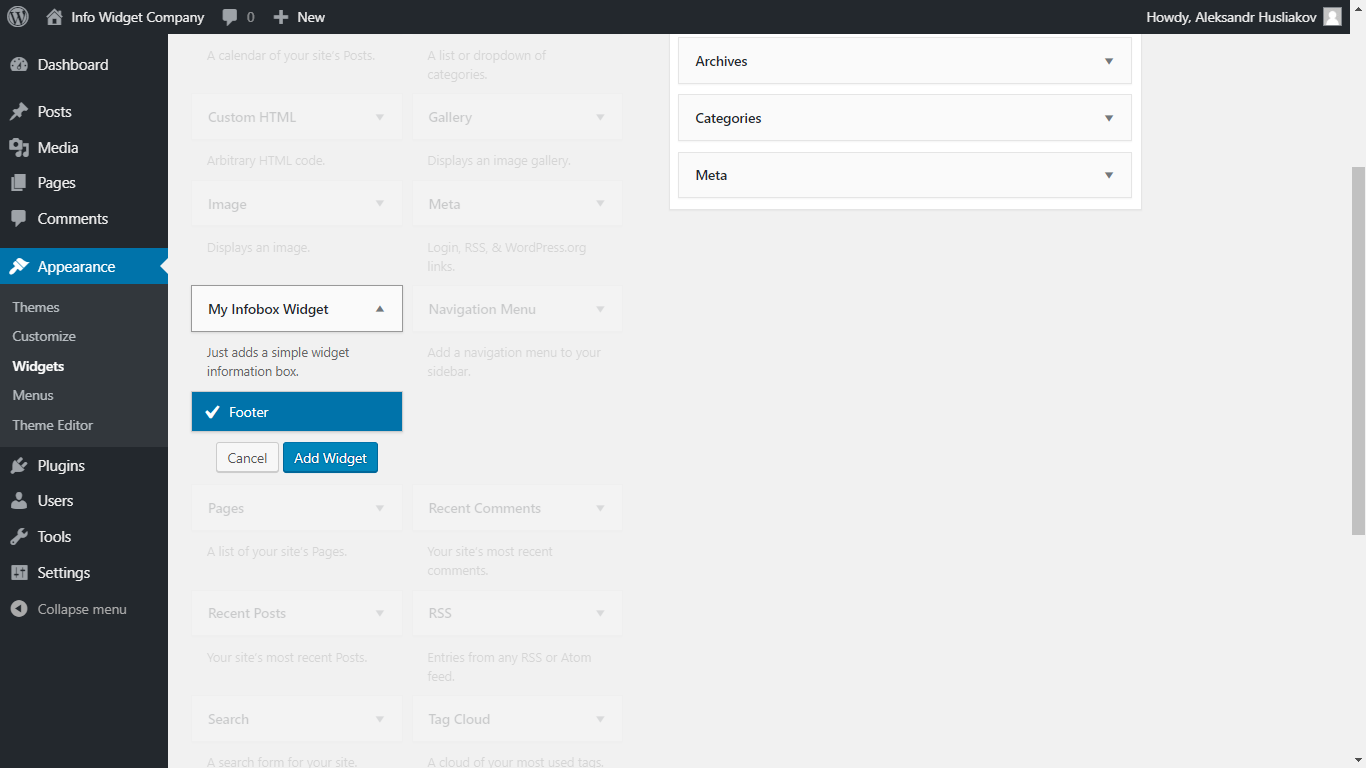
Location Infobox Widget in the Admin Panel

Enter contact data

Final view of the widget in the site's footer
Changelog
1.0
- First official release.