

Input Masks for Elementor Forms
The plugin that allows you to create input fields with 6 pre-defined formats or custom as your formats in your Elementor Forms forms
Plugin info
Maintenance & Compatibility
Maintenance score
Maintained • Last updated 125 days ago
Is Input Masks for Elementor Forms abandoned?
Likely maintained (last update 125 days ago).
Compatibility
Languages
Similar & Alternatives
Explore plugins with similar tags, and compare key metrics like downloads, ratings, updates, support, and WP/PHP compatibility.
Description
DEMO: https://demo.add-ons.org/demo-input-masks/
Document: https://add-ons.org/document-input-masks-for-elementor-forms/
Input Masks for Elementor Forms is an add-on plugin for Elementor Forms that enables you to apply input masks to form fields. Input masks guide users to enter data in the correct format, such as phone numbers, postal codes, credit card numbers, or other specific types of information.
With an input mask, placeholder characters appear in the input field, limiting errors due to incorrect formatting and improving the quality of the information provided by users.
Benefits
- Ensures accurate data collection from users.
- Improves user experience by making forms easier and more intuitive to fill out.
- inimizes the risk of incorrect data entries.
Features
- Flexible Formatting Support: You can apply input masks to a wide range of fields, such as phone numbers, dates, or postal codes, with customizable characters.
- Interactive Visual Cues: Input format guidelines are displayed directly in the field, making it easy for users to follow.
- Seamless Integration: Integrates directly with Elementor Forms without complex configurations.
- Improves User Experience: Reduces incorrect data entries and ensures form submissions are consistent and accurate.
- Conditional Logic support: The field conditional Logic support
- Simple Configuration: TJust add the input mask to the field’s shortcode to activate automatic formatting.
Installation
Normal installation
- Download the xxx.zip file to your computer.
- Unzip the file.
- Upload the
xxxdirectory to your/wp-content/plugins/directory. - Activate the plugin through the ‘Plugins’ menu in WordPress.
- Document: https://add-ons.org/document-input-masks-for-elementor-forms/
Frequently Asked Questions
Review feed
Screenshots

Frontend Working

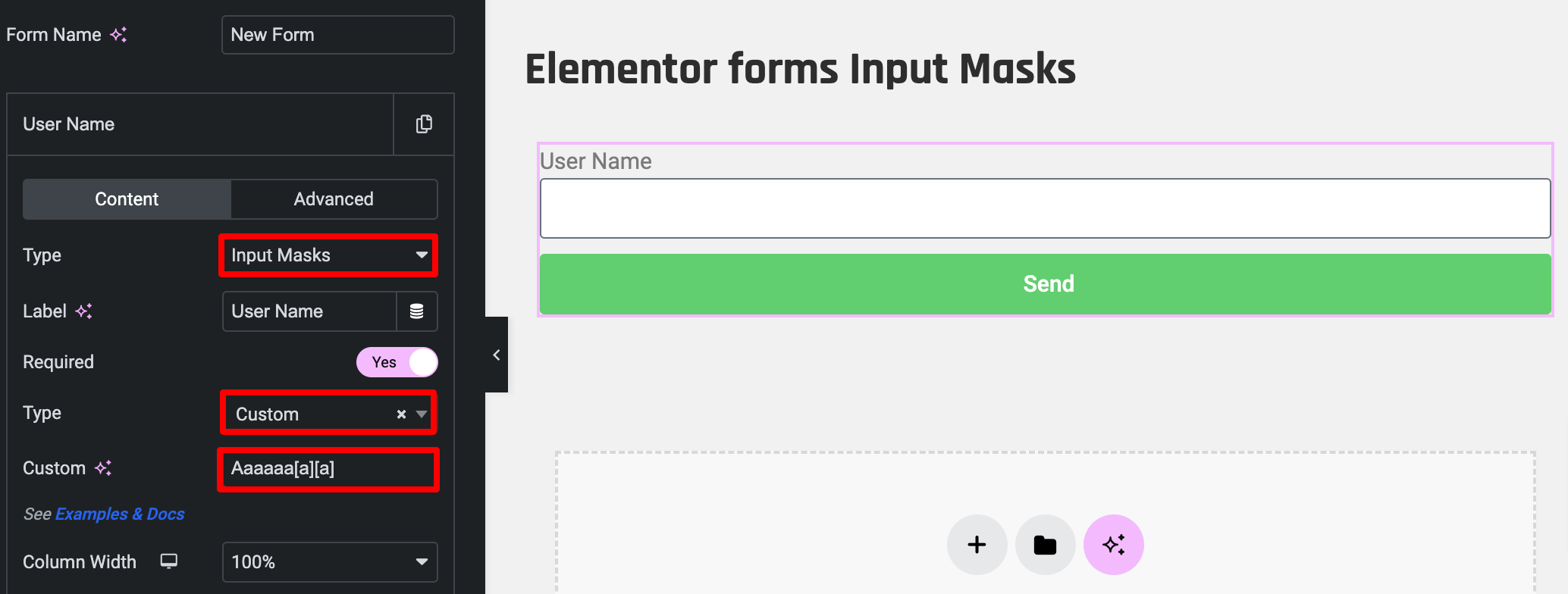
Backend Field

Addmin builder
Changelog
1.0.3
- Added: Placeholder
1.0.2
- Added: Check validate
1.0
- Version 1.0 Initial Release