

Insert Image Alt Text
Tired of inserting alternative text in all images in your WordPress media? Insert Image Alt Text will automatically add alt text on them.
Plugin info
Maintenance & Compatibility
Maintenance score
Possibly abandoned • Last updated 2415 days ago • 1 reviews
Is Insert Image Alt Text abandoned?
Possibly abandoned (last update 2415 days ago).
Compatibility
Similar & Alternatives
Explore plugins with similar tags, and compare key metrics like downloads, ratings, updates, support, and WP/PHP compatibility.
Description
Insert Image Alt Text focuses on the best user experience in optimizing their site specifically for inserting alt-text for images. For those who would apply media to their blogs, they can automatically insert alt text every time they would want to insert an image or a graphic. This is to automate the application of alt text for blog images.
Additionally, there is a feature that you can use to evaluate all pages and with one click, they can see what images do not have alt txt. The plugin will highlight images who have alt text by a green indicator over the image and for those who do not, it will display in red.
Stay tuned as it will get updated possibly often with new features.
Installation
Using The WordPress Dashboard
- Navigate to the ‘Add New’ in the plugins dashboard
- Search for ‘insert-image-alt-text’
- Click ‘Install Now’
- Activate the plugin on the Plugin dashboard
- Customize the setting by clicking on the “WordPress Cleanup and Basic Options Functions” menu tab
Uploading in WordPress Dashboard
- Navigate to the ‘Add New’ in the plugins dashboard
- Navigate to the ‘Upload’ area
- Select
insert-image-alt-text.zipfrom your computer - Click ‘Install Now’
- Activate the plugin in the Plugin dashboard
Using FTP
- Download
insert-image-alt-text.zip - Extract the
insert-image-alt-textdirectory to your computer - Upload the
insert-image-alt-textdirectory to the/wp-content/plugins/directory - Activate the plugin in the Plugin dashboard
Frequently Asked Questions
What Alt text will be inserted in my image?
The filename of the image you uploaded. The plugin will beautify the filename.
Review feed
Screenshots

The Insert Image Alt Text helps you to determine all the images with/without alt text.
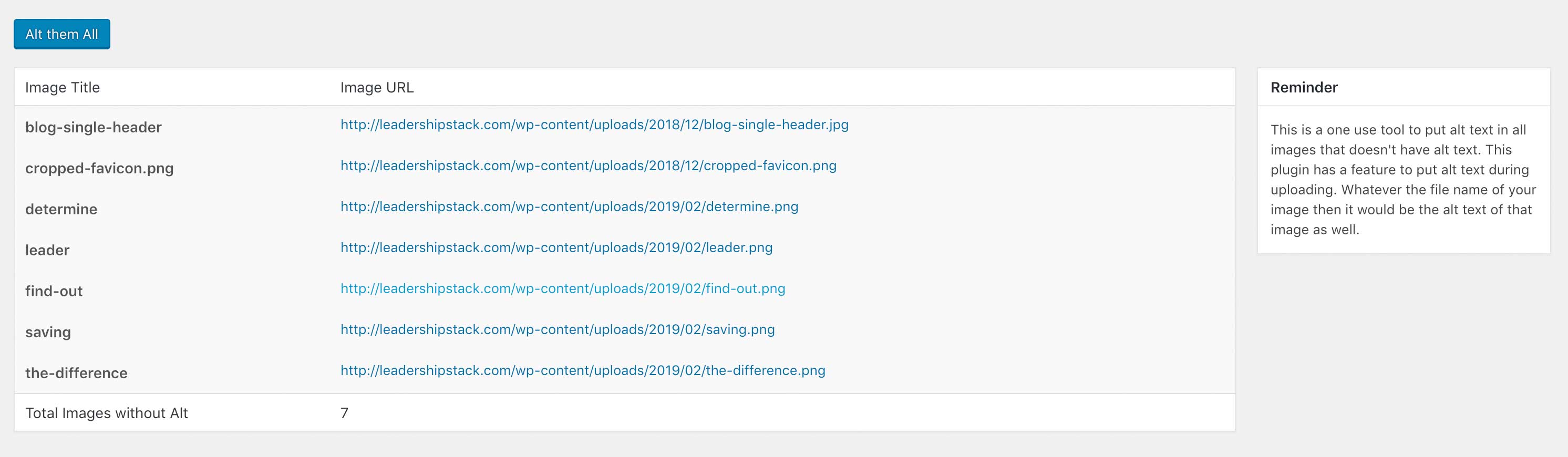
Once plugin is installed, you can easily click the button to add alt text to all images that don't have alt text.
Changelog
1.0
Initial Release